Solved

App Installer apps - On Demand scoped apps do not appear in Jamf Teacher

  • March 6, 2026
  • 5 replies
  • 27 views

red_beard
Forum|alt.badge.img+8

Trying to use Jamf’s App Installer feature in Jamf School.

Issue:  Apps set to on-demand do not show in the Jamf Teacher App.

Hoping my setup is incorrect as this post referencing a similar issue is more than two years old. I’d happily use Self Service+ but the guidance even calls out the fact that on-demand content will continue to be through Jamf Teacher.

Using Self Service+ would solve the Keychain messages our users are getting since we sitting at stuck at jamf connect 2.45. Solving to issue at once would be great, but my reading of the documentation tells me apps download wouldn’t be available in Self Service+


Will any other Self Service+ features work if I don't have Jamf Pro?


Self Service+ is considered a modular application meaning only items that are configured will display for end users. At this time for Jamf School customers that also use Jamf Protect will have the Security dashboard in addition to the Account management dashboard. Access to on-demand content will continue to be through Jamf Student/Jamf Teacher  at this time.


What happens if I deploy Self Service+ with Jamf School?


When installed, Self Service+ 2.x will remove the Jamf Connect menu bar app and install Self Service+ with the dashboard items and the Self Service+ menu bar app which functions similarly to the Jamf Connect menu bar app (shown below)
 

Best answer by sabrown

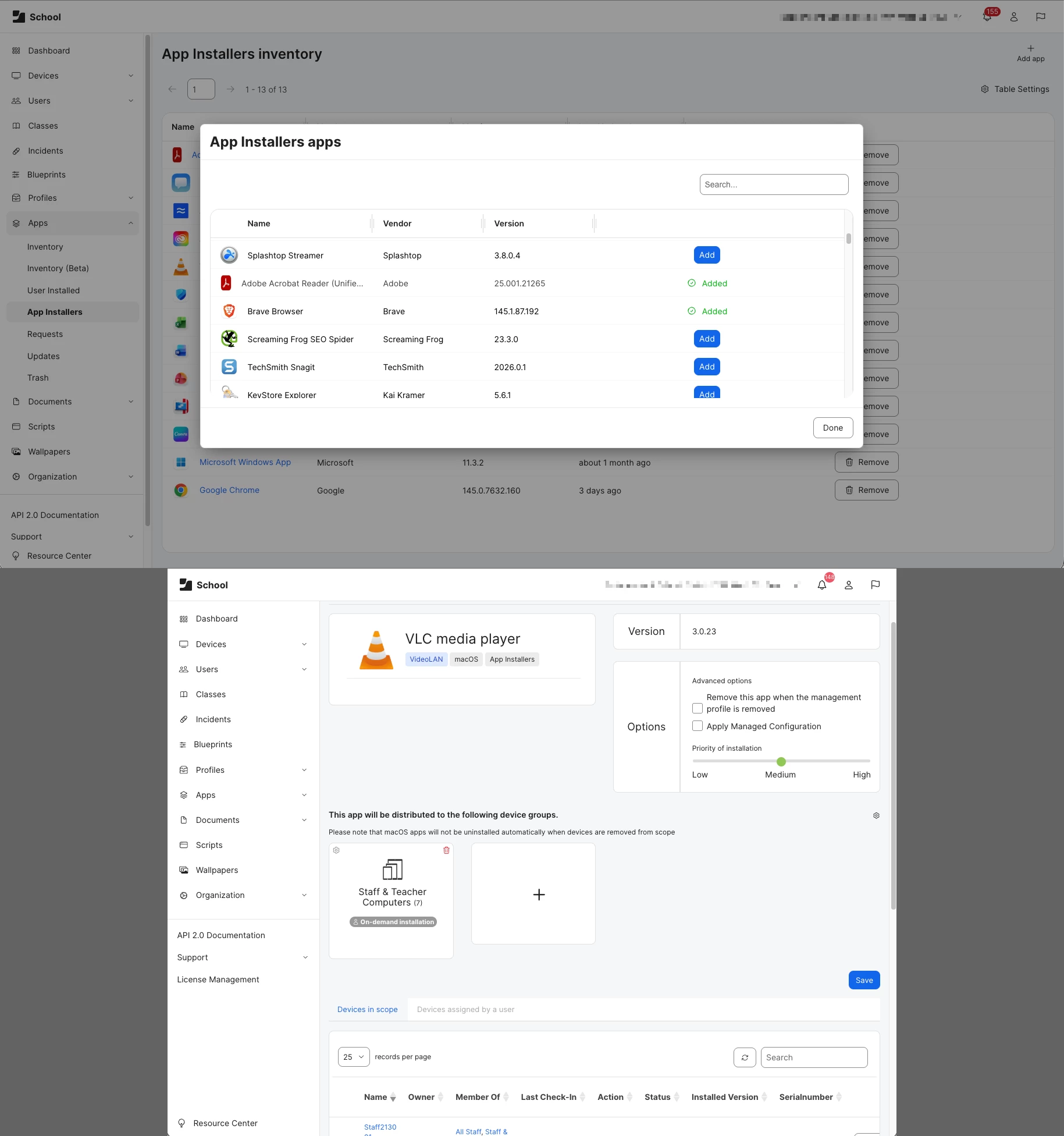
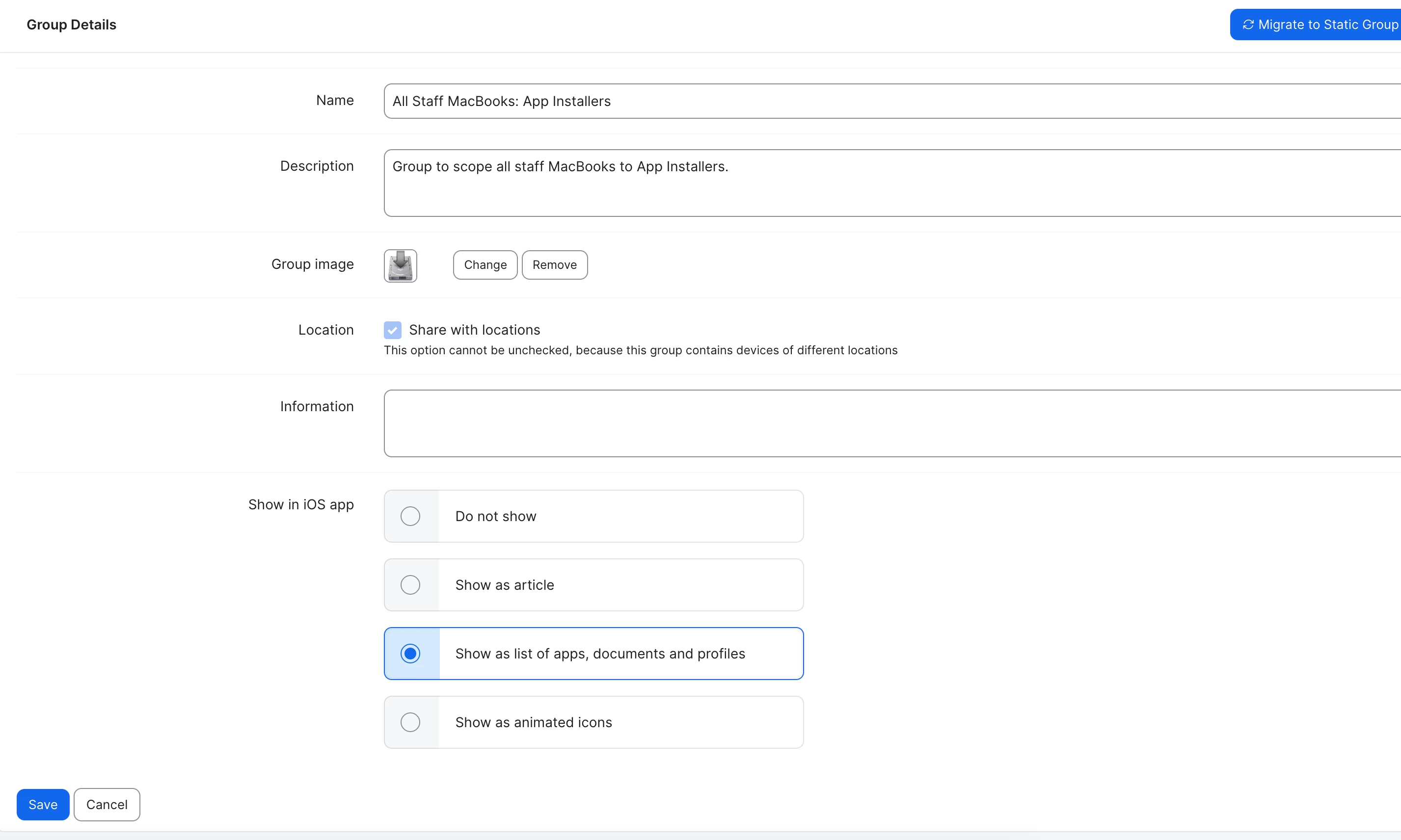
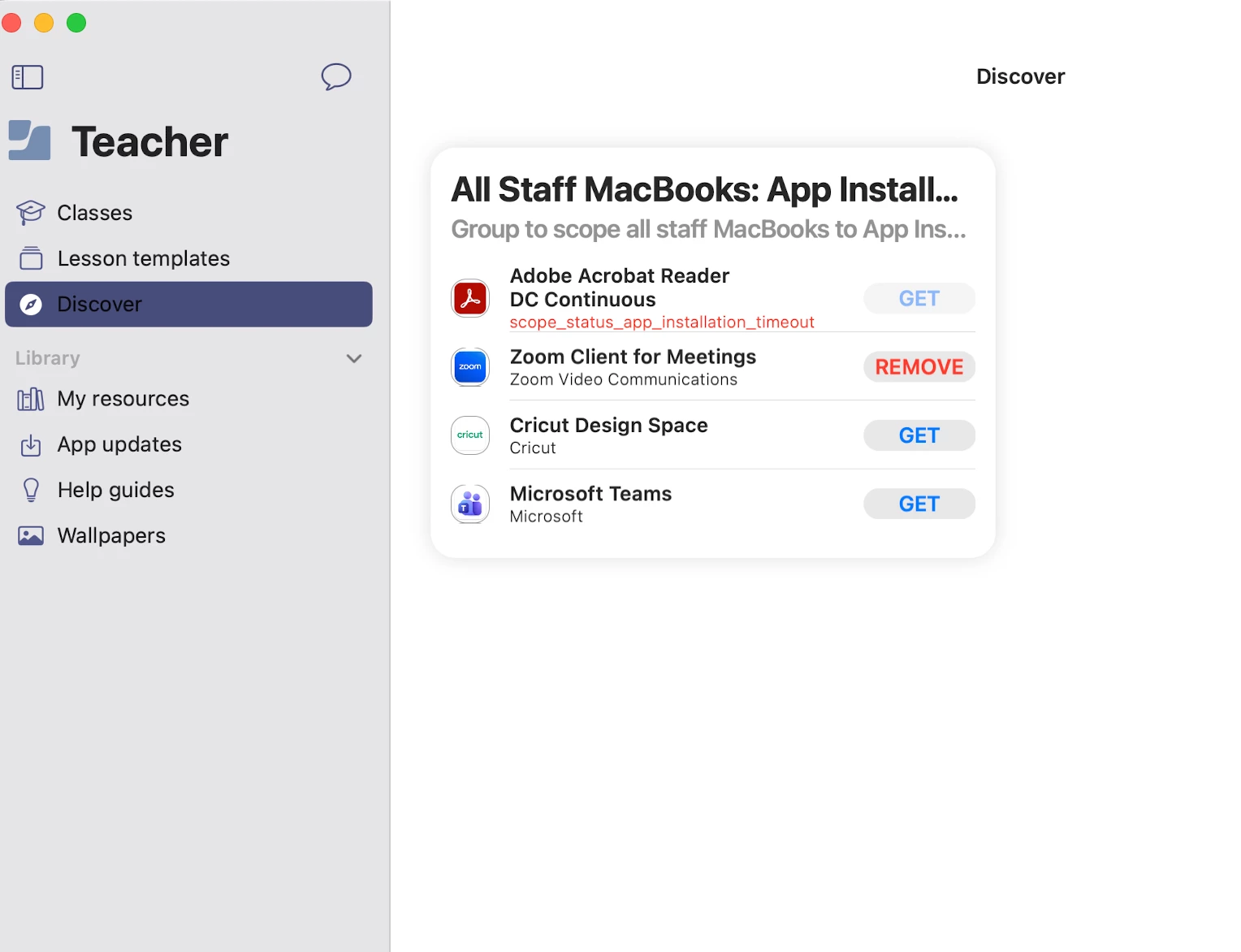
No, I’m referring to App Installers.  If you go back to your group Staff & Teacher Computers, click Edit for the Group Details. Then make sure the “Show as list of apps, documents and profiles” it checked. It will then show up in Jamf Teacher. See screenshots.


5 replies

Forum|alt.badge.img+17
  • New Contributor
  • March 6, 2026

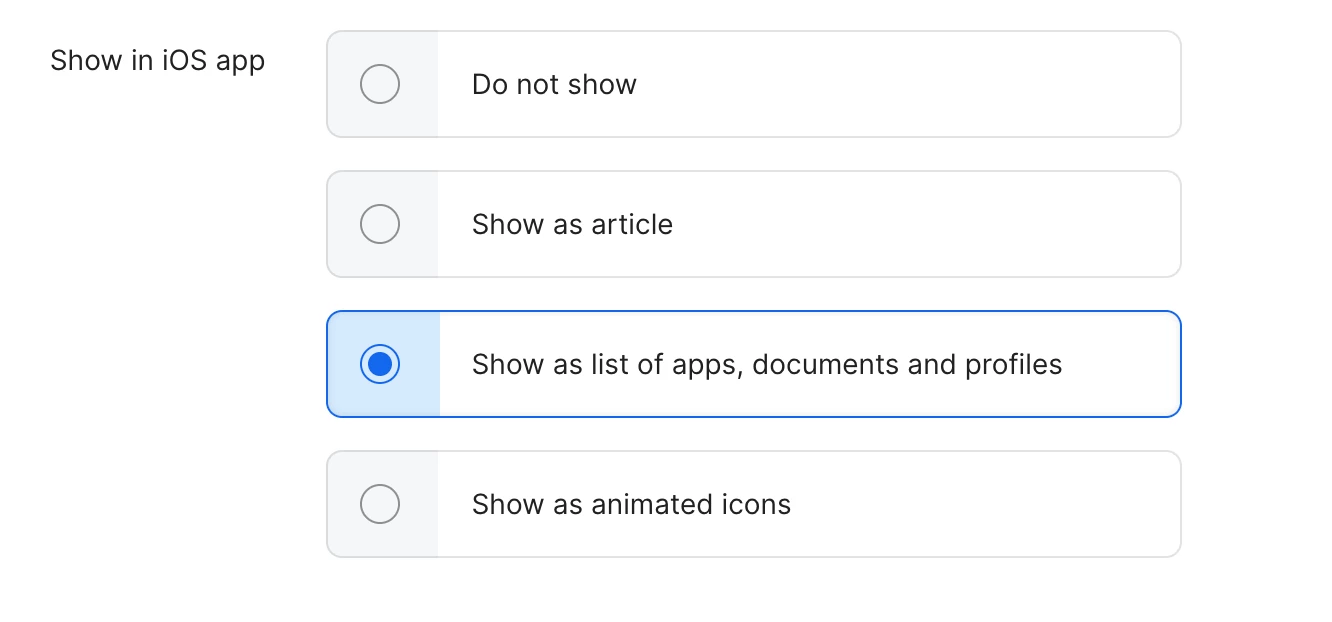
I had this same issue. I attached a screenshot...you need to make sure Show as list of apps, documents and profiles is selected when creating a group to scope the app installer to. Also, it shows up under a different tab in Jamf Teacher. A Discover tab will appear under Lesson templates. Hope this helps.


red_beard
Forum|alt.badge.img+8
  • Author
  • Valued Contributor
  • March 6, 2026

I believe you’re describing the process if I were uploading an App to Jamf School but I’m referring to the actual baked in App Installers feature. Very confusing to describe for sure. We don’t get the same options as we do for uploaded apps. I’d love to use this feature as we wouldn’t have to maintain packages as much for bulk of the catalog we generally offer.


Forum|alt.badge.img+17
  • New Contributor
  • Answer
  • March 6, 2026

No, I’m referring to App Installers.  If you go back to your group Staff & Teacher Computers, click Edit for the Group Details. Then make sure the “Show as list of apps, documents and profiles” it checked. It will then show up in Jamf Teacher. See screenshots.


red_beard
Forum|alt.badge.img+8
  • Author
  • Valued Contributor
  • March 6, 2026

Thank you, I appreciate the clarification and you taking the time to respond. Worked just as you described.

I think the weirdest thing is that it’s labeled with “Show in iOS app”!


Forum|alt.badge.img+17
  • New Contributor
  • March 6, 2026

Wonderful...I know the process doesn’t make a lot of sense to me either. I really struggled with it in the beginning.