Solved

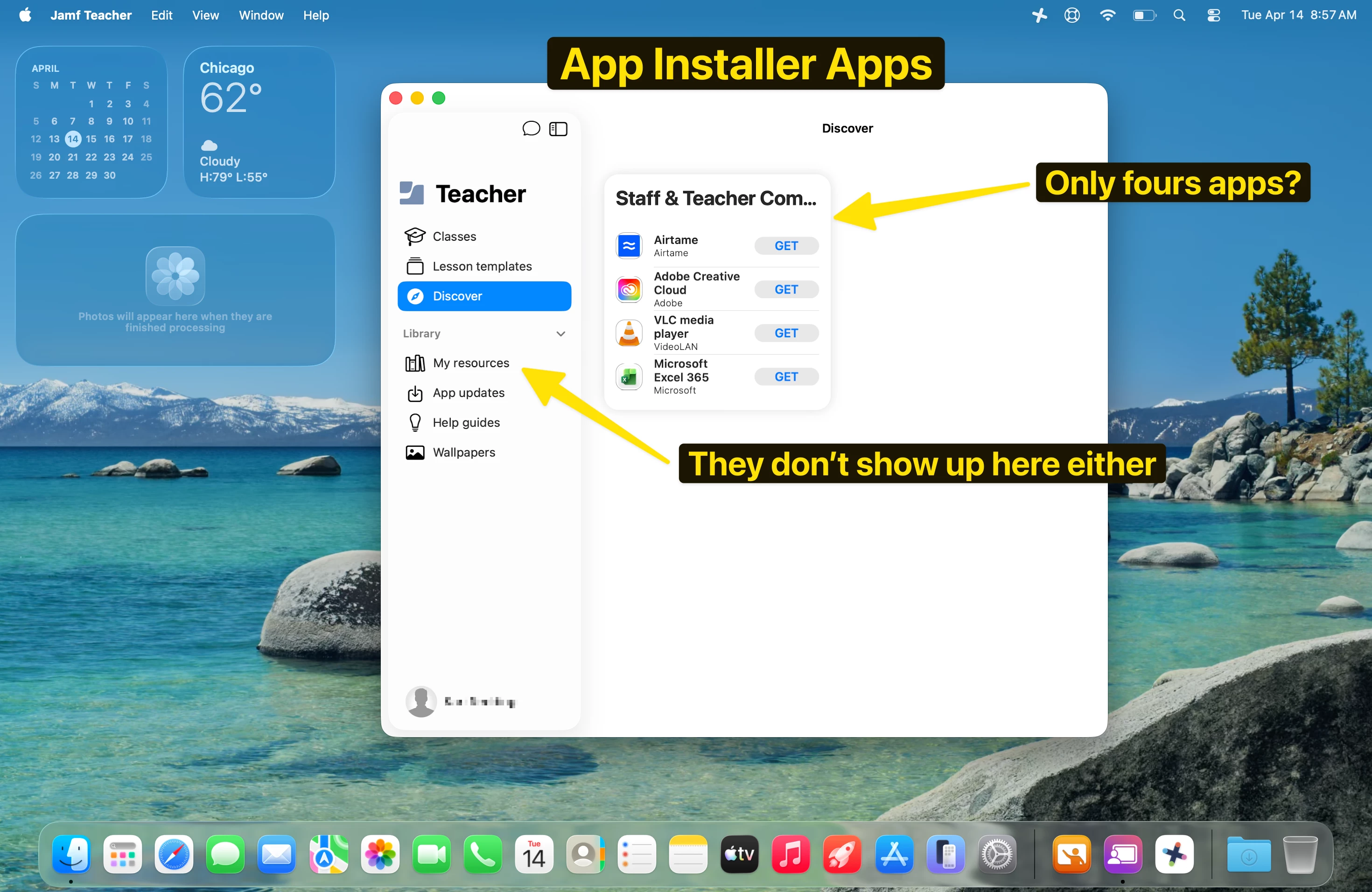
App Installer limit? - 4 apps (appearing in Discover)

  • April 14, 2026
  • 6 replies
  • 92 views

red_beard
Forum|alt.badge.img+8

As I toy around with different app deployment ideas for our staff in Jamf School. I feel like I’ve hit an odd limitation.

  1. Can you only have a maximum of four App Installer apps appear in the Discover section?
  2. Can they be displayed in My Resources with the rest of the apps and packages?
  3. What do you do if you want to use more than four App Installer apps?

This makes me think app installers while seemingly convenient are not the way. I was hoping to simplify our package management and updates form many things in trying to move from Jamf Pro to School maybe Appl Installer aren’t the way.

I also thought I might use Installomator, but for apps I’d like to provide “on-demand” it seems I don’t have a good way to trigger their installation without policies being available. 

I’d be curious what others have settled on to address this or point out to me the obvious toggle I’ve missed somewhere!


Best answer by sabrown

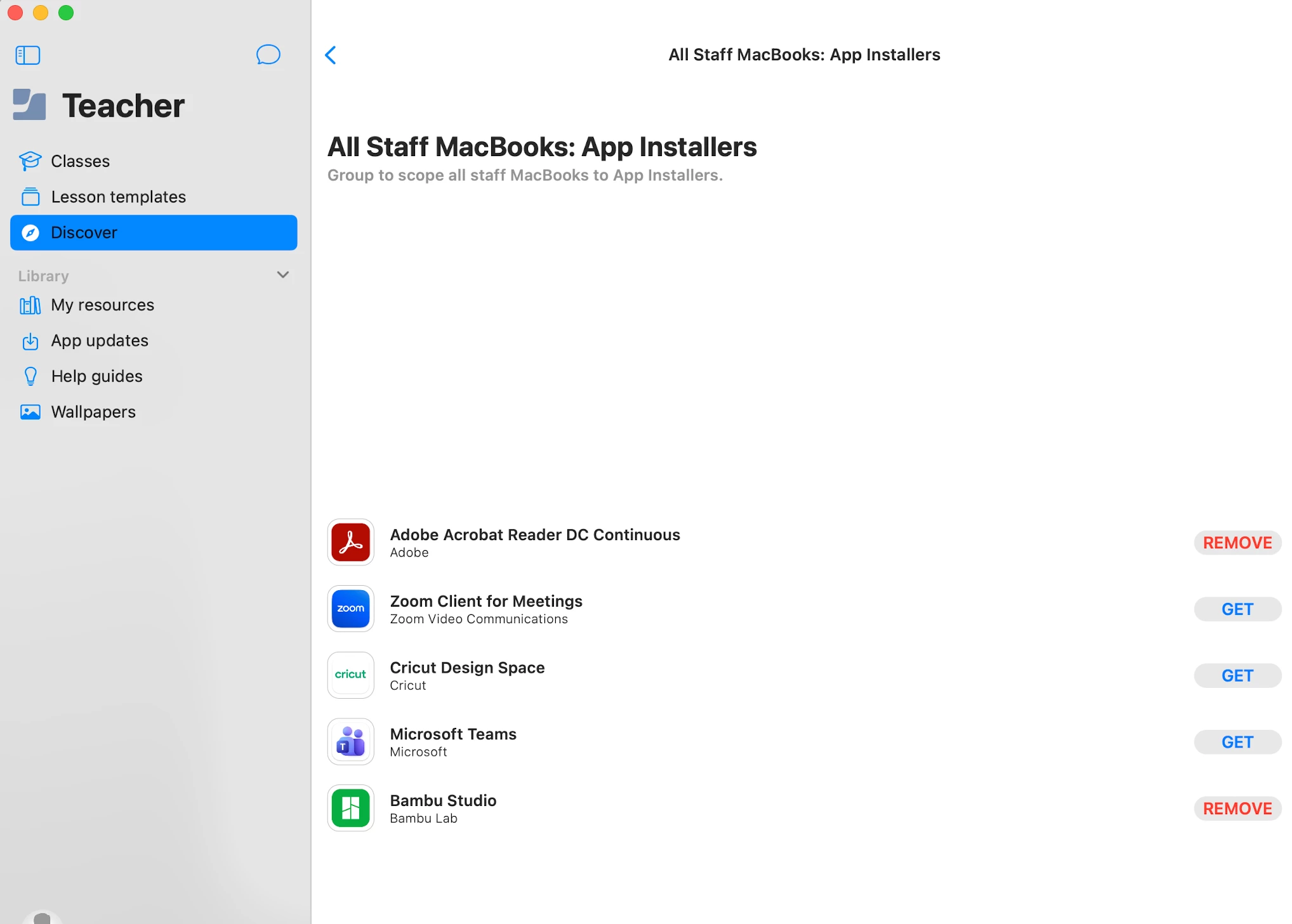
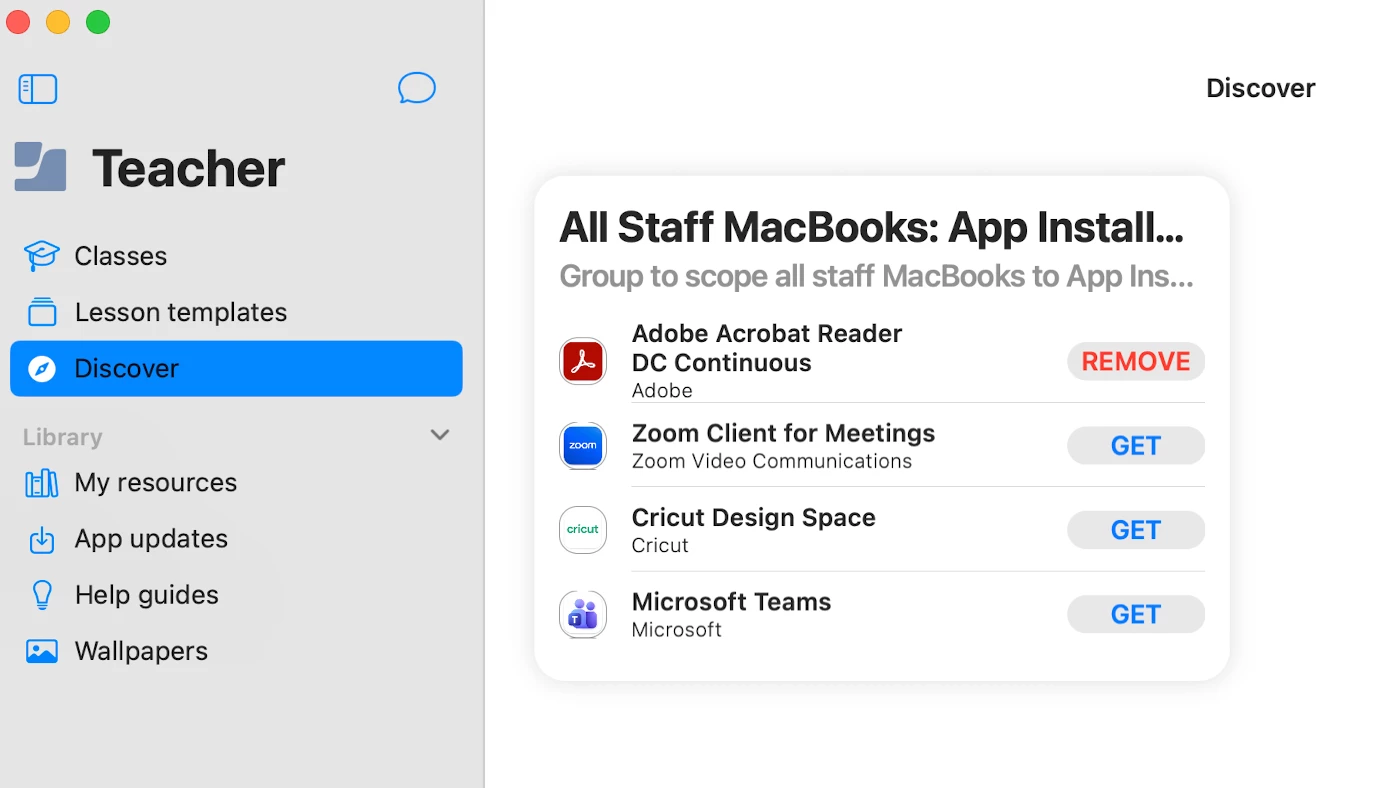
@red_beard  If you click on it in Discover, it opens the full list. It is more of a preview. 


6 replies

vegard
Forum|alt.badge.img+2
  • New Contributor
  • April 16, 2026

Hi.


Seeing the same behaviour on our Macs as well. And even worse, for each item you add to “My resources”, theese will also show up in the Discover section, pushing the “on demand” app installer apps down and out of the list :/

Going to look into the installomator path as well.


Forum|alt.badge.img+17
  • Contributor
  • Answer
  • April 16, 2026

@red_beard  If you click on it in Discover, it opens the full list. It is more of a preview. 


red_beard
Forum|alt.badge.img+8
  • Author
  • Valued Contributor
  • April 16, 2026

Thank you! Not obvious, but it just felt like there had to be away so I’m glad it’s more of user error on my end. It does make to worry about our end users though.


Forum|alt.badge.img+17
  • Contributor
  • April 16, 2026

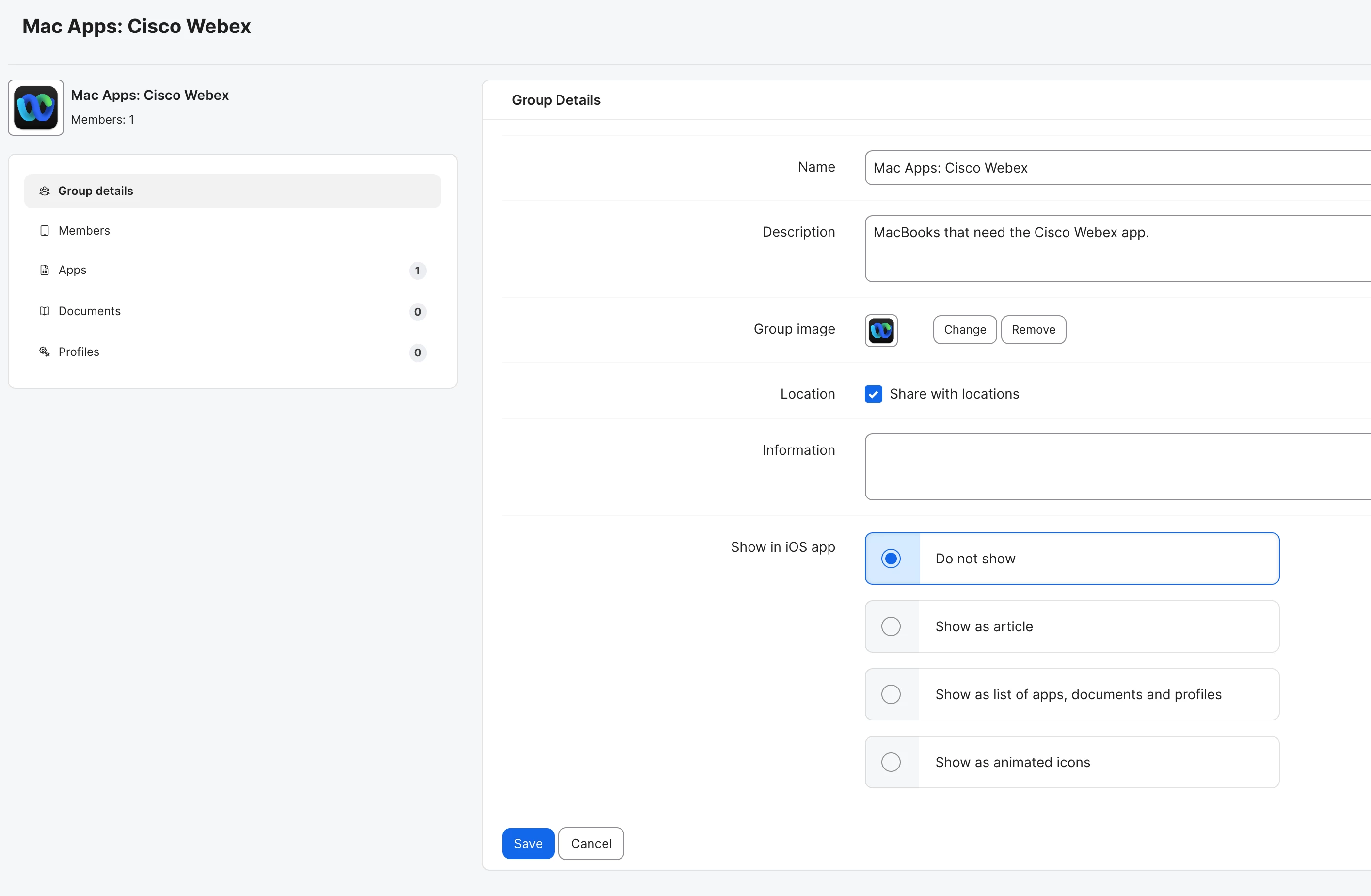
@vegard When creating your groups for apps that will show under “My Resources,” make sure you check “Do not show” under the Show in iOS app section.  If you have “Show as list of apps, documents and profiles,” they will show up under the

Discover section.


Forum|alt.badge.img+17
  • Contributor
  • April 16, 2026

@red_beard absolutely...it is not obvious and since I just finally added my 5th app installer, I do also worry that staff will not see them.


vegard
Forum|alt.badge.img+2
  • New Contributor
  • April 17, 2026

@red_beard  If you click on it in Discover, it opens the full list. It is more of a preview. 


To quote Homer, “DOH!” :)