Question

Looping app installs or repeated update requests on macOS via Jamf Teacher

  • May 15, 2026
  • 2 replies
  • 44 views

red_beard
Forum|alt.badge.img+8

Two things are happening to our Macs as we try and bring them into Jamf School.

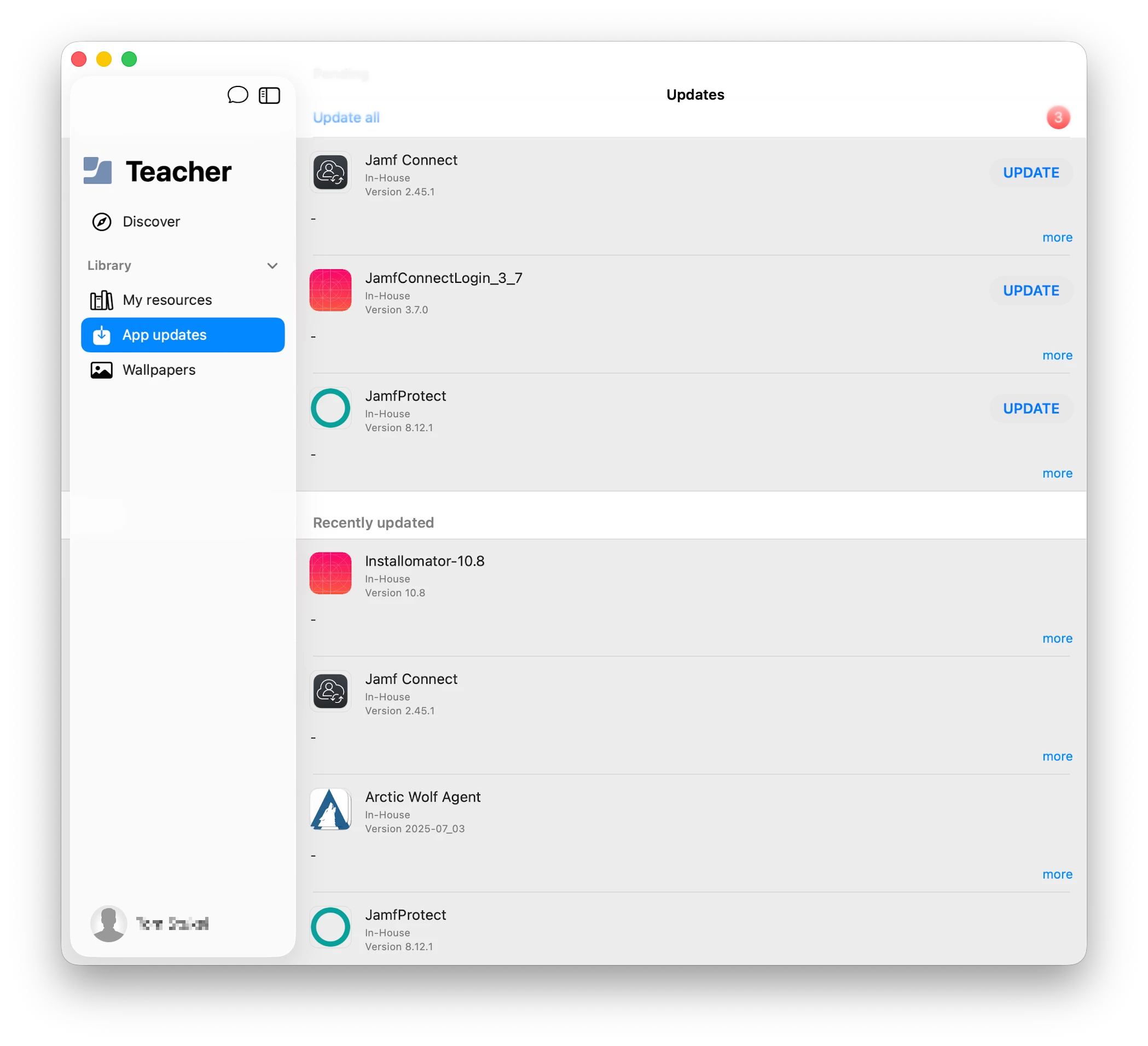
  • installing app updates in Jamf Teacher, the user is prompted to install the same updates again and again.
  • Never ending app install spinners. Seems to be related at times to an app being installed prior to Jamf School

Example of the same app updates being requested over and over. Do other people experience this?


2 replies

vegard
Forum|alt.badge.img+3
  • Contributor
  • May 18, 2026

Hi.

Same setup (Jamf School MDM + MacBook Neo), but haven’t experienced this (yet). Updated the InHouse PKG for the SelfService+ application, it showed in Student as an update, updated it, and after that it shows only as “recently updated”. 

I’ll post back if I experience similar behaviour as you.


PS! I also see the never ending scrolling circle on installed applications.


TraceyJoyce
Forum|alt.badge.img+11
  • Employee
  • June 9, 2026

Here’s what I learned: 

Issue 1: Looping update prompts in Jamf Teacher

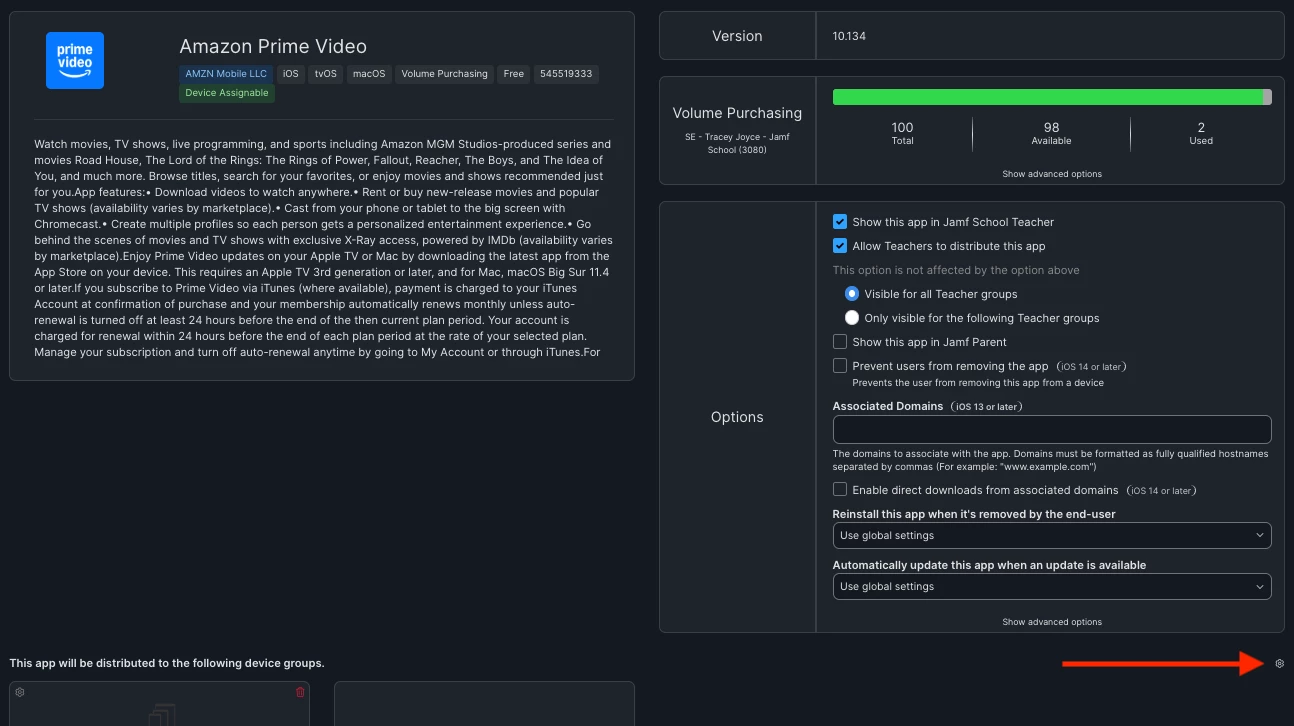
The root cause here is almost certainly the "Make App Managed" checkbox being enabled on macOS apps. According to a Jamf support case, this setting causes installation loops on Mac — it's not intended for macOS apps that don't support the managed flag.

Fix: In Jamf School, go to the app settings and deselect "Make App Managed" for each affected macOS app.


Issue 2: Never-ending install spinners (especially on apps pre-installed before Jamf School)

There's a documented KB article for this. The cause is a Restrictions profile with "Require admin password to install or update apps" enabled. This setting was deprecated by Apple for macOS 11+, and when it's present on a Mac running macOS 11 or newer, it blocks app installs silently — causing the endless spinner.

Fix:

  1. Go to the profile with the Restrictions payload enabled
  2. Under Apps > App Store, uncheck "Require admin password to install or update apps"
  3. Save and refresh affected devices
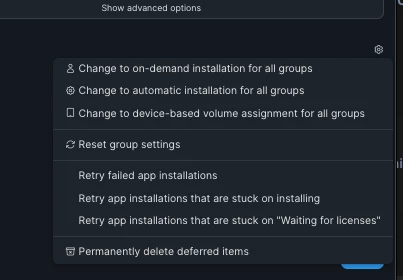
  4. If apps are still stuck, go to Apps > Inventory, check the stuck apps, and hit Retry > Retry to install apps stuck on Installing