Speeding up updates on Ipads

  • August 3, 2026
  • 5 replies
  • 26 views

Bertucci84
Forum|alt.badge.img

Good morning all,

When an app being supplied by Jamf is updating on the Ipad it seems to take 5 minutes. This is unfortunately disruptive to our Lower School teaching environment. The students us Clever to sign into their Google accounts and if one of those applications is updating, the process comes to a halt. My first thought is to figure out a configuration to let the updates install faster. Second thought is to  an update time for the ipads. I’d apprecate any help!

5 replies

savvysystems
  • New Contributor
  • August 3, 2026

Have you considered leveraging other MacBooks or Mac Minis in the school as content caching servers?


mvu
Forum|alt.badge.img+22
  • Jamf Heroes
  • August 3, 2026

Would timing the update during a certain time of day help?


TraceyJoyce
Forum|alt.badge.img+11
  • Employee
  • August 3, 2026

A couple of options: 

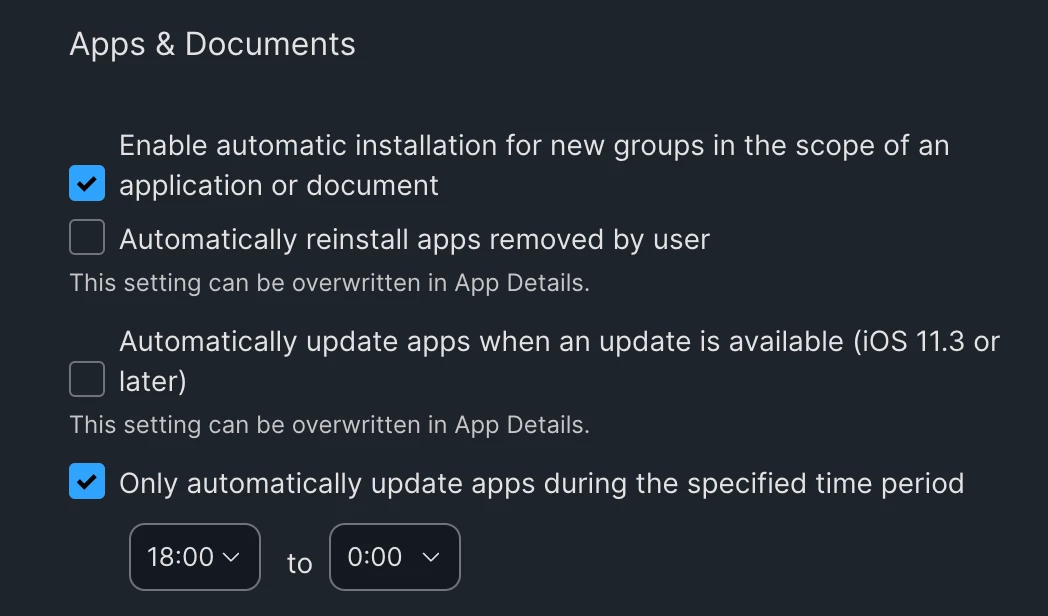
  1. Set up your apps to update during off-school hours in Settings>General
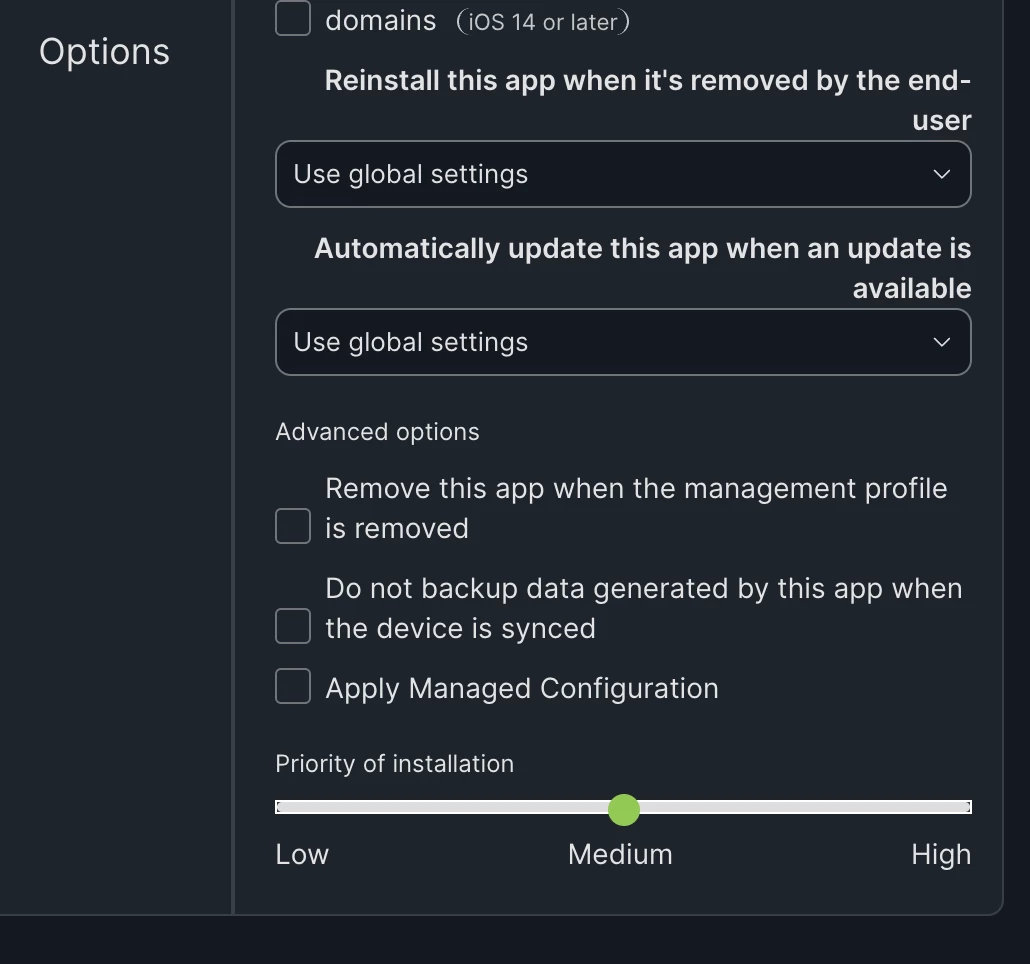
  2. You can also individually prioritize apps in the “Advanced Options” area of the app: 


Just keep in mind that the location of the device will also impact how quickly it gets the command to update. If it’s not on a network until right before class starts, nothing is going to change the fact that it can only execute once it gets the update command. 


Corey-Ribble
Forum|alt.badge.img+5
  • Contributor
  • August 5, 2026

A couple of options: 

  1. Set up your apps to update during off-school hours in Settings>General
  2. You can also individually prioritize apps in the “Advanced Options” area of the app: 


Just keep in mind that the location of the device will also impact how quickly it gets the command to update. If it’s not on a network until right before class starts, nothing is going to change the fact that it can only execute once it gets the update command. 

The option to allow apps to only update during certain times seems to cause apps to just not update as reliable. I am assuming its due to devices not being online, charged, or other issues. 


Bertucci84
Forum|alt.badge.img
  • Author
  • New Contributor
  • August 5, 2026

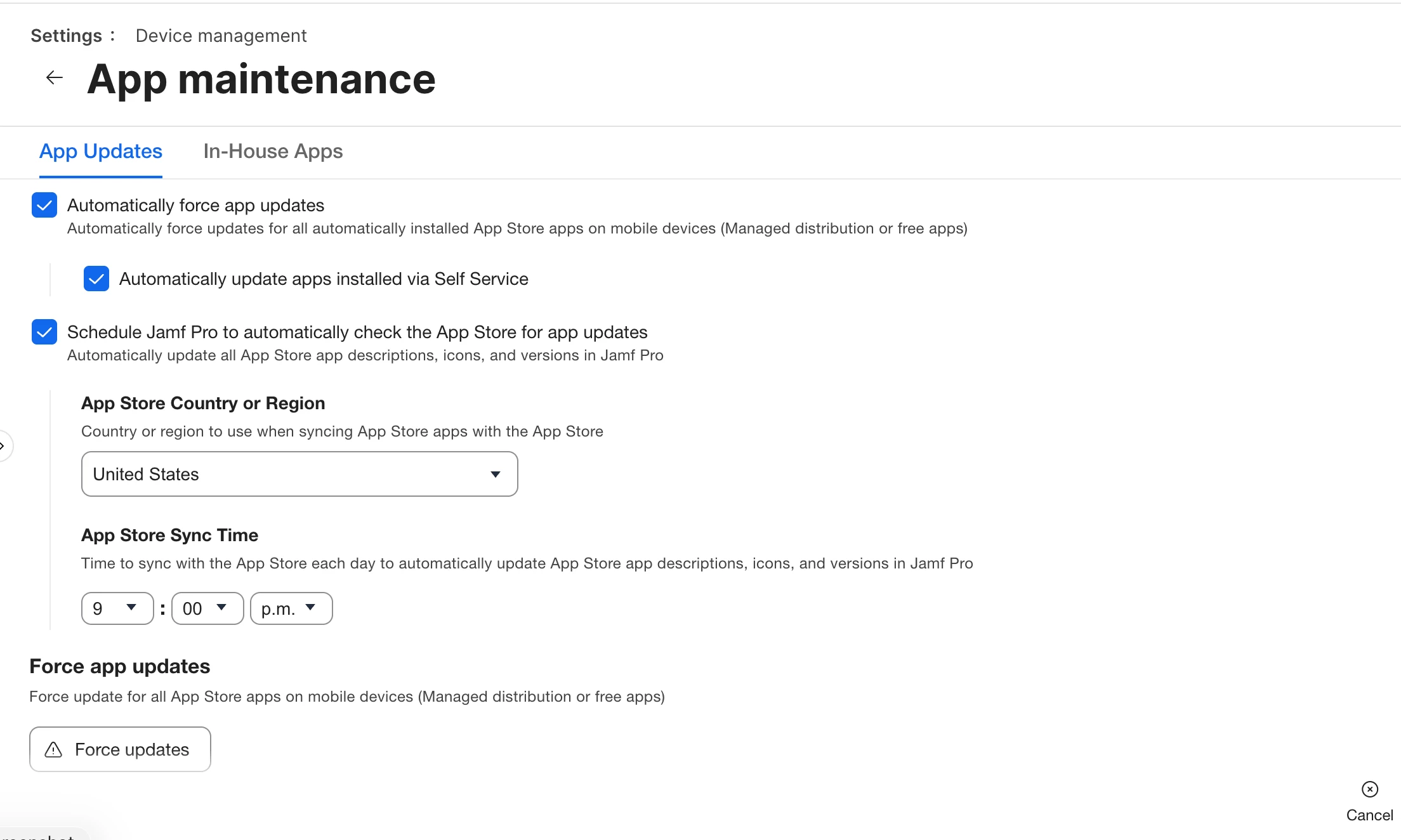
Thank you for the responses everyone. I should mention we are using Jamf Pro. I was trying to find the suggest settings but mine do not match up. This is the closest I got. Settings - device management - app maintenance 


What seems to happen is the Ipads go to sleep and disconnect from the network. So when our students go to use them, the ipad wakes up, sees an update, then locks the user from opening the app until it is finished updating.