Question

with Jamf pro, package deployment is failing due to download issue


sushma
Forum|alt.badge.img+2

enterprise JAmf pro with the URL https://flexera.jamfcloud.com/.  package deployment is failing on the JAMF client machine. due to download issue.


email: smallikarjunappa@flexera.com,hm.sushma@gmail.com

Client logs:
 

Downloading https://flexera.jamfcloud.com/jcds/v2/downloads/csia.dmg...
Error: Package was not successfully downloaded. 403
The network connection was interrupted while downloading the package from https://flexera.jamfcloud.com/jcds/v2/downloads/csia.dmg. Attempting to reconnect...
Downloading https://flexera.jamfcloud.com/jcds/v2/downloads/csia.dmg...
Error: Package was not successfully downloaded. 403
Error: csia.dmg is not available on the HTTP server.
[STEP 3 of 5]
Running script dmgAgent...
Script exit code: 1
Script result:
Error running script: return code was 1.
[STEP 4 of 5]
[STEP 5 of 5]

4 replies

Ramananda Pal
Forum|alt.badge.img

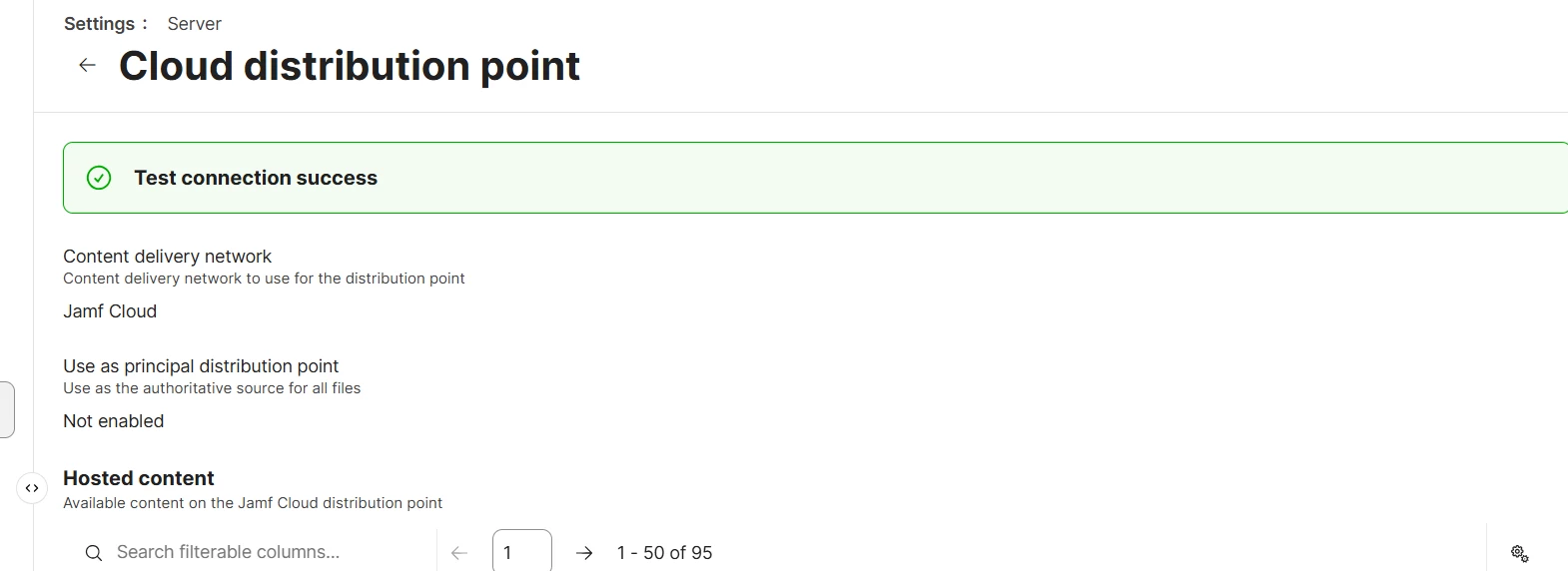
Please check Cloud distribution and test the connection over there


sushma
Forum|alt.badge.img+2
  • Author
  • New Contributor
  • October 12, 2026

test connection is success.


Adding the /var/log/jamf.log from the client machine.

Mon Oct 12 13:16:15 Flexera's Mac mini (3) jamf[83036]: The network connection was interrupted while downloading the package from https://flexera.jamfcloud.com/jcds/v2/downloads/Telegram_12.4.2.0.dmg. Attempting to reconnect…

Mon Oct 12 13:16:16 Flexera’s Mac mini (3) jamf[83036]: Error: Package was not successfully downloaded. 403

Mon Oct 12 13:16:17 Flexera’s Mac mini (3) jamf[83036]: Error: Telegram_12.4.2.0.dmg is not available on the HTTP server.
2026-10-12 13:16:17: Starting app installation (package: Telegram.dmg, required version: 12.4.1.0)
2026-10-12 13:16:17: ERROR: Package file not found: /Library/Application Support/JAMF/Waiting Room/Telegram.dmg
2026-10-12 13:16:17: Starting app update check (required: v12.4.2.0, package: Telegram_12.4.2.0.dmg)
2026-10-12 13:16:17: Telegram.app not installed. Update-only policy - no action taken.


sushma
Forum|alt.badge.img+2
  • Author
  • New Contributor
  • October 15, 2026

​@Ramananda Pal  Please check my above comment and tell is there any problem in our instance. 
I wanted to raise a bug to the JAMF support. How can I do so.


Ramananda Pal
Forum|alt.badge.img

​@Ramananda Pal  Please check my above comment and tell is there any problem in our instance. 
I wanted to raise a bug to the JAMF support. How can I do so.

Open https://account.jamf.com/ log in with your Jamf ID credentials then click on “Contact support” raise a case with them.