Question

Add Serial Number to Prestage Enrollment

  • April 27, 2017
  • 6 replies
  • 44 views

Forum|alt.badge.img+4

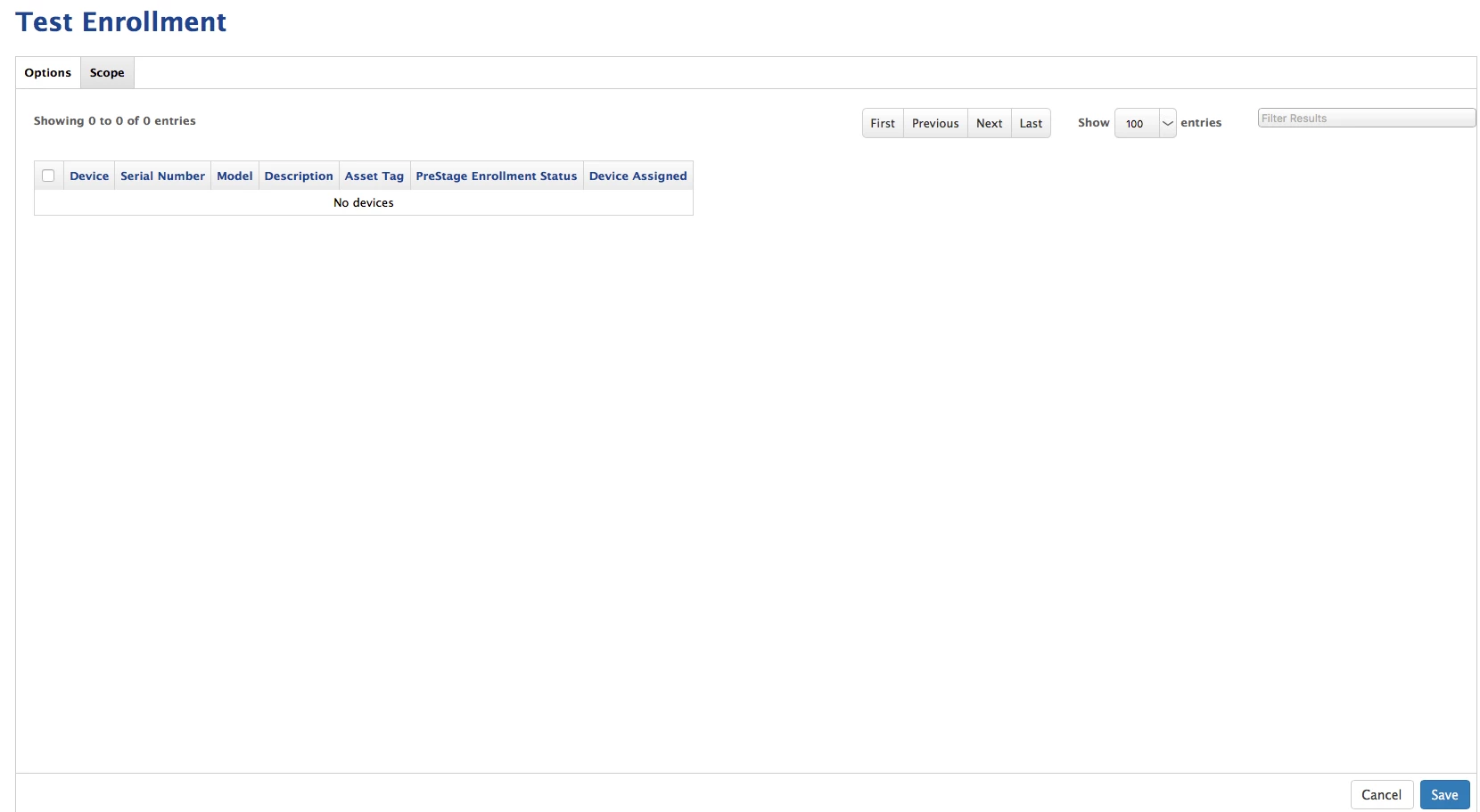
Hello all, I have created a "Test" Prestage Enrollment group and I need to add a few serial numbers to it to start testing. I go to Scope and It doesnt list any for me to choose from. How do I add serial numbers to this prestage I just created?
6 replies

Forum|alt.badge.img+8

If you log into your deploy.apple.com account, you can manually add serial numbers of machines you want to deploy using prestage enrollment.


Forum|alt.badge.img+14
  • Valued Contributor
  • April 27, 2017

Do you have devices in DEP? Have you set up the connection to DEP in Global Management Settings?


Forum|alt.badge.img+4
  • Author
  • Contributor
  • April 27, 2017

@bfrench Yes I do, DEP is linked with our JSS and there are other PreStage Enrollments that have DEP serial numbers allocated to them.


Forum|alt.badge.img+7
  • Contributor
  • April 27, 2017

You can only have one Prestage Enrollment assigned to each serial number. So if your test iPads are already assigned a Prestage Enrollment than you need to unassign and then assign to this test Prestage.


Forum|alt.badge.img+4
  • Author
  • Contributor
  • April 27, 2017

@cnelson These are Macbook Air laptops. How do I unassign and reassign is my main question.


Forum|alt.badge.img+14
  • Valued Contributor
  • May 1, 2017

You will need to go into the Prestage they are currently in and uncheck them - Save -

If you look at the list of devices in DEP settings you will see which Prestage they are assigned to without having to check in every one if you have several set up.
