Anyone know how to kill off this stupid dialog box?
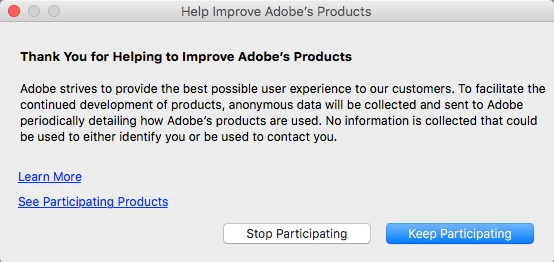
It appears to be set in this ByHost preference file:
$ defaults read /Users/<username>/Library/Preferences/ByHost/com.adobe.headlights.XXXXXXXX-XXXX-XXXX-XXXX-XXXXXXXXXXXX.plist
{
    "Adobe Captivate" =     {
        "Adobe CaptivateSerialState" = "-1";
        Date = "2016-09-23T22:46:46Z";
        Demographic =         {
            CompanySize = 0;
            CountryOrRegion = 0;
            Industry = 0;
            JobFunction = 0;
        };
        OptIn = 0;
    };
    "Adobe CaptivateHeadlights" =     {
        "Adobe Captivate" =         {
            Build = 223;
            Prerelease = 0;
        };
    };
    "Adobe Captivate_CS7_Adobe Captivate_9.0.0" =     {
        OptIn = 0;
    };
    CRProcessor =     {
        "Adobe Captivate" = "/Applications/Adobe Captivate 9/Adobe Captivate.app/Contents/Frameworks/LogTransport2.app/Contents/MacOS/LogTransport2";
    };
    CS7 =     {
        Date = "2016-09-23T22:46:46Z";
    };
    GUID = "XXXXXXXX-XXXX-XXXX-XXXX-XXXXXXXXXXXX";
}
The specific key seems to be OptIn with 0 to disable and 1 to enable:
    "Adobe Captivate_CS7_Adobe Captivate_9.0.0" =     {
        OptIn = 0;
Haven't been able to target/adjust that key, anyone have any ideas?
TIA,
Don