
Question

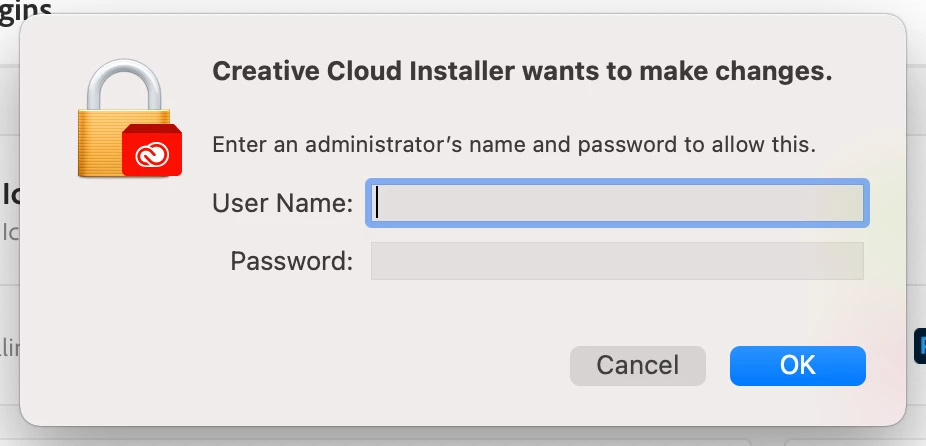
Adobe Creative Cloud prompts for Admin login for adding Plugins.

  • January 28, 2021
  • 2 replies
  • 22 views

Forum|alt.badge.img+3

We have our Macs managed with JAMF Cloud. Our users don't have admin rights. When they try to add a Plugin with Adobe Market Place, they get prompted for admin rights. If I enter the admin password they are able to download plugins on their own going forward, but logging into all of them isn't possible. Does anyone have a fix for this? I packaged with the Admin Console on the Adobe Website and created a "Self-Service Package". Users are able to install Apps from Creative Cloud just not Plugins.
2 replies

Forum|alt.badge.img+13
  • Valued Contributor
  • March 11, 2021

@wlevan having the same issue when it comes to non admin users requiring the app to update.

I think PPPC will fix the issue for me if I can find where the application process causing this prompt is residing.


Forum|alt.badge.img+5
  • Contributor
  • July 19, 2021

@wlevan having the same issue when it comes to non admin users requiring the app to update.

I think PPPC will fix the issue for me if I can find where the application process causing this prompt is residing.


If PPPC will fix the issue. I am trying to find a way to auto-update Plugins for users. Do you think PPC can fix this as well? If so, how can I go about building the PPPC extensions out?