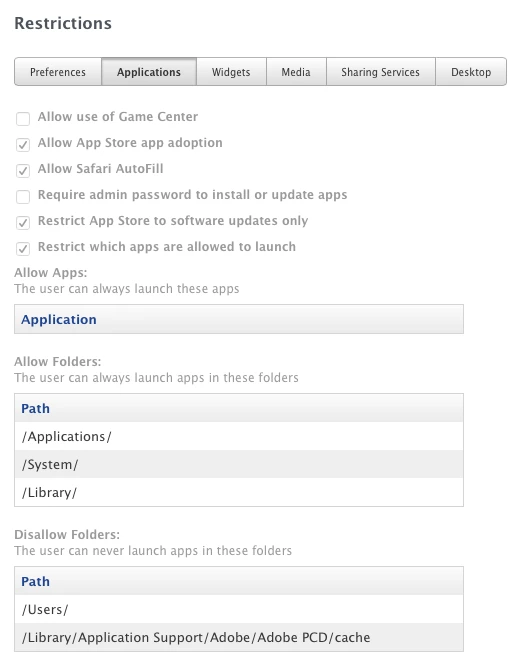
Hello all,
Just have a quick question about the Adobe PCD folder in CS installations:
Has anyone found a way to make this folder not writable to users, but still allow Adobe products to open without error? Unfortunately, the students somehow found this folder and it is in '/S/L/AppSupp/Adobe/Adobe PCD' with full read/write to be able to work correctly. I have tried all sorts of permission variations with no success. Either the user cannot write and Adobe products will fail to open or the user can write and they can open. This link says that read only will work as long as system has read write, that has proven to be very incorrect in my test environment.
Perhaps I am going about this the wrong way though. I was thinking of making it execute a permissions script on each opening of Adobe and put it back to no access after the program successfully opens, but I have no idea if it continuously checks in with that PCD folder.
If anyone has any ideas or thoughts on the matter, please let me know. This folder allows them to copy in games and other unapproved apps, and as you can imagine that is undesirable.
Thank you!