Question

App Device Distribution Not Working

  • January 11, 2017
  • 11 replies
  • 23 views

Forum|alt.badge.img+3

So I might be totally missing something but I can't get device based distribution to work. When I assign the app to people through Self Service it opens the app store and asks them to buy it. When I set it to Install Automatically nothing happens. Sometimes it still shows up in Self Serve but it never seems to install.

11 replies

Forum|alt.badge.img+11
  • Valued Contributor
  • January 12, 2017

Deviced based apps need to be assigned to the device (s) and not the user. This allows you the ability to revoke and reissue the app license to other devices.

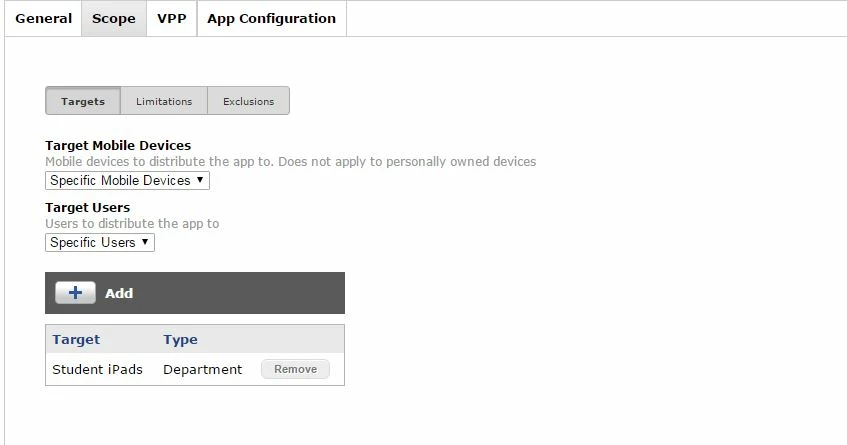
The app I have is device assigned to a group I called Student iPads. It's set to automatically install on those iPads.


Forum|alt.badge.img+12
  • Valued Contributor
  • January 12, 2017

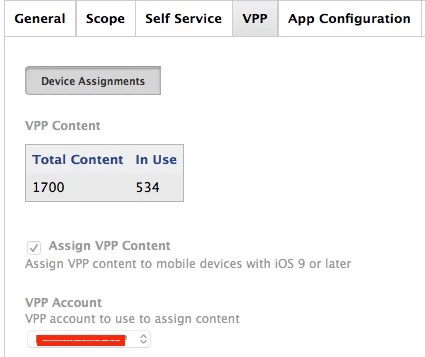
Also make sure that you have the VPP distribution enabled under the VPP pane of the app.


Forum|alt.badge.img+3
  • Author
  • New Contributor
  • January 12, 2017

Both of those are set up and still no dice


Forum|alt.badge.img+26
  • Esteemed Contributor
  • January 12, 2017

In the jss, locate a device that should be getting one of these apps. Under Management:
Are there any pending or failed commands?
What do they say?
Do you see the app queued up?
Is the device checking in as expected?

Are NO devices getting the App, or just some problem devices?


Forum|alt.badge.img+26
  • Esteemed Contributor
  • January 12, 2017

I have used device-based assignments scoped to specific devices, device smart groups, individual users (Provided they are assigned to a device), and user groups, both static and limited using ldap.
I have not tried Department.


Forum|alt.badge.img+3
  • Author
  • New Contributor
  • January 12, 2017

There are no failed/pending commands. No devices are getting the app. It shows up in Self Service even though it's set to Auto Install/Prompt. In the Management section for the Device the App is listed. No known issues with checking in.


Forum|alt.badge.img+26
  • Esteemed Contributor
  • January 12, 2017

Sounds like you should contact your Jamf Buddy for help :)


Forum|alt.badge.img+3
  • Author
  • New Contributor
  • January 13, 2017

Wow. They really are called Jamf Buddies. I thought you were being playful


Forum|alt.badge.img+26
  • Esteemed Contributor
  • January 13, 2017

@jackrum ,
LOL! I would in the past have referred you to your TAM (Technical Account Manager) I think now we don't necessarily have a TAM, we all have at least a Jamf Budddy who will refer our case to an expert, based upon the issue.
This is as I understand it......
I hope your Jamf Buddy was helpful!!
Sandy


Forum|alt.badge.img+6
  • New Contributor
  • January 13, 2017

Did you do this step? I just ran into this the other day and this solved it for me.

https://www.jamf.com/jamf-nation/articles/372/enabling-mdm-for-local-user-accounts

The magic command from the article is

sudo jamf mdm -userLevelMdm

Forum|alt.badge.img+26
  • Esteemed Contributor
  • January 13, 2017

ipads :)