Question

Apple DEP - Failed to contact Mobile Device Management server

  • February 5, 2015
  • 31 replies
  • 305 views

Show first post

31 replies

Forum|alt.badge.img+1

Same issue here. Have a ticket open and awaiting response.


Forum|alt.badge.img+11
  • Contributor
  • December 5, 2019

Having this issue intermittently. Some computers do enroll anyway (after clicking "OK" at "Enrolling with management server failed" message.. Some never enroll. Tried both on institution network, and external (open) network.


Forum|alt.badge.img+11
  • Contributor
  • December 5, 2019

Seeing different sub-texts below the "Enrolling with management server failed". E.g. "Unable to connect to the MDM server for your organization" (ok... maybe a basic network issue), but also "Unexpected error (NSOSStatusErrorDomain:-67846)" not sure what this means. Also in another instance got the "your institution has MDM" gear screen but "null" where the institution name should be.


BCPeteo
Forum|alt.badge.img+11
  • Contributor
  • June 24, 2021

Was getting "The server chain for your organization's MDM server was not properly setup" when trying to enroll using ADE when going from the built in CA cert to a 3RD party cert. The fix was to add the 3rd part cert to the certificates in the PreStage enrollment. That cert then gets added to the MDM profile that gets pushed down.


dstranathan
Forum|alt.badge.img+19
  • Valued Contributor
  • September 28, 2021

I had a similar issue on my on-prem JSS servers (10.29.2) after replacing the built-in SSL cert with a third-party cert, I was seeing this error when enrolling Big Sur Macs into our Jamf MDM:

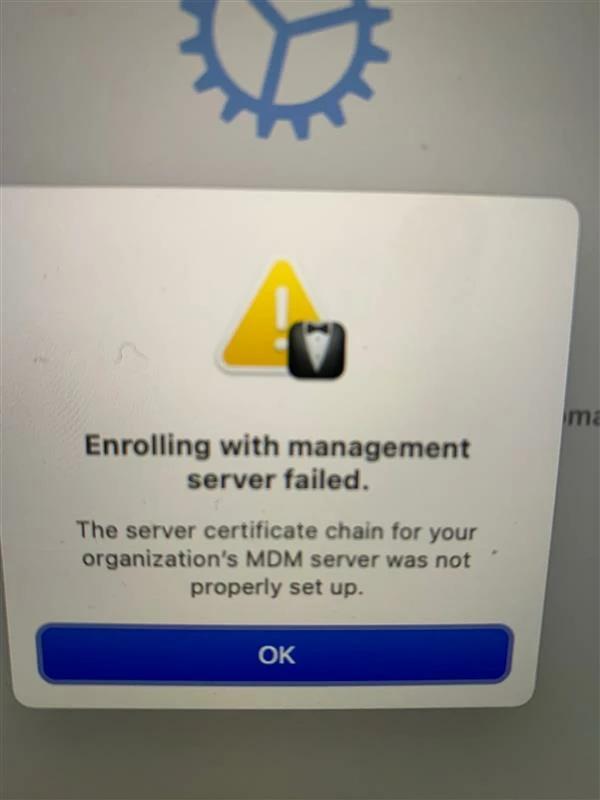
"Enrolling with management server failed. The server certificate chain for your organization's MDM was not properly set up" (See screenshot).

I called Jamf Support and I was told to delete my current PreStage (that had an existing built-in anchor cert) and create a new, clean PreStage WITHOUT an anchor certificate payload. I was also told that on-prem Jamf servers that use an external third-party SSL cert should NOT use an anchor certificate in PreStages.


BCPeteo
Forum|alt.badge.img+11
  • Contributor
  • November 4, 2021

I had a similar issue on my on-prem JSS servers (10.29.2) after replacing the built-in SSL cert with a third-party cert, I was seeing this error when enrolling Big Sur Macs into our Jamf MDM:

"Enrolling with management server failed. The server certificate chain for your organization's MDM was not properly set up" (See screenshot).

I called Jamf Support and I was told to delete my current PreStage (that had an existing built-in anchor cert) and create a new, clean PreStage WITHOUT an anchor certificate payload. I was also told that on-prem Jamf servers that use an external third-party SSL cert should NOT use an anchor certificate in PreStages.


Is this the MDM cert or web cert? I am using self signed for MDM and 3RD party web cert. In this config I needed to have both in prestage in order for ADE to work. Seems Apple requires it in order for a MacOS or iOS device to initially talk to Jamf. If you enroll using the jamf URL you do not need the web cert.