
Question

Apple Mail IMAP won't allow insecure authentication

  • February 14, 2018
  • 4 replies
  • 25 views

Forum|alt.badge.img+3

Since release of High Sierra, this feature of Mail is broken. Mail > Preferences > Accounts > pick IMAP account > Server Settings > Advanced IMAP Settings. When you check the box to enable, and close the popup, it doesn't save the setting.
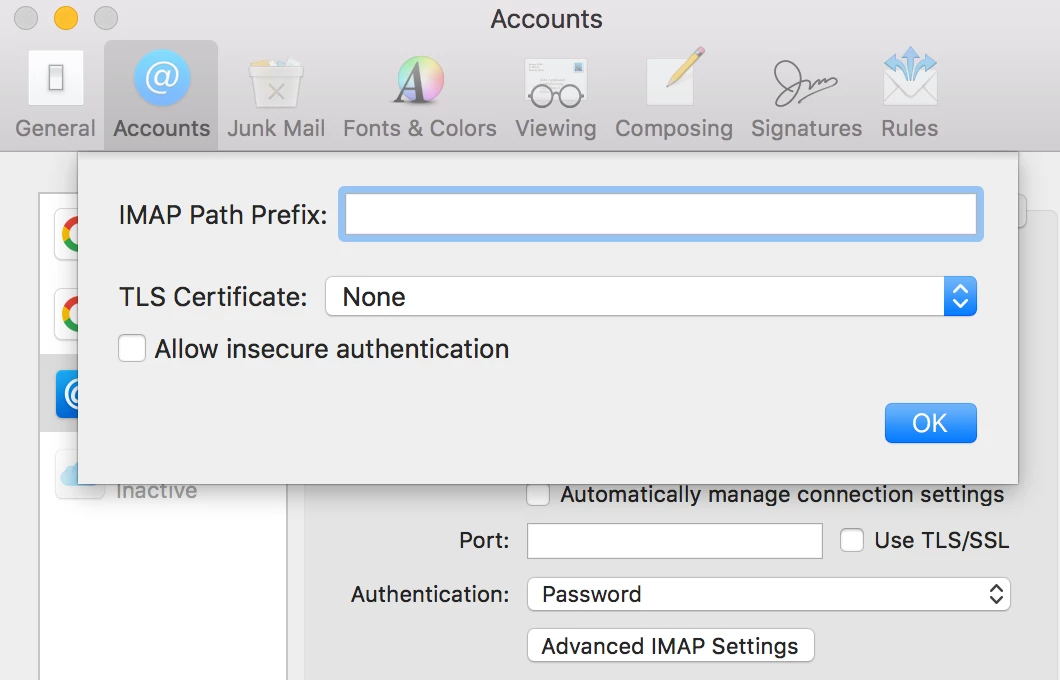
Maybe it's debatable whether you should access a mail server on your local network without encryption, but the setting is there, so it should work. And it did, until High Sierra.

There's been a discussion at Apple for months:
https://discussions.apple.com/thread/8087473

With the structural changes in how Mail save prefs over last few OS iterations, I've seen where the preference used to be stored, but that isn't where it is now. Does anyone know where High Sierra stores the prefs for Mail accounts, particularly this preference?

4 replies

Forum|alt.badge.img+1
  • New Contributor
  • March 8, 2018

Hi Mitch
Yes I have the same problem.. Unfortunately I could not find the setting either. I checked all sqlite DB's / plists. However I have "good" news, after dozens of emails and time wasted, Apple confirmed, that they created a bug report for the Apple Mail devs. So let us hope and wait?

Regards


Forum|alt.badge.img+1
  • New Contributor
  • May 4, 2018

I found a fix. It requires doing the changes directly in the Accounts4.sqlite database.
This means the functionality was not removed, just the GUI disconnected to the data model. https://github.com/ozzi-/macos10.13_mail_insec_auth_fix


Forum|alt.badge.img+3
  • Author
  • New Contributor
  • May 26, 2018

I happened to find that same thing today. Haven't been able to figure out how to use it. The manual instructions seem to have some holes in them. I'm comfortable getting into the SQLLite DB, but maybe I'm just missing what the right blob values should be and how to create them as binary blobs, if they are other than the True example he provides. And I can't figure out how to make the Java work.


Forum|alt.badge.img+1
  • New Contributor
  • May 31, 2018

How? You will need a hex editor.
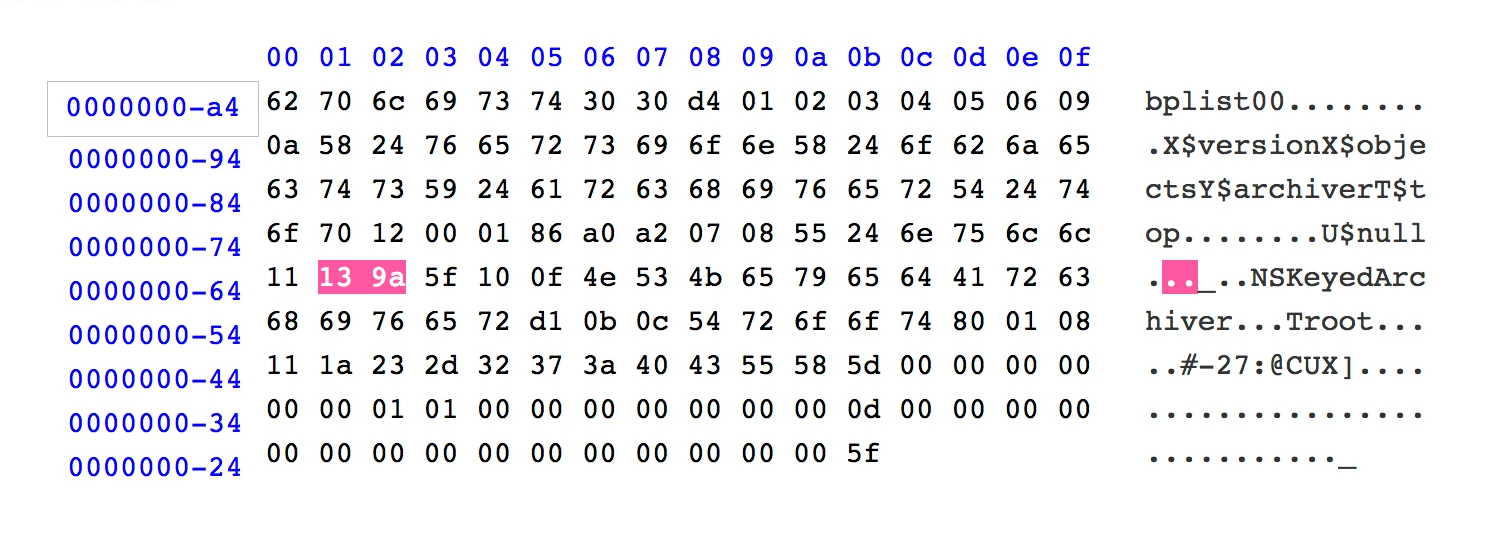
What values? This is for port 5018 ( in hex 13 9A), change it to your liking.

Examples? See this https://github.com/ozzi-/macos10.13_mail_insec_auth_fix/blob/master/src/port_blob_5018_smtp.txt
For java you will need eclipse IDE or similar.
Does this help?
Best regards