Solved

Automatic MacOS Updates

  • May 24, 2019
  • 11 replies
  • 139 views

Forum|alt.badge.img+4

I'm not sure why I'm struggling with this one as I"m sure it's easy but

With Jamf Pro does anyone know how to enforce automatic OS updates? Mostly just want to make sure all my macs are getting security updates but I'm not seeing it anywhere.

Best answer by rich.trouton

I have a script that can enable the OS's automatic macOS updates option. It's available via the blog post linked below:

https://derflounder.wordpress.com/2018/12/28/enabling-automatic-macos-software-updates-for-os-x-yosemite-through-macos-mojave/

11 replies

Forum|alt.badge.img+33
  • Hall of Fame
  • Answer
  • May 24, 2019

I have a script that can enable the OS's automatic macOS updates option. It's available via the blog post linked below:

https://derflounder.wordpress.com/2018/12/28/enabling-automatic-macos-software-updates-for-os-x-yosemite-through-macos-mojave/


Forum|alt.badge.img+4
  • Author
  • Contributor
  • May 24, 2019

This is great thanks so much!


Forum|alt.badge.img+4
  • Author
  • Contributor
  • August 12, 2019

@rtrouton Finally getting around to trying to deploy this script. Am I missing something? I'm trying to just run the script locally and I just get hit with a ton of errors. Is there something special you need to do before executing the script.


eDooku
Forum|alt.badge.img+5
  • Contributor
  • March 16, 2021

You can also accomplish the same using a Configuration Profile with a custom Plist-file containing:

<?xml version="1.0" encoding="UTF-8"?>
<!DOCTYPE plist PUBLIC "-//Apple//DTD PLIST 1.0//EN" "http://www.apple.com/DTDs/PropertyList-1.0.dtd">
<plist version="1.0">
<dict>
    <key>AutomaticCheckEnabled</key>
    <true/>
    <key>AutomaticallyInstallMacOSUpdates</key>
    <true/>
    <key>AutomaticDownload</key>
    <true/>
    <key>CriticalUpdateInstall</key>
    <true/>
    <key>ConfigDataInstall</key>
    <true/>
</dict>
</plist>

...and use the domain "com.apple.SoftwareUpdate"


chrisB
Forum|alt.badge.img+7
  • Valued Contributor
  • March 16, 2021

@eirikw

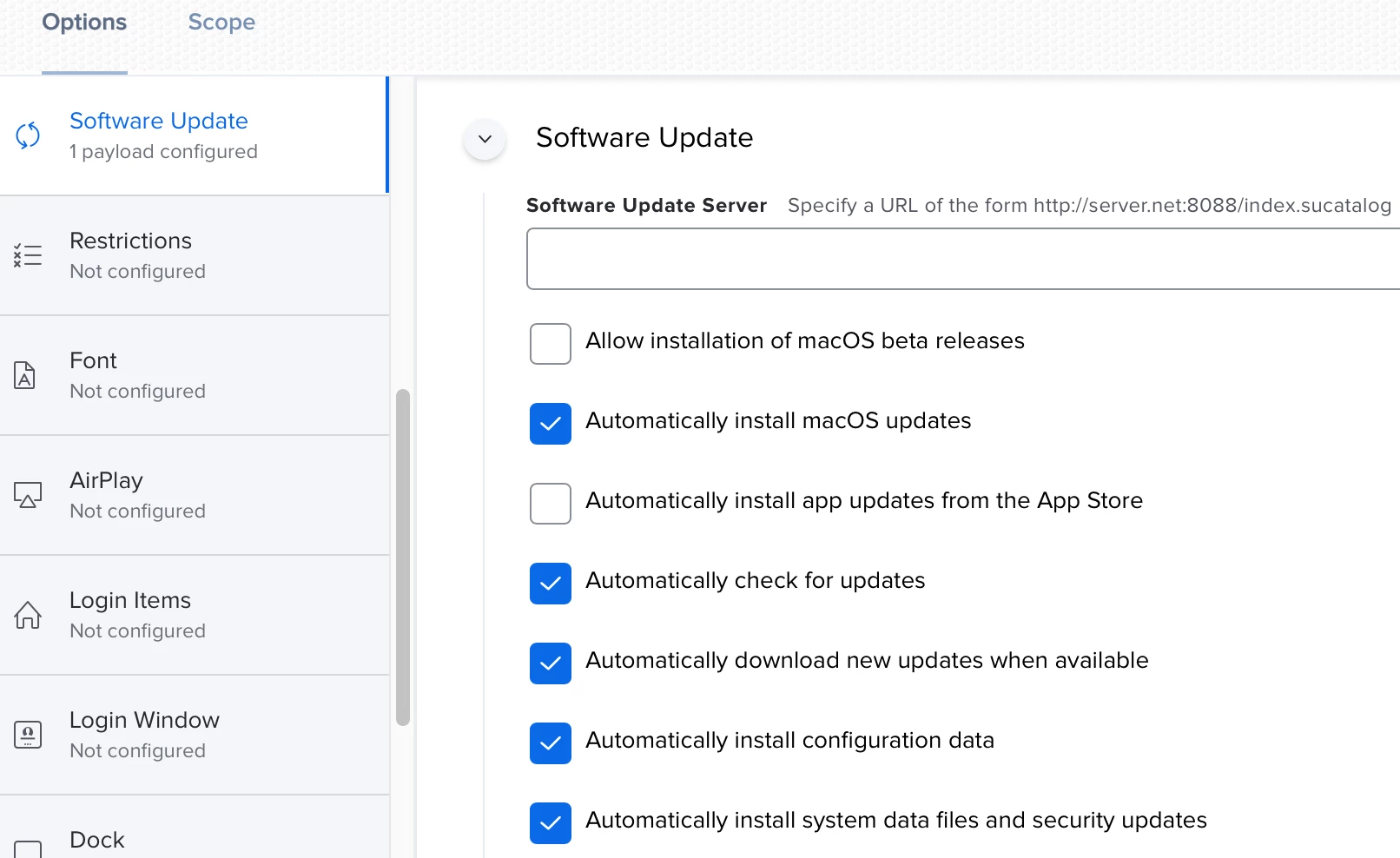
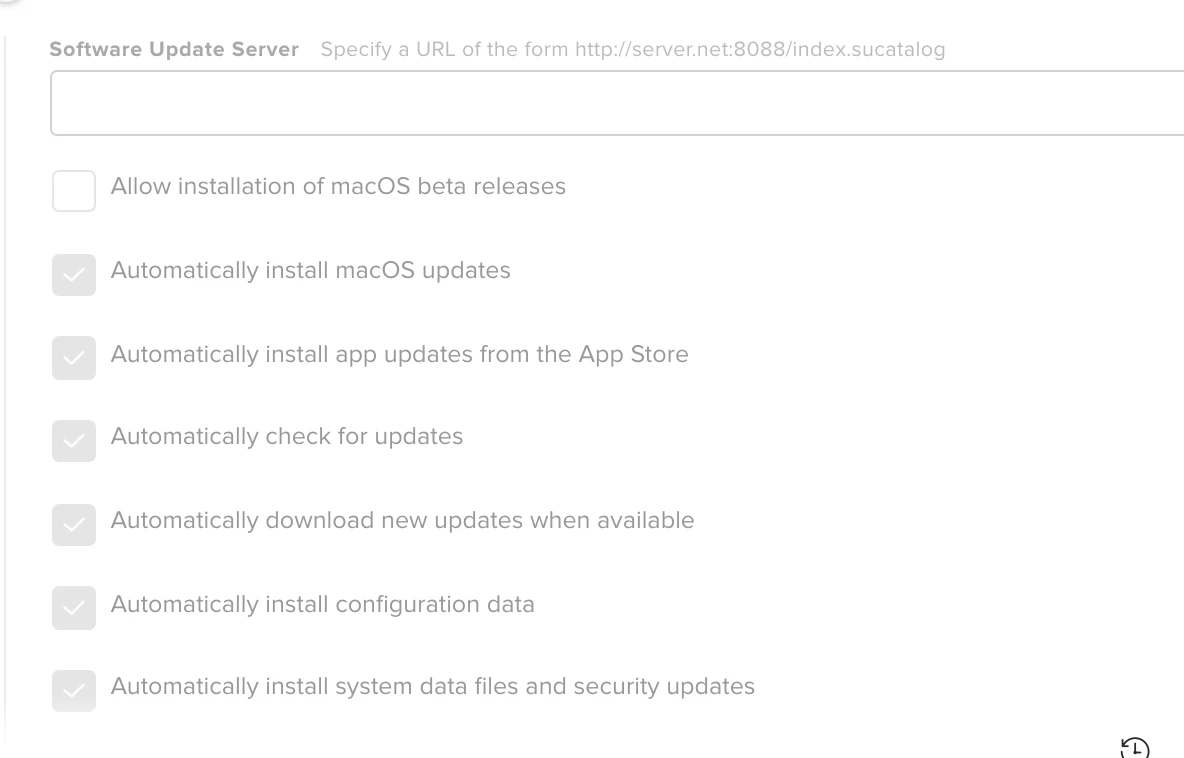
Why not just using a Configuration Profile which is already prepared in Jamf Pro?


Forum|alt.badge.img+4
  • New Contributor
  • March 19, 2021

Nice @eirikw! Does this automatically pull from Apple or is an update server actually required?


Forum|alt.badge.img+3
  • New Contributor
  • March 19, 2021

Does either the script or the configuration policy allow for deferrals so that the installs won't just be run when a user isn't expecting them? Especially if the updates require a reboot?


Forum|alt.badge.img+3
  • New Contributor
  • March 20, 2021

@jpuebs If left blank it will use Apples servers to pull the updates.
@ian.sterling JAMF recommend using the Restart Options payload alongside the Software Update payload to define restart prefs & the user interaction tab to manage deferrals.

https://docs.jamf.com/10.25.0/jamf-pro/administrator-guide/Running_Software_Update.html

The config profile basically just hard codes the settings in System Preferences > Software Update.


SureExclamation
Forum|alt.badge.img+4

With the config profile for software updates , does it allow users to update organically? They get pop ups to install updates and have options to defer, and they don't apply until they manually reboot or does it happen while idle?

Still not clear how the software update policy works in comparison, with or without the restart options and how is it better?


eDooku
Forum|alt.badge.img+5
  • Contributor
  • March 22, 2021

@chrisB The main reason to avoid the built-in settings in some cases is that they tend to add empty fields in the configuration when you don't need them. In this instance, Jamf Pro adds "<key>CatalogURL</key><string/>" to the plist. Granted, macOS probably ignores that and uses the default server setting, but in other cases it actually breaks functionality.


Forum|alt.badge.img+13
  • Valued Contributor
  • September 24, 2021

With the config profile for software updates , does it allow users to update organically? They get pop ups to install updates and have options to defer, and they don't apply until they manually reboot or does it happen while idle?

Still not clear how the software update policy works in comparison, with or without the restart options and how is it better?


I'm coming around to this and have further questions.

Does "Automatically install macOS updates" includes major updates?  For instance, when macOS Monterey is released, will my clients automatically upgrade to that?  Because I want my clients to be on the latest version of their currently installed OS but not to jump major versions like Big Sur to Monterey.

Are there any controls to avoid that scenario?  And from what I understand, we can no longer ignore updates via the command line, correct?  So that's out as well.