Question

Big Sur M1 Mac + Filevailt 2 - Admin user = Big problems

  • December 2, 2020
  • 46 replies
  • 406 views

Show first post

46 replies

Forum|alt.badge.img+20
  • Valued Contributor
  • December 15, 2020

Is there any way of smart grouping the M1's and excluding them from any previously known approved KEXT's?


Forum|alt.badge.img+16
  • Author
  • Honored Contributor
  • December 16, 2020

Processor Type - Not Like - Intel

Should work for now.


Forum|alt.badge.img+6
  • New Contributor
  • December 17, 2020

@Hkabik confirming that does work for anyone out there testing the M1 chips


Forum|alt.badge.img+5

Or you check especially for ARM-CPUs: Architecture Type is "arm64". Works for me.


Forum|alt.badge.img+4
  • Contributor
  • January 11, 2021

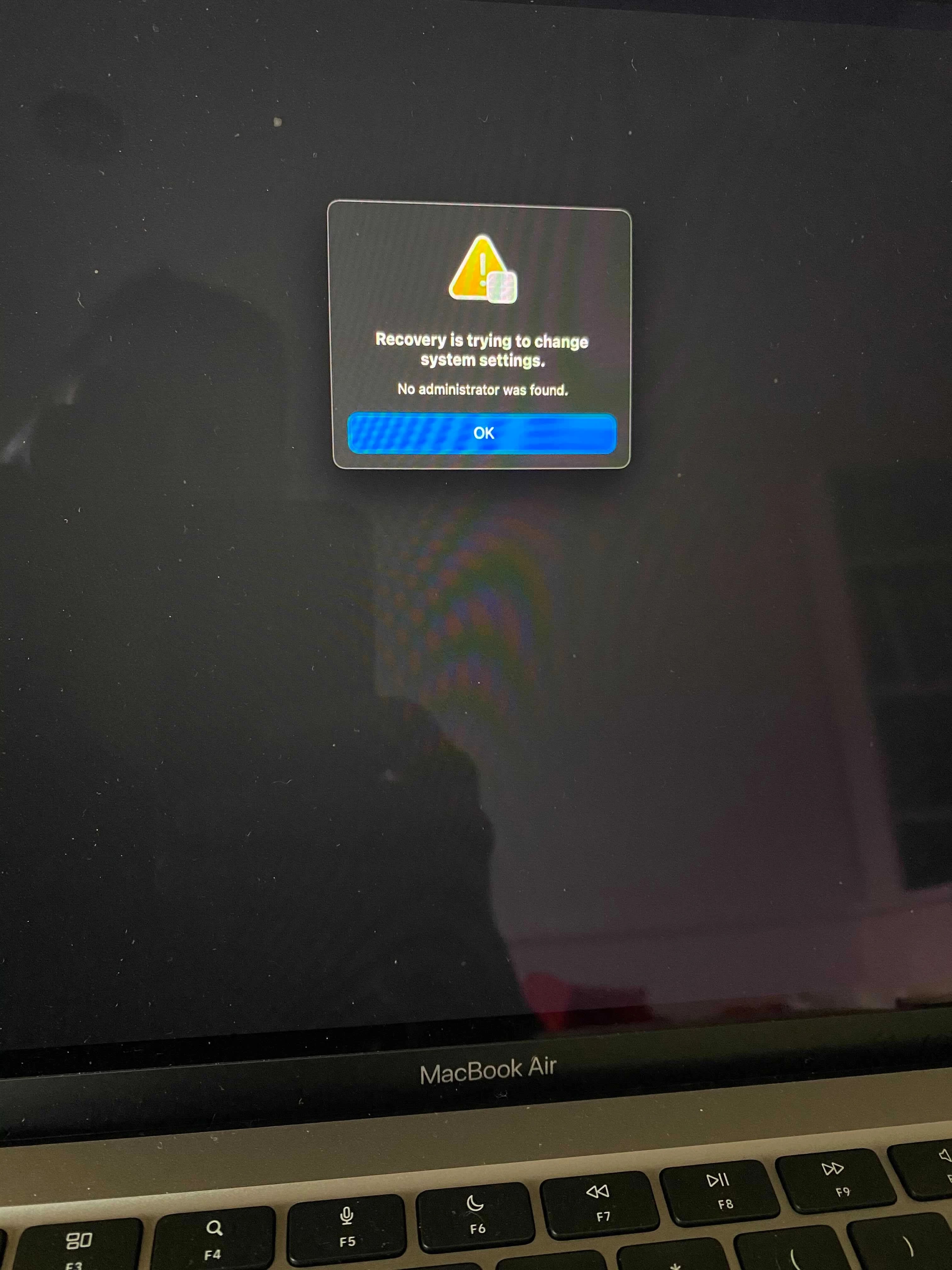
We've had this happen with several M1 Macbook Air and Pro devices both with and without Jamf enrollment. From what I can tell there's a firmware build these ship with that's essentially a silent time bomb; anywhere between unboxing them and 2+ weeks of regular use it'll suddenly boot up with the "Recovery is trying to change system settings. No Administrator was found" error. The only way to get them running again at that point is a DFU restore using Configurator.

We haven't seen it reoccur after updating the firmware and letting them install all available OS X updates as the very first step, but sometimes it happens before one even gets a chance to search for and apply any pending updates. Very frustrating.


Forum|alt.badge.img+4
  • Contributor
  • January 12, 2021

+1 same problem in our environment. The only way is to restore the Mac in DFU mode but it doesn't resolve the issue.


Forum|alt.badge.img+9
  • Valued Contributor
  • January 13, 2021

Unfortunately we're right there with you guys in our environment. And whoever said it is absolutely right that this issue is almost like a "ticking time bomb" since the issue sometimes doesn't occur until the second or subsequent reboots. We've also opened up a case with ACE.

Has anyone found success with excluding your KEXT whitelist profile(s) from M1 Macs prior to enrollment as preventing this issue from occurring, or no?

Thanks! Good luck everyone.


Forum|alt.badge.img+16
  • Author
  • Honored Contributor
  • January 14, 2021

In my experience, excluding KEXT approval profiles does seem to stop this issue from occurring. But I have heard from others that even when they have done so the issue has still seemed to randomly pop up on a subsection of machines. So my experience, yes that is the bandaid... but it seems there are still unkown circumstances that can trigger it.


Forum|alt.badge.img+4
  • New Contributor
  • January 18, 2021

it appears to do with managed local admin account not having the secure token as it has not logged in (we create standard accounts for users). When I elevated standard user to local admin on system, which in turn allowed it to add secure token on managed local admin account, this issue did not occur for me then, though upon first restart it did as for user's password to unlock the drive to boot the machine.
Looks like will have to prompt user to allow adding secure token for local admin account after elevating user's privileges


Forum|alt.badge.img+4
  • Contributor
  • January 22, 2021

@hkabik Same for me. Excluding KEXT seems to have resolved the issue. I hope it won't trigger for other processes.


Forum|alt.badge.img+10
  • Contributor
  • January 22, 2021

In my experience the problem with M1's doesn't just rear it's head with kext config profiles.
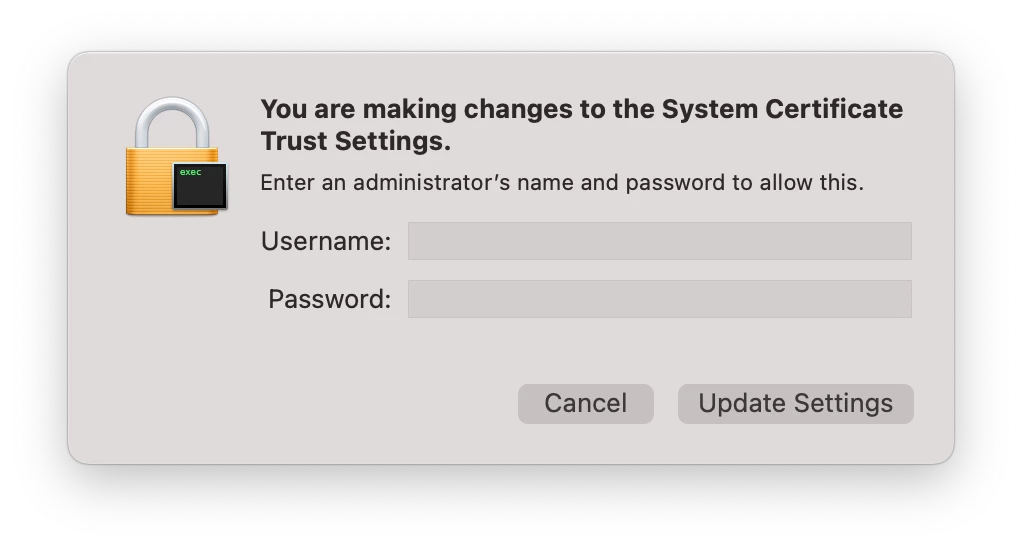
Using an DEP enrollment; any policy with a package containing a kext will either kick up a dialog prompting for password for "Security Certificate" or fail and potentially cause issues (for example, the Google File Drive Stream package contains a kext and will prompt for password to approve it but will still fail since it's trying to install a kext).
I'm still working my way through our policies and adding exclusions (based on BigSur + ARM architecture) but a good place to start is the inventory of an enrolled M1 Mac and inspect any packages of policies which have failed.


Jason33
Forum|alt.badge.img+13
  • Honored Contributor
  • January 22, 2021

I got hit with this today on a MacBook Air


Forum|alt.badge.img+7
  • Contributor
  • February 23, 2021

Got this today with all the KEXT profiles excluded. Its really intermittent though.


Forum|alt.badge.img+5

@tjhall: do you mean such a dialog (as attached)?

I noticed this while installing Avast Antivir Business with policy triggered on the command line (jamf policy).
If I just wait for the recurring checkin this won't show up and the install will fail.


Forum|alt.badge.img+10
  • Contributor
  • March 1, 2021

@matthias.bretz Yes, that's what I'm talking about. If you got any packages that installs kext extensions then you will get these prompts. And since the package contains a kext it will fail.


Forum|alt.badge.img+16
  • Contributor
  • March 22, 2021

I have gotten the same error on only 4 of the 100 new M1s that we got. They were all onboarded the same way. Hopefully it doesn't happen to all 100 because we are starting to check them out to our students today.


Forum|alt.badge.img+7
  • Contributor
  • April 15, 2021

@Tophernad Are you aware of the minor/patch versions of macOS 11 the failed Macs were on? I'm not seeing this issue on 11.2.3 and it would be interesting to see if Apple have fixed this issue in the more recent versions of macOS.


Jason33
Forum|alt.badge.img+13
  • Honored Contributor
  • June 3, 2021

This is ridiculous that this is still happening. I've got a Securetoken enabled account, which is an administrator (the only administrator account on the machine) and when trying to re-install the OS, get the recovery error message. And I'm trying to do this, following Apple's recommendation, since I have had 2 users report that after upgrading to 11.4, their machines freeze at progress bar after entering their password. Only thing they were able to do is hard shut down the machine, and then they were able to log in.


Forum|alt.badge.img+7
  • Contributor
  • December 23, 2021

I was able to overcome this error by disabling Filevault disk encryption and booting to recovery. I then adjust the security to reduced security and rebooted to OS. Then turned back on disk encryption.


Forum|alt.badge.img+3
  • New Contributor
  • January 26, 2022

Hi,

Sorry I know it's been almost a year since this thread was active but does anyone know if this issue was resolved with any update to Mac OS?


Forum|alt.badge.img+7
  • Contributor
  • January 26, 2022

Not as of late, but here is the solution that I am using to work out the error:

User received an M1 from Apple with macOS 12 preloaded. To prep for CheckPoint E85.30 that is macOS12 supported, I did the following:

ACTIONS:

  • Booting to recovery produced "no admin error"; To bypass the "no admin error", we booted back to OS and turned off Filevault disk encryption. From terminal:
    • su $ADMIN
      #(or other filevault2 user found under Jamf - Computers - Computername - Disk Encryption)
    • sudo fdesetup disable
    • sudo sysadminctl -adminUser $ADMIN -adminPassword - -secureTokenOn $USER -password -
      #(where $ADMIN = filevault2 user & $USER = username)
    • sudo fdesetup enable
    • sudo diskutil apfs updatePreboot /
  • Added admin users as secure token users and re-enabled disk encryption using command above
    sudo sysadminctl -adminUser $ADMIN -adminPassword - -secureTokenOn $OTHER -password -
  • Booted to recovery and reduced security to allow 3rd party extension
    • Allow user management of kernel extensions from identified developers
    • Allow remote management of kernel extensions and automatic software updates