Question

Big Sur PreStage user permissions

  • November 23, 2020
  • 5 replies
  • 49 views

Forum|alt.badge.img+7

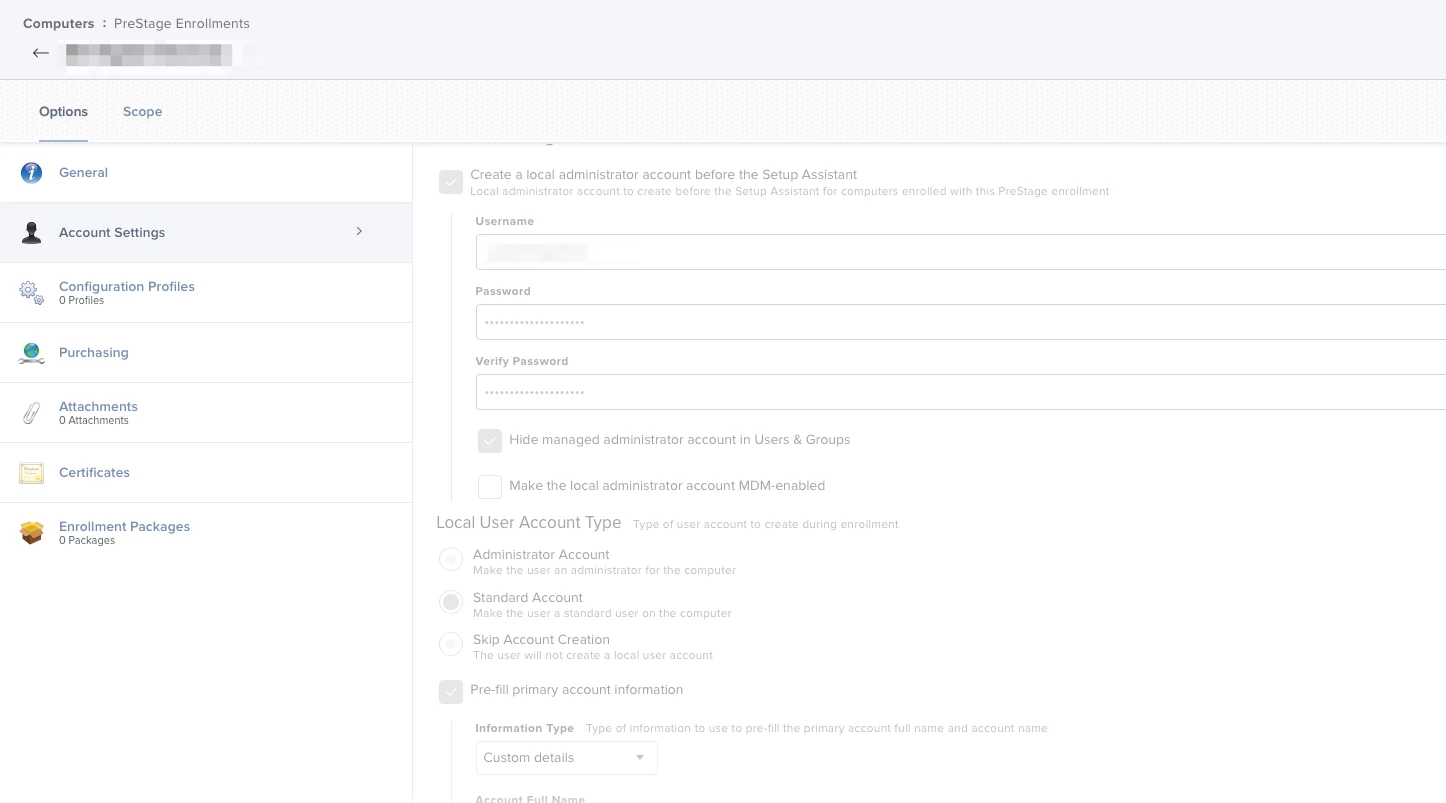
My PreStage is configured to create a hidden local admin account and a Standard Local user account.
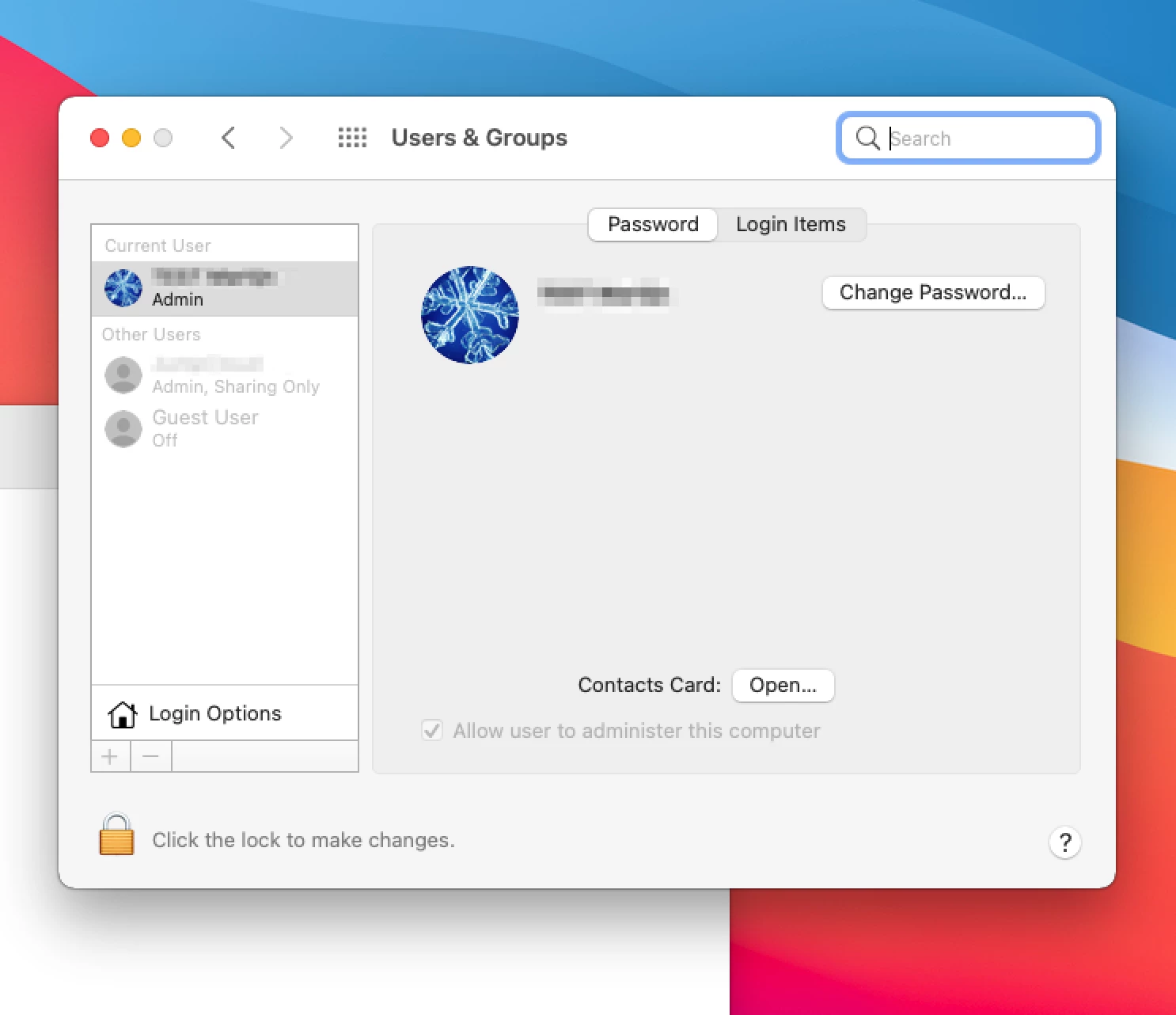
However, when I deploy a machine running Big Sur the local user is created with Admin permissions.
Has anyone else seen this?

5 replies

Forum|alt.badge.img+7
  • Author
  • New Contributor
  • November 24, 2020

This appears to be a Jumpcloud issue, not a Jamf issue.


Forum|alt.badge.img+8
  • Contributor
  • June 10, 2021

I have this issue with my Big Sur machines...my local admin account does not have access to its own home folder.


grecopj
Forum|alt.badge.img+8
  • Valued Contributor
  • September 8, 2021

I have this issue with my Big Sur machines...my local admin account does not have access to its own home folder.


Hello, Were you able to find a solution to your issue about access to its own home folder? I'm going a little nuts trying to setup machines with a fresh install of Big Sur with a prestage environment. 


Forum|alt.badge.img+8
  • Contributor
  • September 8, 2021

Hello, Were you able to find a solution to your issue about access to its own home folder? I'm going a little nuts trying to setup machines with a fresh install of Big Sur with a prestage environment. 


Yes, you need to look at your user initiated enrollment settings in Jamf. In here you have a management account that is being created. This account needs to have a different name than the one you are creating in your prestage enrollment.


i personally created JSSAdmin and set it to have a random password and that fixed my issue


grecopj
Forum|alt.badge.img+8
  • Valued Contributor
  • September 9, 2021

Yes! That's it. Thank you!!