
Question

Cannot Mount Distribution Point in Remote Office

  • August 26, 2016
  • 2 replies
  • 45 views

Forum|alt.badge.img+2

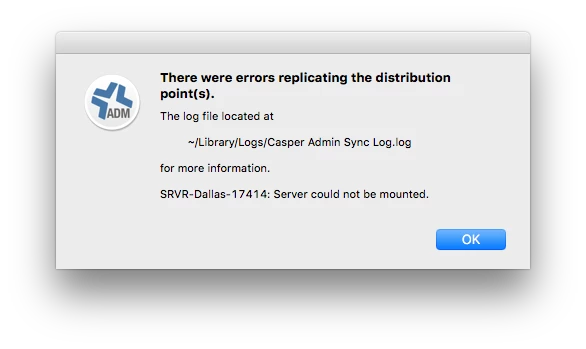
I have a distribution point that I built up at home office for a remote location. I built is as I would any remote DP's, was able to replicate from my master, and test imaging to it. Once I got to the remote site I am unable to mount the DP in either Casper Admin or while netbooted.

While in Casper Imaging, I can image from it if I manually mount it on the target client. It flies as you'd expect with no other errors. I have verified settings in the JSS for the DP are correct, IP, CasperInstall/CasperAdmin PWs, etc. I am set to share over smb btw. Any ideas why this would be happening?
2 replies

Forum|alt.badge.img+18
  • Honored Contributor
  • August 28, 2016

When you manually mount it do you mount it with the exact same info in casper? Eg Same IP, Same user/pass?


davidacland
Forum|alt.badge.img+18
  • Valued Contributor
  • August 29, 2016

The Casper apps can get confused if you have other shares from the same server already mounted, or kerberos tickets present. The Finder handles it ok which can be misleading.

Might be you need to specify the location of the user you're authenticating with in the JSS DP settings, something like "servernameusername" to tell it explicitly where the user account lives.
