Question

Casper Imaging Slow, Local Distribution Point, "

  • January 28, 2017
  • 3 replies
  • 22 views

Forum|alt.badge.img+3

Hey all,

I recently created a thread describing my steps for imaging Casper here

https://www.jamf.com/jamf-nation/discussions/22840/guide-to-creating-sierra-base-image-from-a-to-z

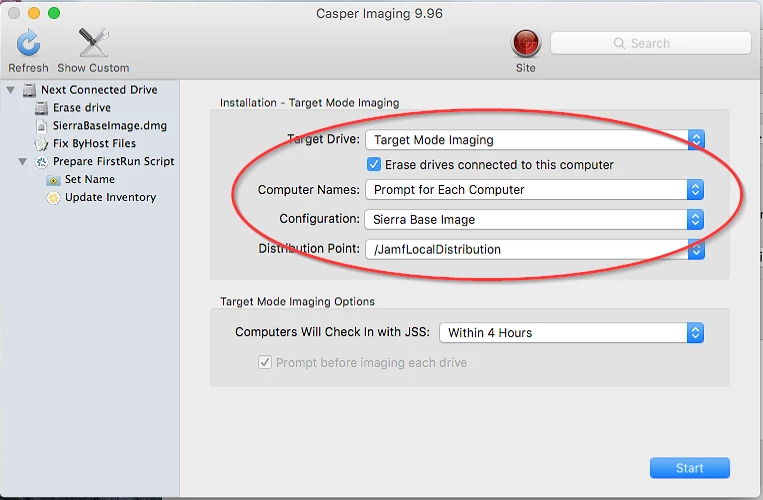
I'm imaging a 2016 Macbook Pro and it's taking about 30-45 minutes per image.

  1. I fully erased and formated the target computer's hard drive
  2. The imaging mac is set to "local distribution
  3. It's plugged in via thunderbolt to thunderbolt
  4. I captured the image from a Macbook Air using Composer
  5. I tried restarting the imaging mac.

Any idease? Thanks you.

3 replies

Forum|alt.badge.img+10
  • Contributor
  • January 28, 2017

What's the size of your DMG? What's the source computer? Are you using a Thunderbolt 2 adapter on the 2016 Machine?


Forum|alt.badge.img+3
  • Author
  • New Contributor
  • January 30, 2017

@BostonMac The size of the DMG is 11.86GB, the source computer is a Macbook Pro 2013, I'm using a thunderbolt 2 to thunderbolt 2 adapter during the installation. Is the DMG too large?

Thank you.


Forum|alt.badge.img+3
  • Author
  • New Contributor
  • February 2, 2017

@BostonMac I'm now using a clean base image with no additional apps, and it's imaging pretty slow. I notice this among Macbook Pro's with larger hard drives. Any ideas?