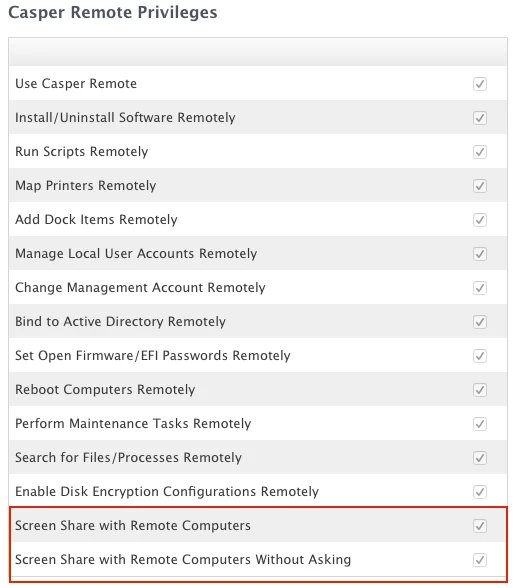
Unfortunately I missed it in testing, but we rolled out 9.65 and I realized that techs with casper remote access are presented with a prompt to share the screen with the user, or instead login with the casperscreensharing account. If they choose the latter, the client has no visibility at what the tech is doing. Worst case a disgruntled tech could login as casperscreensharing and then logout and login as an administrator and wreak havoc on the computer with the client having no idea this is going on.
Am I the only JAMF customer that is concerned by this? It seems like I'm the only one who has complained so far. We have very strict remote control guidelines (I know this makes us unique), but it seems extreme this is enabled by default with no way to turn it off. We do force users to accept the connection, but there is still the assumption of visibility once the client accepts the prompt.
I get the usefulness of this feature, a user doesn't need to be bothered, a tech could do work on the back end without bothering the user. I don't get why this is on by default without a way to disable the feature for more secure environments where it's important the client sees what the technician is doing for 100% visibility.
I have had a few calls and emails with JAMF about this, and so far the answer was it's working as designed and instead technicians shouldn't have admin access on the machines, if they didn't have that then they couldn't do anything malicious. Really, for our remote control guidelines, it's more about the visibility than the malicious intent.
Am I alone in wishing there was some way to disable this?