
Question

Catalina 10.15 Beta + Prestage Enrollment Error

  • June 11, 2019
  • 11 replies
  • 62 views

Forum|alt.badge.img+8

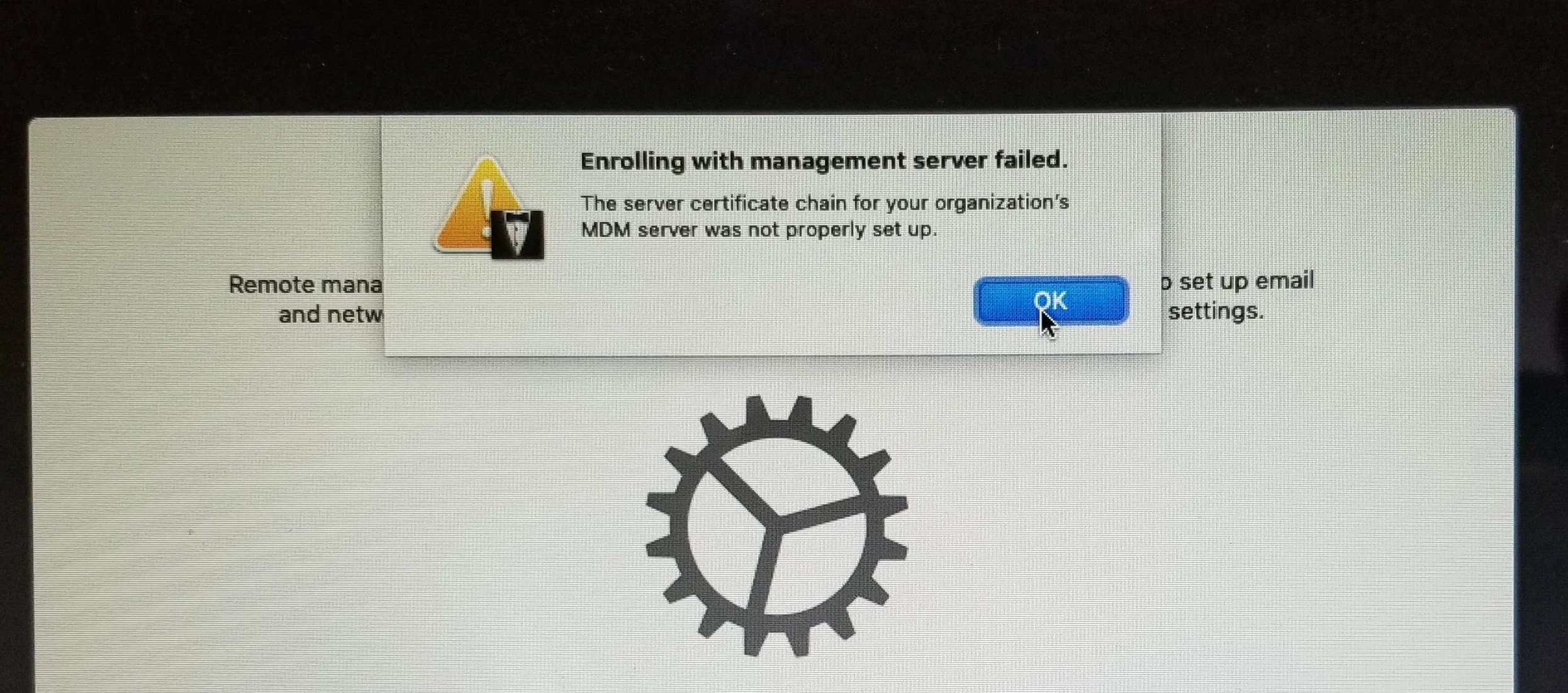
I'm not sure if I should be too concerned with this issue as 10.15 is still beta, but enrolling a freshly installed 10.15 beta onto a MacBook Air produces a "Enrolling with managment server failed. The server certificate chain for your organization's MDM server was not properly set up" error. This doesn't occur with the same Mac restored with Mojave.

Has anyone else had this issue with 10.15?
11 replies

Forum|alt.badge.img+16
  • Honored Contributor
  • June 12, 2019

I have not, however, I am in the beta program testing with the most current build of Jamf Pro..10.13

C


Forum|alt.badge.img+8
  • Author
  • Valued Contributor
  • June 12, 2019

@gachowski I forgot to mention that our JSS is on 10.12.0.


Forum|alt.badge.img+10
  • Valued Contributor
  • June 12, 2019

I saw this once before in our environment and it turned out to be a jss build that did not support the OS. Simple fix, updated jss and voila the beta worked after that.


ThijsX
Forum|alt.badge.img+20
  • Employee
  • June 12, 2019

@zinkotheclown

We have Jamf Pro on-prem 10.12.0-t1555503901 and with our default production Prestage enrollment we do not see this error when enrolling an fresh macOS Catalina 10.15 Beta 1.

Some things don't work like enabling Filevault, but this will be fixed with Jamf Pro 10.13/14 i assume.

Do you attach some certificates in your prestage enrollment? Because per 10.15 TLS requirements has changed so maybe one of your certs does not meet the new requirements? see this article. https://support.apple.com/en-us/HT210176


Forum|alt.badge.img+16
  • Honored Contributor
  • June 12, 2019

@txhaflaire

I would investigate the FileVault issue more...

I think FileVault is going to require user approval to enable. There are some Rich Trouton WWDC notes in the developer forum and this WWDC video @ 29:26.

https://developer.apple.com/videos/play/wwdc2019/303

C


Forum|alt.badge.img+9
  • New Contributor
  • June 12, 2019

Do you know if your instance allows beta? In configuration profiles, you can see if you have a config payload that allows Software Updates, within it, it should allow you (or not allow you to) install beta updates


Forum|alt.badge.img+8
  • Author
  • Valued Contributor
  • June 13, 2019

@txhaflaire I think our SSL certs meet the TLS requirements but the cert is untrusted.


Forum|alt.badge.img+20
  • Valued Contributor
  • June 13, 2019

@gachowski You are looking for the 2019 video :)

https://developer.apple.com/videos/play/wwdc2019/303


ThijsX
Forum|alt.badge.img+20
  • Employee
  • June 13, 2019

@zinkotheclown Alright, is your JSS cert Self Signed our generated by one of your CA's? perhaps one of the certificates is missing or got expired? so the chain is not complete anymore?

Try enrolling the device and check your JSS logs


Forum|alt.badge.img+8
  • Author
  • Valued Contributor
  • June 13, 2019

@ txhaflaire Our cert is self signed. I can enroll devices pre 10.15 fine and nothing seems to have expired.


Forum|alt.badge.img+16
  • Honored Contributor
  • June 13, 2019

@ClassicII

Thank you !!

C
