Question

Changing Safari settings in 10.14.x

  • April 25, 2019
  • 10 replies
  • 29 views

Forum|alt.badge.img+3

Hi,

we need to set some Safari settings in our company.

For example the homepage, new windows open with, new tabs open with and we have to change some "AutoFill"-functions.

We use Mojave 10.14.4 and Safari 12.1 and JAMF 10.11.1.

I have already tried:
- to set a Configuration Profile with the com.apple.Safari domain and my PLIST-File.
- Snapshot with Composer
- via this Script https://www.jamf.com/jamf-nation/discussions/21386/change-current-users-homepage-and-startup-pages-in-safari-and-chrome

Nothing works for me, any other suggestions?

Thx

10 replies

Forum|alt.badge.img+7
  • Contributor
  • April 25, 2019

Have you enable SIP?


Forum|alt.badge.img+3
  • Author
  • New Contributor
  • April 25, 2019

Yes, SIP is enabled.


Forum|alt.badge.img+3
  • New Contributor
  • April 25, 2019

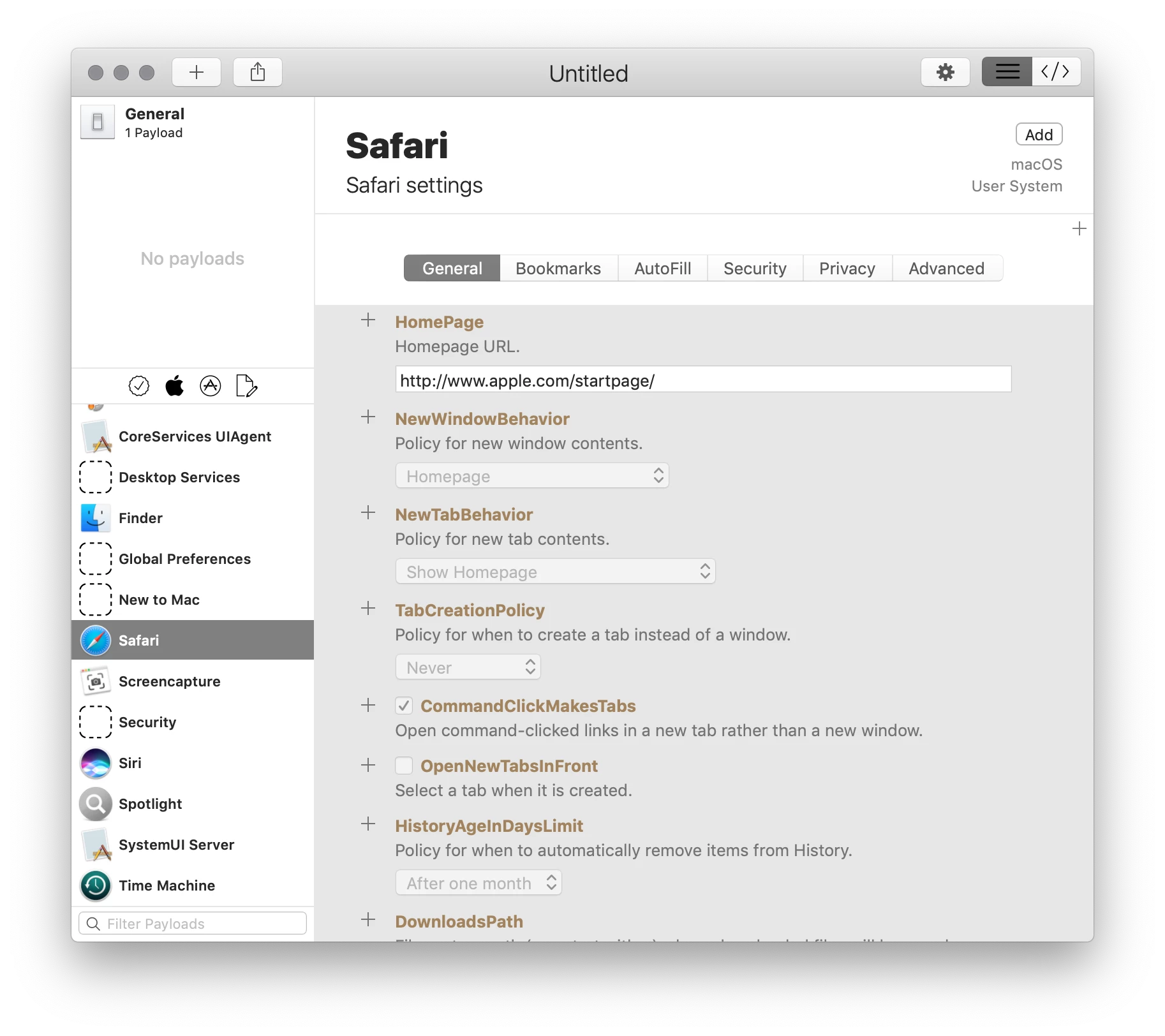
Try using this app:
https://github.com/erikberglund/ProfileCreator/releases/tag/v0.2.5-beta.10

It will create a working config profile. Sign it and upload to Jamf.


Forum|alt.badge.img+7
  • Contributor
  • April 25, 2019

https://apple.stackexchange.com/questions/340353/where-is-macos-10-14-mojave-com-apple-safari-plist-responsivedesigncustompresetc


Forum|alt.badge.img+3
  • Author
  • New Contributor
  • April 25, 2019

I have already seen this article, but this is not the solution, when we have to set the Homepage via JAMF.

No other way to set the homepage?


Forum|alt.badge.img+7
  • Contributor
  • April 25, 2019

Do you want change the setting exist user or for new user?

For news user we use follow script:

# Sets Home Website and Window Behaviour in User Templates
for i in `ls -1 "/System/Library/User Template"`; do
defaults write "/System/Library/User Template/${i}/Library/Preferences/com.apple.Safari" HomePage -string https://www.google.ch
defaults write "/System/Library/User Template/${i}/Library/Preferences/com.apple.Safari" NewWindowBehavior -int 4
defaults write "/System/Library/User Template/${i}/Library/Preferences/com.apple.Safari" NewTabBehavior -int 4
defaults write "/System/Library/User Template/${i}/Library/Preferences/com.apple.Safari" AlwaysShowTabBar -bool YES
defaults write "/System/Library/User Template/${i}/Library/Preferences/com.apple.Safari" ShowFavoritesBar-v2 -bool YES
done

Forum|alt.badge.img+3
  • Author
  • New Contributor
  • April 25, 2019

@ICTMuttenz: It's for new users. I will try it.
@daniel.hayden: Thx, I will already try this.

Thx a lot, tomorrow I will try both suggestions.


Forum|alt.badge.img+7
  • Contributor
  • April 25, 2019

If you do this with ProfileCreator you can upload the file .mobileconfig to JAMF.


Forum|alt.badge.img+3
  • Author
  • New Contributor
  • April 29, 2019

Hi,
I have tested it with Profile Creator.

I have made a configuration profile and made from this file a pkg (we have no option to push configuration profiles in our company).
The Policy with this pkg-file got an installation error.

I have read the install.log in this log I have this error:

./postinstall: Enter the admin user name: Error: Missing user name

I have tried it to manually install this file - I have to add an administrator name and password to install this file.

Any ideas to bypass this authentification?


Forum|alt.badge.img+15
  • Valued Contributor
  • April 29, 2019

@deichi What's in your postinstall script? When I've packaged profiles for installation, this is what I use without getting a prompt for credentials:

#!/bin/sh

/usr/bin/profiles -I -F /tmp/ProfileNameHere.mobileconfig

exit 0