Solved

Chrome Extension Reporting

  • July 29, 2014
  • 34 replies
  • 323 views

emily
Forum|alt.badge.img+26

Hey y'all, a query for the hive mind.

We've been running into users installing Awesome Screenshots (horrible name), which beacons out to websites tens of thousands of times a day. As you can imagine, InfoSec is not happy about it. I'm trying to find a way to do reporting to find out what extensions are installed on machines.

I found that the extensions are all stored in the same folder:

~/Library/Application Support/Google/Chrome/Default/Extensions/

But the names of the folders with are just random strings of letters and numbers:
external image link

Within the folder is a manifest.json file, which does have the app name in it:
external image link

So I'm assuming there is some way to grab that and throw it into an extension attribute or something. I think the main problem would be navigating through those extension folders, or at least finding a way to translate those folders into extension names.

Has anyone found a way to successfully report installed extensions? Any input on this would be appreciated. Thanks!


Best answer by emily

Managed to figure it out. Here's an example using Awesome Screenshot:

#!/bin/sh

#
# script by emily k 2014-07-29
# to detect if the Awesome Screenshot Extension is installed on Google Chrome
# 

currentUser=`ls -l /dev/console | cut -d " " -f 4`

if [ -d "/Users/$currentUser/Library/Application Support/Google/Chrome/Default/Extensions/alelhddbbhepgpmgidjdcjakblofbmce" ] ; then
    STATUS="Awesome Screenshot Installed."
else
    STATUS="Not installed."
fi

echo "<result>$STATUS</result>"

You can then scope/create smart groups/etc.

More on setting up the EA http://www.modtitan.com/2014/07/detecting-installed-chrome-extensions.html.

34 replies

emily
Forum|alt.badge.img+26
  • Author
  • Hall of Fame
  • Answer
  • July 29, 2014

Managed to figure it out. Here's an example using Awesome Screenshot:

#!/bin/sh

#
# script by emily k 2014-07-29
# to detect if the Awesome Screenshot Extension is installed on Google Chrome
# 

currentUser=`ls -l /dev/console | cut -d " " -f 4`

if [ -d "/Users/$currentUser/Library/Application Support/Google/Chrome/Default/Extensions/alelhddbbhepgpmgidjdcjakblofbmce" ] ; then
    STATUS="Awesome Screenshot Installed."
else
    STATUS="Not installed."
fi

echo "<result>$STATUS</result>"

You can then scope/create smart groups/etc.

More on setting up the EA http://www.modtitan.com/2014/07/detecting-installed-chrome-extensions.html.


Forum|alt.badge.img+9
  • Valued Contributor
  • July 31, 2014

currentUser=ls -l /dev/console | cut -d " " -f 4
rm -rf /Users/$currentUser/Library/Application Support/Google/Chrome/Default/Extensions/*
chmod 000 /Users/$currentUser/Library/Application Support/Google/Chrome/Default/Extensions

:D


mm2270
Forum|alt.badge.img+24
  • Legendary Contributor
  • July 31, 2014

Hmm, you could try the following script to gather all the names from the json files in each Extension folder for the current or logged in user. This could probably be easily expanded to work through all local accounts on the Mac to gather the attributes for each account, not just the logged in one.

#!/bin/bash

loggedInUser=$( ls -l /dev/console | awk '{print $3}' )

JSONS=$( find "/Users/${loggedInUser}/Library/Application Support/Google/Chrome/Default/Extensions/" -maxdepth 4 -name "manifest.json" )

while read JSON; do
    NAME=$( awk -F'"' '/name/{print $4}' "$JSON" )
    if [[ ! -z "$NAME" ]] && [[ ! "$NAME" =~ "_MSG_" ]]; then
        EXTS+=( "${NAME}
" )
    fi
done < <(echo "$JSONS")

echo "<result>$(echo -e "${EXTS[@]}")</result>"

This should only report on user installed Chrome Extensions and skip all or most of the ones that are default from Chrome itself. For ex, I installed HoverReader and PriceFinder a few minutes ago, ran this script and it pulled those 2 in to the EA results.


elliotjordan
Forum|alt.badge.img+12
  • Valued Contributor
  • August 14, 2014

Very helpful! Thank you for the EA, Emily.


Forum|alt.badge.img+8
  • Contributor
  • April 27, 2015

We have been using this script, but I did a bit of research and the MSG prefix in the name message means that it is a localizable file. This is many more extensions than just the google extensions. In our environment about 60% of the extensions had this. I have come up with a script that gets many more of the names if any one is interested. We are using this to see which students have installed proxy/vpn software which is used to circumvent our filters.


elliotjordan
Forum|alt.badge.img+12
  • Valued Contributor
  • April 27, 2015

@jrwilcox I'd be interested in seeing that script. Thanks!


Forum|alt.badge.img+8
  • Contributor
  • April 27, 2015

Well, Here it is. It is somewhat more complex, but it does seem to work ok.

#!/bin/bash

#
# Function to grab a string from a json formatted file
#

function jsonval {
    temp=`echo $json | sed -e 's/\\\\////g' -e 's/[{}]//g' | awk -v k="text" '{n=split($0,a,","); for (i=1; i<=n; i++) print a[i]}' | sed -e 's/":"/|/g' -e 's/]//' -e 's/[,]/ /g' -e 's/"//g' | grep -w $property | tail -1`
    echo ${temp##*|}
}

#
# Function to do one users extensions
#

function getuserextensions {
    cd "/Users/${loggedInUser}/Library/Application Support/Google/Chrome/Default/Extensions"
    for d in *; do
        JSONS=$( find "/Users/${loggedInUser}/Library/Application Support/Google/Chrome/Default/Extensions/$d" -maxdepth 3 -name "manifest.json" )
        while read JSON; do
            NAME=$( awk -F'"' '/"name"/{print $4}' "$JSON" )
        done < <(echo "$JSONS")
        if [[ "$NAME" =~ "_MSG_" ]]; then
            property=$(echo $NAME | sed -e "s/__MSG_//" -e "s/__//" )
            myPath=$(echo $JSONS | sed "s:manifest.json:_locales/en_US/messages.json:" )
            if [ ! -f "$myPath" ]; then
                myPath=$(echo $JSONS | sed "s:manifest.json:_locales/en/messages.json:" )
            fi
            json=$(cat "$myPath" | sed '/description/d')
            NAME=$(jsonval | sed 's/.*://' )
            if [ -z "$NAME" ]; then
                property=$(echo "-i $property")
                NAME=$(jsonval | sed 's/.*://' )
            fi
        fi
        if [ "${#d}" -eq 32 ];then
            EXTS+=( "${NAME} • ${d}
" )
        fi
    done
}

#
# Main Body of code
#

loggedInUser=$( ls -l /dev/console | awk '{print $3}' )
if [ ! -d "/Users/${loggedInUser}/Library/Application Support/Google/Chrome/Default/Extensions" ]; then
    echo "<result>No User logged in unable to check</result>"
    exit 0
fi
curdir=${PWD}
getuserextensions
cd "$curdir"
echo "<result>$(echo -e "${EXTS[@]}" | sed -e 's/^[ 	]*//' -e '/^$/d' | sort )</result>"
exit 0

It does need a user to be logged in. I should also mention that this will also print the 32 character unique identifier.


Forum|alt.badge.img+16
  • Honored Contributor
  • July 20, 2015

I took a crack at this as well and this is what I came up with. It should gather everything including everything using a messages.json instead of the manifest.json file and spit it into nice outpout.

#!/usr/bin/python

##  Script:     get_chrome_extensions.py
##  Author:     Christopher Collins (christophercollins@livenation.com)
##  Last Change:    2015-07-14
###########################################
##Description: This script searches the last logged in user's installed extensions and submits it to Casper during an inventory report.
###########################################

import os
import json
from Foundation import CFPreferencesCopyAppValue

#Get name of last logged in user so the extension attribute will report information for the user even if they aren't logged in"
lastloggedinuser = CFPreferencesCopyAppValue('lastUserName', 'com.apple.loginwindow')
userchromepath = '/Users/' + lastloggedinuser + '/Library/Application Support/Google/Chrome/'

#Initialize a dictionary to hold the variable names extension developers used if developers localized their extension
internationalized_extensions = {}

#Initialize a directory to hold the names of the installed extensions
installed_extensions = []

#walk the chrome application support folder
for (dirpath, dirnames, filenames) in os.walk(userchromepath):

    #Test to see if file is a manifest.json file and then check its name if it is a placeholder name for a localization file (has __MSG)
    #If it is a normal name, then add it to the final list. If its not, add it to the internationalized_extensions dictionary to match against a localized messages.json file
    for file in filenames:
        if ("Extensions" in dirpath and "manifest.json" in file):
            manifest = json.load(open(os.path.join(dirpath, file)))
            extension_name = manifest.get('name')
            name = extension_name
            if '__MSG_'not in extension_name:
                installed_extensions.append(extension_name)
            else:
                extension_name = extension_name[6:-2]
                if extension_name not in internationalized_extensions:
                    internationalized_extensions[extension_name] = extension_name
        else:
            if (("Extensions" and "locales/en" in dirpath) and "messages.json" in file):
                manifest = json.load(open(os.path.join(dirpath, file)))
                if manifest:
                    for key in internationalized_extensions.keys():
                        if manifest.get(key):
                            extension_name = manifest.get(key).get('message')
                            installed_extensions.append(extension_name)
                        else:
                            if manifest.get(key.lower()):
                                extension_name = manifest.get(key.lower()).get('message')
                                installed_extensions.append(extension_name)

print "<result>{}</result>".format(', '.join(sorted(list(set(installed_extensions)))))

Forum|alt.badge.img+9
  • Contributor
  • January 24, 2016

@chriscollins Thanks for that script, it's working great for me!

I was getting a few errors when I first tried to run it that looked like this;

7400022:/Users/Shared$ python chromeExtensions.py3 
Traceback (most recent call last):
  File "chromeExtensions.py3", line 60, in <module>
    print "<result>{}</result>".format(', '.join(sorted(list(set(installed_extensions)))))
UnicodeEncodeError: 'ascii' codec can't encode character u'u2080' in position 816: ordinal not in range(128)

Changing the last line from:

print "<result>{}</result>".format(', '.join(sorted(list(set(installed_extensions)))))

To:

print "<result>{}</result>".format(', '.join(sorted(list(set(installed_extensions))))encode('utf-8'))

Fixed the errors and allowed the script to run as expected for me.


Forum|alt.badge.img+19
  • Contributor
  • January 25, 2016

@chriscollins, yeah, this script is very nice!

I do have once question, though- the path for the user's home directory . . . The current code assumes that the User's directory will be named the same as their username, and in my environment, this often isn't the case.
I generally script in BASH, and for that language, I get the home directory from DSCL like this:

homedir=$(dscl . -read /Users/$loggedInUser NFSHomeDirectory | awk -F':' 'END{gsub(/^[ 	]+/,"",$NF); printf "%s", $NF }')

Is it possible to do that same sort of query for the real homedir path in python? I'm total python newb, never really have used it yet . . . .


Forum|alt.badge.img+6
  • Contributor
  • March 15, 2016

@owen I was getting the same initial error as you, but when I modified the script per your instruction, I'm getting this syntax error:

File "untitled text 33", line 1 ,encode('utf-8')) ^
SyntaxError: invalid syntax

What do I need to do?


Forum|alt.badge.img+9
  • Contributor
  • March 15, 2016

@kempt What I posted was missing a dot (.encode) , not sure how that happened. The last line should look like:

print "<result>{}</result>".format(', '.join(sorted(list(set(installed_extensions)))).encode('utf-8'))

Put the full thing here: https://gist.github.com/opragel/83e4136803ca67b4955a#file-get_chrome_extensions-py

Thanks again to @chriscollins for writing the extension.


Forum|alt.badge.img+2
  • New Contributor
  • April 1, 2016

@jrwilcox does this work like an extension attribute?


emily
Forum|alt.badge.img+26
  • Author
  • Hall of Fame
  • May 26, 2016

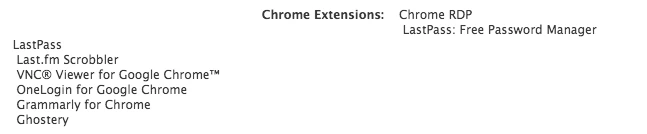
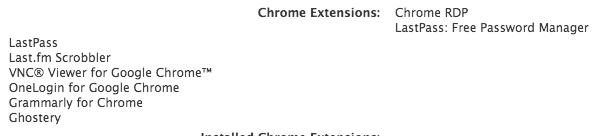
I've been having trouble getting a few of these to work recently… not sure if it's because of JSS changes, Chrome changes, who knows what else… I managed to get @mm2270's working by changing how it gets the loggedinUser, but the display is kind of wonky:

#!/bin/bash

loggedInUser=`python -c 'from SystemConfiguration import SCDynamicStoreCopyConsoleUser; import sys; username = (SCDynamicStoreCopyConsoleUser(None, None, None) or [None])[0]; username = [username,""][username in [u"loginwindow", None, u""]]; sys.stdout.write(username + "
");'`

JSONS=$( find "/Users/${loggedInUser}/Library/Application Support/Google/Chrome/Default/Extensions/" -maxdepth 4 -name "manifest.json" )

while read JSON; do
    NAME=$( awk -F'"' '/name/{print $4}' "$JSON" )
    if [[ ! -z "$NAME" ]] && [[ ! "$NAME" =~ "_MSG_" ]]; then
        EXTS+=( "${NAME}
" )
    fi
done < <(echo "$JSONS")

echo "<result>$(echo -e "${EXTS[@]}")</result>"

Is there a way to control how the output is displayed? Nothing in the JSS's HTML screamed incorrect formatting to me, but I could be missing something in padding or floats. Any recommendations?


mm2270
Forum|alt.badge.img+24
  • Legendary Contributor
  • May 26, 2016

@emily Try it this way. My script was written a while ago, before I started using printf for printing arrays, which produces much more reliable output. This one should work better:

#!/bin/bash

loggedInUser=`python -c 'from SystemConfiguration import SCDynamicStoreCopyConsoleUser; import sys; username = (SCDynamicStoreCopyConsoleUser(None, None, None) or [None])[0]; username = [username,""][username in [u"loginwindow", None, u""]]; sys.stdout.write(username + "
");'`

JSONS=$( find "/Users/${loggedInUser}/Library/Application Support/Google/Chrome/Default/Extensions/" -maxdepth 4 -name "manifest.json" )

while read JSON; do
    NAME=$( awk -F'"' '/name/{print $4}' "$JSON" )
    if [[ ! -z "$NAME" ]] && [[ ! "$NAME" =~ "_MSG_" ]]; then
        EXTS+=( "${NAME}" )
    fi
done < <(echo "$JSONS")

echo "<result>$(printf '%s
' "${EXTS[@]}")</result>"

mm2270
Forum|alt.badge.img+24
  • Legendary Contributor
  • May 26, 2016

Oh, @emily Are you using JSS 9.92 by any chance? If so, take a look at @millersc's post here: https://jamfnation.jamfsoftware.com/discussion.html?id=19987#responseChild120571
I think that may explain the crux of the display issue you're seeing. We're not on 9.92 yet, so this was the first I'd seen of this. Oy.


emily
Forum|alt.badge.img+26
  • Author
  • Hall of Fame
  • May 26, 2016

Better, but still not quite right.

At this point, I'm guessing it's more of a JSS web layout issue than an EA issue. Though nothing in the stylesheet really screamed out at me to cause the misalignment… hrm.


mm2270
Forum|alt.badge.img+24
  • Legendary Contributor
  • May 26, 2016

Yeah, seems to be a bug/defect. See my post above with a link to a post on the issue on the JSS 9.92 thread. That's why I asked if you happened to be on that release? if so, it sounds exactly like the issue described there.


emily
Forum|alt.badge.img+26
  • Author
  • Hall of Fame
  • May 26, 2016

Ah yeah, missed that. We are on 9.92, but I'm working in a new JSS so I don't have a basis for comparison here. It may very well be related.


Forum|alt.badge.img+10
  • Contributor
  • May 27, 2016

I posted a new EA the other day --

https://jamfnation.jamfsoftware.com/viewProductFile.html?fid=859

It may not be perfect, but you can contribute on GIT if you want

https://github.com/igeekjsc/JAMF-Extension-Attributes


Forum|alt.badge.img+10
  • Contributor
  • May 27, 2016

My EA is a lot like @mm2270

But I do a little extra work to find out what the "__MSG" extensions really are.


Forum|alt.badge.img+10
  • Contributor
  • May 27, 2016

Also - please consider voting up this feature request

https://jamfnation.jamfsoftware.com/featureRequest.html?id=4615

Would help tremendously with these types of data queries.


elliotjordan
Forum|alt.badge.img+12
  • Valued Contributor
  • January 24, 2017

I wrote another flavor of the Chrome extensions EA, but this one allows you to specify failover locales (en, then en_US, then en_GB, etc.) and it also pulls the extension version.

https://gist.github.com/homebysix/da935f8f0ef88d7d4b6300ff14066ca6

Multi-line EA output is tricky to filter in a useful way, but at least this will give you the raw data to start from.


Forum|alt.badge.img+1
  • New Contributor
  • May 5, 2017

Thanks alot for the script guys. Im using it to list all chrome extensions so i can see which students are running Ultrasurf. The script runs and returns the full list of chrome extensions but... how do i make a smart group now? Im new to this so please be patient. My ideal project is to detect which machines are running ultrasurf and then find a script to delete it from their computer.


Forum|alt.badge.img+8
  • Contributor
  • May 5, 2017

Chrome supports the ability to blacklist specific plugins. It would be much easier to blacklist this one. Once it is blacklisted chrome will not let any one use the extension and it will block other users from downloading it.