Question

Composer 10.33.0 New & Modified Snapshot issue

  • October 20, 2021
  • 3 replies
  • 75 views

Forum|alt.badge.img+5

Found an issue when using New & Modified Snapshot to capture an App install. As part of the capture Composer 10.33.0 will include in the root of the package a symbiotic link called ".VolumeIcon.icns" that can not be deleted in composer.
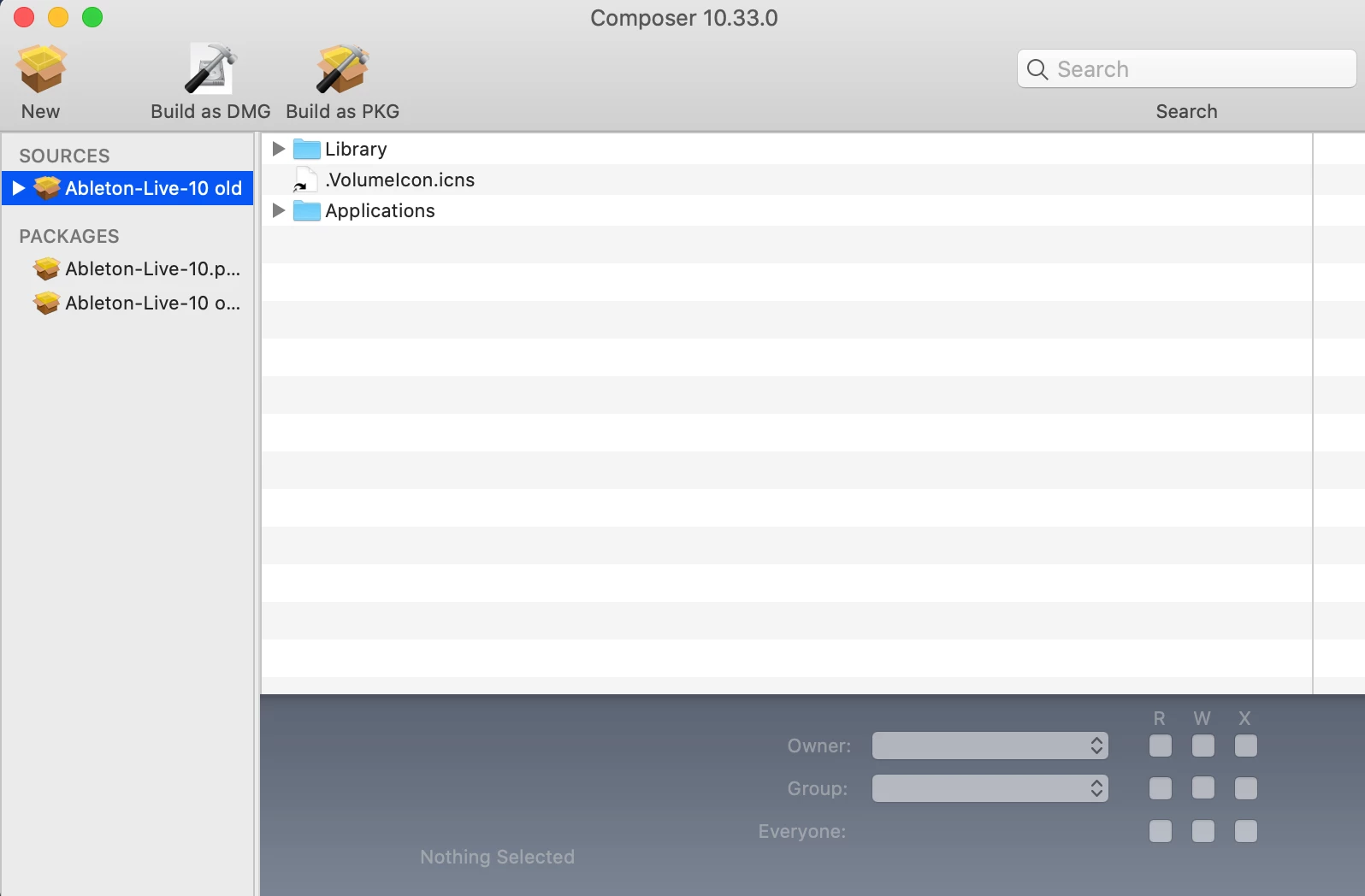
 

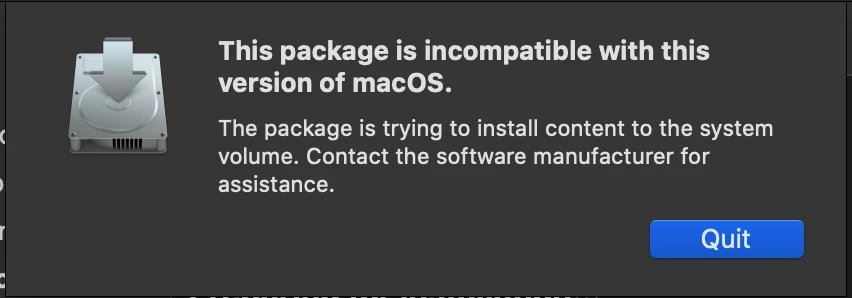
If you try it will gray out and not delete. You have to right click/control click and select reveal in Finder. The icns file will not be visible immediately you will need to use the command to reveal hidden files "CMD + Shift + Period". Then you should be able to delete the file. If you still can't edit the file name and remove the period at the beginning. (Thank you @mickl089 for the additional information.) If you don't the resulting pkg will not install and give you this error:

3 replies

DWilliams-cmsd
Forum|alt.badge.img+3
  • New Contributor
  • October 20, 2021

Thanks for the heads-up on this issue!  Always good to hear of issues from other JN admins before we run into them.  I have been hanging onto and running an older version of Composer for related reasons.


mickl089
Forum|alt.badge.img+11
  • Valued Contributor
  • October 25, 2021

This bug has existed for some versions of the Composer - you have to additionally remove the dot in front of the file name, then you can also delete the file from the Finder.


Forum|alt.badge.img+5
  • Author
  • New Contributor
  • October 25, 2021

This bug has existed for some versions of the Composer - you have to additionally remove the dot in front of the file name, then you can also delete the file from the Finder.


Thanks for the additional info. I did not run into that issue myself. I'll add it to the post.