Question

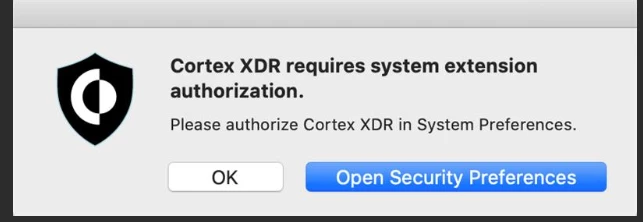
Cortex XDR requires system extension authorization

  • June 16, 2020
  • 26 replies
  • 208 views

Forum|alt.badge.img+4

All,

I've followed the following guide to update our client to Cortex XDR from Traps 6.1.

https://docs.paloaltonetworks.com/cortex/cortex-xdr/7-1/cortex-xdr-agent-admin/cortex-xdr-agent-for-mac/install-the-cortex-xdr-agent-for-mac-using-jamf.html

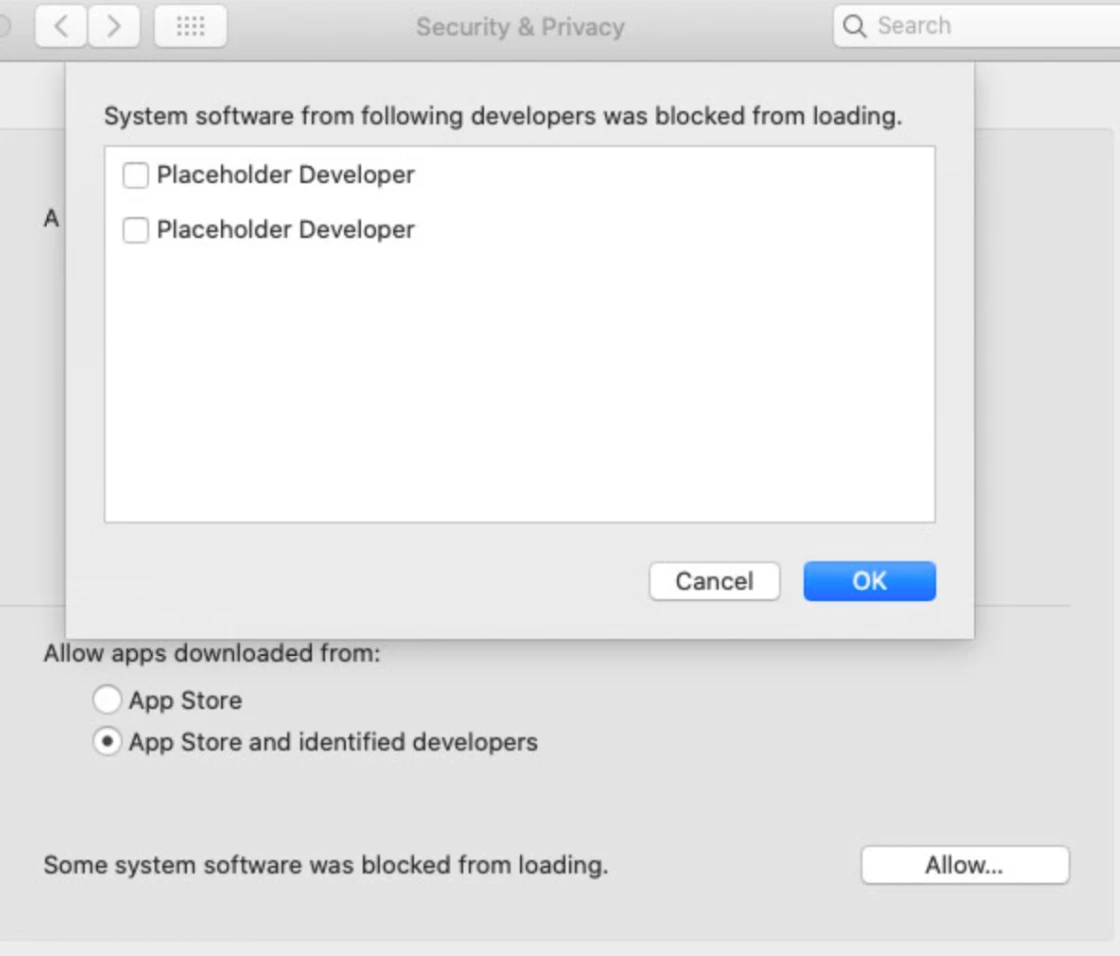
I'm still getting the following message on some machines though. Has anybody seen this, and to why it's not accepting the Kernel extension Team ID provided by Palo Alto.

I'm thinking of reaching out to them to see if Cortex uses a different Team ID?
26 replies

Forum|alt.badge.img+20
  • Honored Contributor
  • June 16, 2020

You can always install the App on a test machine, approve the KEXT and then run the following commands to get a list of the Team IDs and Bundle IDs

sudo sqlite3 /var/db/SystemPolicyConfiguration/KextPolicy

.headers on

SELECT * from kext_policy;

Forum|alt.badge.img+4
  • Author
  • Contributor
  • June 16, 2020

Thanks @RBlount for the entry! I was able to confirm that Cortex does use the same TeamID, but still not sure why it needs to be accepted manually for some users, despite having the extension approved in jamf.


Forum|alt.badge.img+1
  • New Contributor
  • June 17, 2020

Hi @dresslah , I also followed that Cortex manual and got it working without any additional authorization prompt for my prestage enrollment devices. As I understood the system extension (which you configured in step3) is only supported from macOS 10.15 and above. Could it be that this prompt only appears on lower versions? Another thing to consider is that the configuration profile should be deployed before the Cortex agent installation.


Forum|alt.badge.img
  • New Contributor
  • June 24, 2020

I've ran into similar problems. Of our entire fleet, we have about 80 devices. We've crafted a Configuration Profile from their Administrator's Page -- even with an Engineer on the line due to our problems, and we're still seeing approximately 20% of the deployments not applying User Approved Kernel Extensions being applied, despite the configuration in the profile.

Have an open case with PAN, and they're saying it's a Jamf issue.

Existing Configuration Profiles applied at 10.15.3 (and prior) apply the settings as enforced. Updates to 10.15.4 (and higher) start to exhibit these problems.


Forum|alt.badge.img+4
  • Author
  • Contributor
  • June 24, 2020

@milver - the few reports I've had, all users were on 10.15+. Also, I tried to have the config profile distributed before the Cortex push, but there may have been a timing issue where Cortex got there first.

@Licon - This would make perfect sense as my main problem user was on 10.15.4 at the time of incident. Although, when I tested on my corporate machine (I'm on 10.15.5), everything worked as it should. Nevertheless, good to know it may only be limited to 10.15.4+ In the mean time, I've just had the user accept everything manually.


geoff_widdowson
Forum|alt.badge.img+8

Does anyone know if the issues rasing above with 10.15.4+ affect Cortex XDR 7.1.1?


Forum|alt.badge.img+7
  • Valued Contributor
  • August 12, 2020

does anyone know if this has been addressed in the current release of JAMF Pro? I'm running 10.20.1


geoff_widdowson
Forum|alt.badge.img+8

@jchurch I have had no issue on Jamf 10.22


Forum|alt.badge.img+7
  • Valued Contributor
  • August 13, 2020

@geoff.widdowson Thanks. I'll be updating today.


Forum|alt.badge.img+1
  • New Contributor
  • August 25, 2020

Did it resolve issue after Jamf update(10.22)


Forum|alt.badge.img+7
  • Valued Contributor
  • August 25, 2020

its hard to say. everyone is working from home. all I can say so far is the phone calls have stoped.

so it might have worked. or my users might just be ignoring it now. i just don't know.


Forum|alt.badge.img+4
  • Contributor
  • August 28, 2020

I'm working on deploying Cortex XDR across our Mac fleet now. On macOS 10.14 and below, it installs a KEXT. On 10.15, it installs a system extension instead. You'll need to whitelist it separately from the KEXT.

EDIT: Just found Palo Alto's documentation specifically for deploying Cortex using Jamf: https://docs.paloaltonetworks.com/cortex/cortex-xdr/7-1/cortex-xdr-agent-admin/cortex-xdr-agent-for-mac/install-the-cortex-xdr-agent-for-mac-using-jamf.html


Forum|alt.badge.img+1
  • New Contributor
  • September 21, 2020

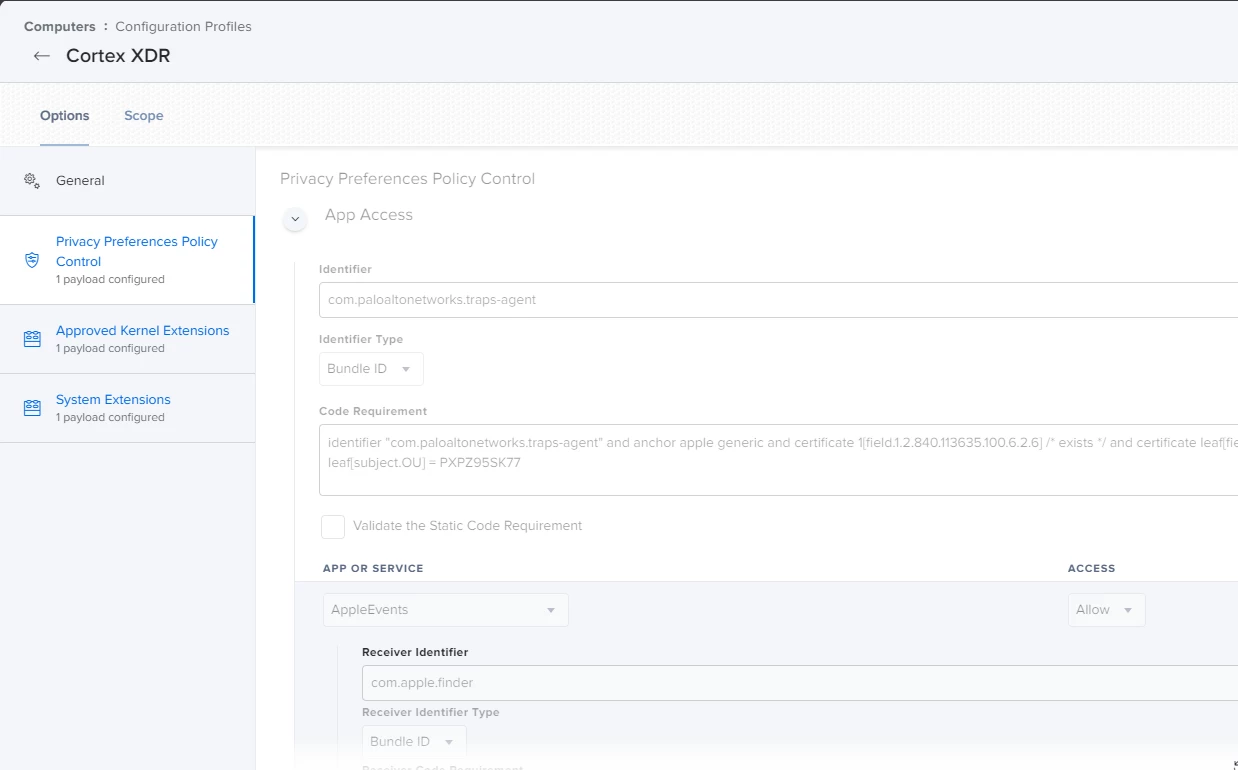
at the end of the palo document they refer to App Access but I don't find this tab nowhere under configuration profiles


geoff_widdowson
Forum|alt.badge.img+8

@nsoc-andrep This is a small screenshot of mine.


Forum|alt.badge.img+5
  • New Contributor
  • September 25, 2020

After working through the document provided here https://docs.paloaltonetworks.com/cortex/cortex-xdr/7-1/cortex-xdr-agent-admin/cortex-xdr-agent-for-mac/install-the-cortex-xdr-agent-for-mac-using-jamf.html I'm finding that I still need to override Gatekeeper to allow the Agent to run on initial install and manually provide the SystemExtension Full disk access. Am I missing something, or am I thinking this should do something it's won't? I put the System Extension and the Privacy Policy Control in Separate Profiles. Could that be the issue, that they are not in the same Profile? Also, my test machine is on 10.15.6


Forum|alt.badge.img+6
  • Contributor
  • October 18, 2020

Hi all! Just deploying Cortex XDR 7.2 in our envirnoment and having no issues or prompts at all.
My recommendation would be to make sure that all the configuration profiles are present before installing Cortex. You can do that with a Smart Group that checks if your System extension and PPPC’s are present on the device, and use that to scope the install.
Let me know if I can help in any way folks :)


Forum|alt.badge.img+11
  • Valued Contributor
  • November 4, 2020

Adding to this, you will now also need to deploy a network extension config profile before upgrading/deploying Cortex 7.2.1, for macOS 10.15.4+

And in a very surprising move, because Jamf don't yet support network extensions in the GUI, Palo Alto are providing a signed config profile for you to use to achieve this.

More info here: https://docs.paloaltonetworks.com/cortex/cortex-xdr/7-2/cortex-xdr-agent-admin/cortex-xdr-agent-for-mac/install-the-cortex-xdr-agent-for-mac-using-jamf.html


geoff_widdowson
Forum|alt.badge.img+8

I have only just started getting the problems with macOS 10.15.7. I have Cortex XDR set to install on any Catalina devices, however all device are scoped to the Cortex configration profile ready. Two Macs that were upgraded from 10.13.6, using self service to 10.15.7 have both required extention approval. I had 10.15.4 available as the catalina upgrade prior to this and didnt get any calls.


geoff_widdowson
Forum|alt.badge.img+8

For the benefit of anyone else having issues, I have now worked out the correct workflow. While many people point out that you must have the profile on the device before you install the software, this should come with a very important warning.

Do not install a profile to manage this System Extension to pre-Catalina device, as I did. As some System Extensions are only supported fom Catalina onwards, the configuration payload did not work. Once you upgrade to Catalina or Big Sur the payload will not work as it was installed on an OS that did not understand it.

The soultion is to only install the Configuration profile post upgrade. Then the System Extensions payload should work when you install Cortex XDR.
I have also made sure that my Cortex install policy only installs once the Cortex profile is installed. I did this using an EA that looked for the profile, then I have a smart group that looks at the EA value, if it is true is will appear in the smart group. The policy then only installs on devices in that smart group.

What I have not tested yet is if I have Cortex Installed pre-Catalina (which only needs the kernel extension approved by profile), what will happen after the upgrade.


Forum|alt.badge.img
  • New Contributor
  • March 5, 2021

This works for Cortex XDR 7.2. The issue I'm having is trying to update from Cortex 7.2 to 7.3. It still wants admin credentials for this part: Even a brand new install and then pushing out the configuration wants the same system configuration prompts.


geoff_widdowson
Forum|alt.badge.img+8

@mmertz I have it working on 7.3, although not updating from 7.2 to 7.3, just a new install. If the configuration profile is already installed before the software it should mange the permissions.


Forum|alt.badge.img+3
  • New Contributor
  • October 18, 2021

 Hi All, I'm deploying Cortex XDR to my fleet,  noticed the PA directions say "you must create a new agent installation package in the Cortex XDR management console, upload the ZIP package you downloaded from Cortex XDR to your MDM (do not extract it), and then add it to a distribution point." (https://docs.paloaltonetworks.com/cortex/cortex-xdr/7-4/cortex-xdr-agent-admin/cortex-xdr-agent-for-mac/install-the-cortex-xdr-agent-for-macos/install-the-cortex-xdr-agent-for-mac-using-jamf.html)

What's this all about, saying upload the ZIP and do not extract?? Does it need to be unzipped and the installer run manually on each endpoint?

Has anyone here tried packaging CortexXDR as a usual PKG and deploying that?


Forum|alt.badge.img+11
  • Valued Contributor
  • October 19, 2021

inside the zip is an installer package with no information about your organisation. the config file contains your organisation config. if both files are kept together the installer will look for the config and use it to configure the client.

jamf accepts zips files and simply unzips them upon install, so just leave it as is and choose it as the installer 'package'. otherwise you'll have to make your own custom installer/package/script


Forum|alt.badge.img+3
  • New Contributor
  • October 19, 2021

Very useful!!  Thank you so much for the explanation. 

Do you use an EA + Smartgroup to make sure the config profile gets installed before the actual install of Cortex is triggered?  If so would you consider sharing the EA code? 

Thanks!

Jeanette


Forum|alt.badge.img+11
  • Valued Contributor
  • October 19, 2021

I just have a smart group that includes:

User Approved MDM is Yes

Operating System Version greater than or equal to 10.15.4