Question

CrowdStrike Configuration Profile | BigSur

  • December 1, 2020
  • 112 replies
  • 651 views

Forum|alt.badge.img+4

If you have to install version 6 and above of crowdstrike on bigsur, have to install their unsigned profile first. This profile only be uploaded and distributed with MDM solutions.

In order to upload to MDM, that profile needs to be signed first.

Original location of the profile --- > https://supportportal.crowdstrike.com/s/article/Tech-Alert-Preparing-for-macOS-Falcon-Sensor-6-11

1 - Follow Steps explained here,
https://www.jamf.com/jamf-nation/articles/649/creating-a-signing-certificate-using-jamf-pro-s-built-in-certificate-authority

If jamf freezes during generate of pem, ignore it & refresh the page

2- After it is generated under keychain, please locate the certificate and look for "Subject Key Identifier" Value. Copy it to clipboard and remove spaces.

3- Generate signed version of the mobile config profile following below command at terminal

sudo /usr/bin/security cms -S -Z SubjectKeyIdentifierValue -i ActualPathofUnSignedProfile -o OutPutWhereYouLiketoSaveSignedProfile

112 replies

Forum|alt.badge.img+4
  • Author
  • Contributor
  • December 2, 2020

After configuration is in place, please create policy to push the install package with a below bash script
either you can place CID in the script or add as a parameter to jamf script options part

!/bin/bash

if [ -f "/Applications/Falcon.app/Contents/Resources/falconctl" ] ; then sudo /Applications/Falcon.app/Contents/Resources/falconctl license Your CID Here
fi echo "Crowdstrike installed successfully" exit 0


Forum|alt.badge.img+3
  • New Contributor
  • December 2, 2020

After it's been created, what is the best way to deploy the new .mobileconfig file out to machines within JamF?


Forum|alt.badge.img+4
  • Author
  • Contributor
  • December 2, 2020

Jamf - computer - configuration profile (after signed file is uploaded to jamf above process, it will create for you)
You can push configuration profile to all or dedicated smart groups within jamf


Forum|alt.badge.img+4
  • Author
  • Contributor
  • December 2, 2020

Jamf - computer - configuration profile (after signed file is uploaded to jamf above process, it will create for you)
You can push configuration profile to all or dedicated smart groups within jamf


Forum|alt.badge.img+8
  • Valued Contributor
  • December 2, 2020

You should also be able to manually enter the info rather than uploading a .mobileconfig file.


Forum|alt.badge.img+4
  • Author
  • Contributor
  • December 3, 2020

@VintageMacGuy Thats is possible. As per Jamf Technician, creating that profile manually could cause issues to whitelist all stuff crowdstrike requires on their raw profile.


Forum|alt.badge.img+4
  • New Contributor
  • December 3, 2020

Just curious - if I sign the mobile config does it have to be renewed yearly? I see that the certificate expires in a year, but no mention of that for the mobileconfig.


Forum|alt.badge.img+6
  • Contributor
  • December 7, 2020

Thanks for this but I'm still having issues getting CrowdStrike working, specifically the System Extension. Any advise would be great. I've signed the provided profile from CrowdStrike and still no go. I've also built a clean profile from scratch best guessing the system extension section from the download config. No matter what I've tried after installing CrowdStrike in a clean VM I'm always prompted to approve the System Extension.

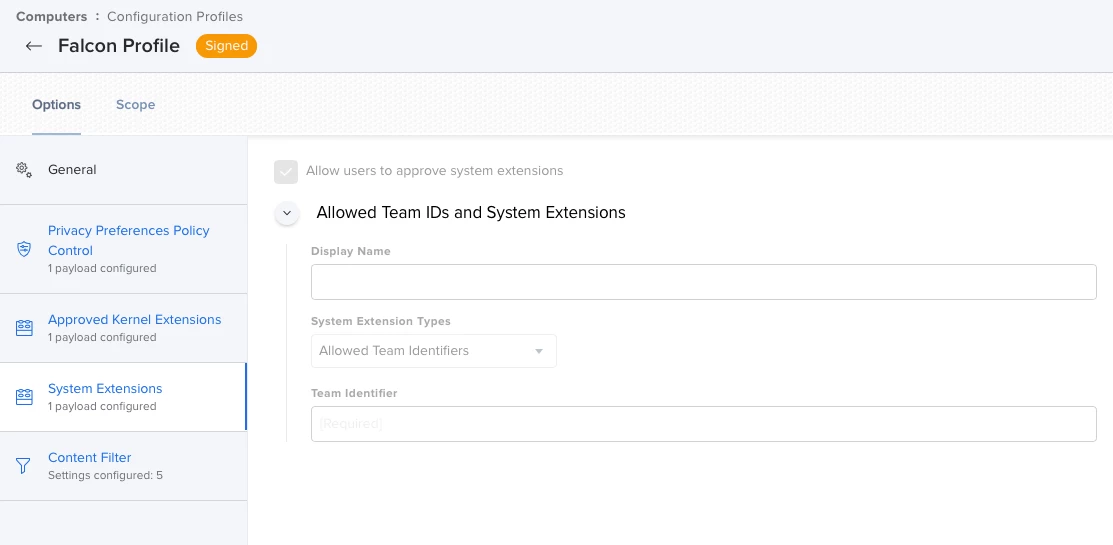
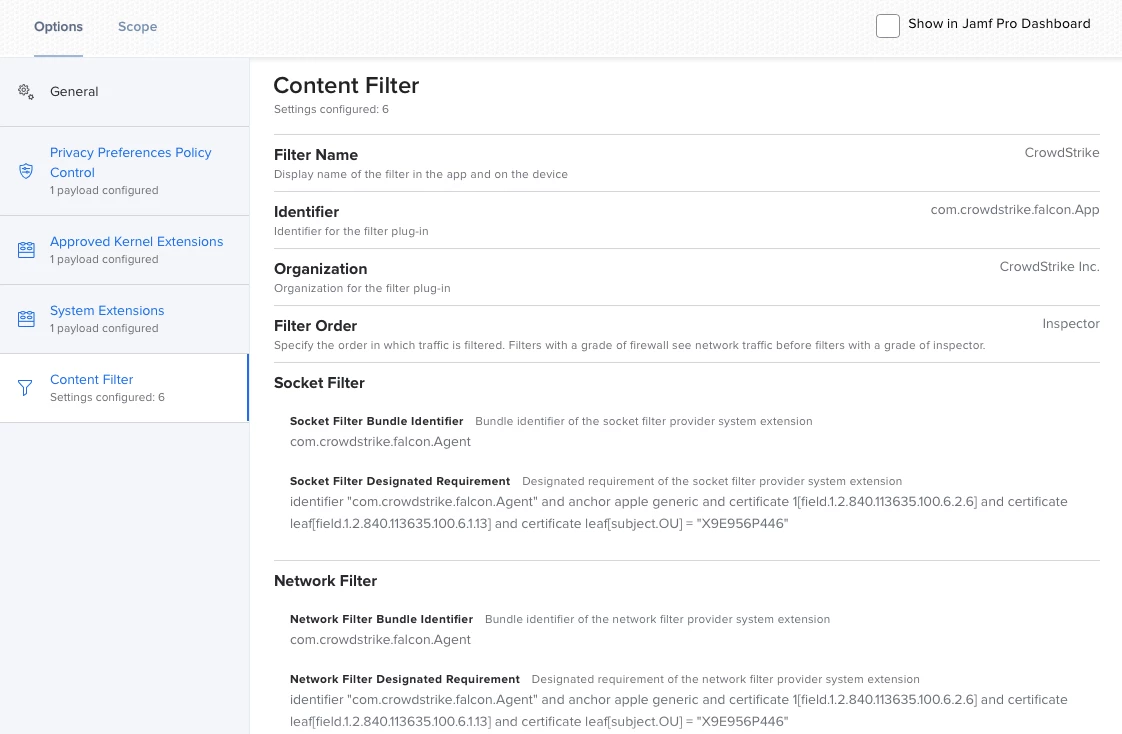
Signed profile from Crowdstrike, System Extension is blank??

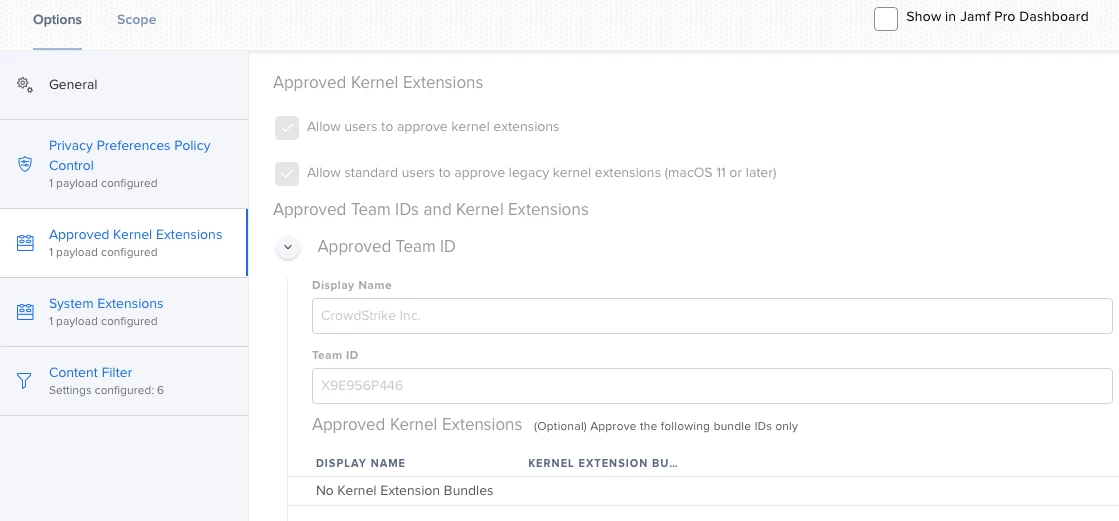
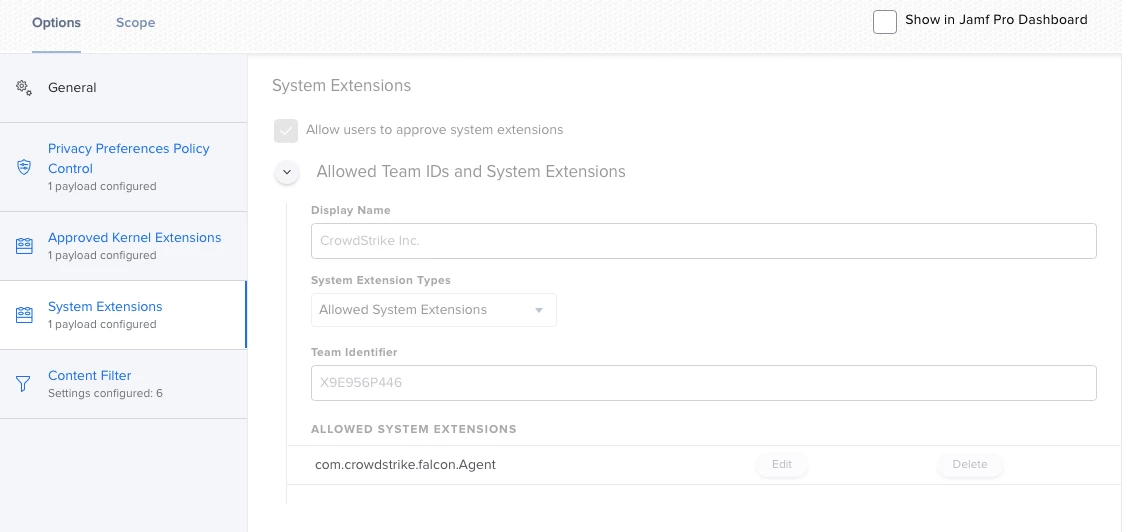
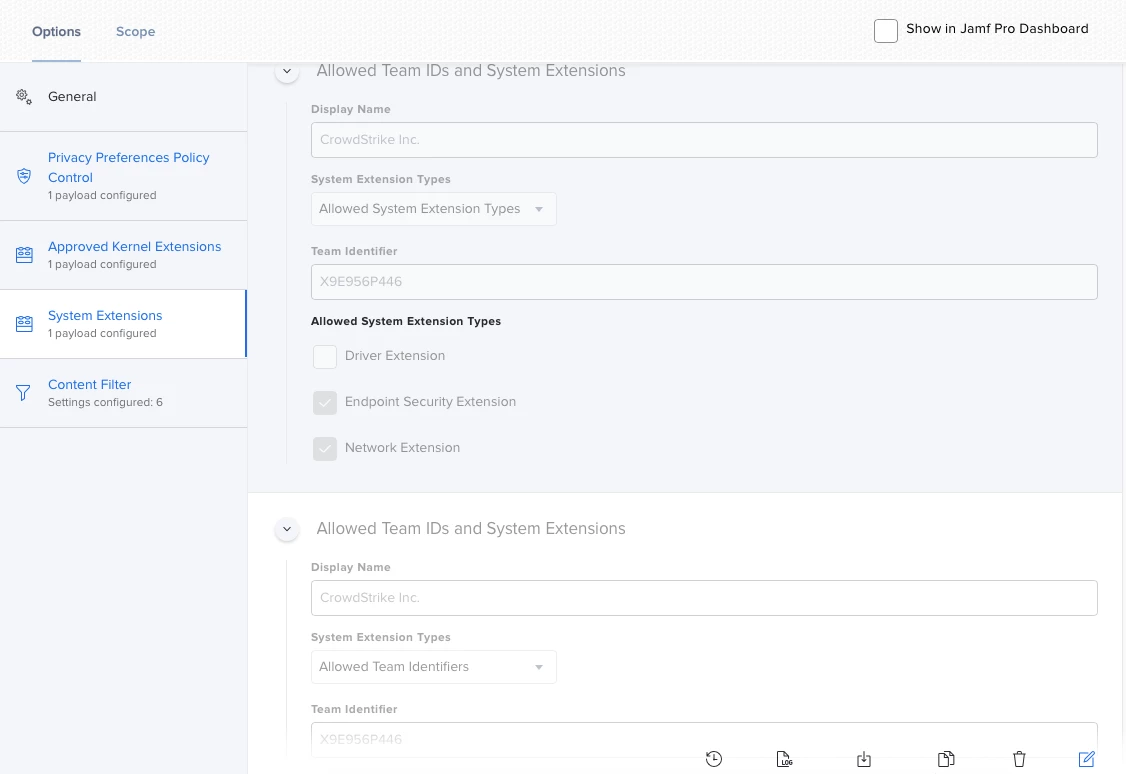
Configuration profile I built based on the provided CrowdStrike profile


Forum|alt.badge.img+4
  • Contributor
  • December 7, 2020

I tried the original method exactly but still came up with this error:

"IMXXX-X0:~ root# /usr/bin/security cms -S -Z "SubjectKeyIdentifierwithnospaces" -i /Users/xxx/Desktop/Falcon Profile.mobileconfig -o /Users/xxx/Desktop/Signed Falcon Profile.mobileconfig
security: failed to find identity with subject key ID: "SubjectKeyIdentifierwithnospaces": The specified item could not be found in the keychain.
security: could not find signing identity for subject key ID: "SubjectKeyIdentifierwithnospaces"
security: problem signing

I tried searching on that error message but to no avail. Any guidance/troubleshotting steps I can take to help would be appreciated


Forum|alt.badge.img+6
  • Contributor
  • December 7, 2020

@inflicted Move the certificate from login to system and try again.


Forum|alt.badge.img+4
  • Contributor
  • December 8, 2020

@ubcoit Moving it from login to system and trying again still does not work


Forum|alt.badge.img+6
  • Contributor
  • December 8, 2020

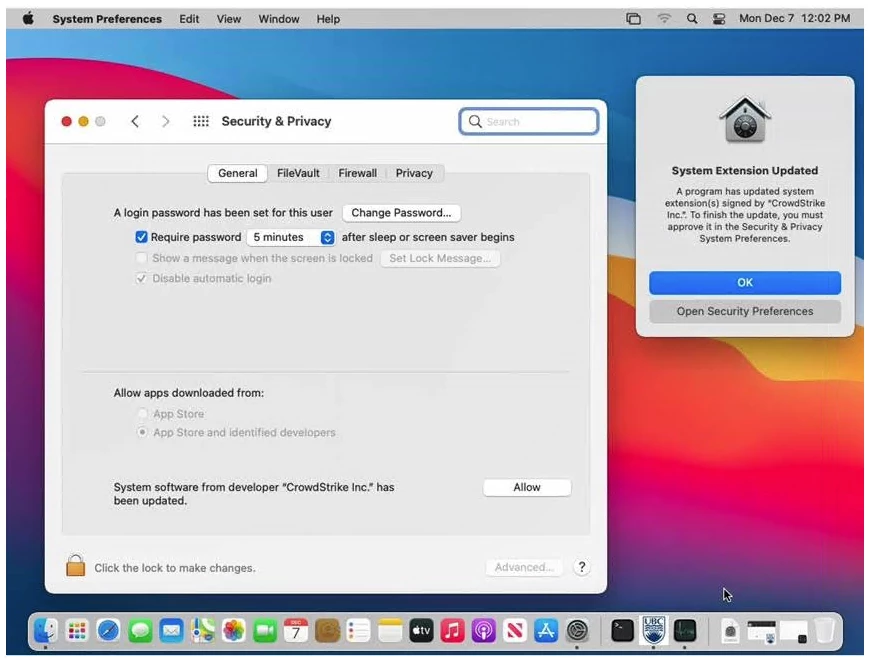
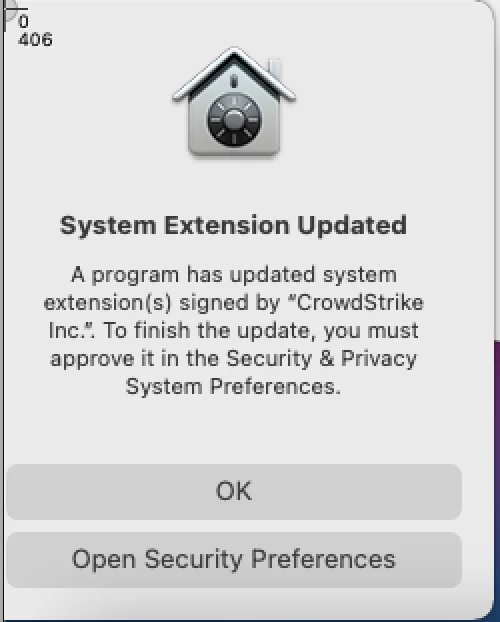
@inflicted I'm not certain I'm doing this right but this is how I signed the provided configuration profile from CrowdStrike. Having said that, even after signing it and uploading it to Jamf (jamf shows it as signed as does the client), I still get prompts for the System Extension but it's not that the System Extension is blocked, it's that it's been updated.

Follow this guide, create a CSR and I used Jamf to sign it.

https://www.macblog.org/post/signing-configuration-profiles/#:~:text=Sign%20in%20to%20the%20Apple,button%20near%20the%20upper%20right.

Search on page for the headings:

Signing Profiles for Trust Only by Jamf-enrolled Clients
Create A CSR on Your Mac
Upload the CSR to your Jamf Pro Server

Once I had the pem file, I loaded it into the keychain, note I didn't get the prompt that they do in their post as to where to install it (10.15 here). It just appeared for me under login. I set the certificate to trusted in the keychain then attempted to sign it while it was in login and it failed for me with the same error as you get. I moved the certificate, private and public key to "System" and ran the security command again. It creates a signed profile but I do get the following warning on create.

Warning: unable to build chain to self-signed root for signer "(null)"

Checking a client with the profile installed, it shows CrowdStrike Inc. Verified and it's signed by my organization (Common name).

I used -N instead of -Z with the security command.

sudo /usr/bin/security cms -S -N COMMON_NAME -i "Falcon Profile.mobileconfig" -o Signed.mobileconfig


DanielHirt
Forum|alt.badge.img+1
  • New Contributor
  • December 8, 2020

Note that CrowdStrike again changed their recommended mobileconfig file last week. They now added com.crowdstrike.falcon.App to the Privacy Preferences Policy Control in addition to com.crowdstrike.falcon.Agent. We're now testing with these new settings.


Forum|alt.badge.img+6
  • Contributor
  • December 8, 2020

@DanielHirt I pulled a fresh profile down from CS today and signed it, uploaded it to jamf, snapped my VM back, installed the config profile and then installed CS 6.12. I still get the System Extension prompt as noted above, "A program has updated the system extension...". Now that I look, I see you are correct, a new PPPC addition. Checking the profile I manually created as well I have Socket Filter and a Network Filter in Content Filter whereas the profile from today only seems to have a Network Filter.

I've asked a coworker for a second set of eyes on this to work through the process fresh and see their result.


Forum|alt.badge.img+6
  • Contributor
  • December 9, 2020

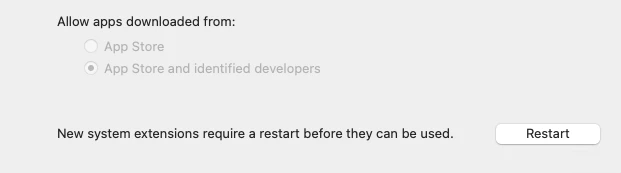
Coworker had the same results I did. CS provided signed profile or building a profile in Jamf, System Extension needs to be approved as it's been updated. My coworker thought of something and tested, disable the network shortly after (10 - 15 seconds) the installation and licensing of CrowdStrike. You'll notice no prompts and CS is running (assuming your profile is correct). If you check System Preferences > Security it will show "New system extensions require a restart before they can be used" but there were no prompts indicating this and CS is running, or appears to be.

Click restart (make sure network is still disabled)

Once back in to Big Sur, confirm cs is running /Applications/Falcon.app/Contents/Resources, falconctl stats and/or falconftl load/unload. In the stats command it will show as not connected. Check System Preferences > security and everything is happy. Let it sit for 10 minutes, nothing. Now enable network. Within a few minutes you'll get the System Extensions updated prompt. So what's changing?

If anyone would like to try the above to confirm that would be great!


Forum|alt.badge.img+10
  • Contributor
  • December 10, 2020

@ubcoit Just my 2 cents... I manually setup the config profile in Jamf pretty much identical to what you have above without the Approved Kernel Extensions and don't receive any prompts for approval/update and don't have to restart because of approved kernel extensions. I've tested this on macOS 10.15 and 11.

If you have Mac's that are below macOS 10.15 I would recommend creating a separate config profile for the Approved Kernel Extensions, anything above 10.15 will use the System Extension. You are seeing the note to restart in Sys Prefs because of the kernel extension approval.


Forum|alt.badge.img+6
  • Contributor
  • December 10, 2020

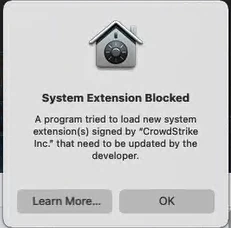
@Joyrex Thanks for the suggestion. I removed the Kernel Extensions portion from my Configuration Profile and tested again. Snapped my VM back, applied the configuration profile and then installed CS (tried both v6.12.125.05 and v6.14.12704.0) and licensed. I still get the "New system extensions require a restart before they can be used" after install. Letting the machine idle for a minute or two, I then get the below prompt which is different than past prompts.

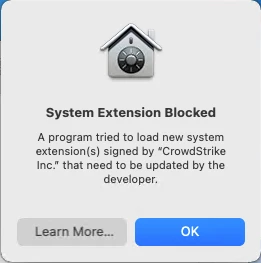
System Extension Blocked
A program tried to load new system extensions(s) signed by "CrowdStrike Inc." that need to be updated by the developer

This sure sounds like a kernel extension trying to load.


Forum|alt.badge.img+10
  • Contributor
  • December 10, 2020

@ubcoit Do you still see the restart note in Sys Prefs after the pop up?

Have you tried testing another VM or Mac?


Forum|alt.badge.img+6
  • Contributor
  • December 10, 2020

@Joyrex "New system extensions require a restart before they can be used" shows up immediately after installation.

This prompt appears within a couple minutes after installation.

All my testing has been done in the same VM, just snapping back to a clean state (enrolled in Jamf but no CS installed). A coworker was doing testing as well (prior to removing the kernel extension) with the same results on actual hardware.

I'll see if I can find hardware to test on.

Thanks again.


Forum|alt.badge.img+6
  • Contributor
  • December 10, 2020

@Joyrex I did a clean installation of Big Sur on a Mac Mini and tested, same result. I get the prompt "System Extension Blocked" A Program tried to laod new system extension(s) signed by "CrowdStrike Inc." the need to be updated by the developer."

I will mention though that the "New system extensions require a restart before they can be used" appearing in System Preferences > Security is actually a result of the configuration profile applying. This is not a result of the installation of CrowdStrike. On this Mac Mini I noticed this and rebooted the Mac Mini prior to installing CrowdStrike. So to be clear, before I installed CrowdStrike I checked System Preferences > Security and there was nothing to approve there.

I've engaged CrowdStrike support and they are indicating that it's a known problem with Jamf Pro and have documentation on to sign the configuration profile from them. To which I told them I've done but it's still not working. They said to contact Jamf support anyways as perhaps there is a signature problem with the signed and uploaded configuration profile.

I'll be reaching out to Jamf support in the morning.

Cisco AMP is working, we've built the configuration profile and as long as it's sent to the device before AMP is installed, it's all good.

Thanks again for your suggestions.


Forum|alt.badge.img+10
  • Contributor
  • December 11, 2020

@ubcoit That doesn't seem right since the config profile is not installing a kernel extension. Maybe try building a new config profile manually in Jamf if you haven't tried that already.


Forum|alt.badge.img+4
  • Contributor
  • December 15, 2020

@ubcoit I am having the same exact issue, and have gone through all the steps in this thread before searching for it on Jamf Nation. I'm both happy and sad that I'm not the only one with this issue (sad because I'm not sure what the issue is). I've built manually, pulled from CS and signed, tried CS unsigned. All attempts unsuccessful. Has Jamf support been able to get back to you with anything on this?


Forum|alt.badge.img+6
  • Contributor
  • December 15, 2020

@Joyrex I've rebuilt the profile in Jamf three times now, all the same result.

@lukasindre Still waiting on Jamf support, I'll report back what I find.


Forum|alt.badge.img+6
  • Contributor
  • December 17, 2020

For anyone that has this working after manually configuring the profile in Jamf Pro, can you please post screen shots of your profile?

Also couldn't hurt seeing what the profile looks like on a client in System Preferences > Policies as well.
Thank you.


Forum|alt.badge.img+1
  • New Contributor
  • December 23, 2020

I'm having the same issue except the system extension says it's being updated rather than installed.