Question

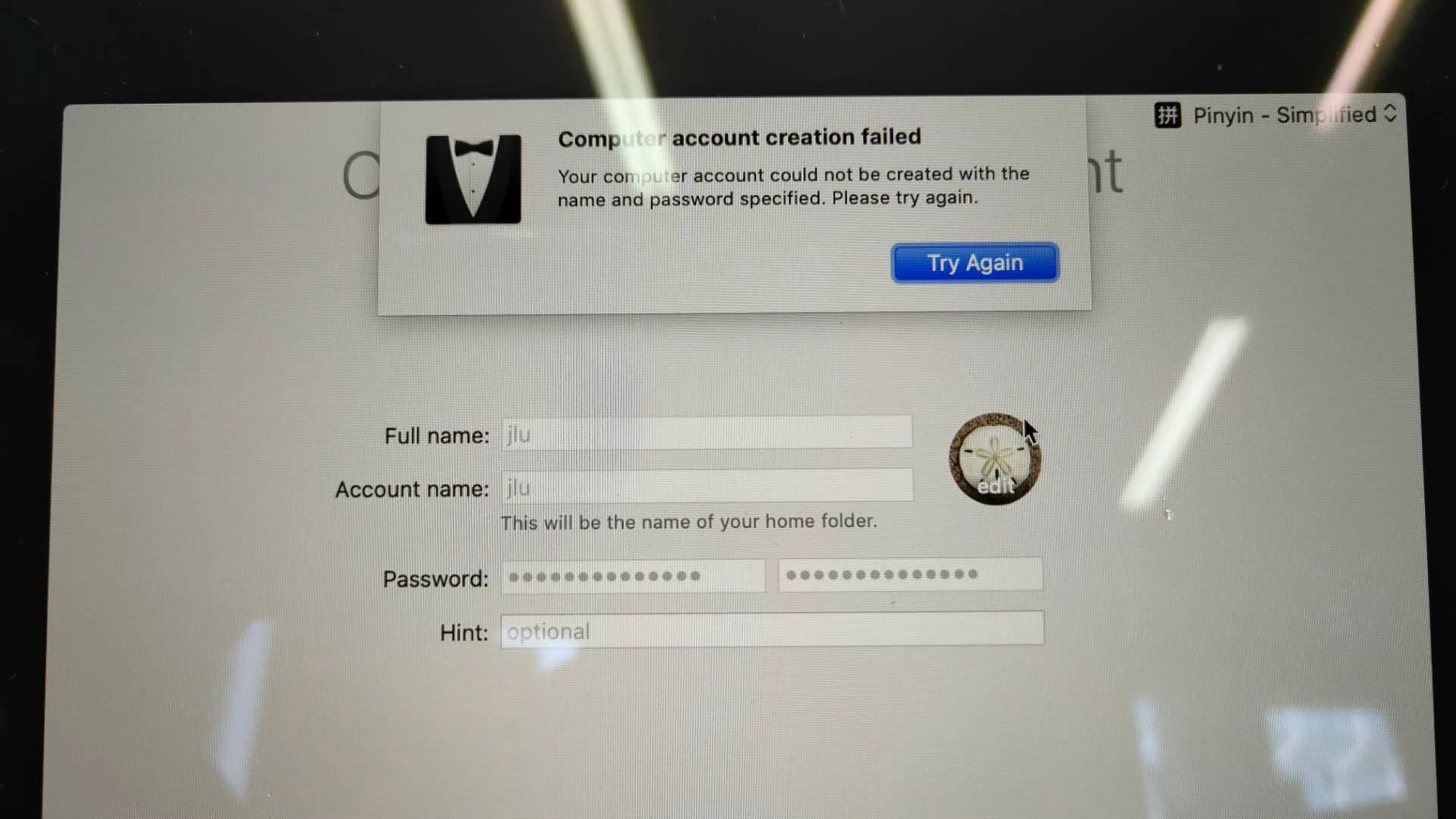
DEP Create account fail on Catalina

  • December 17, 2019
  • 17 replies
  • 104 views

Forum|alt.badge.img+1

When setting up a number of machines through DEP, two of my machines hung on the create account screen. After giving them a hard restart, both machines have no user account, so I can't log in or create account.

17 replies

Forum|alt.badge.img+6
  • Contributor
  • April 23, 2020

Same here, we have recently 2 machines Catalina, neither of them can create local account during DEP setup![optional image ALT text](

)


Forum|alt.badge.img+10
  • Valued Contributor
  • April 23, 2020

@ssherry @Dalmatian I saw this message when I have mistakenly tried to create the first local user account using the same name previoulsy used/taken for the Management Account


Forum|alt.badge.img+6
  • Contributor
  • April 26, 2020

@carlo.anselmi Thanks for replying. In my case, it was not a taken account on the laptop, nor same as mgmt. account.


Forum|alt.badge.img+7
  • New Contributor
  • May 13, 2020

I've seen this for a while and it's been with Catalina, Mojave and High Sierra. We've been unable to figure out what is breaking. It's not really helping our zero touch deployment.


Cayde-6
Forum|alt.badge.img+22
  • Honored Contributor
  • May 13, 2020

If seen this and have an Apple care ticket open for it


Forum|alt.badge.img+5
  • New Contributor
  • June 5, 2020

We are also observing this and have Apple Care and JAMF engaged through support. Any traction on support case @Cayde-6?


Cayde-6
Forum|alt.badge.img+22
  • Honored Contributor
  • June 8, 2020

@JackLaRocca Yes and No, apparently they replicated the issue but its scope to 10.16


Forum|alt.badge.img+9
  • Valued Contributor
  • June 8, 2020

@Cayde-6 We saw this issue on 10.17.1 Is your case with jamf still open?
Did you provide MDM logs at the apple setup during the repro of the issue?


Forum|alt.badge.img+5
  • New Contributor
  • June 8, 2020

@Cayde-6 @myronjoffe we are on 10.21 and still seeing it....Apple is reviewing our logs with Prod Engineering and JAMF


Forum|alt.badge.img+3
  • New Contributor
  • June 9, 2020

Hi Folks, this issue was hard to diagnose as we didn't see anything in the logs on either the JSS side or the client side pointing to the problem.

The issue is the root CA cert, which in our case was from InCommon.

What we did to fix it was 1) generate fresh SSL certs, then 2) create the Tomcat P12 cert, 3) move the certs into the correct location on our JSS, and 4) stop and restart Tomcat.

You can test to see if your server has this problem by using the following command:

openssl s_client -connect yourjss.example.com -port 8443

Run the above command from a Mac or Linux machine (don't know how to do this in Windoze).

In the Certificate chain section, if you see the words "AddTrust" then you have this problem and need to fix it.

For example, you'll see "AddTrust: in the last three lines here:

Certificate chain
 0 s:C = US, postalCode = 12345, ST = California, L = San Francisco, street = 124 Main Street, street = Boss Office, O = "University of SF", OU = CRM, CN = myjss.example.com
   i:C = US, ST = MI, L = Ann Arbor, O = Internet2, OU = InCommon, CN = InCommon RSA Server CA
 1 s:C = US, ST = MI, L = Ann Arbor, O = Internet2, OU = InCommon, CN = InCommon RSA Server CA
   i:C = US, ST = New Jersey, L = Jersey City, O = The USERTRUST Network, CN = USERTrust RSA Certification Authority
 2 s:C = US, ST = New Jersey, L = Jersey City, O = The USERTRUST Network, CN = USERTrust RSA Certification Authority
   i:C = SE, O = AddTrust AB, OU = AddTrust External TTP Network, CN = AddTrust External CA Root
 3 s:C = SE, O = AddTrust AB, OU = AddTrust External TTP Network, CN = AddTrust External CA Root
   i:C = SE, O = AddTrust AB, OU = AddTrust External TTP Network, CN = AddTrust External CA Root

Cayde-6
Forum|alt.badge.img+22
  • Honored Contributor
  • June 9, 2020

I meant Apple have reproduced it and is scoped for the next os


Forum|alt.badge.img+9
  • Valued Contributor
  • June 9, 2020

@dniven I don't think this is related to the issue as we have the complete certificate chain (Digicert root CA) and still saw the issue.


Forum|alt.badge.img+9
  • Valued Contributor
  • June 9, 2020

@Cayde-6 Can you share the Enterprise support case number please?


Forum|alt.badge.img+5
  • New Contributor
  • June 10, 2020

@Cayde-6 @myronjoffe @ssherry

Hey All. Update from our Apple Care and JAMF support cases. In our case the root cause for this issue was that we had login/logout hooks enabled and in use for a policy executing immediately after enrollment of DEP machines. After disabling the hooks via "Settings > Computer Management (framework) > Check In > Uncheck Login/Logout hook" and removing the login logout triggers from policies, our account creation(via apple setup) problem went away. I recommend you try this in your environment. Guidance is that the login/logout hooks are deprecated tech and not recommended to be used by apple or JAMF. They ultimately cause the jamf agent to hang and make the apple setup account creation pane time out.

https://www.jamf.com/jamf-nation/discussions/27703/login-logout-hooks-deprecated-technology


Forum|alt.badge.img+9
  • Valued Contributor
  • June 15, 2020

@JackLaRocca Im not so sure that you've identified the root cause. Our very first policy triggers off Enrollment Complete or Recurring check-in and Not the login hook and we still saw the issue.


Forum|alt.badge.img+5
  • New Contributor
  • June 18, 2020

@myronjoffe we had the same workflow and no login triggers...simply having it enabled in settings created churn and the endpoint still loaded login/logout hooks and searched for policies triggered by it


Forum|alt.badge.img+7
  • Contributor
  • November 11, 2020

@JackLaRocca This completely resolved the issued for us, thank you very much! This immediately happened when I turned the Login/logout hooks on, and immediately disappeared when I Unchecked it in the "Settings > Computer Management (framework) > Check In > Uncheck Login/Logout hook", great work!