
Solved

DEP: 'enroll' binary and System Events

  • October 12, 2018
  • 1 reply
  • 17 views

Forum|alt.badge.img+7

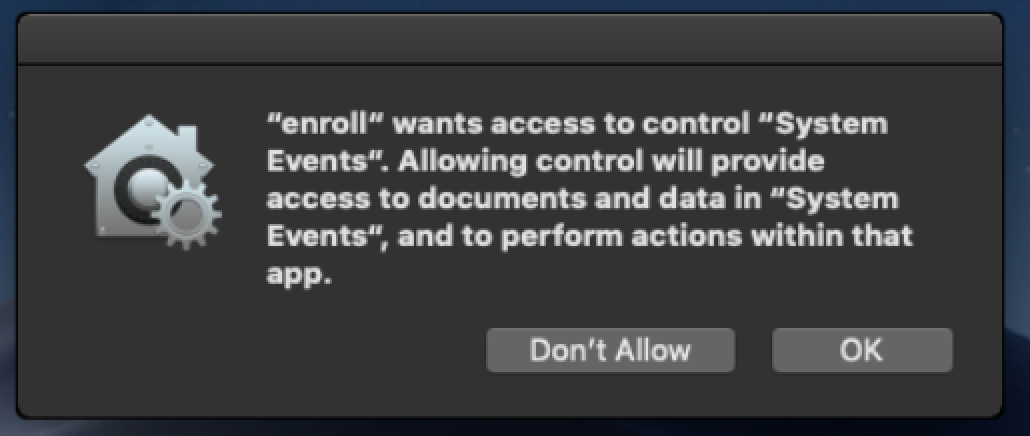
Currently, upon enrolling a Mac using DEP on macOS Mojave you will be greeted with the following popup:
Running:

codesign -dr - /usr/local/jamf/bin/enroll

Reveals that the "enroll" binary is not codesigned, so it is not possible (AFAIK) to create a profile to allow the binary to control System Events.

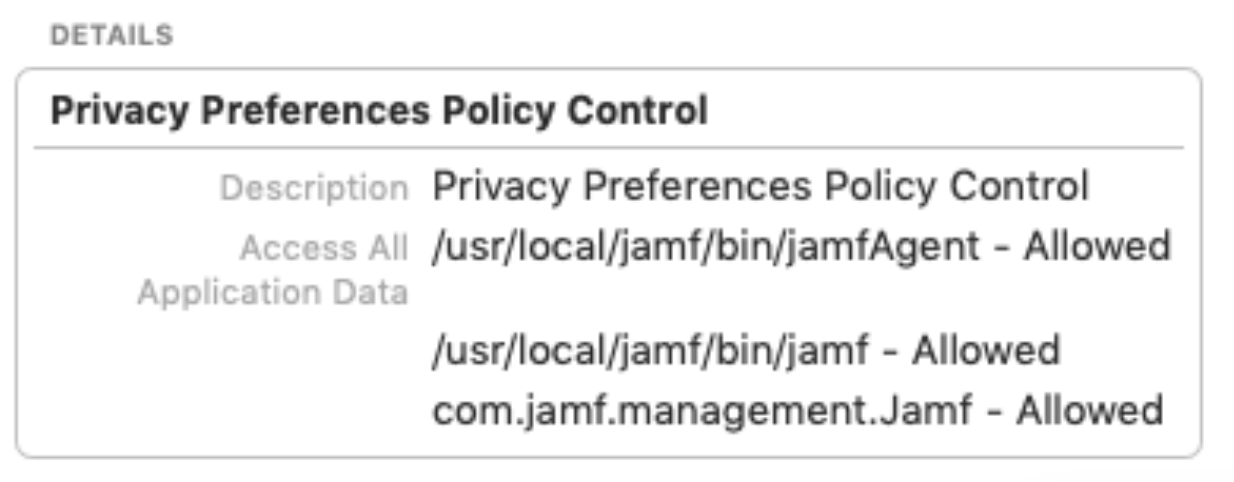
The built-in "Privacy Preferences Policy Control" profile therefore only whitelists jamf and jamfAgent (which are codesigned):
We are limiting the release of macOS Mojave but no doubt the new Macs will begin rolling in with the new OS. I am hoping to find a way to avoid requiring a manual allow for this binary.
Does anyone have a work around for this or know if Jamf is planning on addressing the issue? Thank you all!

Best answer by tlagrange

This is caused by having a policy triggered by "enrollmentComplete" that has an action that requires permission to run. In my case, it was an osascript that is used by help-desk to enter an asset tag.

This is known/expected behavior with PI-006379. Will likely be fixed in an upcoming release of Jamf Pro.

1 reply

Forum|alt.badge.img+7
  • Author
  • Contributor
  • Answer
  • October 25, 2018

This is caused by having a policy triggered by "enrollmentComplete" that has an action that requires permission to run. In my case, it was an osascript that is used by help-desk to enter an asset tag.

This is known/expected behavior with PI-006379. Will likely be fixed in an upcoming release of Jamf Pro.