Question

Deploy package file by changing ownership from system to user.

  • May 3, 2021
  • 5 replies
  • 31 views

Forum|alt.badge.img+4

Hello,
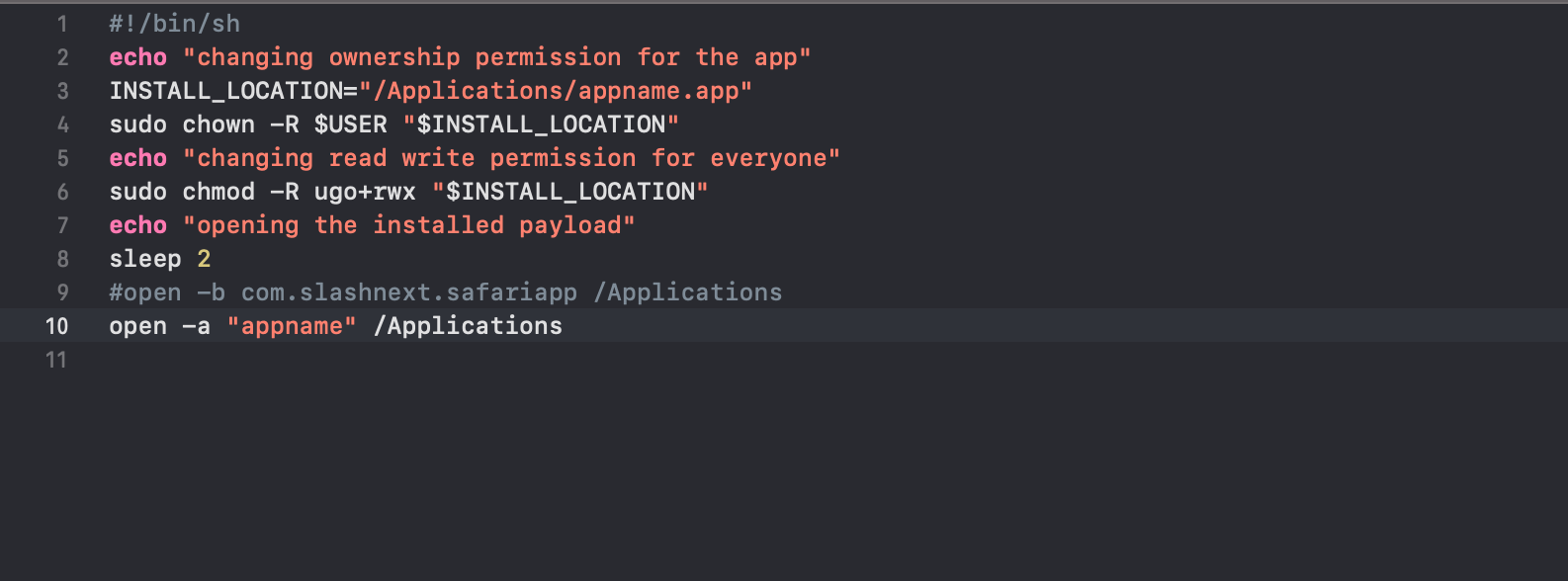
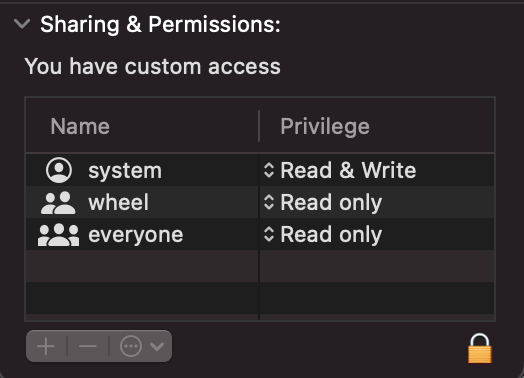
i have a package file which contains an .app binary with it, I need user level ownership for .app in order to perform some execution which is not possible without authorization with system ownership. Currently when i deploy the package jamf deploys it with system ownership. I have a post installation script in my package file which change the ownership from system to user but this script does not seems to work. I tried to run the package locally and in this case the script executes successfully. Is there any way to change ownership of the payload?

5 replies

Forum|alt.badge.img+19
  • Honored Contributor
  • May 3, 2021

How are you determining the user when changing ownership? Remember that Jamf installs run as root, not as the user.

You might want to post your post-install script (sanitized if necessary) so others can take a look.


Forum|alt.badge.img+4
  • Author
  • Contributor
  • May 4, 2021

@RBlount I am getting user in post script and adding ownership for this user. Attached is the script which i am using.


mm2270
Forum|alt.badge.img+24
  • Legendary Contributor
  • May 4, 2021

You can't use $USER in a Jamf Pro script, at least not for what you're trying to do. As @RBlount mentioned, this gets the user running the script, which would be root, not the logged in user account. Use something like this to get the logged in user

LoggedInUser=$(/usr/sbin/scutil <<< "show State:/Users/ConsoleUser" | awk '/Name :/ && ! /loginwindow/ {print $3}')

Forum|alt.badge.img+4
  • Author
  • Contributor
  • May 5, 2021

@mm2270 do i need to install this utility "scutil" or is it available by default in all OSX?


mm2270
Forum|alt.badge.img+24
  • Legendary Contributor
  • May 5, 2021

@slashnext It's there by default in all versions of macOS.