So I disabled root by changing the shell they log into. Works well, they can enable it all they want, but they can't login. The downside is that some of their developer apps that they use install and update via script that calls root. This is as designed by the vendor of the apps. Anybody have any suggestions how to keep them happy while addressing our security dept concerns of having it enabled?

Solved
Disabled Root now devs having problems

 +23
+23Best answer by Josh_S
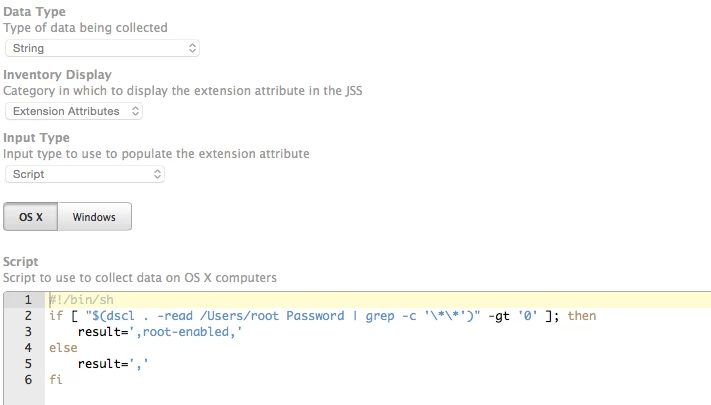
Apologies, that was a code snippet for the whole EA. You need to echo out your result in brackets as @mm2270 points out. Let me see if I can clean this up a bit more for you and make it a little more useful.
If your management account is not 'mgmtaccount', you will need to change the text that it searches for.
#!/bin/bash

# Determine if the 'root' account is enabled for login.
if [ "$(dscl . -read /Users/root Password | grep -c '**')" -gt '0' ]; then
    result=',root-enabled,'
else
    result=','
fi

# Grab array of all non-service accounts.
userArray=()
while read line; do
    userArray+=("${line}")
done <<< "$(/usr/sbin/jamf listUsers | awk -F '[<>]' '/<name>/ { print $3 }')"

# Loop through all the accounts gathered.
for i in "${userArray[@]}"; do
    # Ignore case.
    i="$(tr '[:upper:]' '[:lower:]' <<< "${i}")"

    # Flag mgmtaccount as the management account
    if [ "${i}" == 'mgmtaccount' ]; then
        result="${result}${i}-management"
    else
        # Check to see if it is a domain/mobile account.
        if [ "$(dscl . -read /Users/${i} AuthenticationAuthority | grep -ic 'LocalCachedUser')" -gt '0' ]; then
            result="${result}${i}-mobile"
        else
            result="${result}${i}-local"
        fi
    fi

    # Check to see if the account is a member of the admin group.
    if [ "$(dscl . -read /Groups/admin GroupMembership | tr ' ' '
' | grep -ic "^${i}$")" -gt "0" ]; then
        result="${result}-admin"
    fi

    # Use a comma to separate accounts.
    result="${result},"
done

printf "<result>%s</result>" "${result}"


Enter your E-mail address. We'll send you an e-mail with instructions to reset your password.