Question

Downloading Self Service on iOS 11

  • October 2, 2017
  • 3 replies
  • 34 views

avargas
Forum|alt.badge.img+6

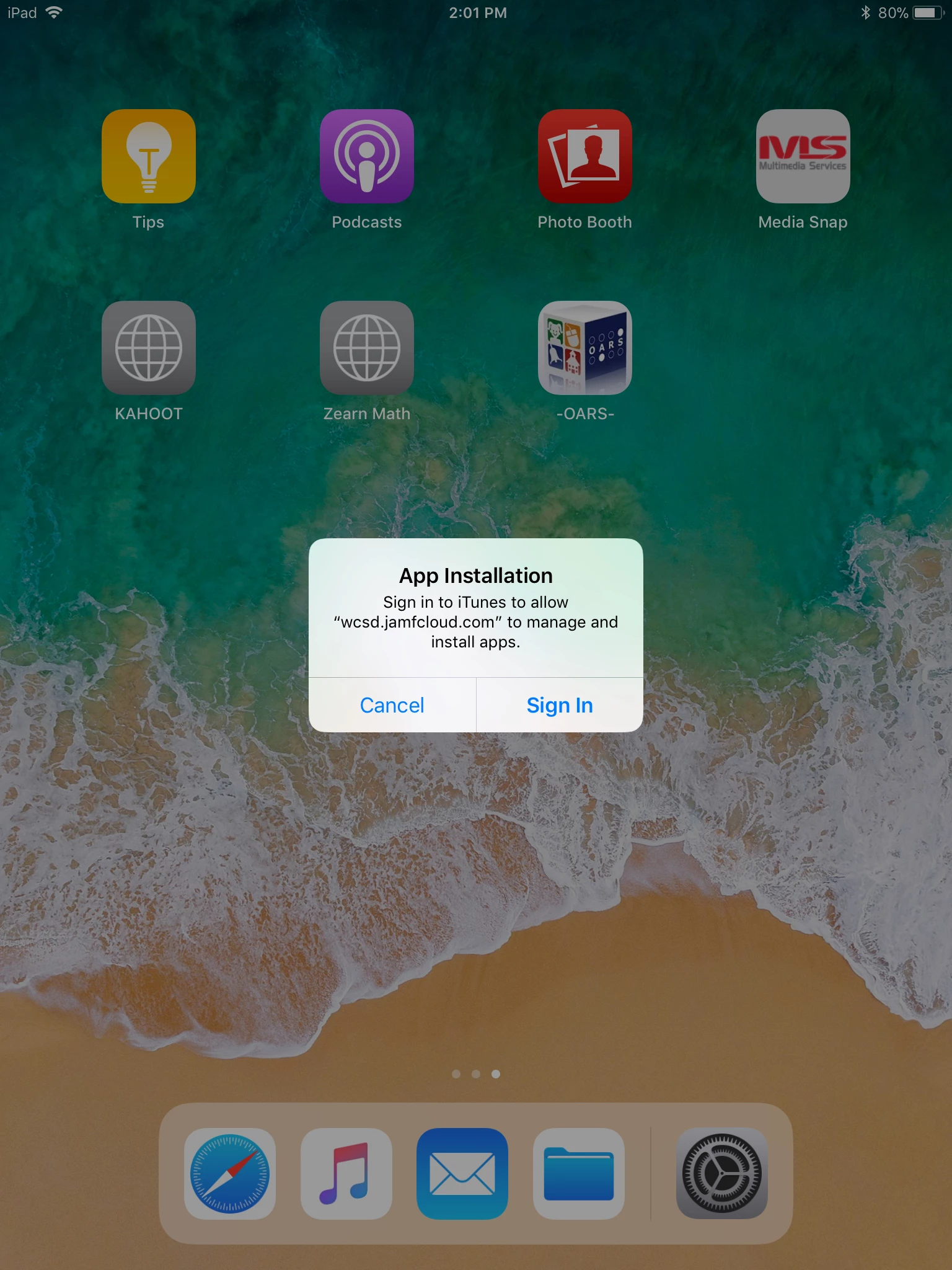
Downloaded iOS 11 on a few iPads to see how it worked, and Self Service will not download. Asks for sign in to iTunes. Anyone else getting the same issue and know a workaround?
3 replies

Forum|alt.badge.img+14
  • Valued Contributor
  • October 2, 2017

@avargas From my understanding you need to update your JSS to the most recent version. The older version broke device based app assignment.

There is another discussion here:
https://www.jamf.com/jamf-nation/discussions/25431/ios-11-breaking-device-based-app-installation


Forum|alt.badge.img
  • New Contributor
  • October 2, 2017

I am also having the same issue. I am on 9.101


Forum|alt.badge.img+6
  • Contributor
  • October 3, 2017

@avargas You have to go to your JSS and modify the self service setting. Go to global management > Mobile Device Management > Self Service and change the install automatically setting to 'Neither (manual installation)'. Then in your app settings for self service input the following information under the app configuration tab:

<dict>
<key>INVITATION_STRING</key>
<string>$MOBILEDEVICEAPPINVITE</string>
<key>JSS_ID</key>
<string>$JSSID</string>
<key>SERIAL_NUMBER</key>
<string>$SERIALNUMBER</string>
<key>DEVICE_NAME</key>
<string>$DEVICENAME</string>
<key>MAC_ADDRESS</key>
<string>$MACADDRESS</string>
<key>UDID</key>
<string>$UDID</string>
     <key>JSS_URL</key>
     <string>https://mycompany.com:8443/</string>
</dict>

Also make sure you enable 'ASsign VPP content' for the self service app to ensure its purchased via your VPP program

Can see more information here: https://www.jamf.com/jamf-nation/articles/370/manually-deploying-self-service-mobile-for-ios