Question

Ejecting External drives (SD Cards, DVDs etc.)

  • October 17, 2017
  • 8 replies
  • 63 views

Forum|alt.badge.img+3

All,

I'm fairly new to JAMF. I raised this in an old thread, but didn't get a response. And, I've tried searching with no luck. Since using JAMF we can no longer eject external drives. In the old thread it said their was an option in CP you needed to check, to allow this. I can't find this. Can anyone point me to the exact place I need to look for this option? Any help much appreciated.

Ian

8 replies

Forum|alt.badge.img+16
  • Valued Contributor
  • October 17, 2017

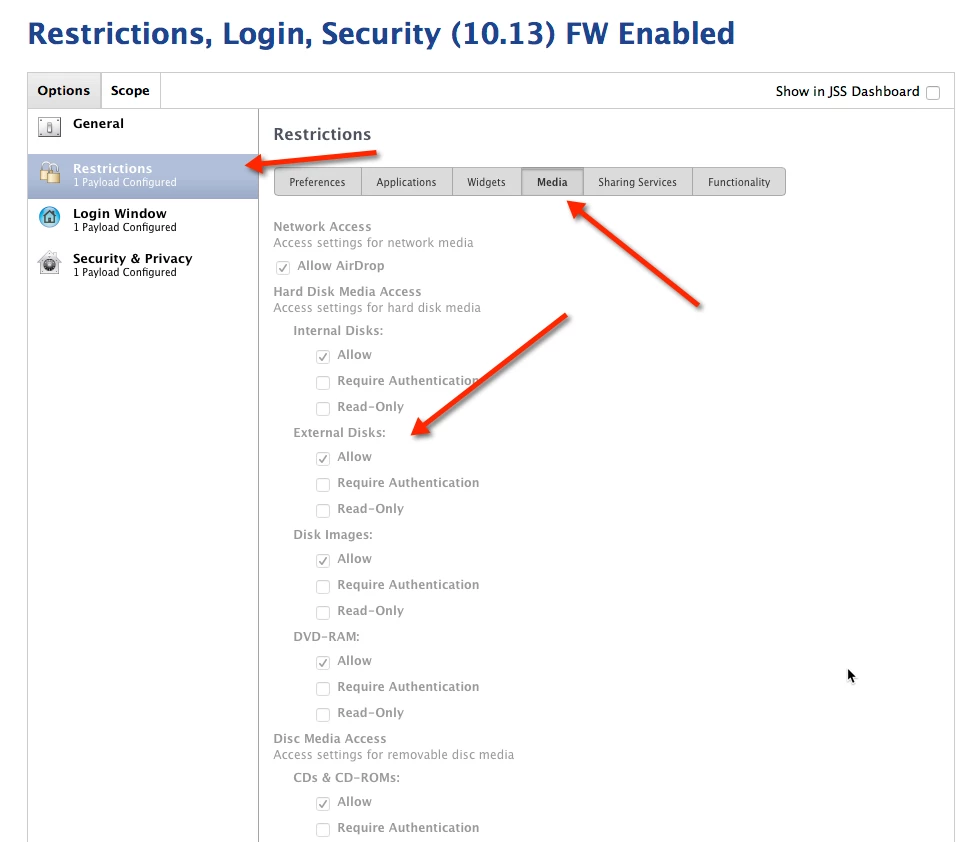
You likely have a config profile with a Restrictions payload configured. In the Restrictions payload there is an option for Media Restrictions. If Allow is unchecked for a specific option the item will be restricted.


Forum|alt.badge.img+3
  • Author
  • New Contributor
  • October 17, 2017

Hi,

Thanks for the response. We already had that checked. As I thought that was to allow external drives to mount. Which is working as expected. I still can't see a way to eject drives. The only option for ejecting I see is at the bottom of the media tab, which is eject at logout.

Ian


Forum|alt.badge.img+16
  • Valued Contributor
  • October 17, 2017

When you say you can't eject external drives (like a flash drive) do you mean you can't right click eject, or drag to the trash?

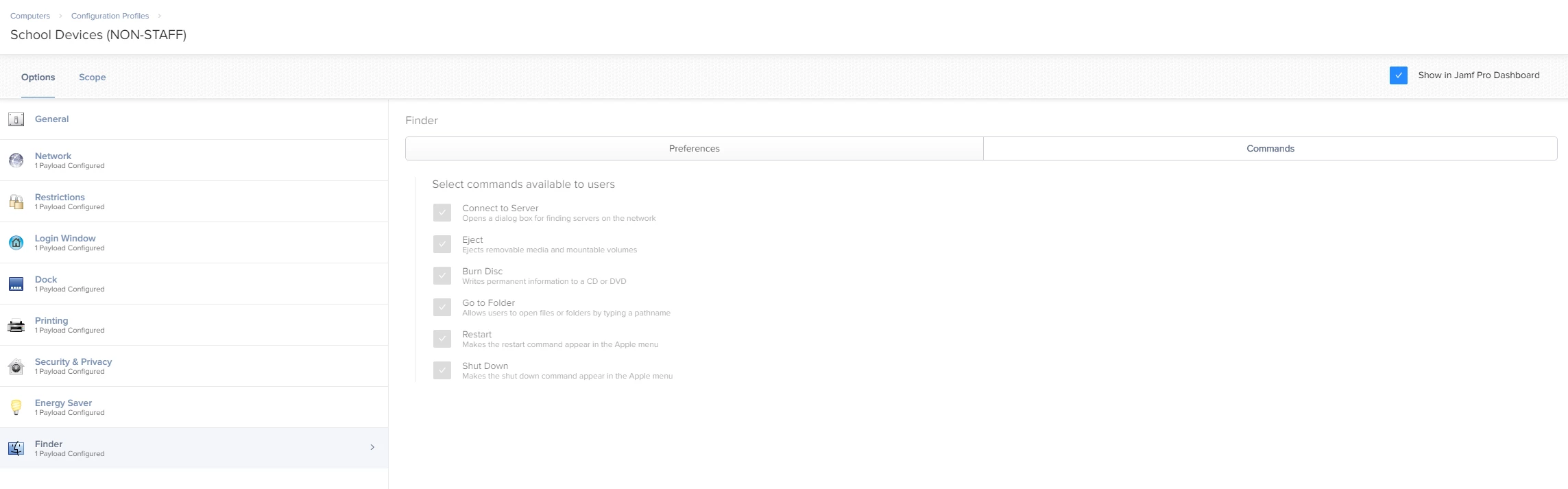
Do you have a Finder Payload configured? If so do you have full/simple menu configured, or finder commands enabled/disabled?


Forum|alt.badge.img+16
  • Honored Contributor
  • October 17, 2017

I haven't checked with 10.13 but some MCX setting were still working in in 10.12 under "Managed Preferences" so you double check that it's not enable there.

C


Forum|alt.badge.img+3
  • Author
  • New Contributor
  • October 18, 2017

Kaltsas - Yes that is correct. We don't have the eject option on the right click shortcut menu. And, dragging external drives to trash has no effect.

gachowski - Thanks for that suggestion. I'll check that.

Ian


Forum|alt.badge.img+1
  • New Contributor
  • June 19, 2019

I have the same issue now that I've looked. I looked in the managed preferences and finder and made sure that eject is enabled... Did anyone find the solution to this?


mickgrant
Forum|alt.badge.img+12
  • Contributor
  • June 20, 2019

config profiles > finder > commands tab


Forum|alt.badge.img+4
  • Contributor
  • March 23, 2022

Hi All.

Did anyone ever find a solution to this? I have the command to eject ticked but I still cannot eject removable drives

Thanks