Question

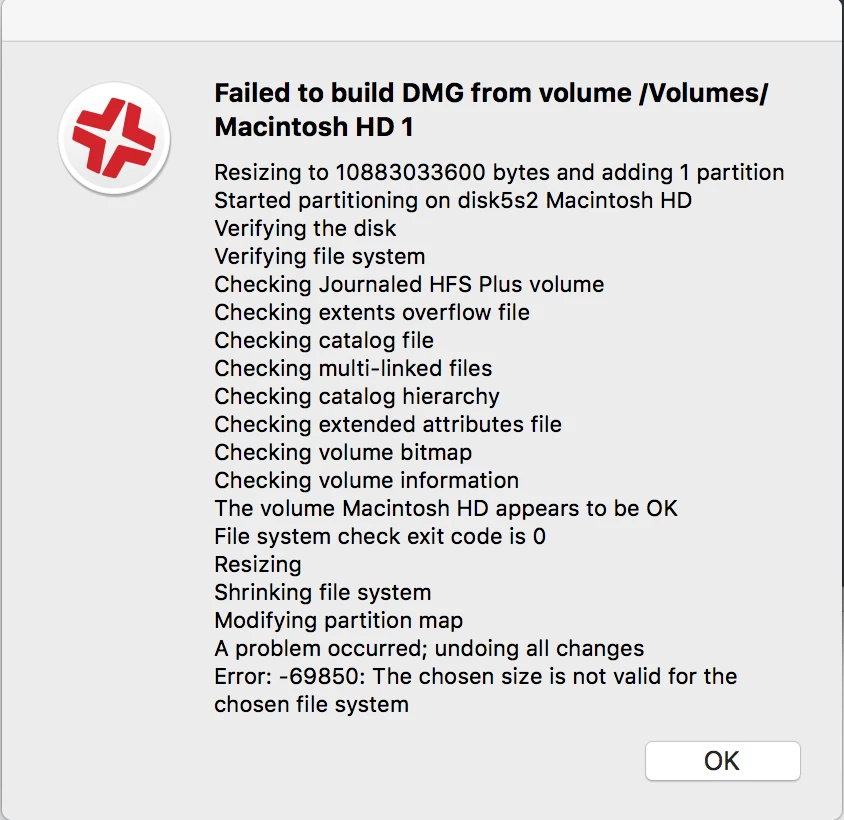
Error creating Sierra Package with Composer

  • October 26, 2016
  • 4 replies
  • 12 views

DBrowning
Forum|alt.badge.img+25

I'm getting the below error when trying to create a Sierra Image with Composer.

Anyone else seeing anything like this?
4 replies

DBrowning
Forum|alt.badge.img+25
  • Author
  • Esteemed Contributor
  • October 26, 2016

Oddly enough this only happened when trying to use composer on a Sierra machine. I tried this on a machine with El Capitan and the Sierra Image worked fine.


Forum|alt.badge.img+9
  • Contributor
  • October 28, 2016

We're running into the same thing as you. Currently I can successfully take a backup using a machine or external hard drive running OS X El Capitan, however if I run Composer from a computer running macOS Sierra 10.12 or 10.12.1 then we receive the same error message as you listed above.

I'm sure others will tell us to use AutoDMG but, right now, my InfoSec manager won't allow it because there's no privacy statement because it's open source. :/


Forum|alt.badge.img+1
  • New Contributor
  • November 8, 2016

We've experienced the same issue, as well, when composing from an external drive. Reverting to OS X 10.11.6 seemed to resolve the problem, for now. Another thing we noticed: the "reveal in Finder" button is non-responsive within Casper Admin when on 10.12.1 -- SAMBA and JDS.


EMM
Forum|alt.badge.img
  • New Contributor
  • April 5, 2017

As of April 5th 2017 we are still having the same problem. Not sure if anything has been done to fix the problem.
I also got it to work using an El Capitan external drive.