Question

Falcon Sensor - System Extension approval

  • December 15, 2020
  • 31 replies
  • 361 views

Forum|alt.badge.img+4

Hi all,
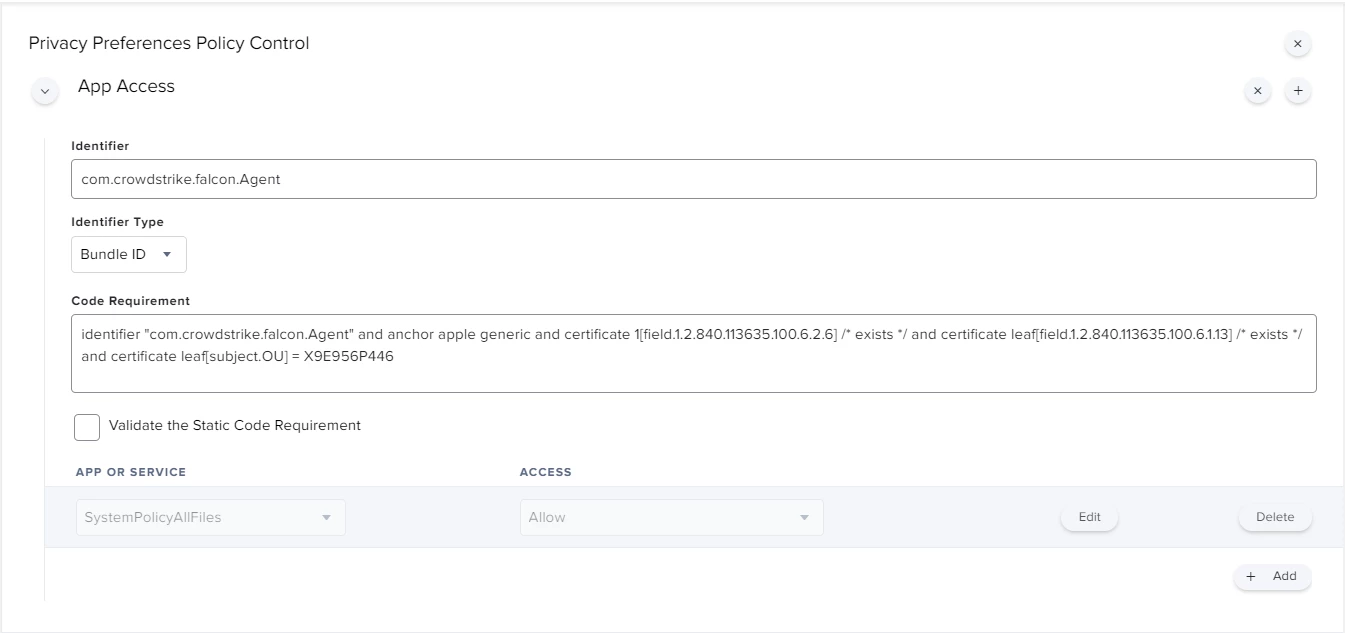
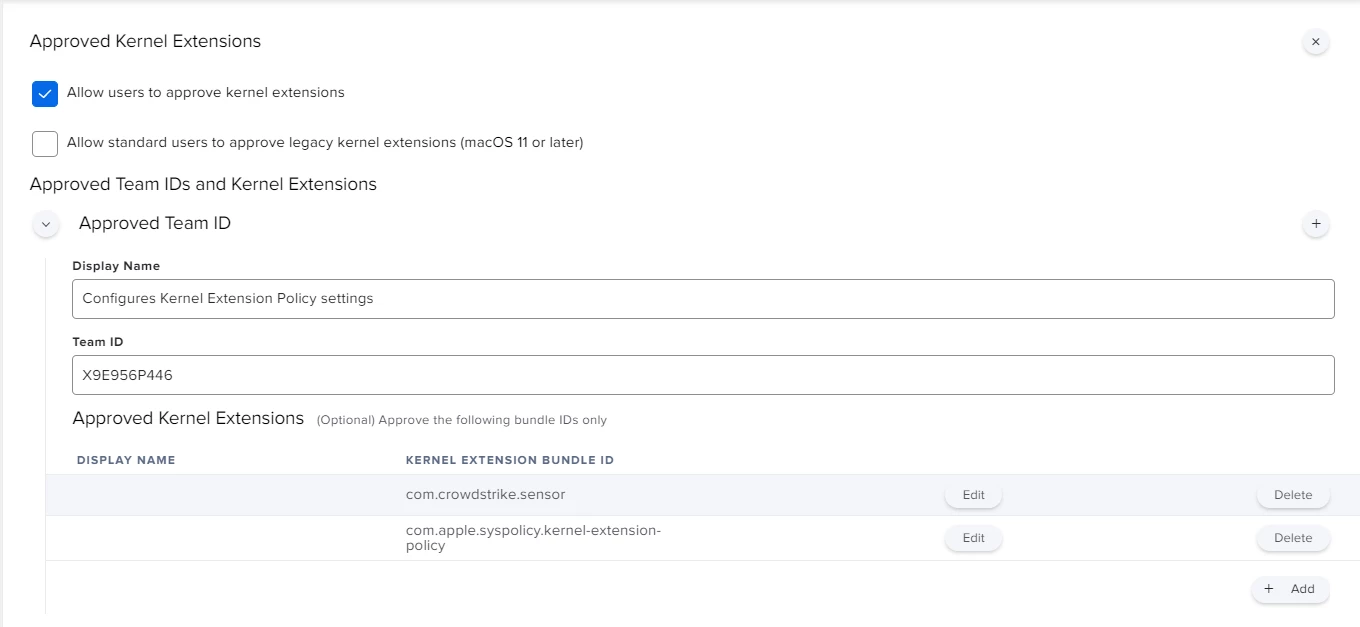
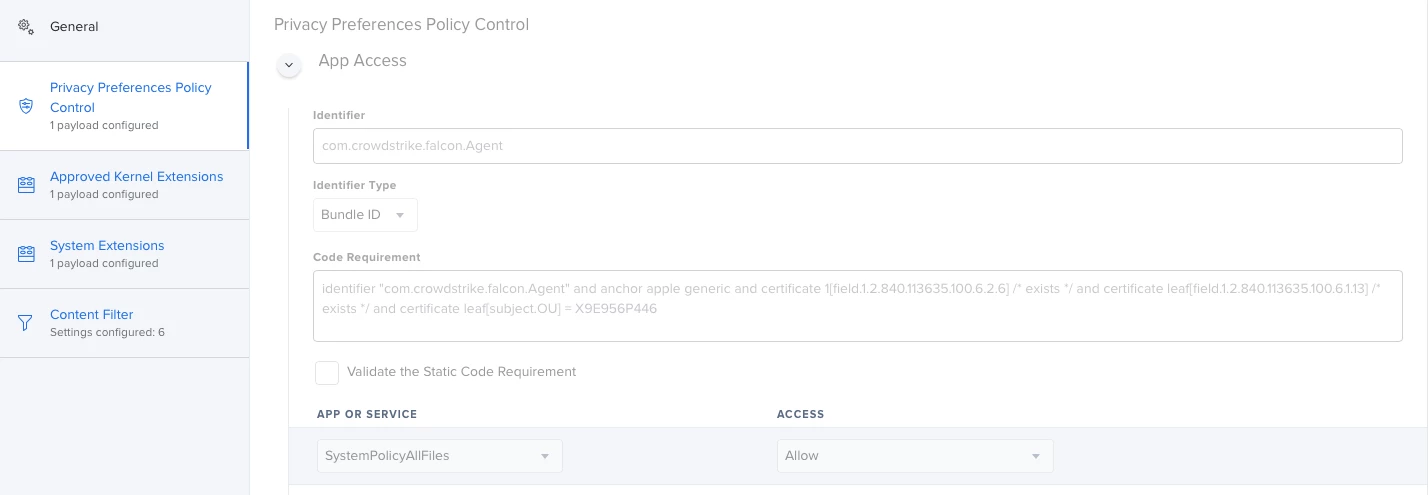
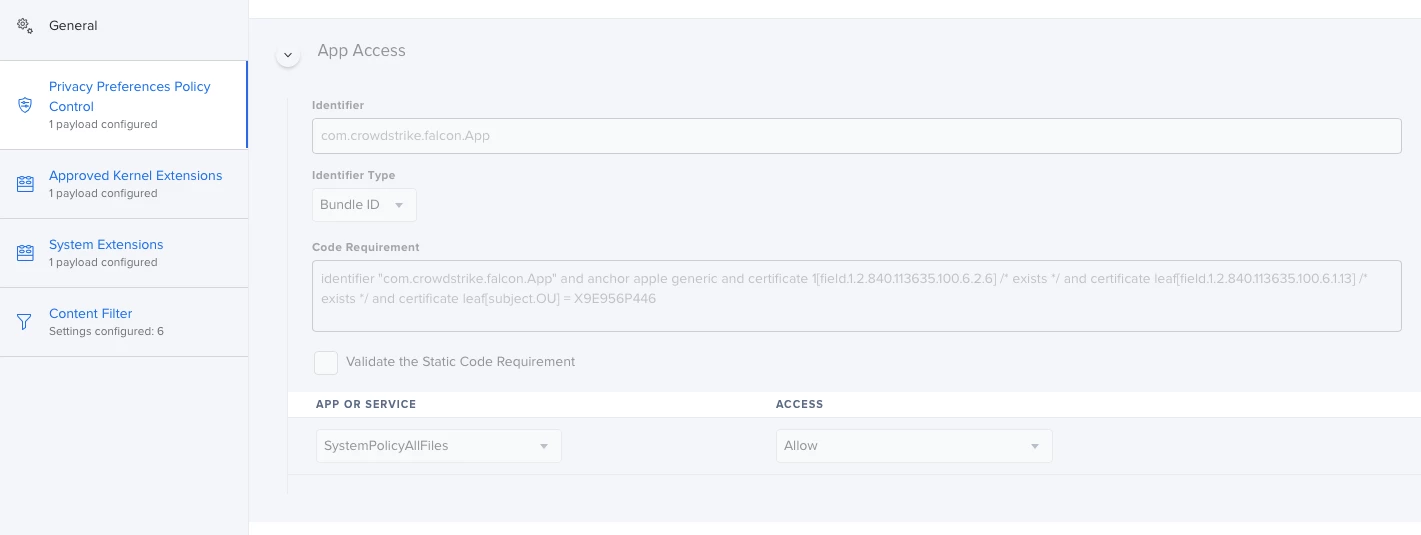
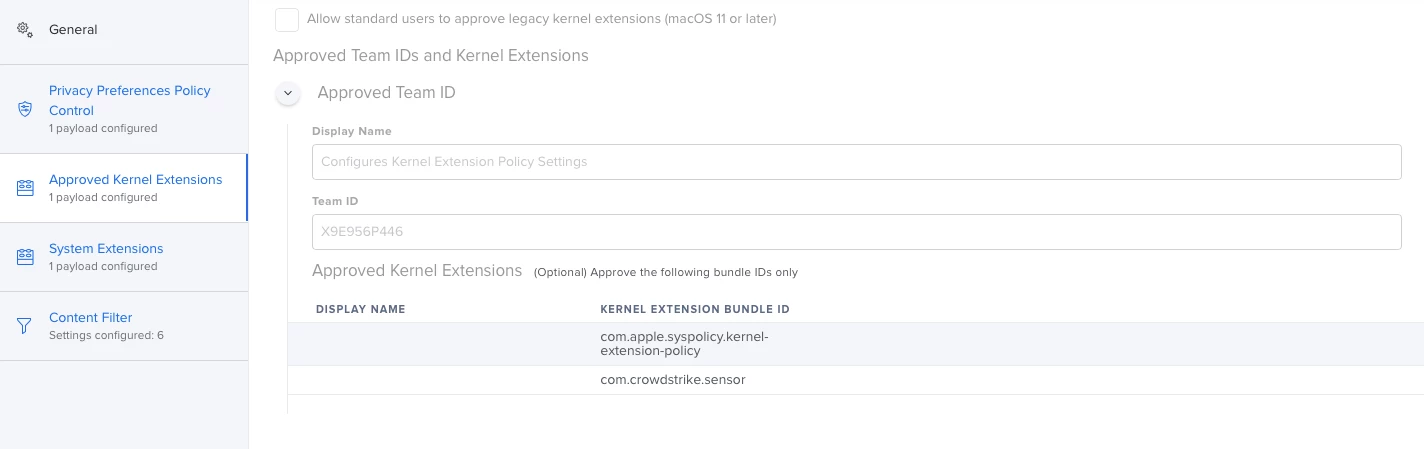
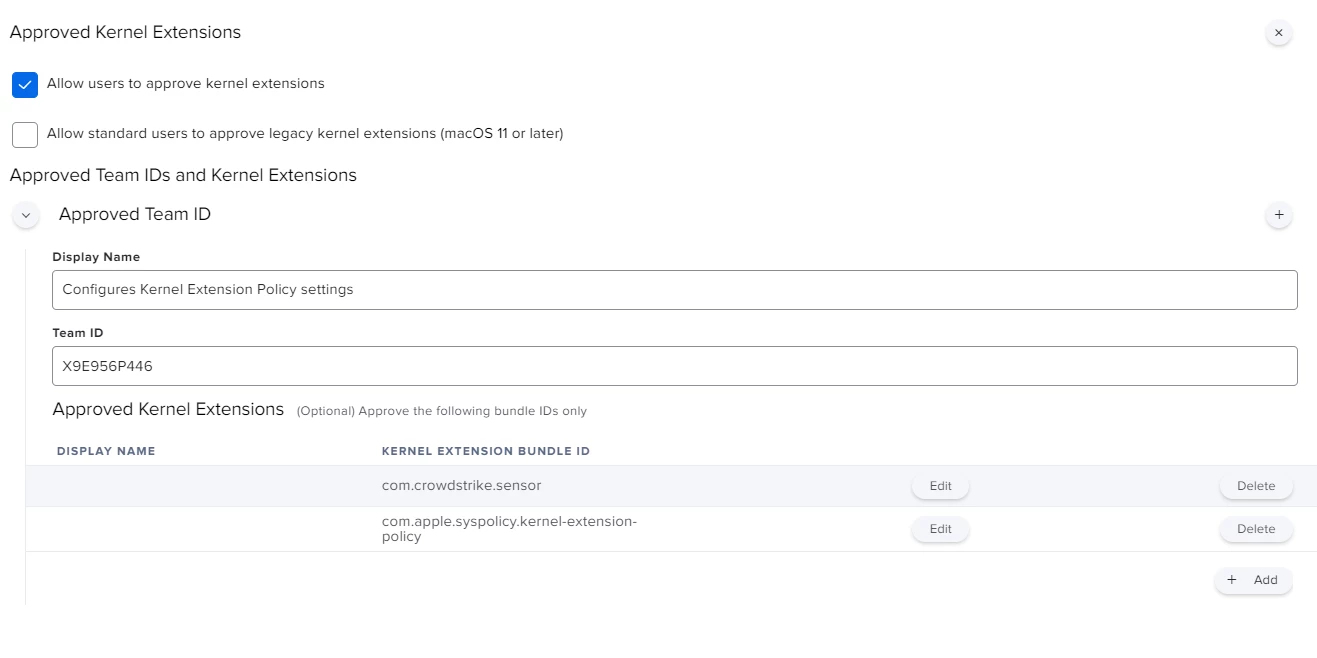
I'm actually using this config profile for pushing system/kernel approval and PPPC control.
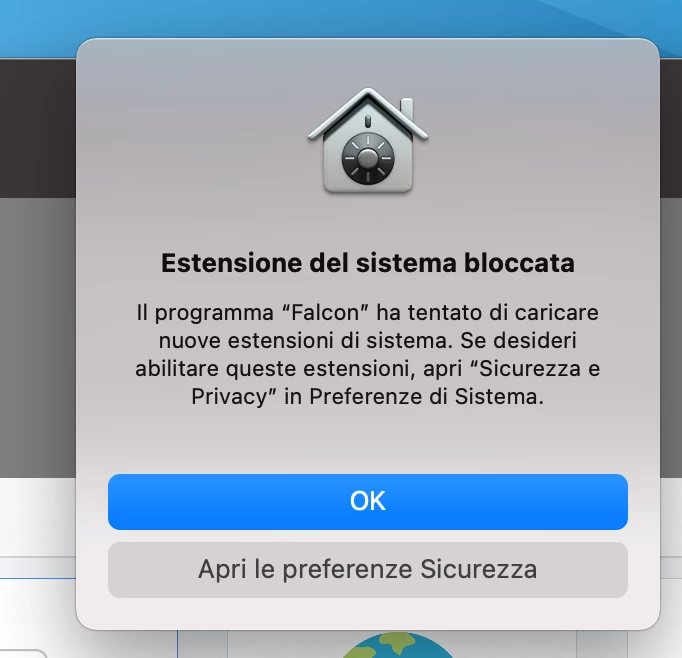
Everything looks to be working except for the "System extension approval", it keeps asking for the approval.

It is actually working in macOS Catalina, but I'm not that lucky for macOS bigSur. Any advice?
31 replies

dlondon
Forum|alt.badge.img+14
  • Honored Contributor
  • December 16, 2020

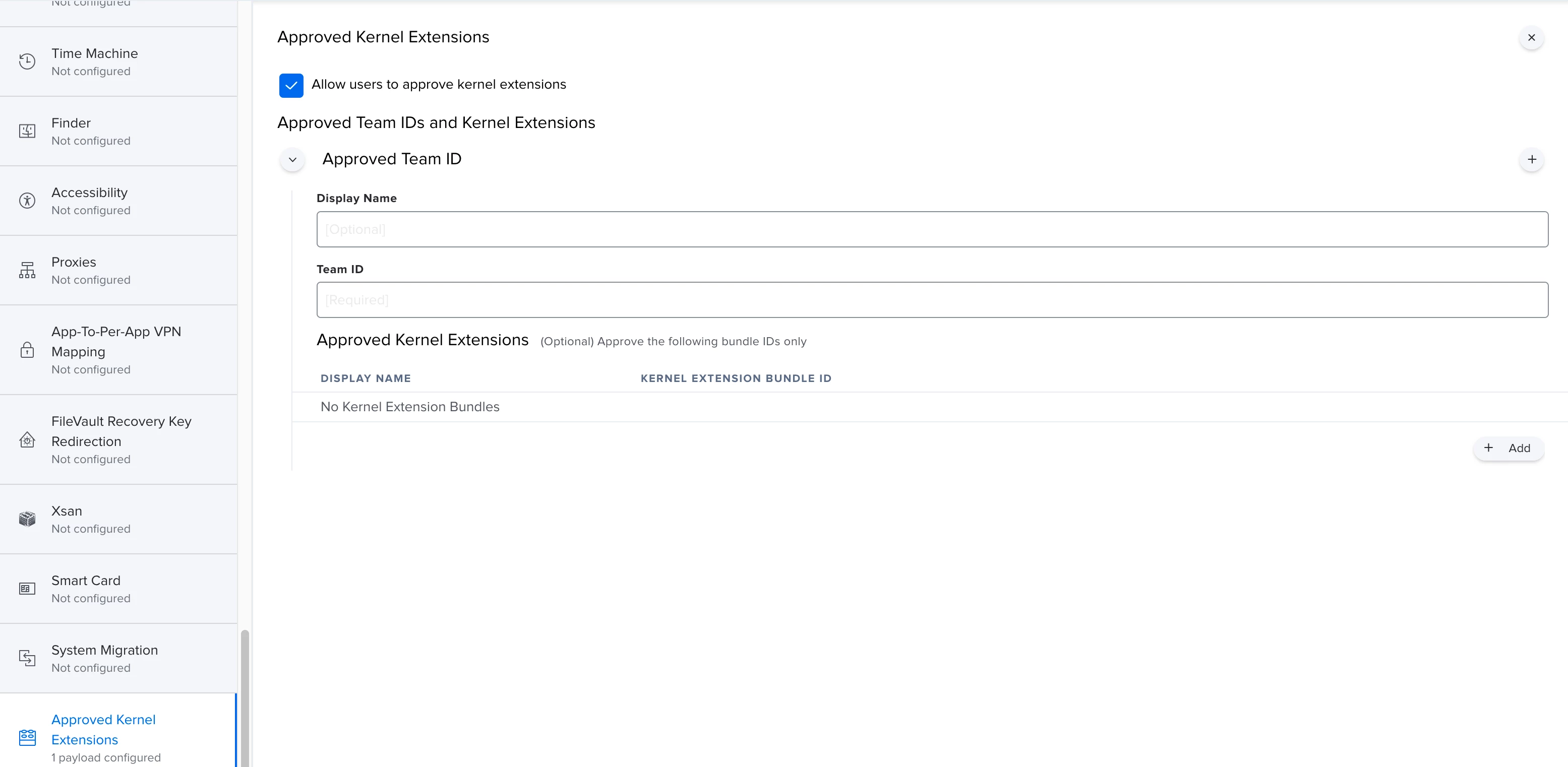
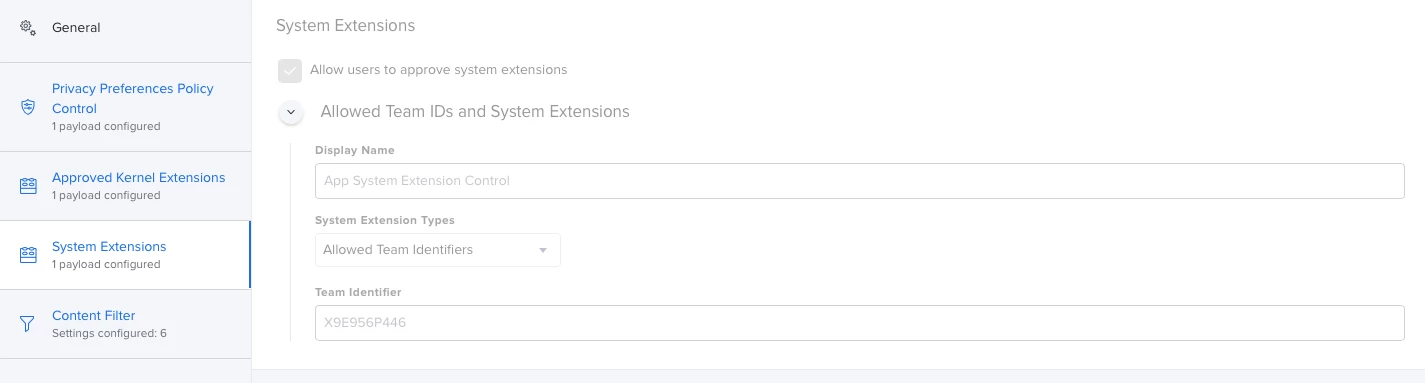
Hi @alessio.tedesco The message is about System Extensions but you showed the Kernel Extension section in the Jamf Pro setup of a Configuration Profile

Scroll down to the end in the sidebar and you will find System Extensions


Forum|alt.badge.img+4

Hi @dlondon ,
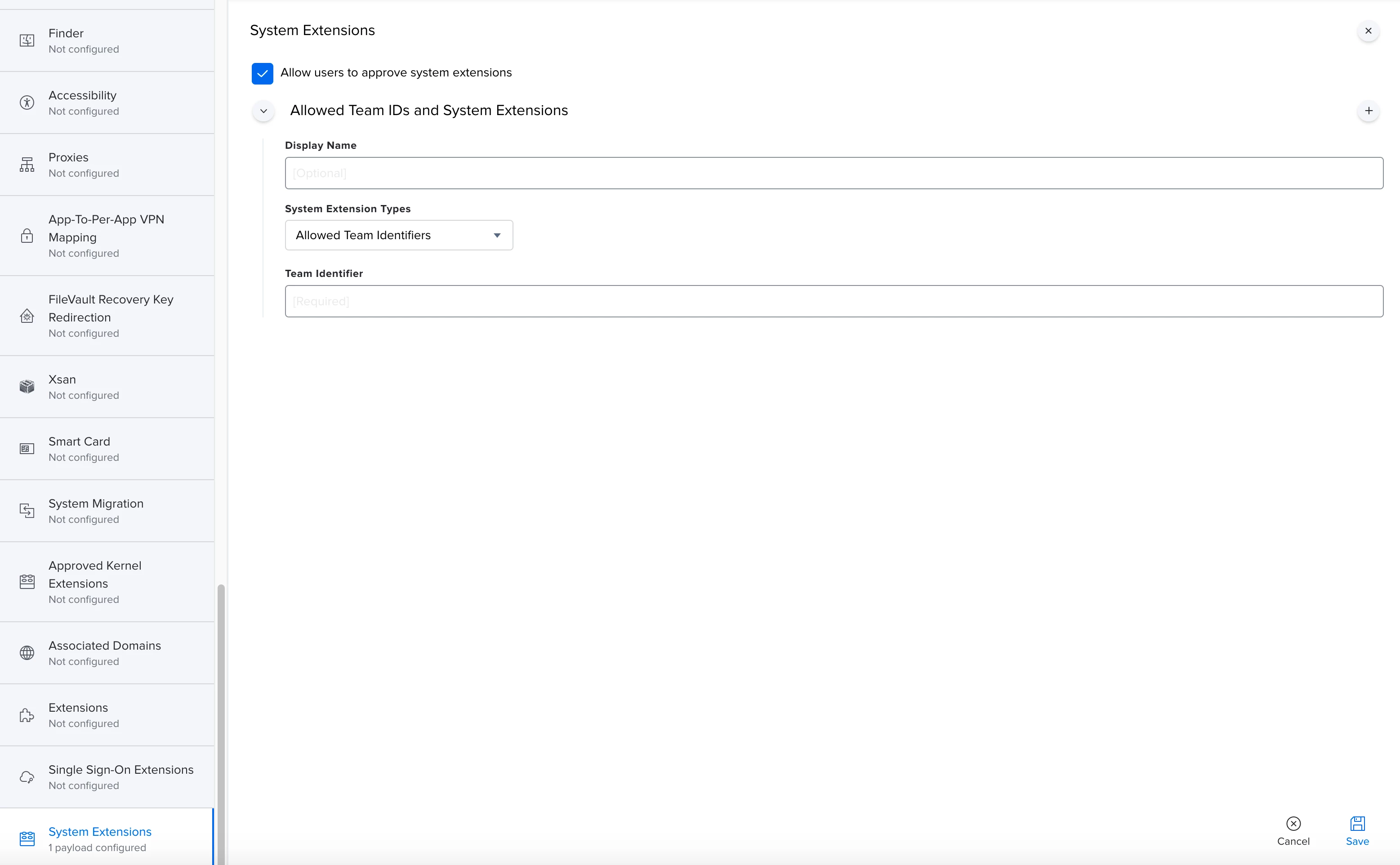
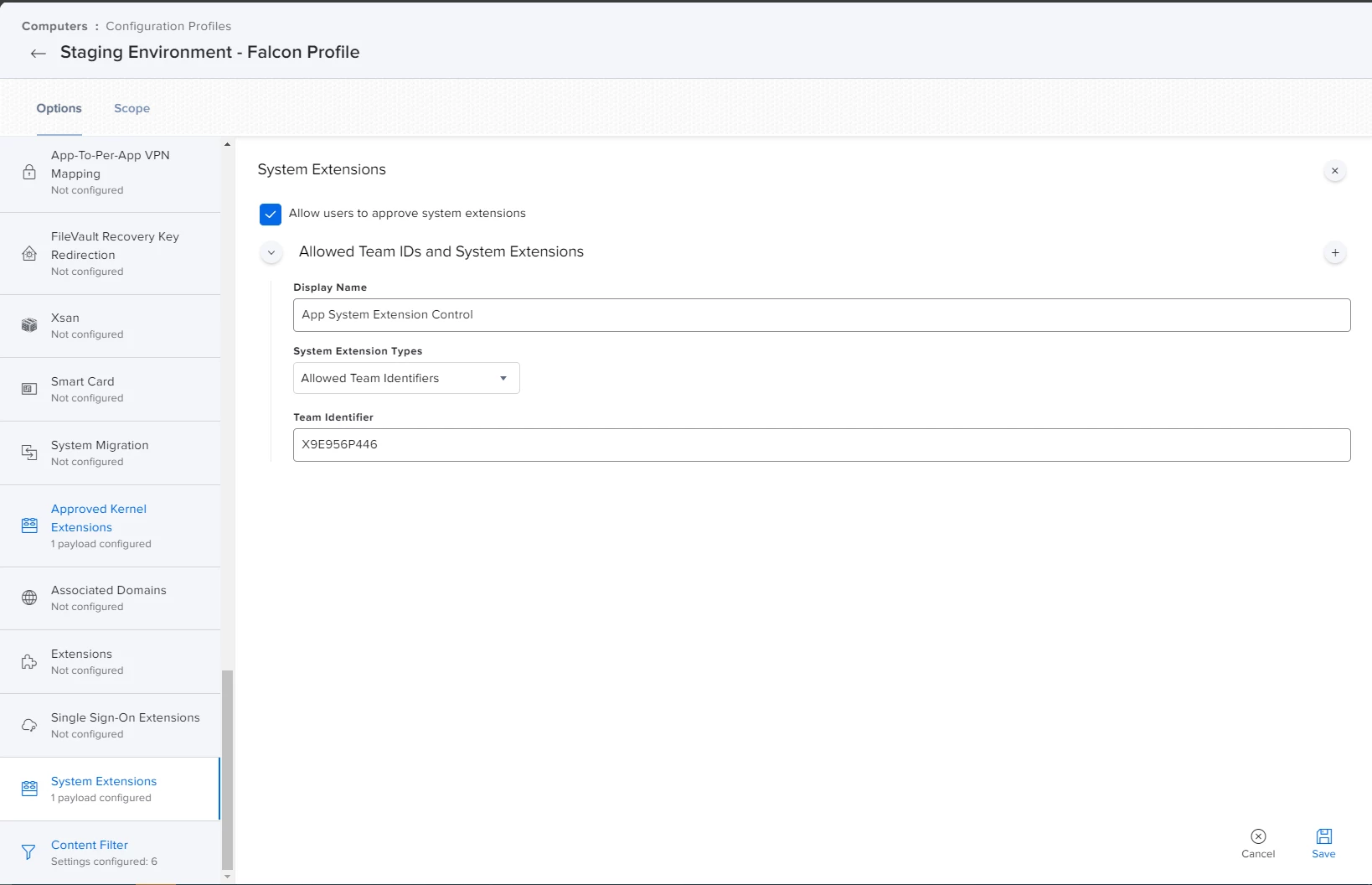
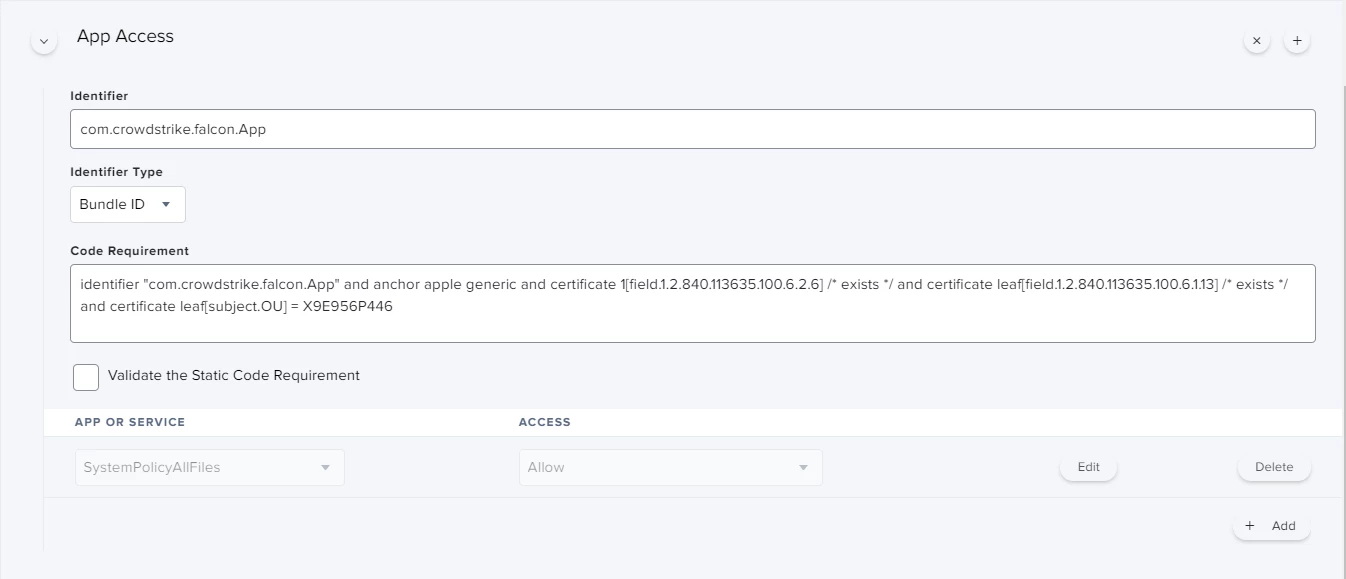
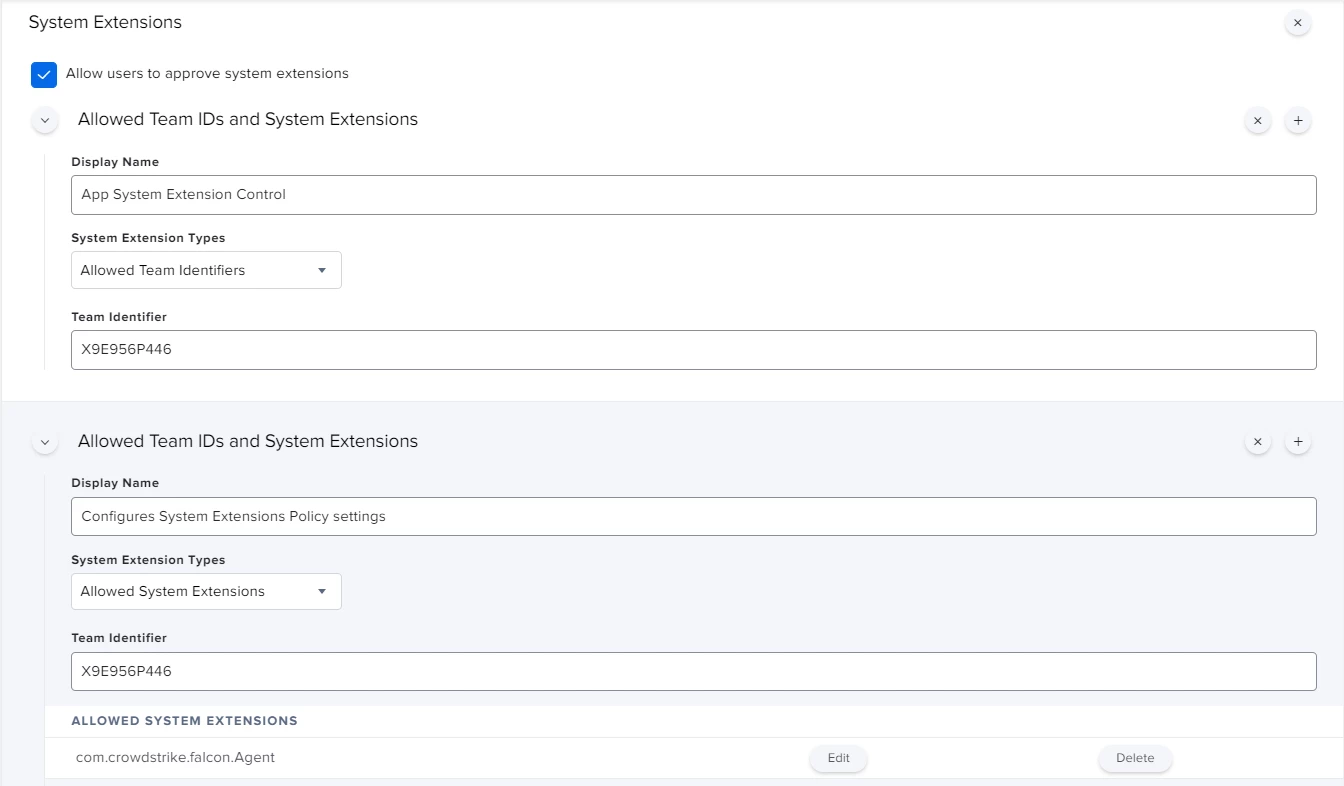
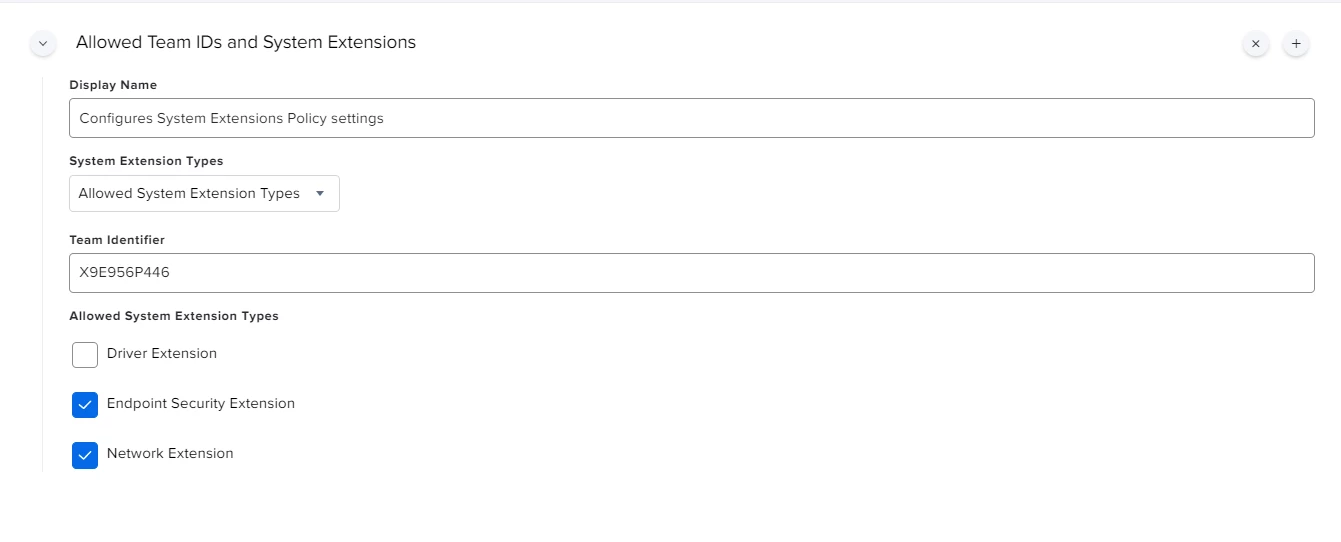
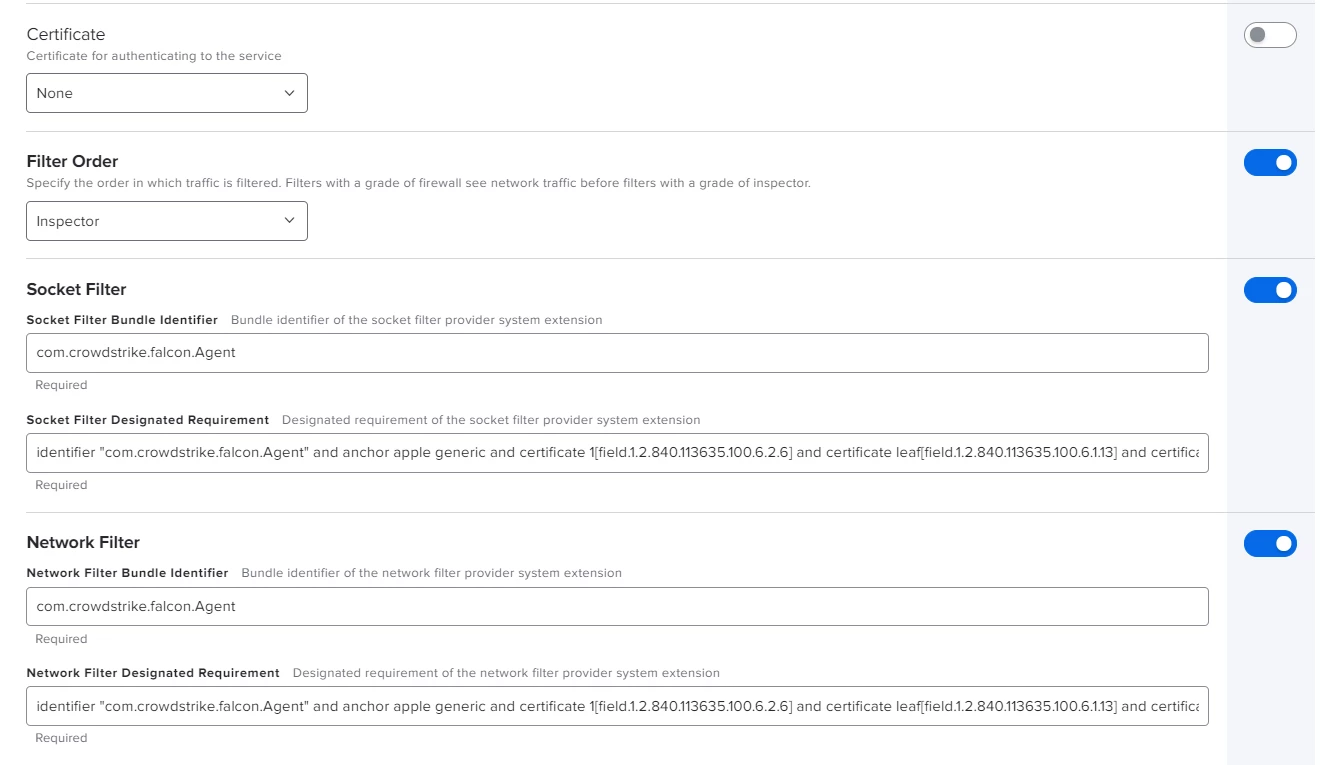
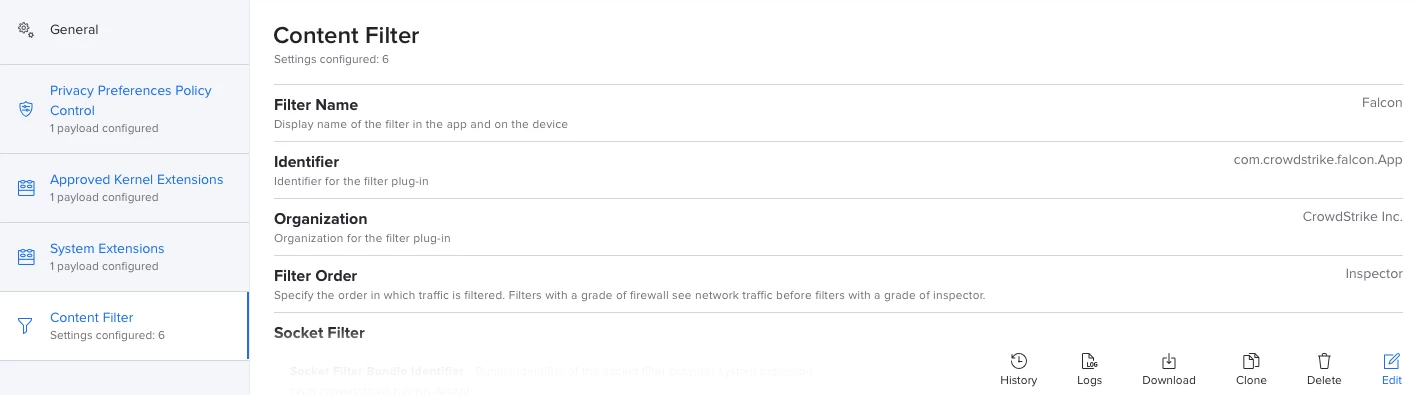
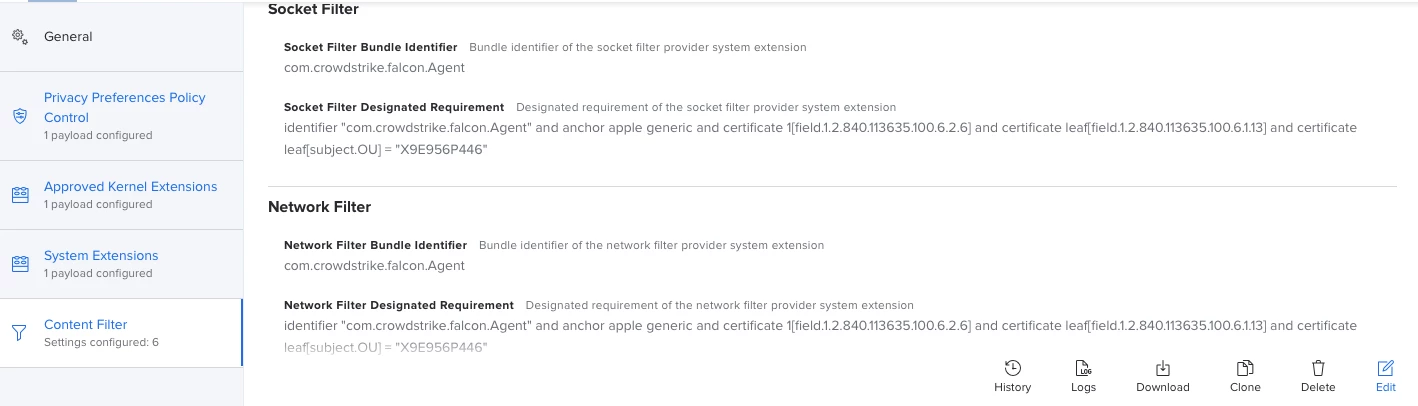
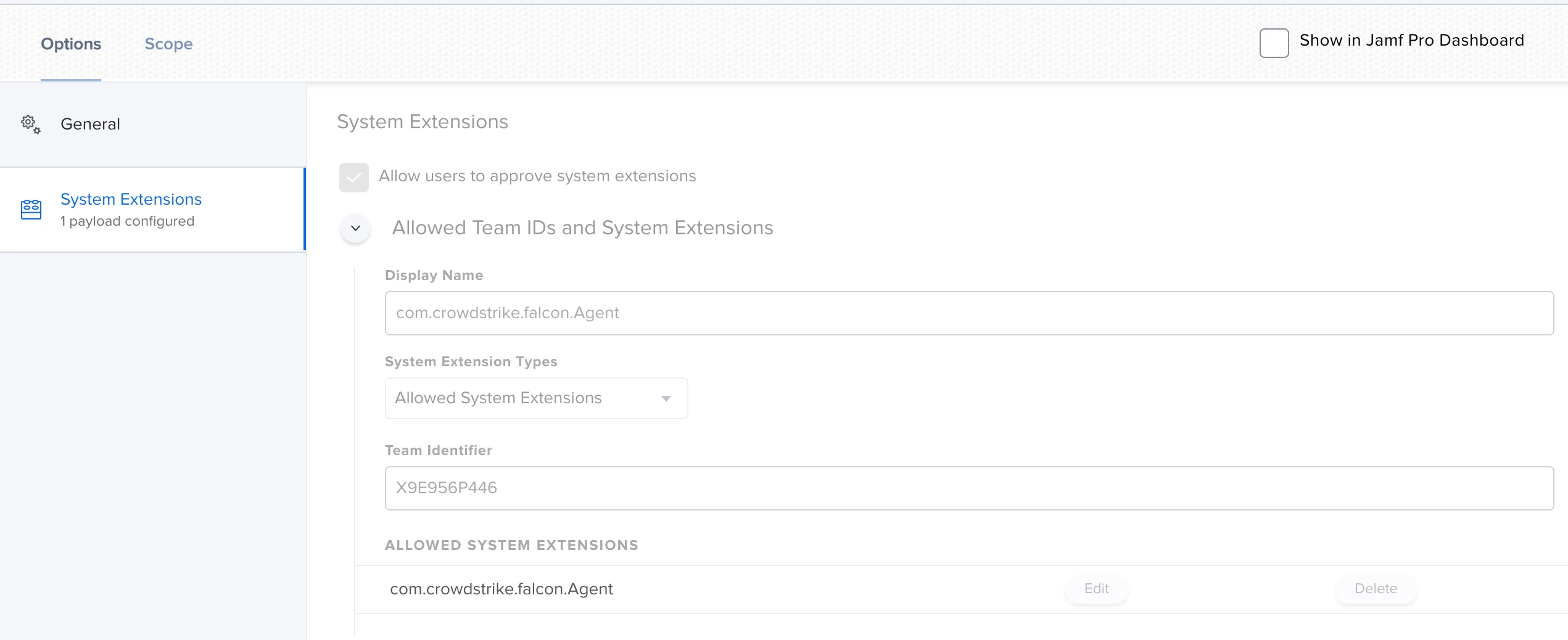
I'm sorry, attached the correct screenshot.


Forum|alt.badge.img+6
  • Contributor
  • December 16, 2020

@alessio.tedesco You are missing some System Extension options in your profile. Having said that, I don't have an answer for you but I'm actively working with both CrowdStrike and Jamf support right now. When I know more I'll post to the following thread.

https://www.jamf.com/jamf-nation/discussions/37488/crowdstrike-configuration-profile-bigsur#responseChild210650


Forum|alt.badge.img+16
  • Honored Contributor
  • December 16, 2020

CrowdStrike has a profile on their support site that includes all the setting needed PPPC/System Extension..... You have to sign it before you upload it but it is working for me...

C


Forum|alt.badge.img+7
  • Contributor
  • December 16, 2020

Agreed ^ self signing the configuration profile worked for our institution.


Forum|alt.badge.img+4

I decided to copy-paste without signing the profile to avoid dependencies, opened it in Notepad++ and managed to have it fully working both in Catalina and bigSur, I was just missing a part in the settings, thank you all!


Forum|alt.badge.img+6
  • Contributor
  • December 17, 2020

@alessio.tedesco Glad you got it working. I'd love to see some screenshots if possible cause no matter what I've tried I can't get it to work.

Also couldn't hurt seeing what the profile looks like on a client in System Preferences > Policies as well.

Thanks.


Forum|alt.badge.img+4

Sure @ubcoit ,
there you go!

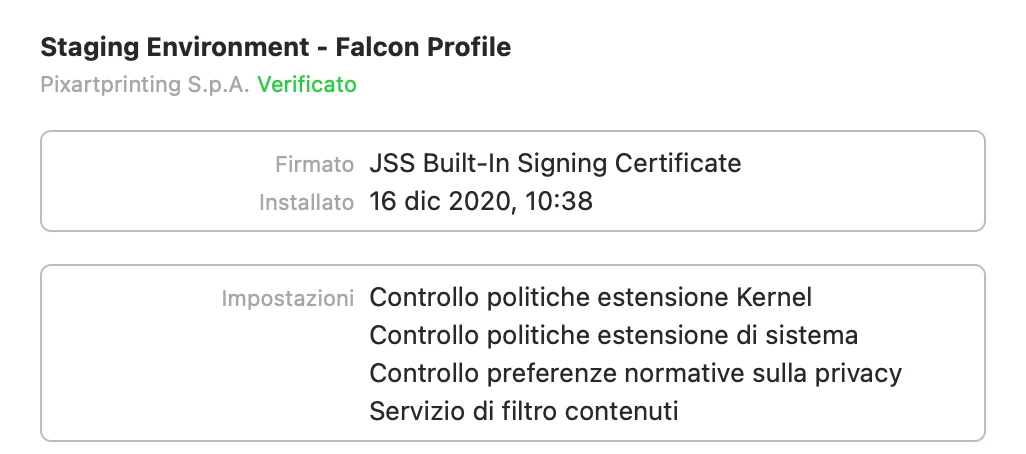
This has been deployed through a configuration profile, kindly let me know if you need the text to be pasted here in a comment :)

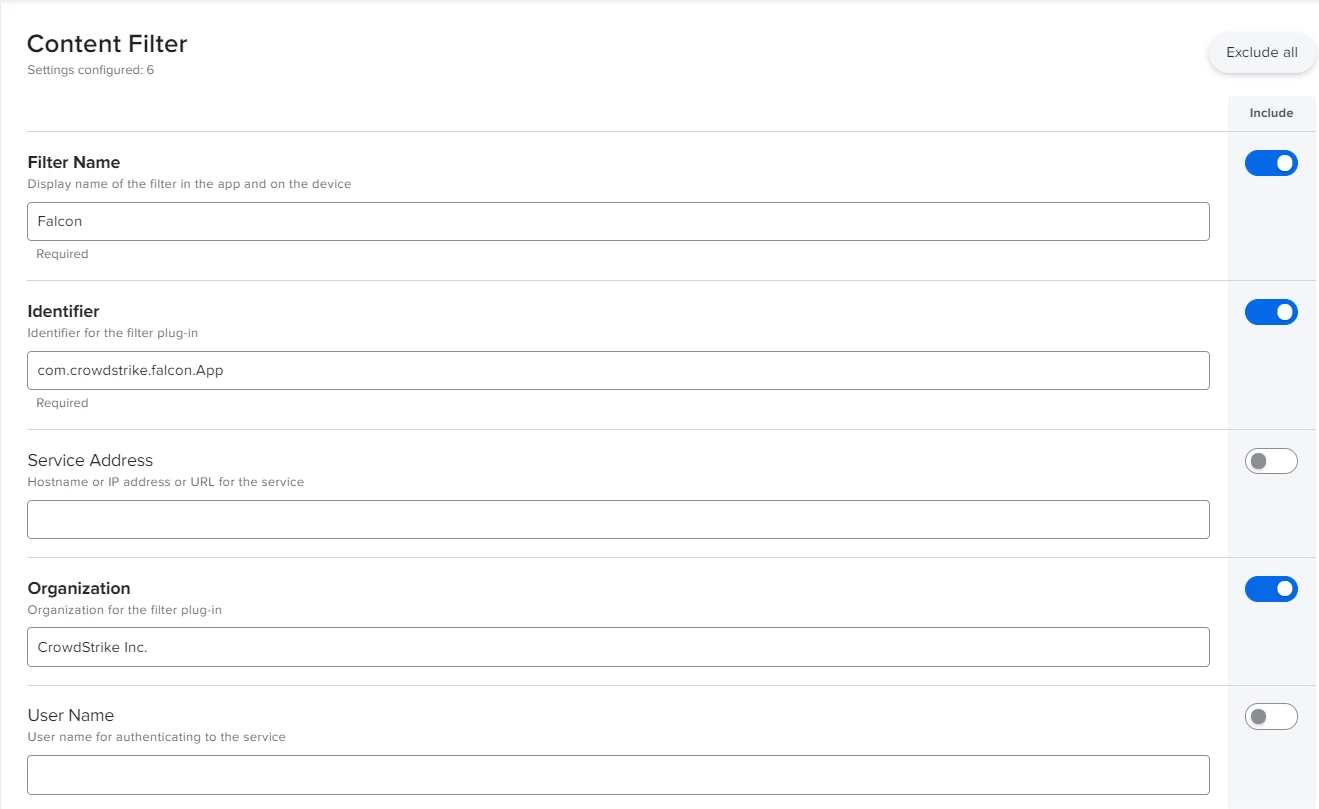
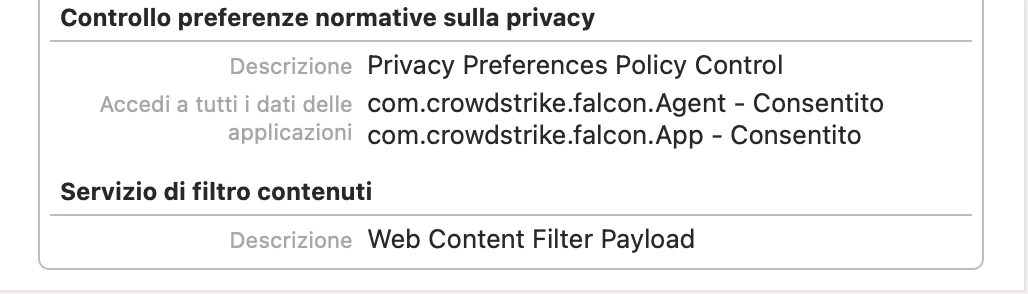
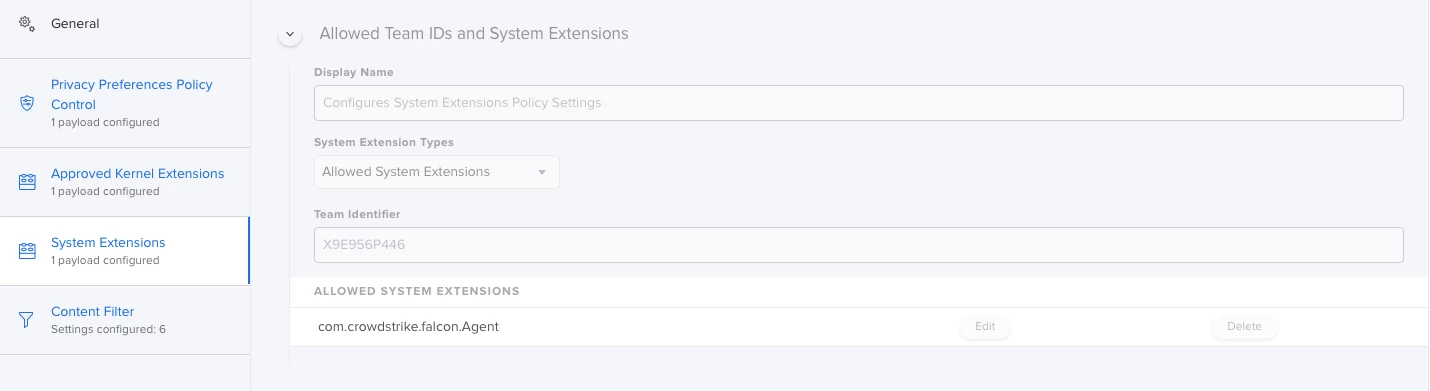
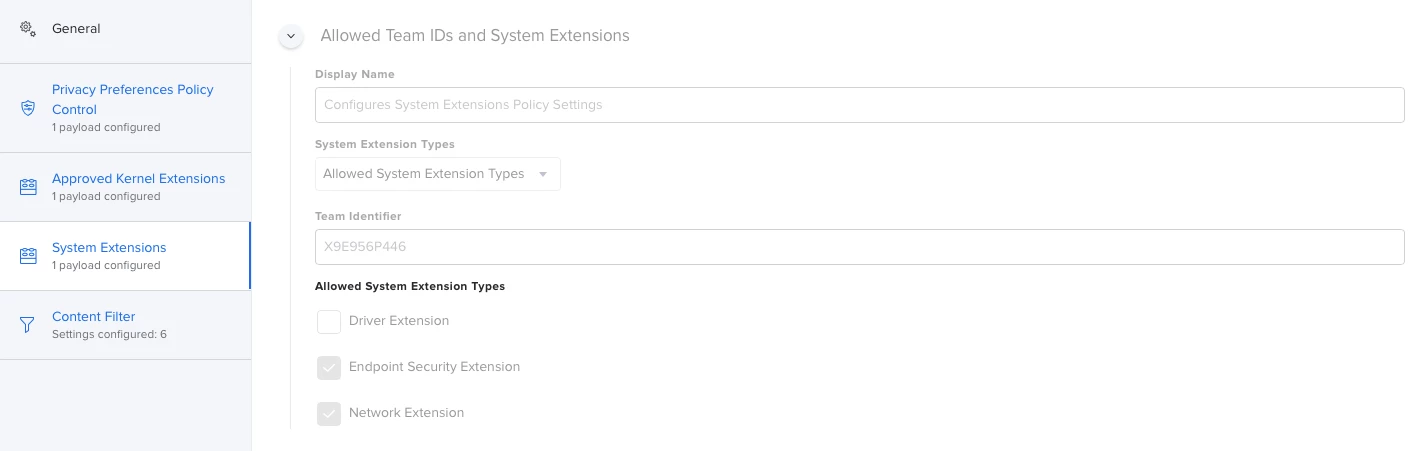
Attached all the screenshots of the policy:

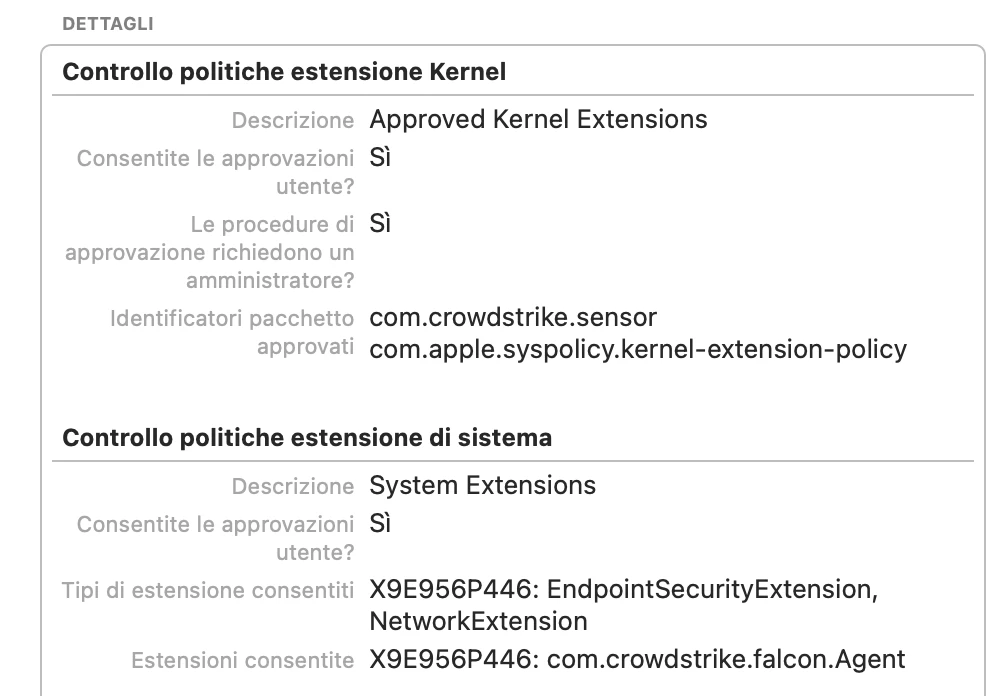
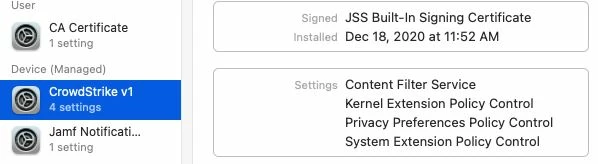
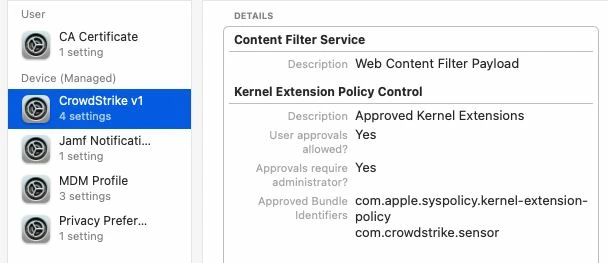
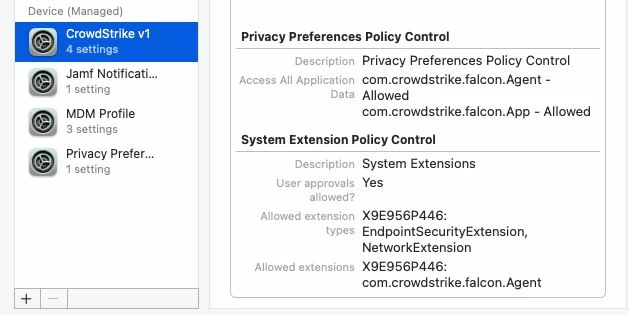
Attaching how the policy looks like in System Preferences:


Forum|alt.badge.img+6
  • Contributor
  • December 19, 2020

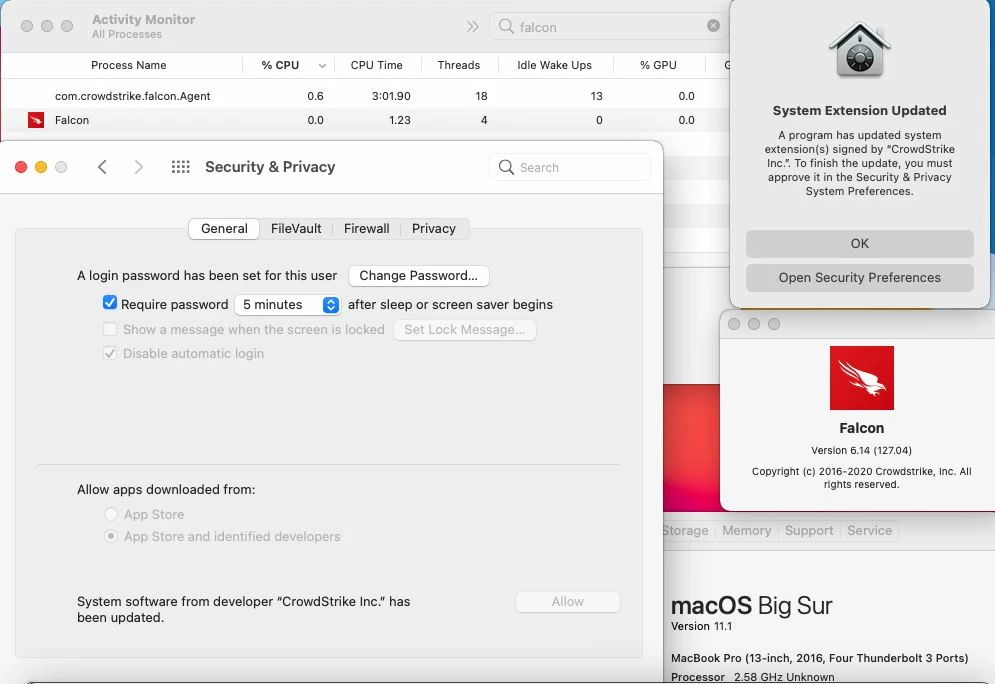
Thanks @alessio.tedesco Still no dice for me. I mirrored your settings, I believe, and other than some of the order of things which I can't seem to control, I don't think I missed anything. End result, CS is running but I get the update prompt in my last photo.

PPPC

Kernel Extensions

System Extensions

Content Filters

Client Profiles Pane in System Preferences

Prompt and other information


Forum|alt.badge.img+23
  • Esteemed Contributor
  • December 20, 2020

So i've been doing a lot of work with version 6.14. First thing ... split up your profiles! Make the PPPC it's own, the KEXT it's own, the SysExt it's own and so on... Trust me, your Apple Silicon macs will eventually thank you. I've attached how the System Extension payload should look.


Forum|alt.badge.img+3
  • New Contributor
  • January 14, 2021

Hey @franton, best practices question here. I've been lumping ALL of the kernel extension payloads into one profile and ALL of the system extension payloads into another. Do you have discreet profiles for each extension or do you also group them?

TIA


Forum|alt.badge.img+16
  • Honored Contributor
  • January 14, 2021

Do you guys have it working? We had it working with the CS provide profile in December 100% sure, but now we are seeing a few different OS notifications saying CS has been updated please approve


Forum|alt.badge.img+4

I actually have it working with macOS bigSur, noticed that using the same profile for both Catalina and bigSur broke for Cata.
We don't have M1 chips yet so I can't test, but yes, I suggest to split profiles by macOS version


Forum|alt.badge.img+6
  • New Contributor
  • January 15, 2021

I believe you need to further modify the provided .mobileconfig.

The last two sections don't have the bundle id string defined and instead show "StaticCode" and you need to add X9E956P446 so they look like this:

<string>bundleID</string>
<key>X9E956P446</key>

Worked on Catalina as of this week.


Forum|alt.badge.img+23
  • Esteemed Contributor
  • January 21, 2021

@philburk I have all my kexts, SysExts and other profiles all split apart for better scoping.


Forum|alt.badge.img+3
  • New Contributor
  • January 21, 2021

@franton Thanks, I figured as much. It makes sense, especially if SysExts/kexts are no longer needed. This would avoid the potential for removing the all of the payloads when only one needs removing.


danny_gutman
Forum|alt.badge.img+7
  • Contributor
  • February 17, 2021

How are you guys suppressing Falcon Notifications prompt? I see no one talked about this on any other threads.

You guys are getting a prompt to approve or deny Notifications for Falcon?


Forum|alt.badge.img+5

@danny.gutman You can use the BundleID com.crowdstrike.falcon.UserAgent to configure notification. It is the BundleID of the Falcon Notification.app located in the Falcon.app /Applications/Falcon.app/Contents/Library/LaunchServices/Falcon Notifications.app


Jason33
Forum|alt.badge.img+13
  • Honored Contributor
  • April 21, 2021

Here's my problem - I have two different profiles, one for Catalina, one for Big Sur. The Catalina profile has KEXT, and the Big Sur does not. Everything is fine and working smooth, except when I upgrade from Catalina to Big Sur. Then, at log in, I get the prompt that system extensions were blocked from launching. Anyone tested the upgrade and figured this out?


Forum|alt.badge.img+7
  • Contributor
  • April 23, 2021

How are you guys taking the XML provided by CS and importing it to Jamf Pro?


Forum|alt.badge.img+14
  • Honored Contributor
  • April 23, 2021

@Jason33 it's recommended to deploy the system extension profile to Catalina and above to avoid this. The profile should exist before the system extensions are activated and this was the best way we accomplished this for clients upgrading from Catalina to Big Sur.


Jason33
Forum|alt.badge.img+13
  • Honored Contributor
  • April 24, 2021

@jtrant doh! You're right! Thanks for the guidance


Forum|alt.badge.img+1
  • New Contributor
  • December 22, 2021

I think I found a solution for the "System Extension Updated" pop-up. The configuration profile with all your (good) settings for Crowdstrike needs to be run again. This is very simple solution, but implementing it is the tricky part...

This is how I've done it, looks ugly and it's not that clean, if someone finds another better way to run a configuration profile after policy to install Crowdstrike is run, please share it.

1. Create/modify your post install script for Crowdstrike .pkg installer to include: (this has to be after you run falconctl license ID and falcontctl load)

if [ $? -eq 0 ] then mkdir -p /Library/Application\\ Support/JAMF/sample_folder touch /Library/Application\\ Support/JAMF/sample_folder/crowdstrike /usr/local/bin/jamf recon fi

2. Create an Extension Attribute (in Settings) that checks if file exists and use this script:

#!/bin/sh if [ -e /Library/Application\\ Support/JAMF/sample_folder/crowdstrike ] then echo "<result>True</result>" else echo "<result>False</result>" fi

3. Create a smart group that checks if the file exists using that new Extension Attribute you created and setting the value to true.

4. Duplicate your good Configuration Profile for Crowdstrike and scope it to this new Smart Group.


I'm still testing it but looks like is doing the job...


Forum|alt.badge.img+4
  • Contributor
  • January 30, 2022

I have an answer for those like me who got here with a Google search. If you have the "System Extension Updated/Blocked" window (first it's a lie, it's a legacy kernel extension), it's because the BIOS Standard Visiblity is enabled on a Falcon policy. This will not only show up at the sensor installation (on Big Sur and above), but at every sensor update going forward. Note that whatever the end user does, Falcon is still running and working. It just won’t gather firmware data until the kext is approved and the computer rebooted.

The popup won't show up on M1 computers because this firmware analysis feature doesn't seem to exist.


Forum|alt.badge.img+2
  • New Contributor
  • February 7, 2022

I have an answer for those like me who got here with a Google search. If you have the "System Extension Updated/Blocked" window (first it's a lie, it's a legacy kernel extension), it's because the BIOS Standard Visiblity is enabled on a Falcon policy. This will not only show up at the sensor installation (on Big Sur and above), but at every sensor update going forward. Note that whatever the end user does, Falcon is still running and working. It just won’t gather firmware data until the kext is approved and the computer rebooted.

The popup won't show up on M1 computers because this firmware analysis feature doesn't seem to exist.


Thanks Jeremyb, this is definitely the answer I was looking for...