Question

Force Apple Updates

  • May 15, 2019
  • 19 replies
  • 72 views

Forum|alt.badge.img+3

What's the best way to force MacOS software updates or make the supplemental updates available via Self Service? Is anyone currently doing this?

19 replies

Forum|alt.badge.img+5
  • New Contributor
  • May 15, 2019

Probably the best way to ensure apple updates are to download them and deploy them like any other software. I personally have a task that runs softwareupdate everyday at noon pointed to an internal software update server. This ensure that any new updates get installed daily at noon.


Forum|alt.badge.img+31
  • Honored Contributor
  • May 15, 2019

There is a plist file and a configuration profile payload you can force background updates of macOS. If you want to force updates this is your absolute best path. Otherwise you are just nagging the user endlessly to update.


Forum|alt.badge.img+5
  • Contributor
  • May 15, 2019

Easiest way is a patch schedule and force the update. Similar to patch Tuesday's like Microsoft.


Forum|alt.badge.img+8
  • Valued Contributor
  • June 12, 2019

Following!!! As I desperately need some form of policy to push patch updates as well.


Forum|alt.badge.img+1
  • New Contributor
  • July 8, 2019

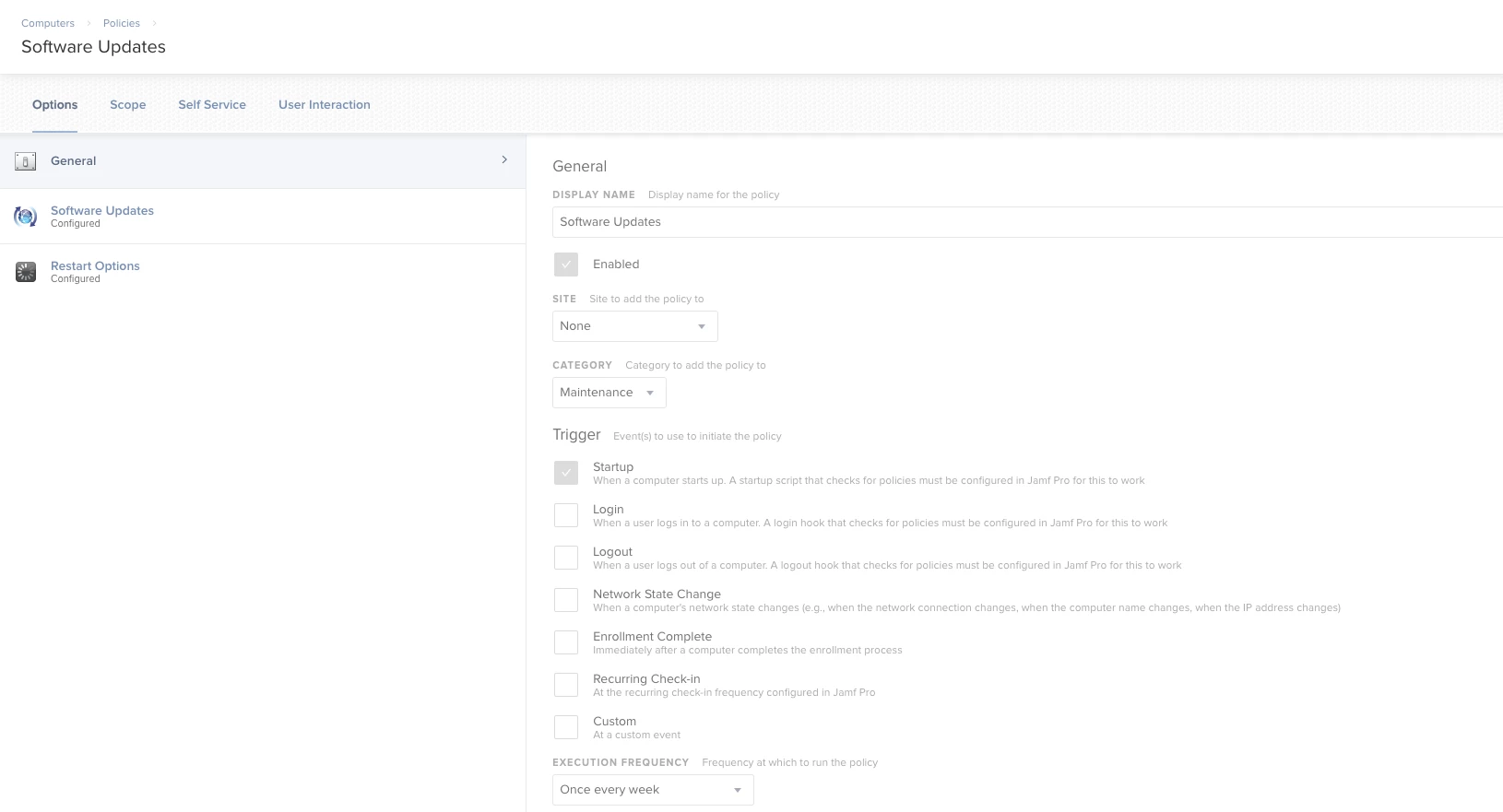
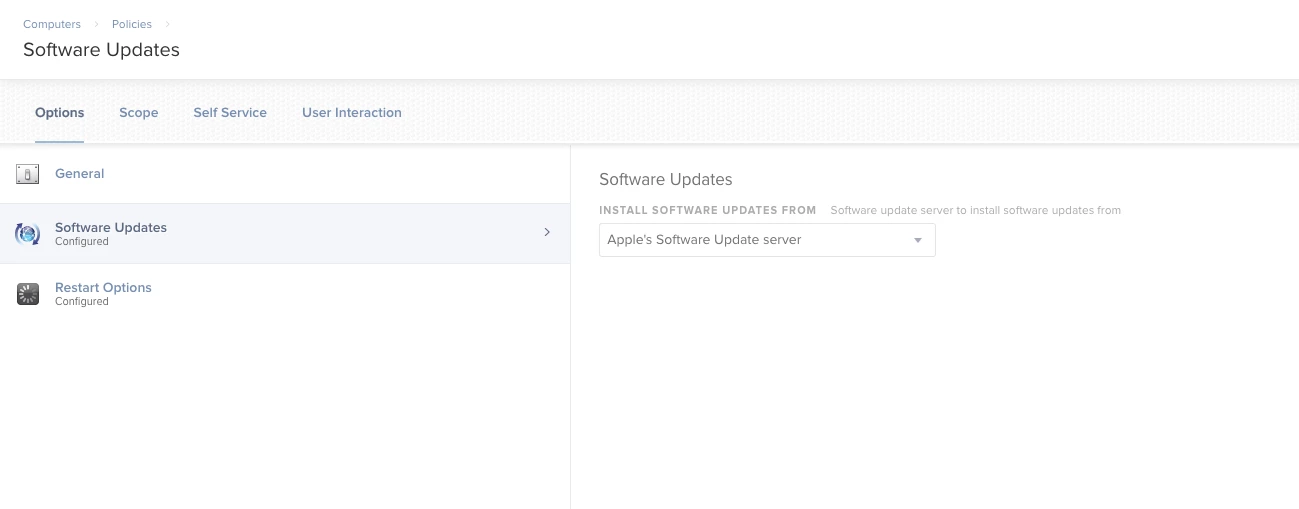
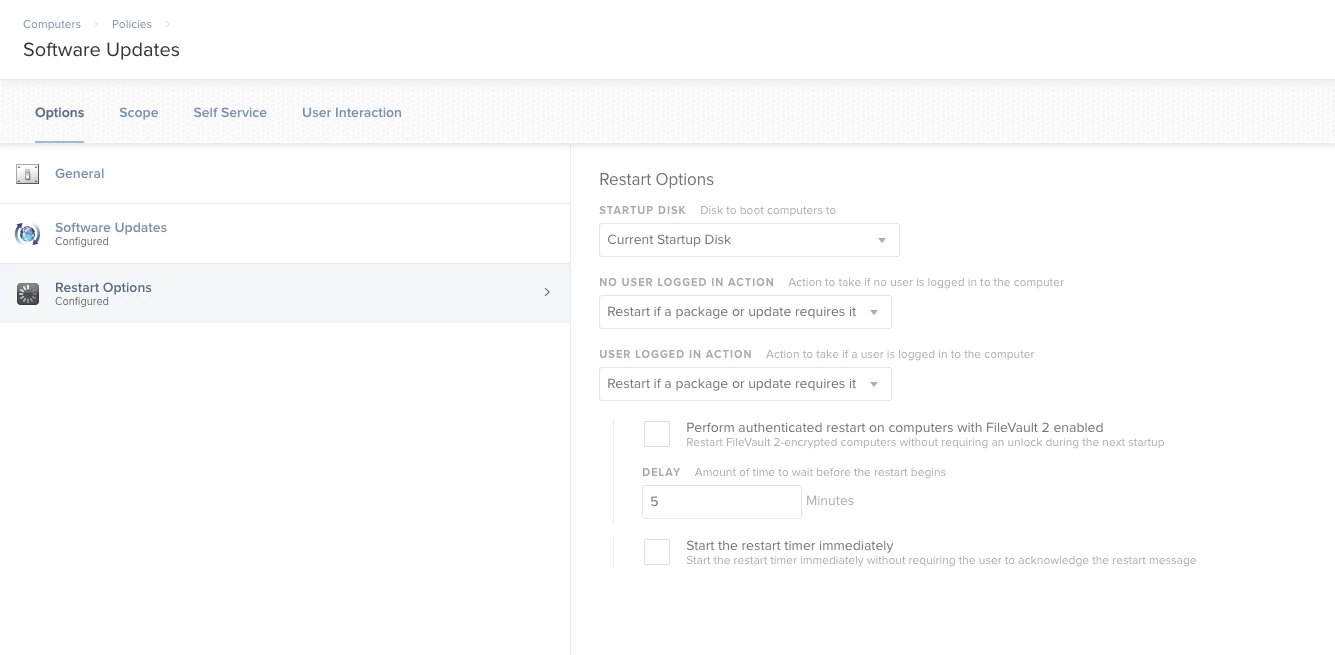
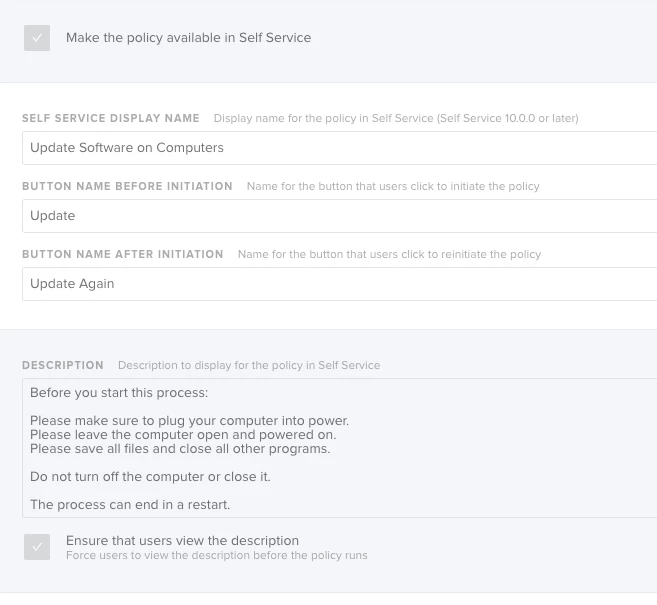
You can create a policy for this. You can set up the trigger and frequency to be whenever you want or put it on Self Service for the users to start when they want. Mine is set to trigger once a week at startup but not while our teachers are in class with students. To set the schedule like I did, adjust the Client-Side Limitations on the General screen for the policy.


If you make it available on Self Service- do not set a trigger and set the frequency to be Once every week, Once every month or Ongoing.
I would also add a description and force the users to read it before they run the policy.


Forum|alt.badge.img+4
  • Contributor
  • July 8, 2019

Forum|alt.badge.img+8
  • Valued Contributor
  • July 10, 2019

@pmendez Thanks for that pretty nifty idea.

Now is this ONLY for macOS updates or all the software installed on the mac as well?


mm2270
Forum|alt.badge.img+24
  • Legendary Contributor
  • July 10, 2019

@CorpIT_eB If you're referring to the link above, that's only for macOS updates, essentially anything that would show up when running softwareupdate -l
For additional software/3rd party products, you would need to use a different process, such as Jamf's built in Patch Management or something custom.


Forum|alt.badge.img+4
  • Contributor
  • August 30, 2020

Hi,
I have been looking to this and I can't find a way to make sure this only happens outside working hours.
I know I can let users defer a set number of times and for a specific time but can I set the updates to only install after 4;30pm?
Thanks


sdagley
Forum|alt.badge.img+25
  • Jamf Heroes
  • August 30, 2020

@j.grafton When you create the Policy to run updates use the Client-Side Limitations setting in the General payload to control when the policy will run (the settings in that section are based on the local time for your Macs)


Forum|alt.badge.img+7
  • New Contributor
  • October 20, 2020

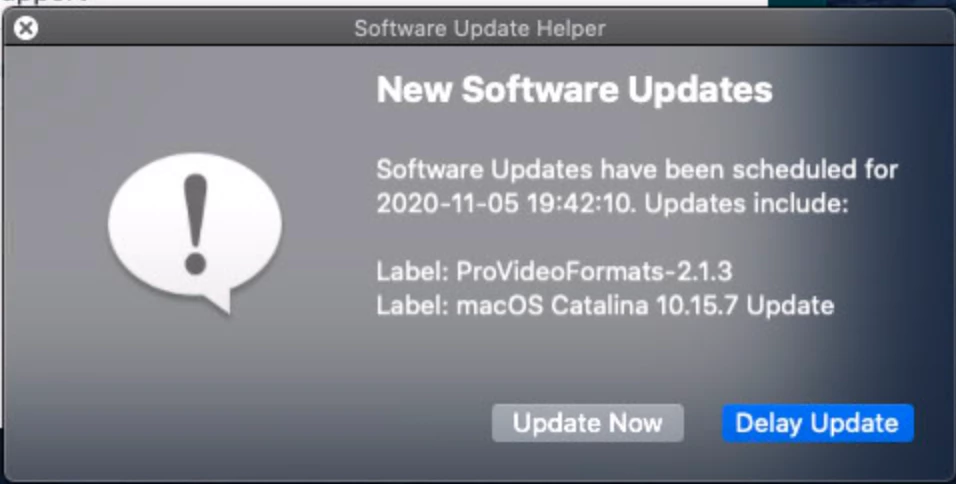
I use this. https://github.com/beckf/softwareupdatehelper

It gives the users a way to delay the updates for a time period that I specify. After the delay period is over, the update is forced on them. All prompts with the user is with jamfhelper.


Forum|alt.badge.img+7
  • New Contributor
  • October 20, 2020

Here it is on GitHub: https://github.com/beckf/softwareupdatehelper


Forum|alt.badge.img+7
  • Contributor
  • November 12, 2020

@forrestbeck I like the workflow.. just can't get it to work...


Forum|alt.badge.img+7
  • New Contributor
  • November 12, 2020

@aaelic24 What do you see when you run the command in terminal:
sudo /usr/bin/python /usr/local/bin/softwareupdatehelper.py --icon="/Library/User Pictures/Fun/Medal.png" --delay=16 --runschedule

What returns from the command: defaults read /Library/Application Support/JAMF/org.da.softwareupdatehelper.plist


Forum|alt.badge.img+3
  • New Contributor
  • November 13, 2020

/System/Library/Frameworks/Python.framework/Versions/2.7/Resources/Python.app/Contents/MacOS/Python: can't open file '/usr/local/bin/softwareupdatehelper.py': [Errno 2] No such file or directory


Forum|alt.badge.img+7
  • New Contributor
  • November 13, 2020

Is that the path you copied it too? You can either copy the Python script to a bin you want or you can use luggage to build a package (see makefile)


Forum|alt.badge.img
  • New Contributor
  • October 1, 2021

Has anyone put this Automated OS update for iPads and iPhones via Jamf?  There does not seem to be same Policy creation for iPads or iPhones.  I have just found a "Defer software update" but nothing that will force it upon enrollment or on a scheduled date.


Forum|alt.badge.img+5
  • Contributor
  • October 13, 2021

Hey guys,

May I know how to forcely install the software updates? What is the process to be done in jamf pro?


Forum|alt.badge.img+5
  • Contributor
  • October 18, 2021

Probably the best way to ensure apple updates are to download them and deploy them like any other software. I personally have a task that runs softwareupdate everyday at noon pointed to an internal software update server. This ensure that any new updates get installed daily at noon.


Hi maxbehr,

May I know how to forcely update the software update or security updates into users system, if the user is not installing the latest version? Is there any option like that if jamf pro? If yes, Can you tell me how to deploy or configure it in jamf pro?