Question

Give Mobile Account User Admin Access!

  • February 24, 2020
  • 3 replies
  • 26 views

Forum|alt.badge.img+1

Currently in our organisation, all Macs are bound to AD so users have mobile account. I would like to know if there is a way to create mobile admin account without us always having to put the localadmin user password in. It makes the process very long as we have to type the password on all machine for a mobile account to be created.

3 replies

Forum|alt.badge.img+10
  • Valued Contributor
  • February 24, 2020

If they're all bound, fire this at them:

#!/bin/sh
dseditgroup -o edit -a "Group Name" -t group admin

Change "Group Name" to the name of an AD group with all users you want to be admin on bound machines.

If you're using a Jamf Directory Binding to bind them, you can add the same group to the Allow Administration By field in the Jamf Directory Bindings settings for all machines going forward.


Forum|alt.badge.img+6
  • Contributor
  • February 24, 2020

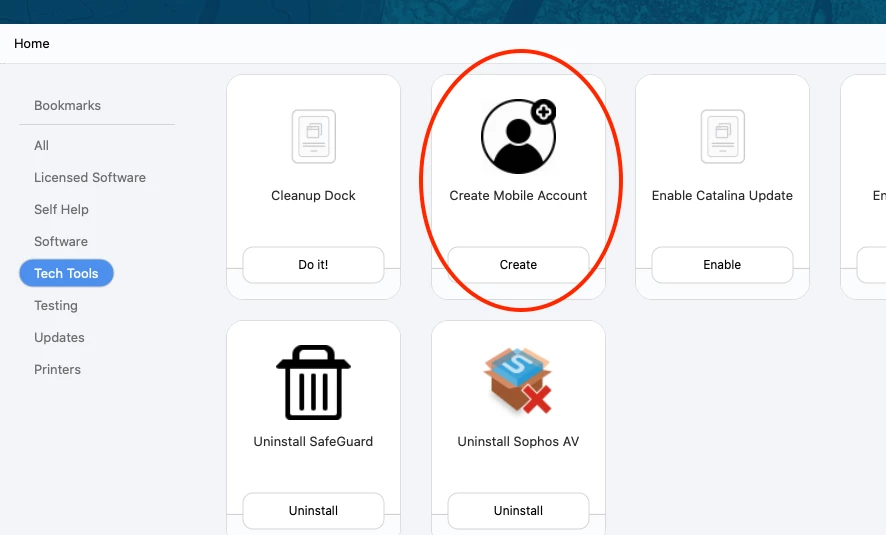
So we have a "Tech Tools" section in Self Service. it's only available to technicians when they login to Self Service. So when techs are setting up Mac they can use it to make the account right form Self Service. Using pretty much that command

Its a more elaborate script that checks for communication to the DC, check AD binding status, check that the user name you entered validly, then makes the mobile user with admin right. if anything fails it notifies the tech. It's pretty cool.


Forum|alt.badge.img+2
  • New Contributor
  • March 27, 2020

Would you be willing to share that policy you have in your Tech Tools for creating mobile accounts? I'm starting to work on building one for our environment but it would help to get a jumpstart. If you do share it, please make sure you remove any specific hostnames or service accounts from the script.