Question

Help with Printer Policy

  • August 6, 2021
  • 6 replies
  • 63 views

Forum|alt.badge.img+8

I have a simple policy that will map a single printer to our student computers.  When I log into a student computer, that printer is not set, even though it is supposed to check on startup and on login.  How can I figure out what is going wrong with this policy?

 

6 replies

Forum|alt.badge.img+8
  • Author
  • Valued Contributor
  • August 7, 2021

Is there a way to edit the original post?  I'd like to be able add additional info to it as I generate it.


junjishimazaki
Forum|alt.badge.img+10

Why don't you look at the printer policy logs? When you open your printer policy, at the bottom right is the logs. That will show you what happened to a particular Mac. 


Forum|alt.badge.img+16
  • Contributor
  • August 9, 2021

Is there a way to edit the original post?  I'd like to be able add additional info to it as I generate it.


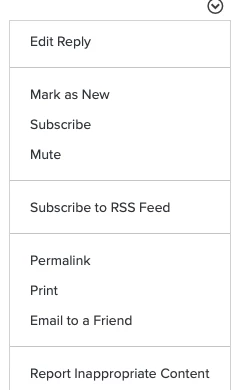
Click on the downward facing carrot on the upper righthand side of your post.


Forum|alt.badge.img+16
  • Contributor
  • August 9, 2021

It could be your trigger selections. Login and startup are never reliable especially with later versions of macOS. If that's what you're after then something like outset or a LaunchAgent to run the policy at a set interval may be something to look into.


Forum|alt.badge.img+8
  • Author
  • Valued Contributor
  • August 9, 2021

Is there a way to edit the original post?  I'd like to be able add additional info to it as I generate it.


I looked there but there is no edit post option!


Forum|alt.badge.img+16
  • Contributor
  • August 9, 2021

I looked there but there is no edit post option!


When I click on it on my post I have Edit Reply as the very top entry on that menu.