I have been using a document that I received from JAMF entitled "Upgrading to macOS High Sierra" in order to upgrade our users to macOS Mojave. This process uses a script from GitHub and an installer packaged up in Jamf Composer.
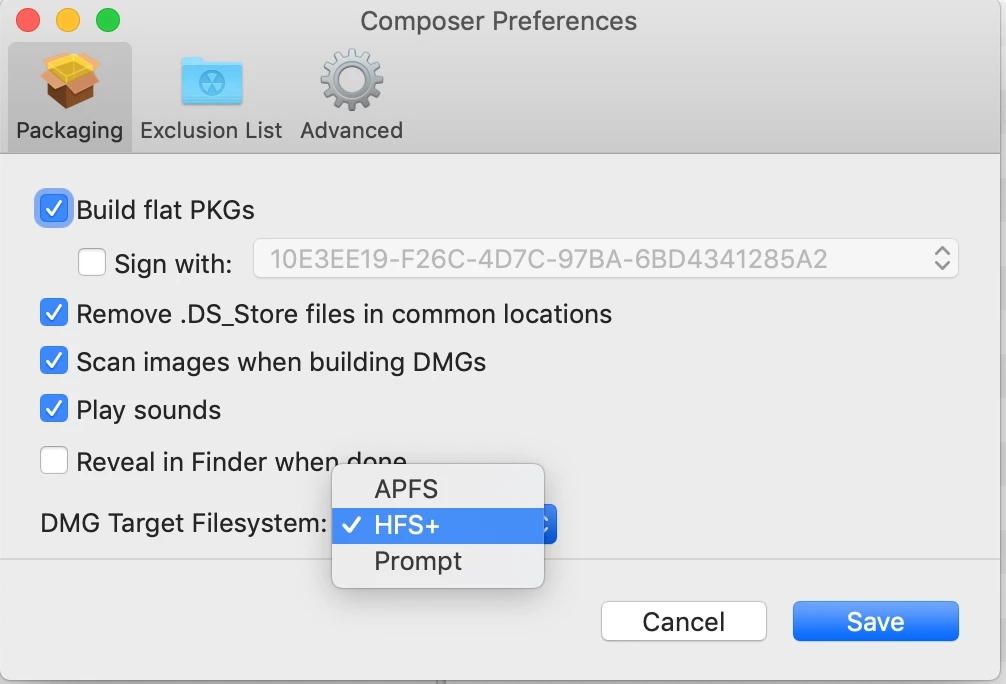
This process has worked in the past, but with each new version of Mojave, I am faced with a new challenge. The installer package needs to be created on an HFS+ formatted drive in order for Composer to offer a choice of creating the dmg formatted for HFS+ or APFS. If I create it in APFS it will not load on a High Sierra machine.
So, I dug out an old machine that had not been upgraded and created the DMG in HFS+; I never installed Mojave on that machine.
Now with a new upgrade 10.14.4, I go back to the old High Sierra machine, delete the installer and try to download a new installer - even though the installer is gone, and the trash emptied - the App store opens a Mojave installer instead of allowing me to download a new copy!
Where is the machine storing a version of the installer?
How do I get a new copy? Can I use an installer downloaded on another machine?

Question
Help with upgrading users to Mojave
 +8
+8

Enter your E-mail address. We'll send you an e-mail with instructions to reset your password.