Hello ,
We have Network Filter App build with support of MAC NetworkExtensions, that shows a pop to allow /don' t allow content filtering when started.Kindly provide references to configuration profile that jamf support to control these pop up

 +3
+3Hello ,
We have Network Filter App build with support of MAC NetworkExtensions, that shows a pop to allow /don' t allow content filtering when started.Kindly provide references to configuration profile that jamf support to control these pop up
Best answer by Anonymous
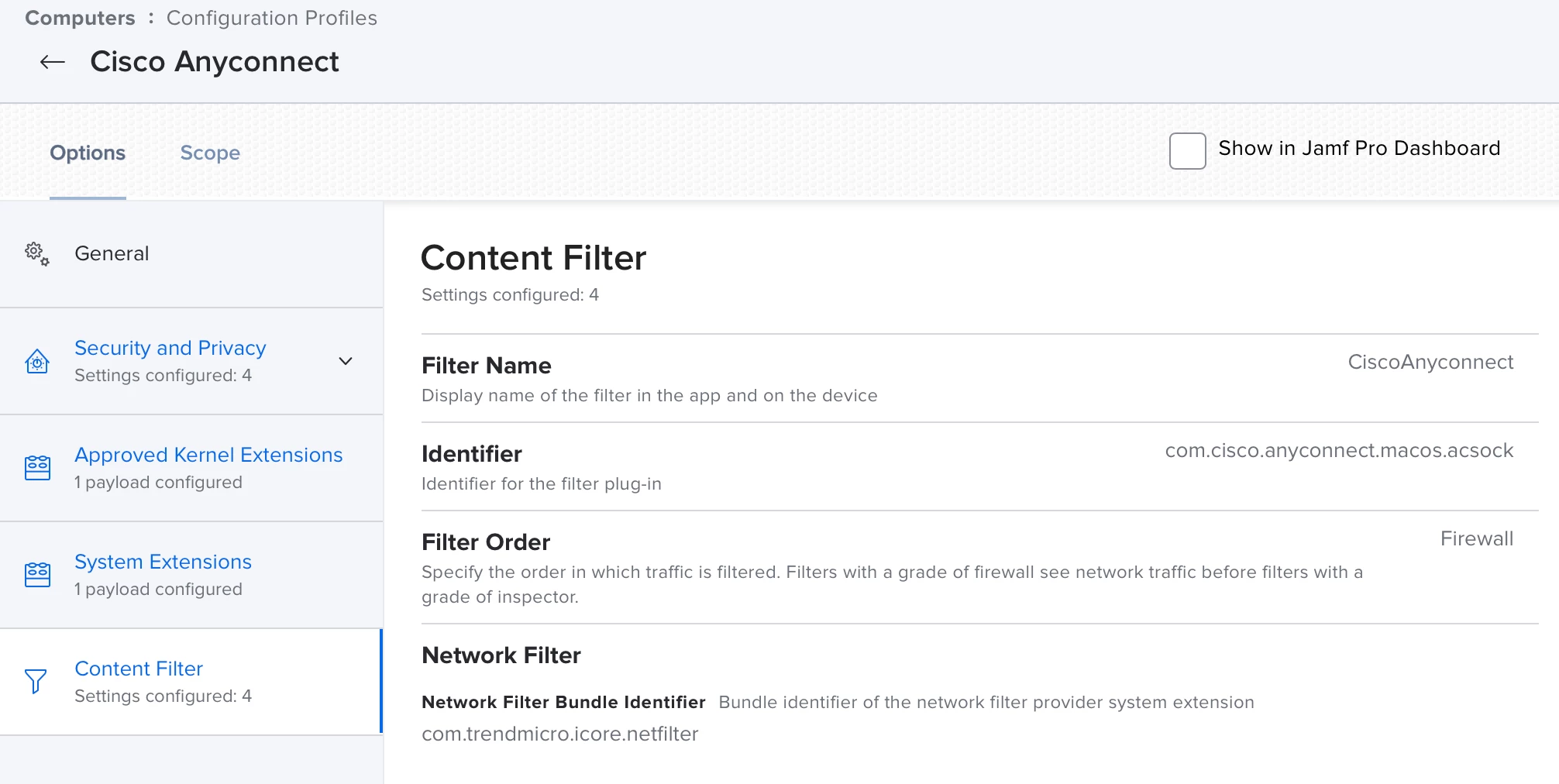
Hello @SriJamfUser , if I am right, you will have to create a configuration profile, to prevent these popups. It will be the same way like installing cisco anyconnect for example or for installing eset endpoint security. Both want to filter the network traffic and for both, you have to create a configuration profile. In case, you have M1 and INTEL Macs, you will have to create a configuration profile for each platform. In the configuration profile, the settings are done at the point "Content Filter".
If the configuration profile will be deleted from the client, the popup will appear once again.
Enter your E-mail address. We'll send you an e-mail with instructions to reset your password.