Question

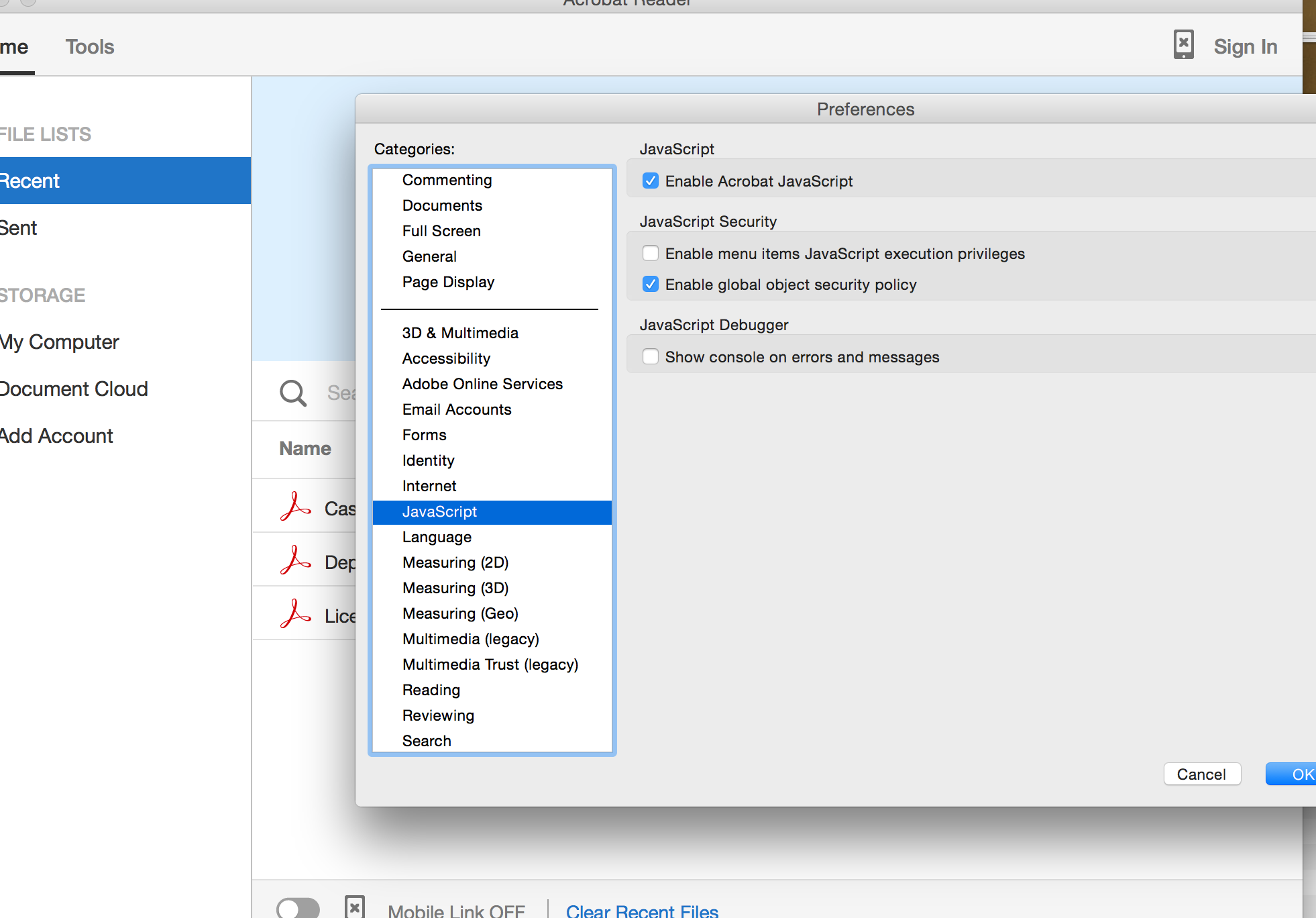
how to disable Adobe Reader DC javascript via JSS

  • September 18, 2015
  • 6 replies
  • 93 views

Forum|alt.badge.img+6

where is adobe reader DC plist?
i want to deploy a plist to all users to disable this javascript.
but i can't find this item neither in Library preferences nor user library

or is there other better way to disable it?
6 replies

Forum|alt.badge.img+16
  • Honored Contributor
  • September 18, 2015

the plist is located in ~/Library/Preferences/com.adobe.Reader.plist.
If you have installed a previous version of Adobe Reader, the plist will contain the settings of both versions. So, I would recommend to start with a fresh plist before deploying specific settings.


Forum|alt.badge.img+6
  • Author
  • Contributor
  • September 18, 2015

@m.entholzner thanks but there are only two plist adobe.acrobat,pdfviewer.plist and adobe.reader.DC.WebResource.plist

the content has nothing to do with javascript :(


Forum|alt.badge.img+16
  • Honored Contributor
  • September 21, 2015

The only location for that plist can be ~/Library/Preferences. The file in /Library/Preferences is only for feature lockdowns. Have you tried this with a fresh user account?


Forum|alt.badge.img+6
  • Author
  • Contributor
  • September 25, 2015

@m.entholzner tried a fresh user, but still no luck about the plist file.


Forum|alt.badge.img+6
  • Author
  • Contributor
  • October 13, 2015

i don't think there is a plist for this option. haven't find it yet.


ralphaelhollins
Forum|alt.badge.img+3

In the com.adobe.Reader.plist that is located in the Users/<User Profile>/Library/Preferences/ the uncheck of that "Enable Acrobat JavaScript" places a "0" in that file at:

<key>EnableJS</key> <array> <integer>0</integer> <false/> </array>

From there you can copy com.adobe.Reader.plist to the user location specified above. It works