Question

How to restrict new malwares

  • July 13, 2016
  • 7 replies
  • 14 views

Forum|alt.badge.img+4

Does anyone know what I need to put in restricted softwares to prevent the 2 new macOS malwares from running?

OSX.Backdoor.Eleanor

OSX.Keydnap

7 replies

Forum|alt.badge.img+15
  • Contributor
  • July 13, 2016

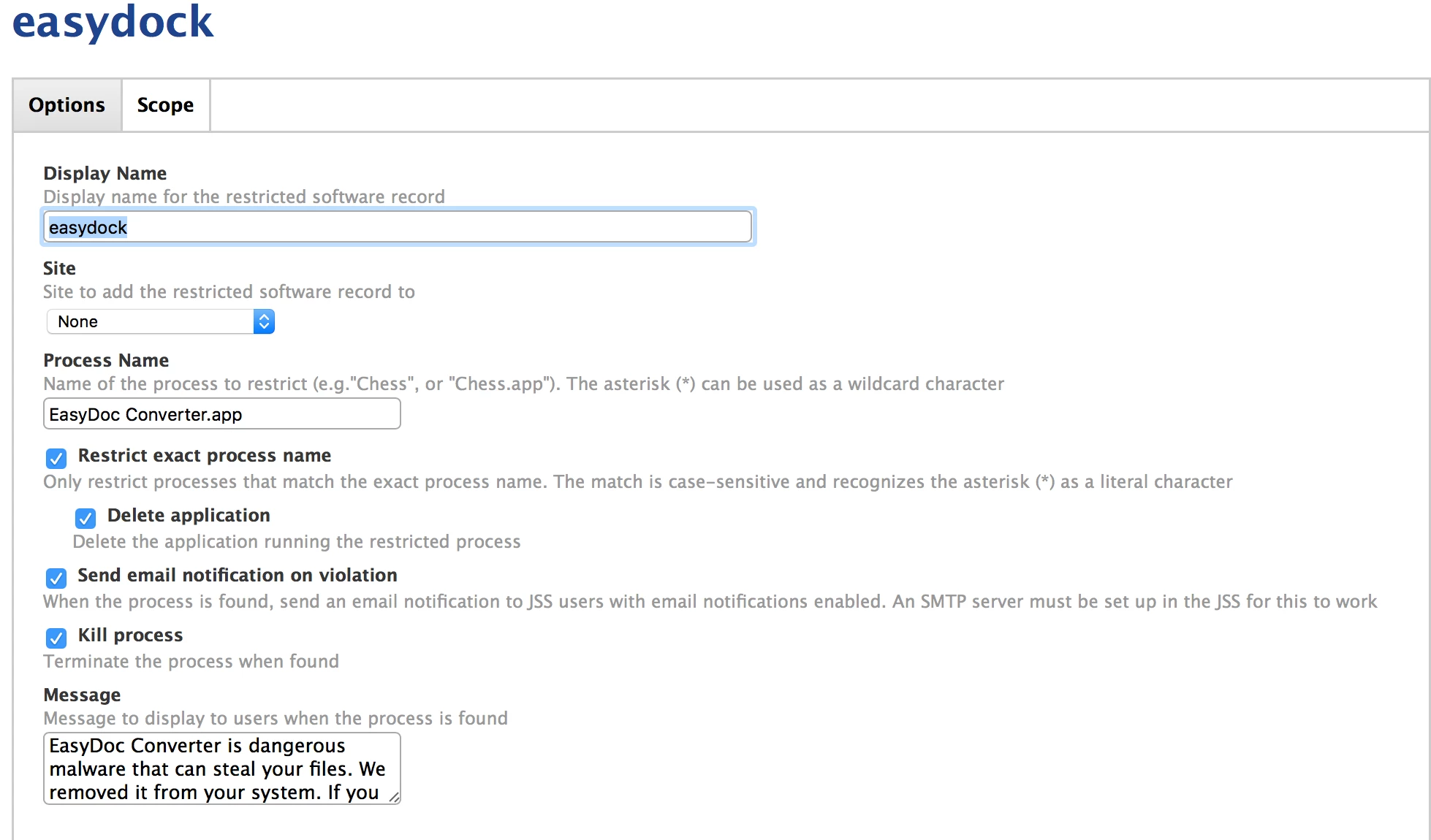
Below is a screen shot of the restriction I put in


emily
Forum|alt.badge.img+26
  • Hall of Fame
  • July 14, 2016

You might also consider deploying and running Malwarebytes or having SavingThrow set up as a rolling policy.


Forum|alt.badge.img+13
  • Honored Contributor
  • July 14, 2016

According to the licensing of Malwarebytes, you can't run the free version unless you are a Student or a home user. You can't set up Malwarebytes to run automagically or un attended.


Forum|alt.badge.img+16
  • Honored Contributor
  • July 14, 2016

Are we 100% sure that the process is EasyDoc Converter.app?

I wasn't able to find the app to test myself : )

Thanks

C


Forum|alt.badge.img+4
  • Contributor
  • July 15, 2016

Won't it be blocked by Apple's xProtect? (Although I see the layered defence argument).


mm2270
Forum|alt.badge.img+24
  • Legendary Contributor
  • July 15, 2016

For something like this, if you plan on using Restricted Software, I recommend trying to get the actual executable name and not the app bundle name, and putting that into Restricted Software. Using the app bundle name is not very reliable, because the malware writer or even a person could easily rename it before running it, and your Restricted Software process will miss it since its looking for the bundle name.


Forum|alt.badge.img+17
  • Valued Contributor
  • July 15, 2016

@CapU Malwarebyes won't scan automatically, but you can still do it using their published malware profiles. Look through this thread...
https://jamfnation.jamfsoftware.com/discussion.html?id=13053

It's not exactly up-to-date, but I can still get it to work. It will at least identify effected machines and you can go from there.