Question

IBMs Enrollment Screen Recreated

  • October 19, 2015
  • 137 replies
  • 565 views

Forum|alt.badge.img+12

Hi all,

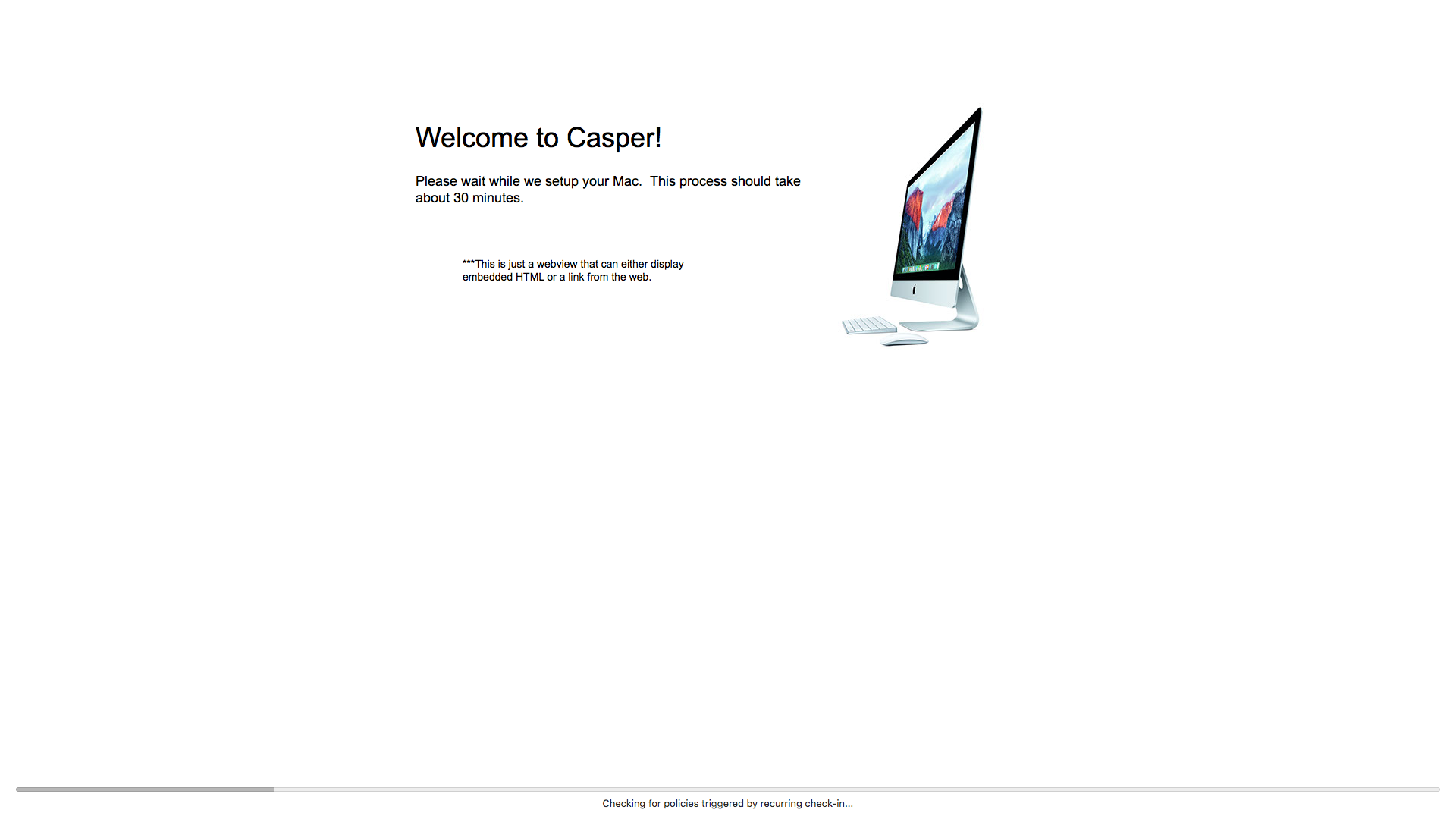
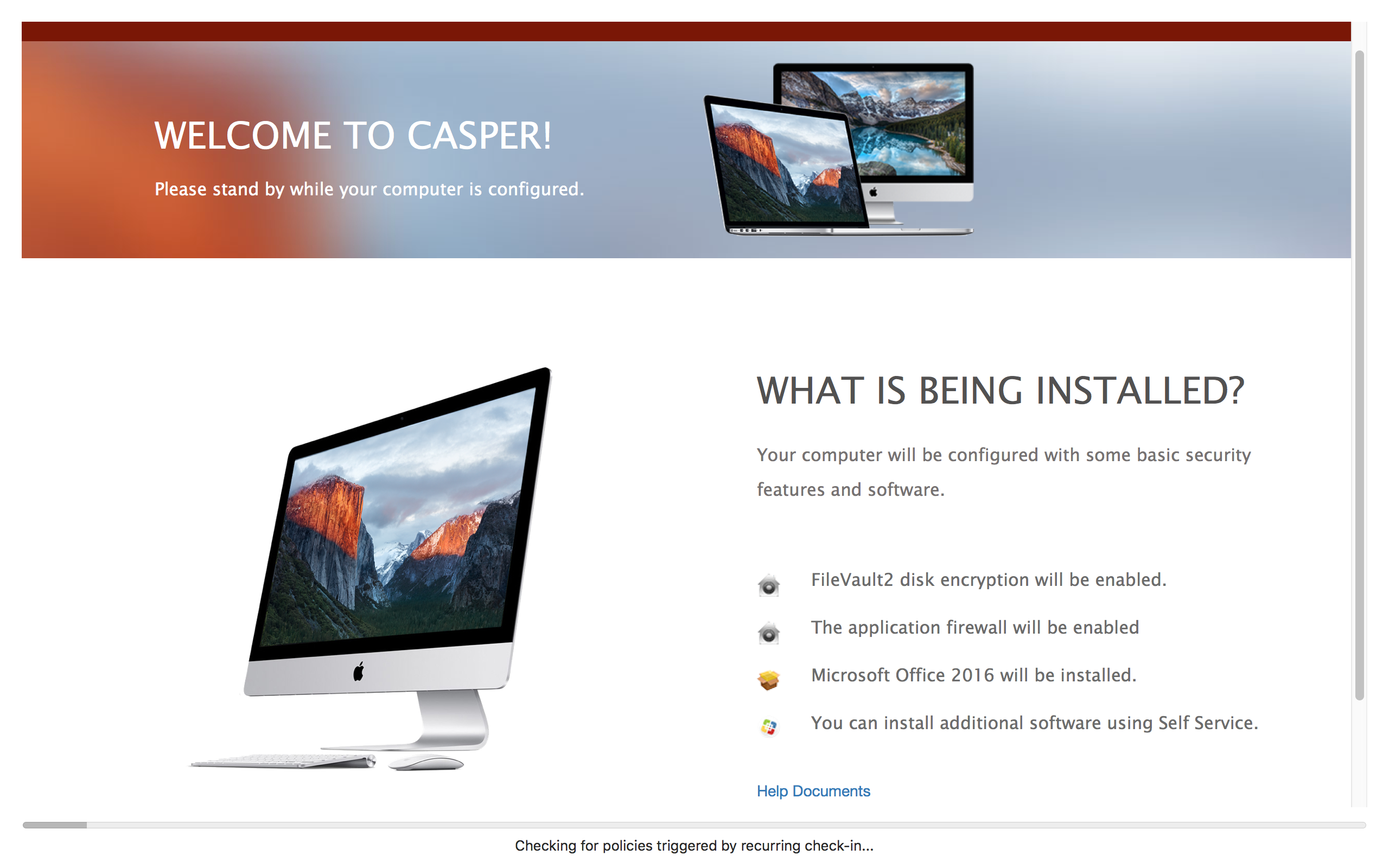
Like many, I wanted my very own enrollment screen like the one IBM showed at the JNUC. I threw something together that works very similarly. This is a native app written in swift. I did try and make it easily editable for anyone to use and customize without knowing how to code. Here's the repo...I'll be updating and adding things as time goes on and cleaning it up.

You'll need to supply a html based page with your site specific information and then specify where 4 different packages land in the installation so the progress bar can display accurate information.

https://github.com/jason-tratta/ProgressScreen

137 replies

Forum|alt.badge.img+7
  • Contributor
  • October 19, 2015

Looking very nice!

I'm just downloaded and giving it a play with now.


Forum|alt.badge.img+4
  • New Contributor
  • October 19, 2015

Greatly appreciated! Playing with it now.


Forum|alt.badge.img+14

Excellent!


Forum|alt.badge.img+16
  • Honored Contributor
  • October 19, 2015

Can you provide some screenshots or a video or anything to help those of us who didn't see it when IBM showed it off? I'm not sure what I'm looking at here.

(Edit) Compiled and ran it. Here's the type of screen. I'm guessing this is intended for DEP setups?


Forum|alt.badge.img+7
  • Contributor
  • October 19, 2015

Ya IBM had their app running at full screen after DEP enrollment completed. It had the progress bar and some other information for the end user, such as how to get support.


Forum|alt.badge.img+12
  • Author
  • Contributor
  • October 19, 2015

@McAwesome Yea...they used it for self-enrollment since all the user would get is a new Mac and a post-it with a URL. An app like this would pop up after enrollment and explain to the user what was being installed, who to contact, ect. They also said they liked it because you could tell when the build was complete internally. When they post the video of the season I'm sure you'll see it, I haven't seen any slides of the app since the presentation. The goal really is to make the html portion really nice, get key information across, and give the user and idea when the mac is completely ready.


Forum|alt.badge.img+16
  • Honored Contributor
  • October 19, 2015

Poking through and thinking a bit, it may be better to use a pre-defined array of policy names rather than go with the package. Once you see the "Executing Policy _", drop _ from the array and update the progress bar a bit. This would help keep it up to date a bit longer as policy names change less frequently than package names(i.e. "prestage-Chrome" vs "Chrome-45.6.21.blah"). It'd add a lot of hoops to jump through since you can't ensure multiple policies will always run in a certain order unless you daisy chained them through events or something. Still, it's a lot of up front work for fewer changes down the line.

I could also see just using a count for "Inventory will be updated when al queued actions in Self Service are complete" if you know how many policies will be executed on DEP enrollment. So instead of having four separate things to update it, increase the bar by 1/X where X=(number of policies to be run). That would require just updating one number rather than package names or the like. I'm not as well versed in the JSS API, but I feel like there's a way to return all the policies that happen on enrollment complete. If so, you could potentially automate that number gathering as step one of the enrollment stuff. That way you don't ever have to update things manually.


Forum|alt.badge.img+12
  • Author
  • Contributor
  • October 19, 2015

I love those ideas. I was obviously mad hacking this together in a few days...but I think you're on to something with the policy count. I can definitely ask the API for a policy count. I'll be giving that a try for sure.


Forum|alt.badge.img+9
  • Contributor
  • October 19, 2015

I love this. This one one of the things I was most interested from the talk. What is you way to scope this with file vault? We have a custom trigger that calls a bunch of policies and I was wondering how we would get the progress correctly and get it to kick off. Thanks in advance.


Forum|alt.badge.img+12
  • Author
  • Contributor
  • October 19, 2015

@martel I would try kicking off the FV process immediately after enrollment and then start with the policies after the reboot. Maybe through smart groups? Since the polices fire alphabetically you could make this install first and launch with a post flight scripts. I'm just riffing...everyone's environment is different so these custom things are hard to mold to everything.


Forum|alt.badge.img+12
  • Contributor
  • October 19, 2015

Would it be possible to get some instructions on how to set this up?
I've opened it up in xCode and tried to compile and run but the application has a blank screen and hangs, with errors in xCode

I've not touched xCode for any kind of app development before so I am completely unsure as to where I am meant to be looking to get this working.

How is the app meant to launch after DEP enrollment?
An enrollment complete trigger that installs the app and then runs it, with a custom trigger to start downloading the other apps?


Forum|alt.badge.img+12
  • Author
  • Contributor
  • October 19, 2015

@Simmo I know that the app will likely crash if the jamf.log is not present on the machine...so there is still some error handling to add to the app on that front. If you could, just submit the error as an issue on the github repo. That would help me the most.

The app could be launched anytime you want to communicate to your client really. In the IBM demo, they showed their app after user enrollment. If I remember correctly...it launched after the FileVault restart.

To launch the app, I would recommend packaging it up in composer and using a post-flight script to launch it. All the progress bar here is doing is watching the jamf.log for progress. The JSS is still doing all the real work.

I will work on getting better instructions together for compiling. I would like to eventually have it where it comes pre-compiled and the html and other necessary data stand outside the app and easily edited.


Forum|alt.badge.img+12
  • Contributor
  • October 19, 2015

@jtratta Sounds good, I'll submit the error I see.

The machine I am running it on does not have a jamf.log, so that is the likely cause of that.

I'll play around a bit, as this could be very beneficial to us coming in the start of the school year with several hundred new devices coming in and we're making the move to using DEP and no imaging.
Appreciate your work.


Forum|alt.badge.img+7
  • Contributor
  • October 20, 2015

I'll submit this on GitHub too but I think using the System Font would be a better default than using Arial etc.


Forum|alt.badge.img+16
  • Honored Contributor
  • October 20, 2015

Another thing to consider would be having this app actually create the triggers. Napkin mathing it here, but it could first check for policies with a known custom trigger(ProgressScreen). Once it has a count of how many policies it will run, it could create that trigger event

sudo jamf policy -trigger ProgressScreen

This may actually be a bit more accurate than just counting ones that have trigger_enrollment_complete=true due to the ProgressScreen app itself triggering the policies.

I'd code it up, but unfortunately Swift may as well be German for me at this point. Still learning the ropes of it.


Forum|alt.badge.img+2
  • New Contributor
  • October 22, 2015

I really like this and am interested on using this for our new devices next year as well. I do not use the API nor do I know how to code so, any guidance is much appreciated. Thanks for developing this!


Forum|alt.badge.img+9
  • Contributor
  • October 22, 2015

I am wondering if you could just scope the progress bar to the jamf logs? We have a setup where we have a custom trigger the calls all of our imaging policies. I opened up xcode and played around a bit but am having trouble scoping to the larger numbers of policies that we kick off for the progress bar. Would love for the screen to be completed when filevault is done encrypting. Any ideas?


Forum|alt.badge.img+12
  • Author
  • Contributor
  • October 22, 2015

@martel The app (currently) only follows the jamf log. The trick is determining a duration once the screen pops up. My first pass at this was to take an average time (one that you would determine in your own testing) and use that to smooth out the progress bar. The waypoints are there to lend accuracy and help the app adjust the progress bar to what's actually happening. Hopefully that makes sense..and answers your question?

It's the only way I've come up with the doesn't need some sort of special credentials to run.

Do you mean the ENTIRE encryption process...or just the kickoff after the first reboot? If you're talking about having the screen come up after the user is added into Filevault; I'm sure there is a way to scope to a smart group that is looking for FV policy completion.

@lcopeland I'm trying to make the app as easily customizable as possible. Right now, if you can create a HTML page in a WSIWIG and replace what's in there you'd nearly be there. You'll just need to edit a few values in the actual code.

I will work on getting easier documentation to follow so it's more obvious on how to get this running for any environment.


Forum|alt.badge.img+12
  • Author
  • Contributor
  • October 22, 2015

A question for the group then: If I were to include a generic HTML page what should that be? I can't imagine what that would even be.


Forum|alt.badge.img+16
  • Honored Contributor
  • October 22, 2015

@jtratta I'd just make that generic page have some fields for each place to replace. So do a side bar that has the IT department name, phone number, address, etc but with obvious dummy text. The rest is pretty much whatever.


Forum|alt.badge.img+9
  • Contributor
  • October 22, 2015

But could you get it to show the progress of the full disk encryption? It is currently working for us by showing us the logs. We don't have a progress bar though.

What I am thinking in regards to Filevault its to make a separate app that looks to the filevault progress? I have no Idea how to do that.


Forum|alt.badge.img+7
  • Contributor
  • October 23, 2015

I'm working on a template for this that I can make available. Right now it's just a static page you can edit, but I plan to add a slider for customized content.


jphillips
Forum|alt.badge.img+11
  • Valued Contributor
  • October 28, 2015

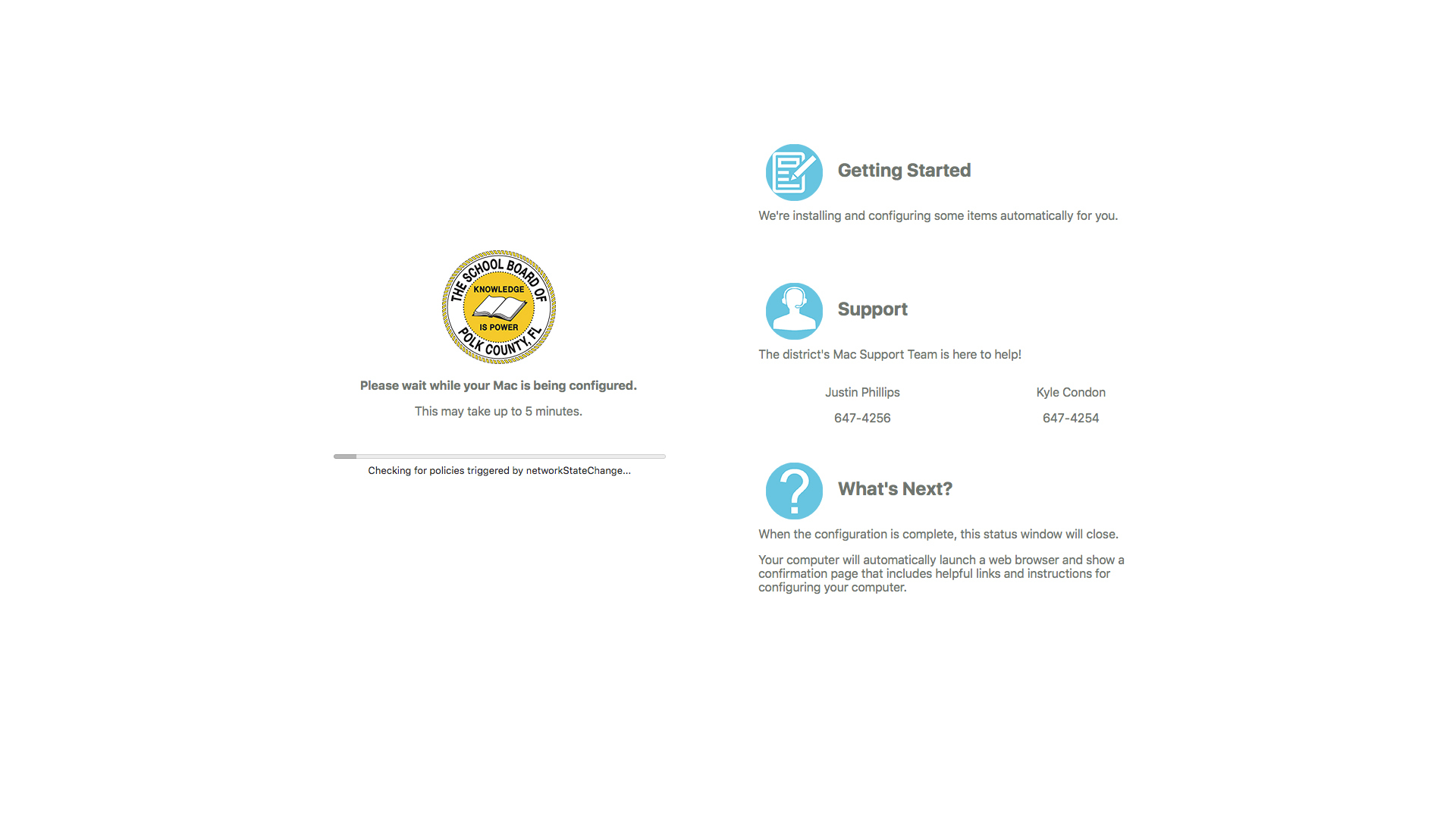
Very cool and great idea. After seeing @rdwhitt customization, I decided to mess around with it a little for our own environment.

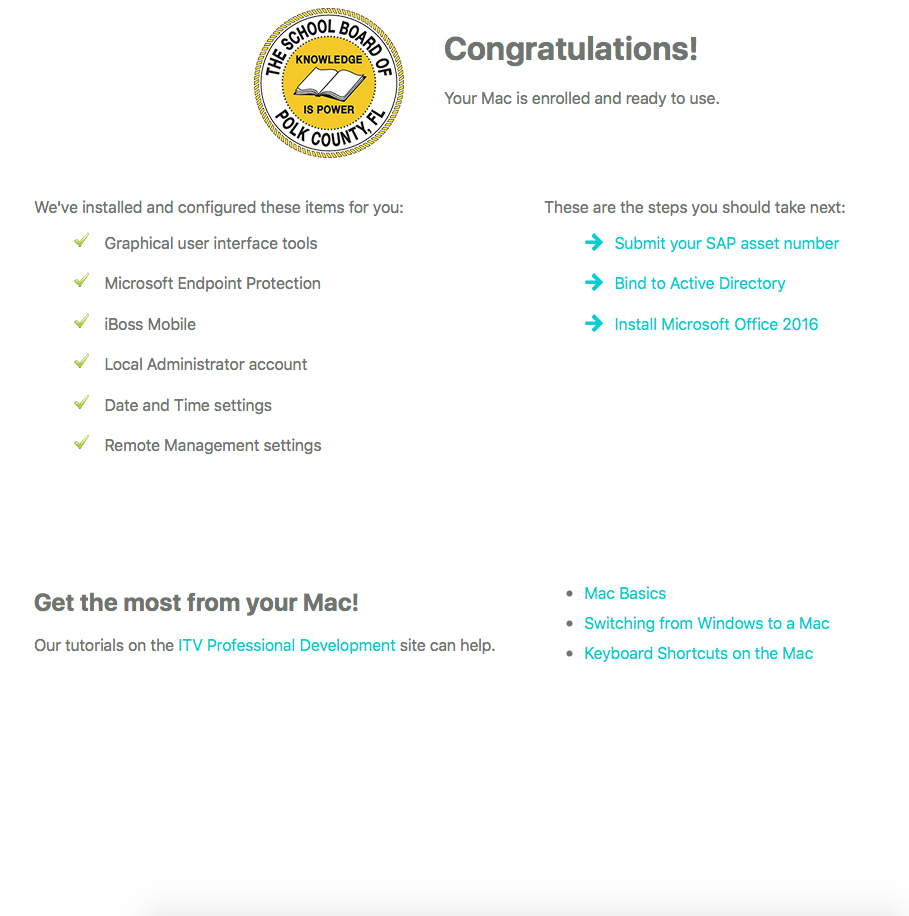
I wasn't able to attend JNUC, but I just saw the IBM presentation on Keynote, and also implemented the completion screen after enrollment (obviously stole heavily from IBM's):

I am noticing that the app in our environment isn't quitting itself, so I'm trying to work on that next.


Forum|alt.badge.img+9
  • Contributor
  • October 28, 2015

I still can't get the progress bar to load...


MischaB
Forum|alt.badge.img+17
  • Employee
  • October 28, 2015

Looking good @jphillips!! can you share your custom code???