Question

Ignore Catalina Upgrade Prompt in Software Update

  • October 7, 2019
  • 54 replies
  • 334 views

Forum|alt.badge.img+12

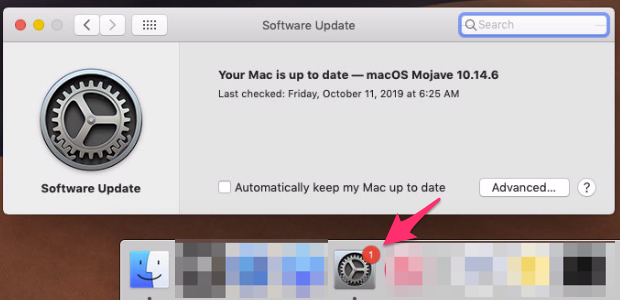
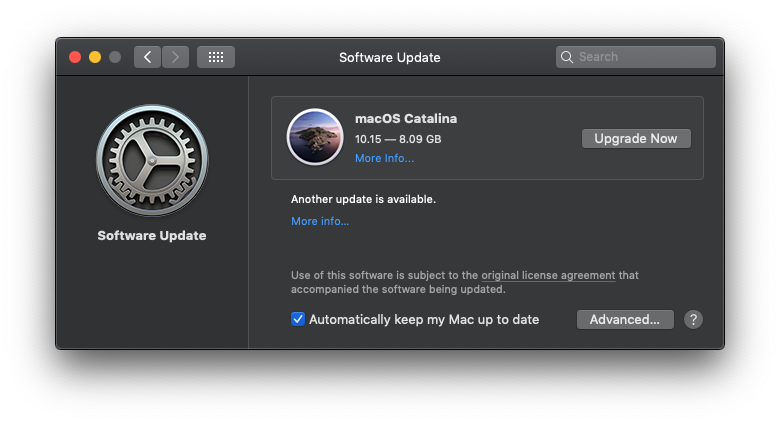
Lots of discussion in #catalina on the MacAdmins Slack on how to disable the above prompt. Turns out even though Catalina isn't a traditional software update, it does still exist as a software update catalog entry and can be ignored in the same way. Run this command to ignore on a single machine...

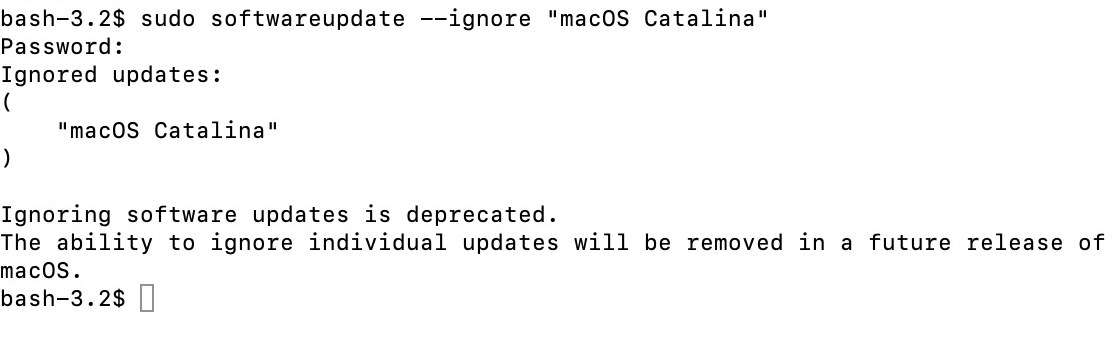
sudo softwareupdate --ignore "macOS Catalina"

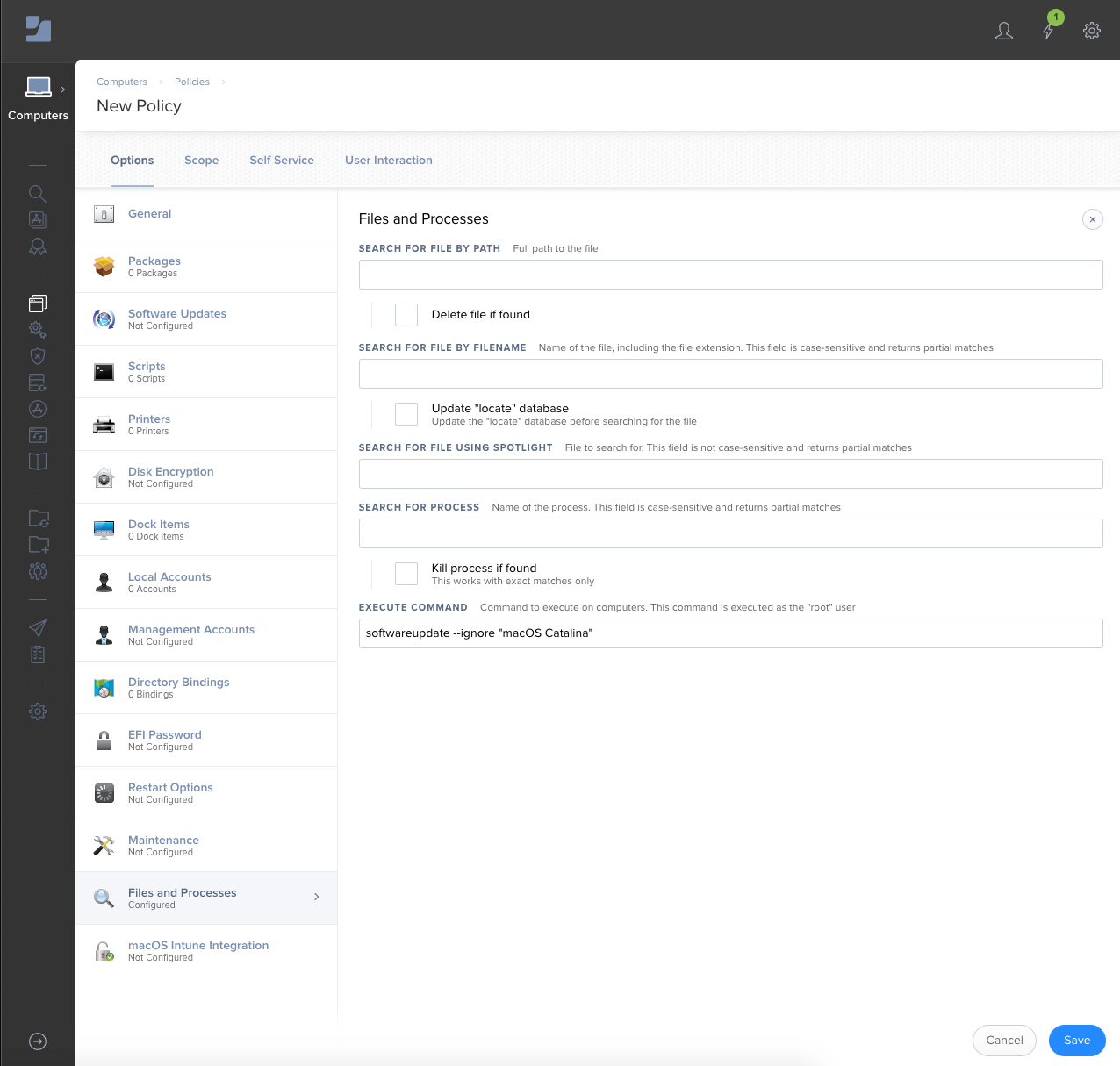
The Catalina banner in Software Update should disappear almost immediately. To send that out to your entire fleet with Jamf Pro, create a new policy with Files and Processes. Under execute command add that command. Scope to whichever Macs you don't want to be prompted. Problem solved! Thanks to folks on MacAdmins Slack for working through this.
To undo what you just did and remove ignored software update entries run...

sudo softwareupdate --reset-ignored

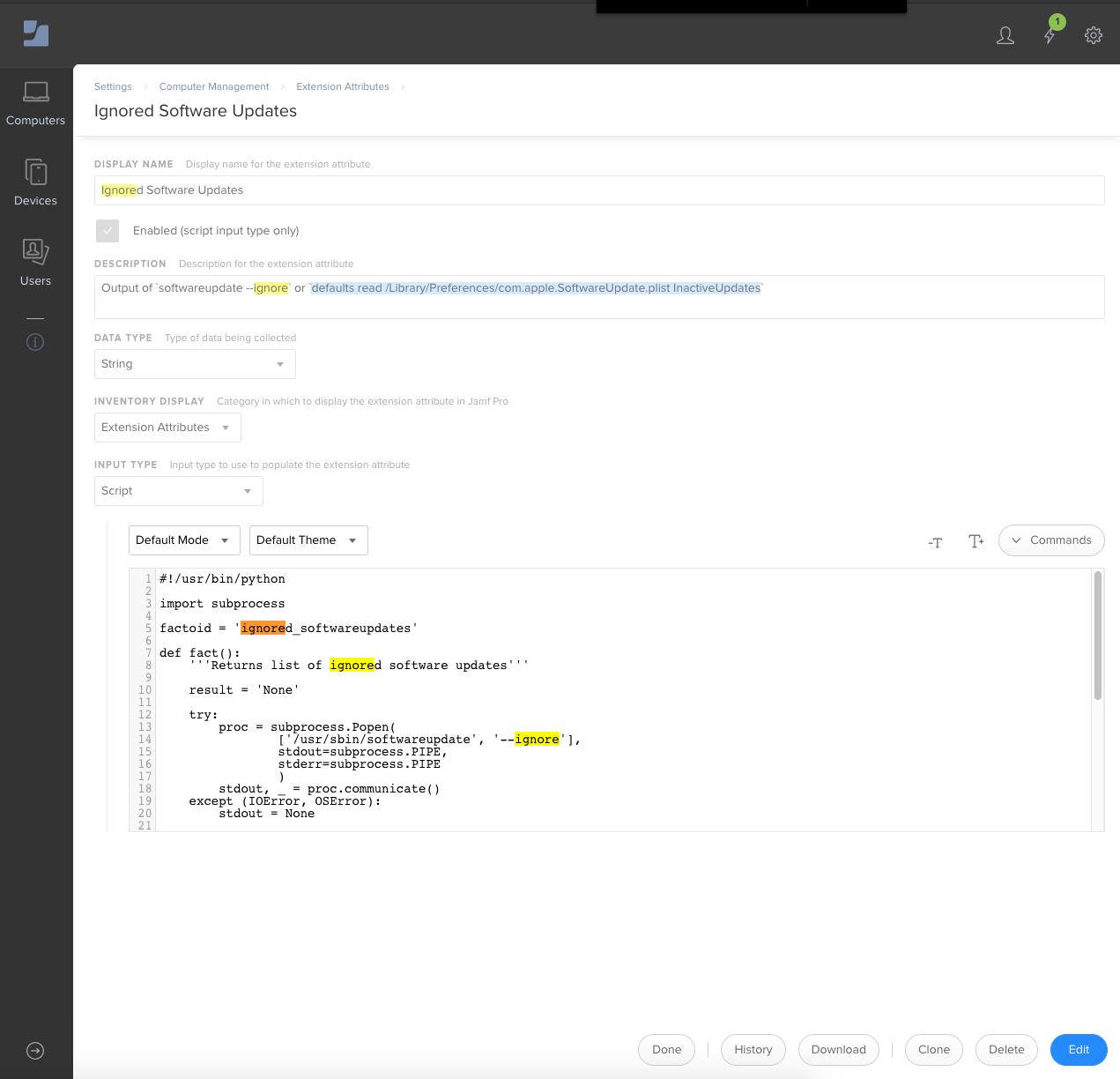
To collect inventory information on what Macs have this ignore software update in place I have an EA. Tested on High Sierra, Mojave, and Catalina. Returns a list of ignored software updates added with the --ignore command. Useful to run advanced searches or smart groups against as needed.

https://github.com/nstrauss/jamf-extension-attributes/blob/master/ignored_softwareupdates.py

54 replies

Forum|alt.badge.img+9
  • Valued Contributor
  • October 7, 2019

Fantastic!

EDIT: The red badge persists even after reboot, but at least the software is not shown in the Pref pane. I also have it as restricted software for good measure.


Forum|alt.badge.img+8
  • Contributor
  • October 7, 2019

The badge persists on System Preferences in the dock. I might need a reboot, and most folks don't have System Preferences in their dock. Just an observation!


Forum|alt.badge.img+2
  • New Contributor
  • October 7, 2019

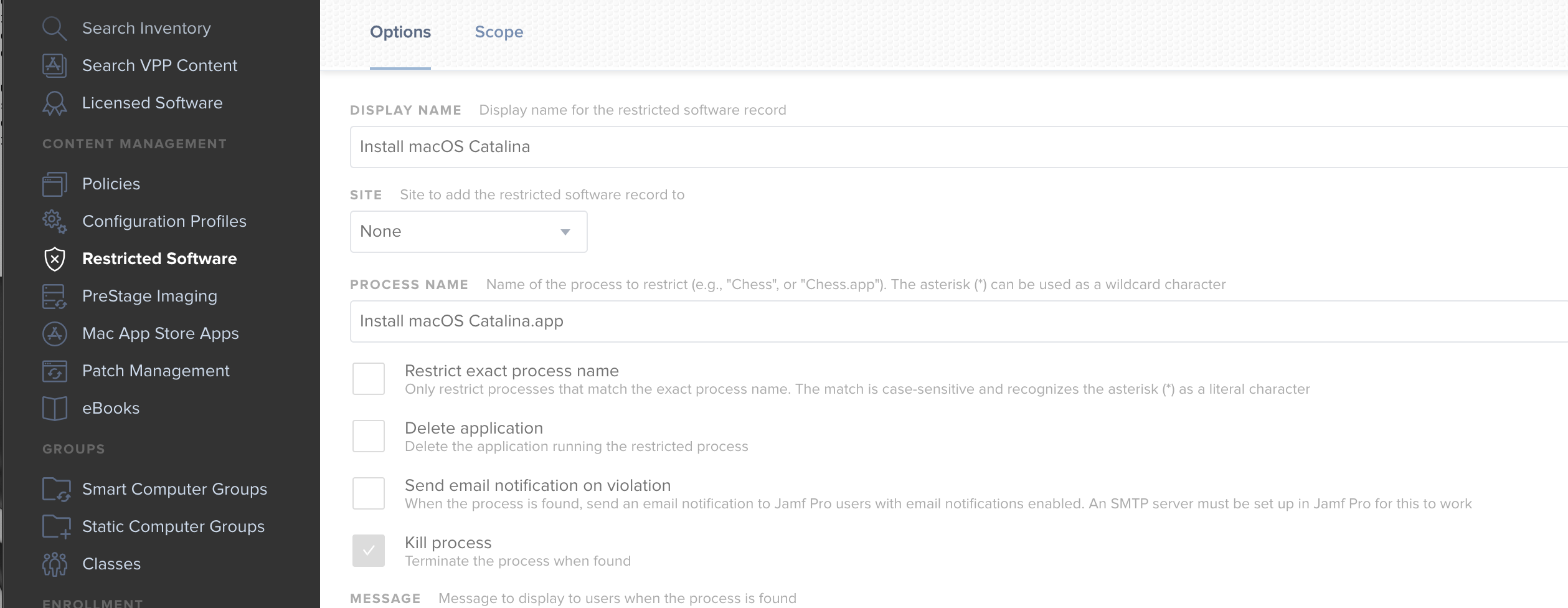
to block it all together you can add the update app to your restricted software section. Its kills the process if they go to the app store and download it


Forum|alt.badge.img+14
  • Honored Contributor
  • October 8, 2019

I would recommend checking the "Delete application" box, as it's extremely unlikely any Mac admins will go with 10.15.0 as a supported version of Catalina. From experience, this will help with smart group scoping later down the line when a supported version is decided.


Forum|alt.badge.img+3
  • New Contributor
  • October 8, 2019

@nstrauss many thanks for that.

I wonder why the restrictions payload "Delay software updates for nn days" had no effect? I applied this configuration profile after a Jamf webinar.
Fortunately, no one in the production saw that Catalina's update was available.


dan-snelson
Forum|alt.badge.img+30
  • Honored Contributor
  • October 8, 2019

We've opened a case with AppleCare (100920494740) to communicate our displeasure that Catalina was advertised to our end-users around our software update delay.


ImAMacGuy
Forum|alt.badge.img+23
  • Esteemed Contributor
  • October 8, 2019

I had the badge showing on my machine, some googleing brought up

defaults write com.apple.systempreferences AttentionPrefBundleIDs 0
killall Dock

After that the badge disappeared for me. Not sure how much it affects long term, but for now it worked on my machine.

Correction, it disappeared from my dock. but not the actual system preference when I went back and refreshed the system preference window the badge icon came back to the dock. :(


donmontalvo
Forum|alt.badge.img+36
  • Hall of Fame
  • October 8, 2019

We are letting the dogs loose too...

@dan-snelson wrote:

We've opened a case with AppleCare (100920494740) to communicate our displeasure that Catalina was advertised to our end-users around our software update delay.

dan-snelson
Forum|alt.badge.img+30
  • Honored Contributor
  • October 8, 2019

I knew I liked you, @donmontalvo!


donmontalvo
Forum|alt.badge.img+36
  • Hall of Fame
  • October 8, 2019

@dan-snelson you missed the shiny Like button. LOL


atomczynski11
Forum|alt.badge.img+18

@schiemsk I think the defer xx days is not working as this is a OS upgrade (jump from 10.14 to 10.15) and not upgrade like 10.14.5 to 10.14.6.


Forum|alt.badge.img+3
  • New Contributor
  • October 9, 2019

@atomczynski I suppose too.

However, I wouldn't be easily convinced that a Jamf team member has provide that method by error during a webinar about "Apple OS upgrade : Catalina, IpadOS, iOS 13 & tvOS 13" saying we could delay the availability on macOS.
In that specific context, it was clear we were talking upgrade.


dvsjr
Forum|alt.badge.img+3
  • New Contributor
  • October 9, 2019

One quick note, we are a large enough user base and small enough staff to have been dismayed that the work and forethought we put into blocking Catalina for our users was thwarted by the update from Apple. That the community would work and share their helpful suggestions to then find a workaround is very much appreciated by us. The hands on involvement from the macadmin community is still an essential part of macintosh administration.


Forum|alt.badge.img+9
  • Valued Contributor
  • October 9, 2019

@nstrauss - Forgive my ignorance I haven't worked with Extension Attributes much. I'm trying to play out the implementation of the EA for figuring out how many machines have run this policy. Would you be able to share some more info on how the EA works and how to utilize it for the purposes of identifying machines that have run this policy to ignore the 10.15 upgrade?


Forum|alt.badge.img+16
  • Valued Contributor
  • October 9, 2019

@jwojda

I converted you lines of code into a config profile that takes permanent effect.

https://www.jamf.com/jamf-nation/discussions/32208/adding-macos-catalina-to-the-restriction-list#responseChild191664


Forum|alt.badge.img+12
  • Author
  • Valued Contributor
  • October 9, 2019

@brianmcbride99 No shame in learning. Here's a quick rundown of how to use the EA.

  1. Add a computer extension attribute under Computer Management > Extension Attributes. Make sure the data type is string and input type script.
  2. Your Mac fleet will start reporting on that extension attribute after an inventory update/recon.
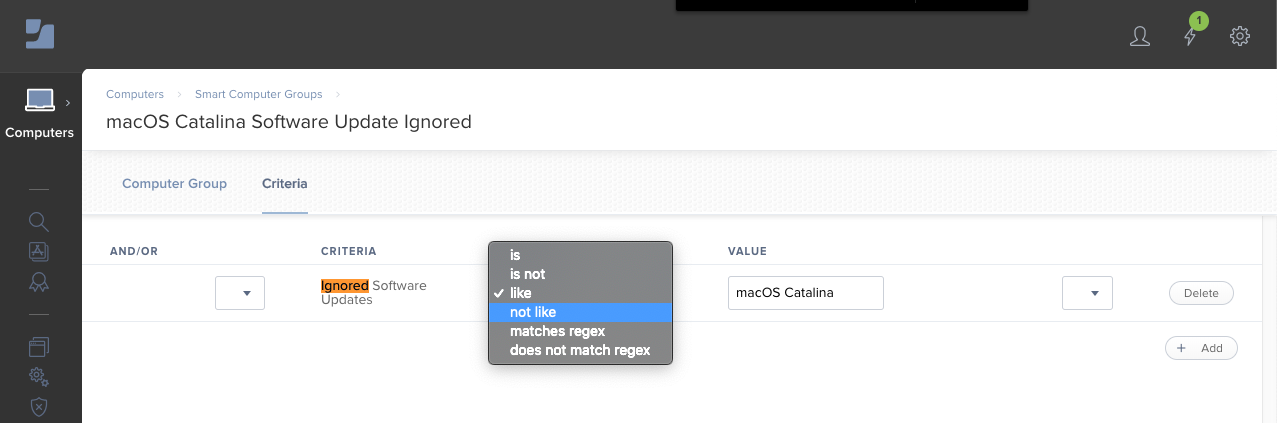
  3. Then create a new advanced search or smart group with the EA as criteria like that value. For example - "Ignored Software Update like macOS Catalina" or "Ignored Software Updates not like Catalina". Either will give you a smart group which can be used to scope a policy.
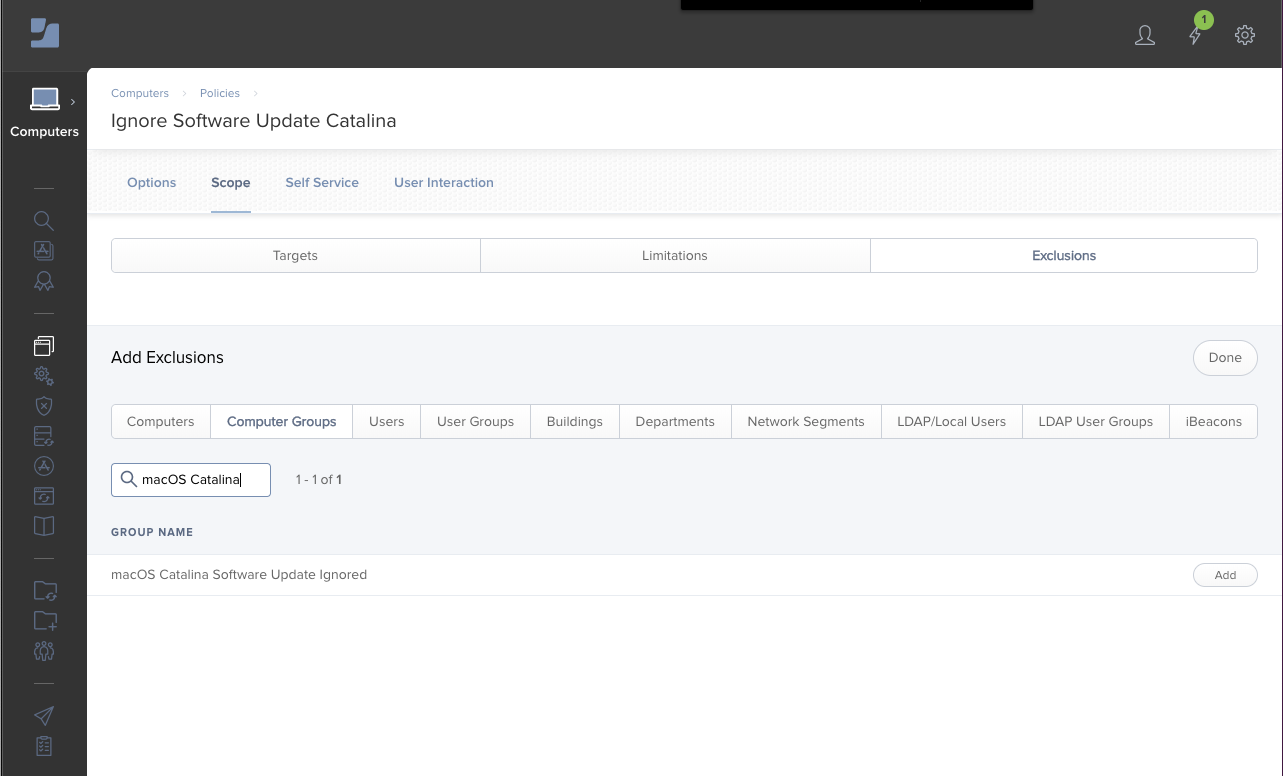
  4. If you used the "like" operator then you could exclude all Macs that fall into that smart group from your policy. Opposite way of doing that is to use the "not like" operator and make that smart group the target of your policy. That is to say, every Mac with inventory data where macOS Catalina is not in the ignored software update list is in scope for this policy, and should run it on next trigger.

I hope that's somewhat helpful!


Forum|alt.badge.img+1
  • New Contributor
  • October 11, 2019

This is very helpful!

Hopefully someone can figure out how to also suppress the badge on System Preferences.


Forum|alt.badge.img+16
  • Valued Contributor
  • October 11, 2019

@stphnlee

I posted about how to do that in this other thread. https://www.jamf.com/jamf-nation/discussions/32208/adding-macos-catalina-to-the-restriction-list#responseChild191664


Forum|alt.badge.img+18
  • Honored Contributor
  • October 30, 2019

For those of you seeing the Catalina 10.15.1 upgrader re-appear even after ignoring the "macOS Catalina" update, I would suggest re-running the ignore command on your 10.14.x Macs.


kevin_v
Forum|alt.badge.img+10
  • Valued Contributor
  • February 25, 2020

Any fixes for when "sudo softwareupdate --reset-ignored" doesn't actually reset the ignored list?


Forum|alt.badge.img+5
  • Contributor
  • May 27, 2020

After the 10.14.6 update, this prompt is again showing up for my users. I did a little digging today and saw this in terminal:


Forum|alt.badge.img+5
  • Contributor
  • May 27, 2020

Ignoring software updates is deprecated.
The ability to ignore individual updates will be removed in a future release of macOS.

Looks like apple is going to force the update now.I have lot of MacOS Users with DVD players that Catalina basically kills the machine with slowness.. Thanks Apple


Forum|alt.badge.img+14
  • Honored Contributor
  • May 27, 2020

Adding a restricted software record will take care of forced upgrade. I'm seeing reports from users that they are being prompted again, despite a monthly scheduled policy to hide the update. I've now made it weekly.


Forum|alt.badge.img+7
  • Valued Contributor
  • May 28, 2020

Its always nice to see people/computers popping up in your Catalina OS Smart Groups who shouldn't be. Does the command -sudo softwareupdate --ignore "macOS Catalina" still work just needs to be re-run? I have that policy in place already and can flush the caches so it runs, just don't want to bother if it doesn't do the trick.


Forum|alt.badge.img+14
  • Honored Contributor
  • May 28, 2020

I'm testing that right now, but it doesn't seem to hide the macOS Catalina update after 2020-003 for Mojave is installed.

Resetting ignored updates and running softwareupdate --list reports "No new software available" so there is no longer an 'update' for Catalina we can hide.

I have raised this with our AAM and enterprise support, and suggest others do the same.

Some good reading here, although it won't help us now: https://mrmacintosh.com/10-15-5-2020-003-updates-changes-to-softwareupdate-ignore/