Question

Install Apps Best Practice

  • February 3, 2020
  • 4 replies
  • 36 views

Forum|alt.badge.img+4

Hello, i would like to get your guys opinion on what would be the best practice on installing the apps. Here is my scenario.
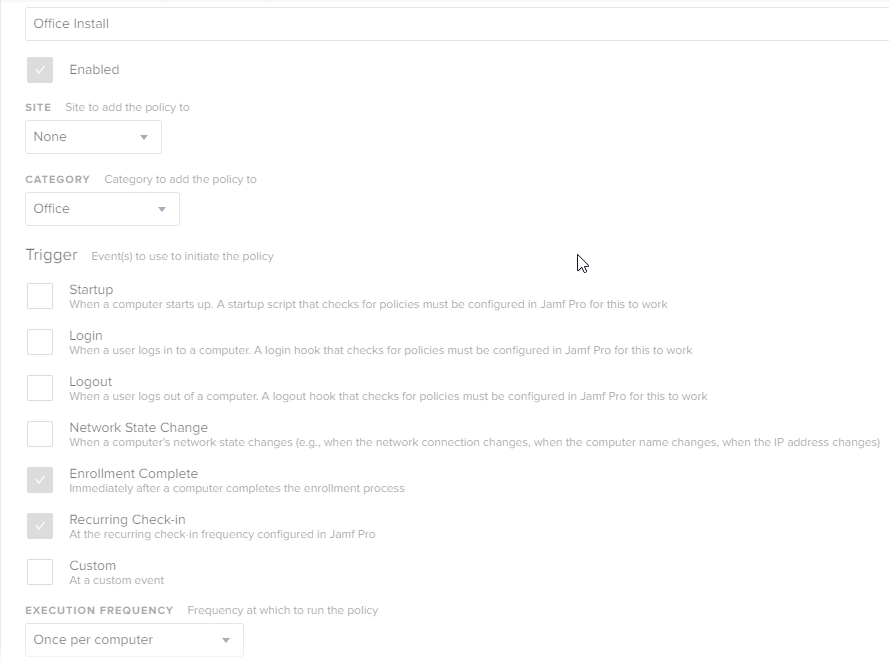
I need to have certain apps to start installing right after management profile creation i.e. Management profile gets created, technical logs in to the system, and at that point applications start installing themselves. Currently i have these settings, but i am wondering if there is a different way kind of like best practice for that kind of scenario.

4 replies

Forum|alt.badge.img+13
  • Contributor
  • February 4, 2020

We just put Office in Self Service with a separate policy for the serializer (make sure to get the 64 bit version if you're on Catalina). It's a pretty massive (comparatively) file, let the user do it on their own. Even if you have a Tech doing it, the self service route can't miss.


Forum|alt.badge.img+4
  • Author
  • Contributor
  • February 4, 2020
Even if you have a Tech doing it, the self service route can't miss.

Tried arguing that case with upper management, but thats not what they want :(


Forum|alt.badge.img+4
  • Contributor
  • February 4, 2020

have you tried using depnotify? That's what I use upon (dep+automated) enrollment when I need things installed right away. Alternatively, you can have one script to trigger when enrollment completes that calls the policies you need


Forum|alt.badge.img+11
  • Contributor
  • February 5, 2020

We use the Enrollment complete trigger to install packages such as Google Chrome, etc from one of our local File Distribution points.