Question

iOS 9.2.1 Update

  • January 20, 2016
  • 33 replies
  • 190 views

Forum|alt.badge.img+11

As many people have already been discussing, Apple released iOS 9.2.1 which addresses an issue impacting our customers causing app installs to hang on iOS 9.2.

We recommend updating all of your devices to the latest version of iOS. This can be accomplished quickly by sending an update iOS command to all devices running iOS 9 or higher.

  • Search for all devices running iOS 9.0 or higher and not iOS 9.2.1.
  • Click Action at the bottom of the page.
  • Select Send Commands
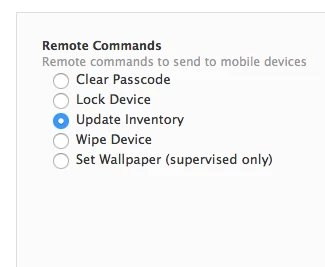
  • Select Update iOS Version

Note: You can choose to download the update for users to install, or to download and install the update and restart devices after installation.

Here is a video outlining the process: Mass Updates for iOS

As always, you can post here or contact your Technical Account Manager with any questions.

Thanks!

33 replies

Forum|alt.badge.img+5
  • Contributor
  • January 20, 2016

If you push this to devices that are currently in use, what happens? Does it just reboot in their hands, or does it wait for the device to be locked?


Forum|alt.badge.img+3
  • New Contributor
  • January 20, 2016

cgalik,

In our environment we've seen a popup come up giving them 10 seconds to either cancel the update, accept it, or it'll just go on it's own if they do nothing. We've had mixed results with iPads in cases that close and put them to sleep. It's definitely not without warning but it's not a long warning either.


Forum|alt.badge.img+3
  • New Contributor
  • January 20, 2016

Thanks Jake,

One thing we weren't sure about is whether or not the command works for devices lower than 9.2. Will it update devices on 9.0 or 9.1?


Forum|alt.badge.img+11
  • Author
  • Employee
  • January 20, 2016

@C_T The update iOS command is supported on all devices running iOS 9 or greater.

@cgalik - As @C_T said, it will prompt the user before installing, but does not wait for the device to be locked. This is functionality built into iOS.


Forum|alt.badge.img+10
  • Contributor
  • January 20, 2016

If a user declines to update, which all of our students will chose, does the iPad trying again at a later time, or do I need to resend the command?

Thanks


Forum|alt.badge.img+13
  • Contributor
  • January 20, 2016

I've notice that doing the download option allowing the user to install seems to auto install at times. We had one that we turned on and it just auto updated after it ran the command and have had reports from students that is just auto installed. I did not do the force install/restart option. Maybe it's popping up with that option you guys are talking about.


bpavlov
Forum|alt.badge.img+18
  • Esteemed Contributor
  • January 20, 2016

@jake Just curious, how come this is only available on supervised or DEP-enrolled iOS devices? Is that just a restriction on Apple's part? Or was that JAMF's decision?


cdenesha
Forum|alt.badge.img+14
  • Honored Contributor
  • January 20, 2016

@nnewport I reported this the other day and found it is a defect D-010049, the download only is also doing the force install.

@jgwatson If the user presses 'Later', they will get the prompt 'iOS 9.2 can update automatically between 2-4 AM' which they can accept or press 'Remind Me Later'.


Forum|alt.badge.img+7
  • Contributor
  • January 20, 2016

@jake (or anyone else who knows):
Given the bug in 9.2 that causes inventory commands to never execute and stay in pending unless cancelled manually and the fact that Casper tries to run an inventory daily, will the pushed iOS update command ever execute without me having to manually cancel all pending commands for each device?

I'm hoping I'm wrong, but it seems pending commands do need to be cleared first. I sent a "download the update" action to my iPad as a test 25 minutes ago and the command is still sitting in the pending queue behind an old inventory command.

If the answer is all pending commands need to be cancelled first, I'm really looking forward to seeing feature request "Clear pending commands on a mobile device" implemented by the next time something like this happens.

Any suggestions in the meantime? If this requires SQL queries is there a support article I can refer to that has the information or do I need to open a support ticket? One problem with having to do an SQL command is I don't have regular access to the SQL server. I'll want to send the iOS update late after hours to minimize disruption and bandwidth usage at school, but I will need to make sure the JSS doesn't submit an inventory request between the time I cancel the pending inventory commands and when I send the mass update.


Forum|alt.badge.img+17
  • Honored Contributor
  • January 20, 2016

@bcampbell

I'm afraid you're looking at clearing via SQL, but the experts can reply. Here's some more feature requests you might want to vote up, though I hope JAMF is working on them already :) They did respond in the 3610 thread

3610

2816


Forum|alt.badge.img+12
  • Employee
  • January 20, 2016

@bpavlov The requirement of a device to be enrolled via DEP is something from Apple, not JAMF. On a side note, even if a device is DEP enabled but was not enrolled via DEP the command will not go through.

@nnewport @cdenesha I experienced the same countdown prompt when sending a Download Only command to my test device. Digging into the logs, the JSS is sending the correct MDM string "Download Only" per Apple's documentation so this may be intended functionality of Apple.


bpavlov
Forum|alt.badge.img+18
  • Esteemed Contributor
  • January 20, 2016

@krichterjr Well it is a new MDM feature so maybe at some point Apple will expand it to cover non-DEP or supervised devices. One can hope anyways.


cdenesha
Forum|alt.badge.img+14
  • Honored Contributor
  • January 21, 2016

@bcampbell You might want to consider changing your Inventory collection from Every Day to Every Week just before you clear all commands. I've got mine on Every Month right now..


Forum|alt.badge.img+5
  • Contributor
  • January 22, 2016

After a few days waiting for some of my devices to complete their scheduled install, I tested a 9.2 device here to see what would happen if a user had pressed the "remind me later" option when they were prompted for 9.2.1 install. From what I can see thus far, it seems that if a user has already pressed "remind me later," the device ignores subsequent MDM requests to schedule OS update. The user is not presented with any dialog, and the update is not performed. Has anyone else seen this?

Jan 22 09:39:06 (device name) mdmd[166] <Notice>: (Note ) MDM: mdmd starting...
Jan 22 09:39:06 (device name) mdmd[166] <Notice>: (Note ) MDM: Network reachability has changed.
Jan 22 09:39:06 (device name) mdmd[166] <Notice>: (Note ) MDM: Push token received.
Jan 22 09:39:06 (device name) mdmd[166] <Notice>: (Note ) MDM: Received push notification.
Jan 22 09:39:06 (device name) mdmd[166] <Notice>: (Warn ) MDM: Ignoring extra keys in push dictionary: {
        time = 1453473530;
    }
Jan 22 09:39:06 (device name) mdmd[166] <Notice>: (Note ) MDM: Polling MDM server https://(serveraddress):8443/mdm/ServerURL for next command.
Jan 22 09:39:06 (device name) mdmd[166] <Notice>: (Note ) MDM: Transaction completed. Status: 200
Jan 22 09:39:06 (device name) mdmd[166] <Notice>: (Note ) MDM: Attempting to perform Supervised request: AvailableOSUpdates
Jan 22 09:39:06 (device name) mdmd[166] <Notice>: (Note ) MC: Loaded SetupAssistant.framework
Jan 22 09:39:06 (device name) mdmd[166] <Notice>: (Note ) MC: Loaded FrontBoardServices.framework
Jan 22 09:39:06 (device name) mdmd[166] <Notice>: (Note ) MDM: Handling request type: AvailableOSUpdates
Jan 22 09:39:06 (device name) mdmd[166] <Notice>: (Note ) MDM: Command Status: Acknowledged
Jan 22 09:39:06 (device name) mdmd[166] <Notice>: (Note ) MDM: Attempting to perform Supervised request: ScheduleOSUpdate
Jan 22 09:39:06 (device name) mdmd[166] <Notice>: (Note ) MDM: Handling request type: ScheduleOSUpdate
Jan 22 09:39:06 (device name) mdmd[166] <Notice>: (Note ) MDM: Server has no commands for this device.
Jan 22 09:39:08 (device name) mdmd[166] <Notice>: (Note ) MDM: mdmd stopping.

cdenesha
Forum|alt.badge.img+14
  • Honored Contributor
  • January 22, 2016

@cgalik Where are those logs from?

I just took two test iPads on 9.1 and pressed Remind Me Later to the mass update and then tried again. The ScheduleOSUpdate is successful in History but nothing is presented on the screen of the iPad. It holds true for a restart of the iPad. So.. confirmed, unfortunately. I was hoping to send the command daily to get them to update..


Nick_Gooch
Forum|alt.badge.img+9
  • Contributor
  • January 22, 2016

@cdenesha Configurator 2 can show you the console logs from an iPad. Right click > Get Info > Console.


Forum|alt.badge.img+5
  • Contributor
  • January 23, 2016

Or you can use iOS Console, which is free from LemonJar.


Forum|alt.badge.img+1
  • New Contributor
  • February 5, 2016

I followed the outlined steps above but I do not see the option to Update iOS Version under remote commands. Is there something I'm doing wrong?


Forum|alt.badge.img+5
  • Contributor
  • February 5, 2016

@ecorrothers Is your JSS up to date?


Forum|alt.badge.img+1
  • New Contributor
  • February 5, 2016

@steelopus We are currently on 9.81


Forum|alt.badge.img+5
  • Contributor
  • February 5, 2016

@ecorrothers There's your issue. This is a new feature in JSS 9.82.
See Page 5 of the release notes.


Forum|alt.badge.img+1
  • New Contributor
  • February 5, 2016

Thank you, sir!


Forum|alt.badge.img+4
  • Contributor
  • February 11, 2016

Anyone have encounter issue when send command to update iOS and it didn't work? my JSS updated to 9.8.2. I have try send a remote command update but on the management commands in JSS didnt state any pending or failed. The ipad is been supervised by using apple configurator 2.


Forum|alt.badge.img+5
  • Contributor
  • February 12, 2016

@dan86 The remote iOS update feature requires each of these to be true:
- iPad is Activated via DEP
- iPad is Supervised

If the iPad is Supervised, but not activated through DEP, the command will not run, and it won't even show up as being sent.


Forum|alt.badge.img+5
  • Contributor
  • April 1, 2016

I think if you choose that the update should download and install, it shouldn't have an option to be bypassed. What's the point of having the device supervised if a student can just tap on ignore and have it not update. That's not real management in my opinion and frustrating to then have to go to each individual iPad to do the update when you have 500+...