Question

Issues with register devices in Intune

  • April 25, 2024
  • 10 replies
  • 751 views

Forum|alt.badge.img+3

We use Jamf Pro and have an integration with Conditional Access to register Macbooks within Microsoft Intune.
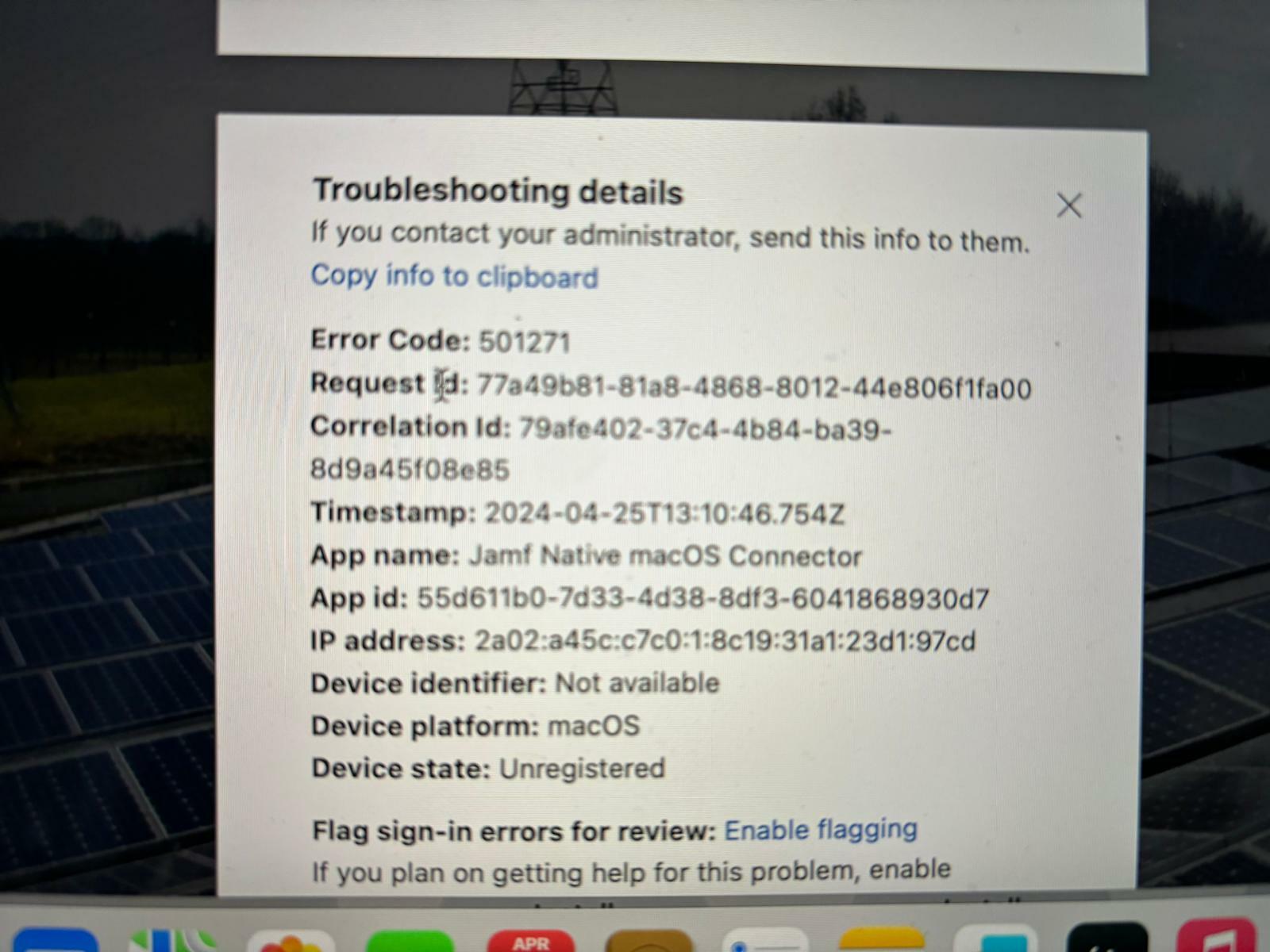
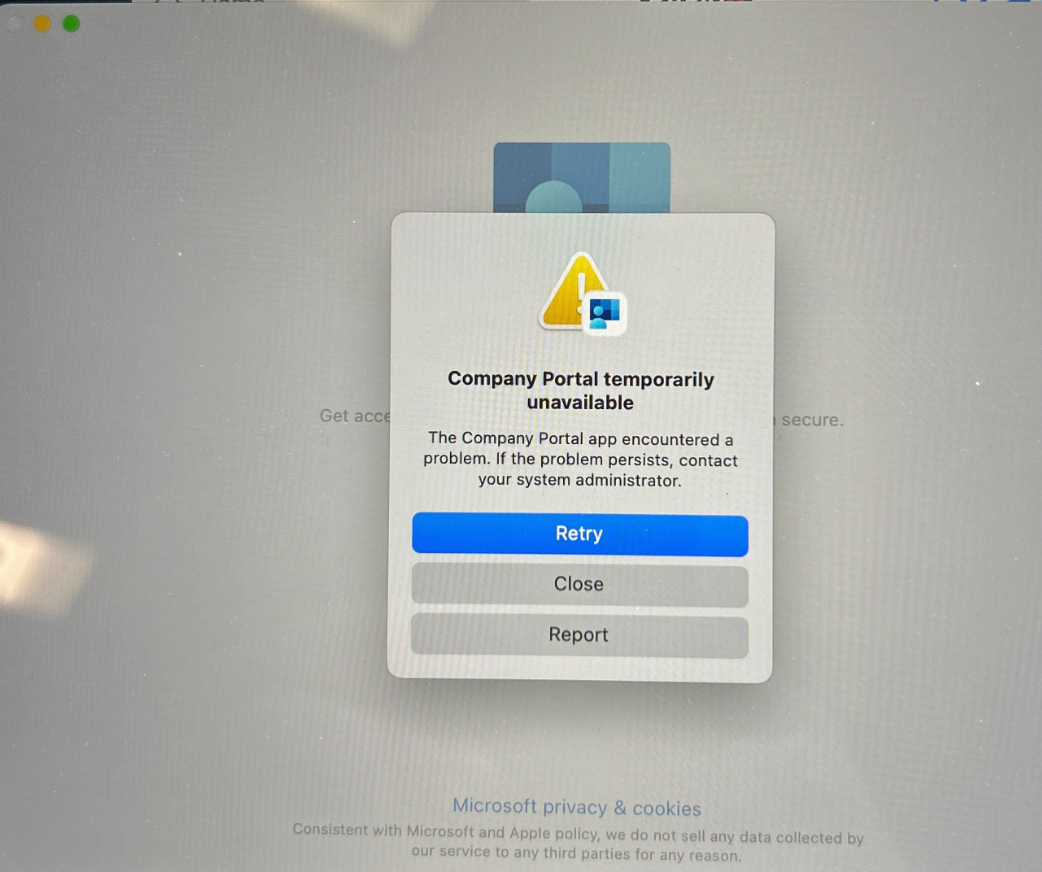
We have recently started receiving this error message and have not been able to resolve it. Who can help me think about how we can tackle this issue?

10 replies

Forum|alt.badge.img+3
  • Author
  • New Contributor
  • April 25, 2024


AJPinto
Forum|alt.badge.img+26
  • Legendary Contributor
  • April 25, 2024

Its a problem with the Comp Portal App, I would suggest starting with following Microsoft troubleshooting doc linked below. This specific error is something to do with the broker function of the Comp Portal. However, for the love of God skip the first two steps of removing the MDM profile and Jamf framework, I'm not sure what clown put that in there.


Troubleshooting Jamf Pro integration with Microsoft Intune - Intune | Microsoft Learn


Forum|alt.badge.img+10
  • Valued Contributor
  • April 26, 2024

Its a problem with the Comp Portal App, I would suggest starting with following Microsoft troubleshooting doc linked below. This specific error is something to do with the broker function of the Comp Portal. However, for the love of God skip the first two steps of removing the MDM profile and Jamf framework, I'm not sure what clown put that in there.


Troubleshooting Jamf Pro integration with Microsoft Intune - Intune | Microsoft Learn


I know it is unrelated to this thread, but speaking of clowns giving bad advice at MS. We had a ticket open a week or two back related to the Data Collection notices issues for AutoUpdate. It was related to the deprecated key in the config profile. Anyway, the MS "Mac Specialist" that was assigned the ticket gave the info below to resolve the issue. 1000% not related and why the hell is MS telling users to disable SIP?!?!?! I asked our TAM about it but it will go unanswered as usual. SMH.


"Disable System Integrity Protection (SIP):

Boot your Mac into Recovery Mode (hold down Command+R during startup).

Open Terminal from the Utilities menu.

Type the command csrutil disable to disable SIP, which may allow you to address the issue2.

Remember to exercise caution when modifying system settings, especially if you’re dealing with administrative permissions. If you encounter any roadblocks, professional assistance from Apple Support is recommended."


danlaw777
Forum|alt.badge.img+17
  • Valued Contributor
  • April 26, 2024

I know it is unrelated to this thread, but speaking of clowns giving bad advice at MS. We had a ticket open a week or two back related to the Data Collection notices issues for AutoUpdate. It was related to the deprecated key in the config profile. Anyway, the MS "Mac Specialist" that was assigned the ticket gave the info below to resolve the issue. 1000% not related and why the hell is MS telling users to disable SIP?!?!?! I asked our TAM about it but it will go unanswered as usual. SMH.


"Disable System Integrity Protection (SIP):

Boot your Mac into Recovery Mode (hold down Command+R during startup).

Open Terminal from the Utilities menu.

Type the command csrutil disable to disable SIP, which may allow you to address the issue2.

Remember to exercise caution when modifying system settings, especially if you’re dealing with administrative permissions. If you encounter any roadblocks, professional assistance from Apple Support is recommended."


"clowns giving bad advice"....LOL LOVE it! 


Forum|alt.badge.img+6
  • Contributor
  • April 30, 2024

Have you tried removing this computer object in Intune and then re-registering using company portal app on the mac??


Forum|alt.badge.img+3
  • Author
  • New Contributor
  • April 30, 2024

Have you tried removing this computer object in Intune and then re-registering using company portal app on the mac??


yes already done.


Forum|alt.badge.img+3
  • Author
  • New Contributor
  • April 30, 2024

Have you tried removing this computer object in Intune and then re-registering using company portal app on the mac??


Object does not yet exist in Intune and Azure AD


Forum|alt.badge.img+3
  • Author
  • New Contributor
  • April 30, 2024

In Azure AD we got the following message:

Failure reason
Broker app needs to be installed for device authentication to succeed.


Forum|alt.badge.img
  • New Contributor
  • May 14, 2024

I have the same issue 

Failure "Broker app needs to be installed for device authentication to succeed."

Error code: 501271


It works for me in Poland after this command typed in terminal "defaults write com.jamf.management.jamfAAD useWKWebView -bool true"


However for other locations company portal is just crashing with error and i have the same error code on intune side.

Conditional access policy is set to report only so it cannot block anything.


In case you have a solution for this please share it here. 


dafGuy
  • New Contributor
  • January 23, 2026

Hi Guys,

I am highly new to Jamf. I‘ve taken over the project mid stage. No Entra ID register working, no Entra ID Account login working etc. and I have a hard time getting my head wrapped around the whole Jamf setup, how it’s configured currently and how it should be configured.

So I followed all the steps I can find. Double checked Platform SSO config, checked CA Policy and excluded the “User registration app for Device Compliance” everywhere necessary, a configuration policies for WebView was already in place, checked if the Service Principles are created correctly (thought of previous guy did not give admin consent and some permissions are missing), checked the Partner Device Management connector and the corresponding Device Compliance setup in Jamf Pro, watched this two month old Jamf presentation (Microsoft Entra Device Compliance: Secure Enclave Requirement for macOS #JNUC2025), checked all documentations I can find - but still seeing the Broker error.
I may have forgot to mention something, after days of checking and learning, but at this point I really have no clue what to further check.
I once managed to register a device but with no change, I changed nothing, it just worked - which brings me to the idea that maybe the Configuration Policy for the WebView did not apply. Although I once already waited 2 hours after enrollment with still not able to register.

The error displayed for the user is: “Administrator policy does not allow user to do Entra ID join” - which also freaks me out after so much hours - one should register, not join - correct? In the YouTube video mentioned the screenshot in Entra also shows “Entra ID registered” or something.

When giving the user I try to register the device, join permission, I can register successfully - but is it correct then? I guess not. I am missing something. Can anyone imagine what I do not understand? I am logged in with a local user, not the user who is going to register, does this somehow corrupt the process?

I would be very happy and thankful for any answer, just a clue, or a hint, anything.

Cheers