Question

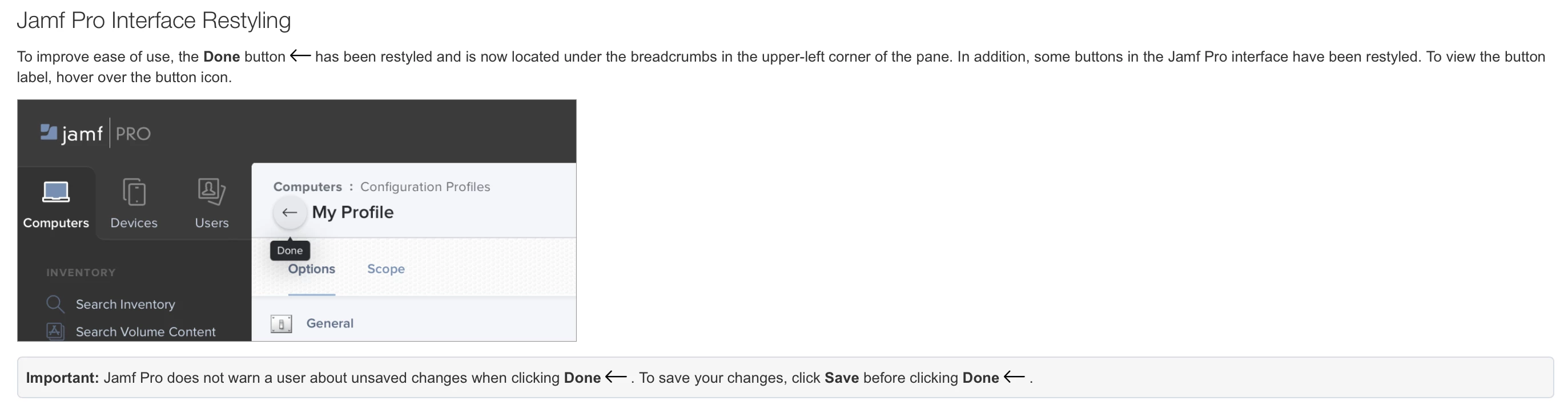
Jamf 20.20 - Done button obscurity

  • March 17, 2020
  • 4 replies
  • 41 views

Forum|alt.badge.img+8

Oh good, because the done button wasn't obscure enough in the first place...


Jamf 20.20 What's New

4 replies

Forum|alt.badge.img+8
  • Author
  • Contributor
  • March 17, 2020

Might have ranted to quickly now I think about it. I'm assuming this refers to the done button when making manual changes to EAs, user, location details etc under device records.


Forum|alt.badge.img+10
  • Valued Contributor
  • March 17, 2020

Hey @jamf - If time is being taken to change the font and button styling can you also look at button placement? They should be towards the TOP and LEFT side of the UI to avoid scrolling, not to the right and bottom (and all too often out of view on smaller windows or lesser devices.) I'll bet someone's got a "feature request" in for this, but I can't find it. Please please please - you don't know how many times I've botched something because I'm side-scrolling to add a device to scope and accidentally swipe out of the policy I've just spent 20 minutes customizing... This would be an easy aggravation to resolve!

It looks pretty, and I get the transition to icons instead of words to ease internationalizing JAMF, but button placement should be a user definable option.


atomczynski11
Forum|alt.badge.img+18

Hmm,

Is it just me or does this sound better?

Go back icon is the default button to use (if you were only seeing the page but not started to modify)

Save - save changes and stay on the page
Done - save changes and exit to main page category or previous window
Cancel changes - cancel changes and exit to main page category

additional ideas to explore:
Confirmation window upon canceling if changes were made with an option to "save setting for future checkmark"
Save and Done are not available/grayed out unless changes were made


Forum|alt.badge.img+10
  • Employee
  • March 19, 2020

Hey,

thank you for the valuable feedback that you've left here.

I'd like to make you aware that what you currently see in the UI is the interim state. We are delivering updates iteratively and there is still more to come. Our goal is to make more space for your data and make the interface more intuitive. However, this is a huge change and won't happen overnight. So watch future updates that are going to address your concerns in this thread.

Thank you