Question

Jamf Nation now showing me alerts for discussions I am not subscribed to or posted on?

  • October 31, 2018
  • 11 replies
  • 92 views

mm2270
Forum|alt.badge.img+24

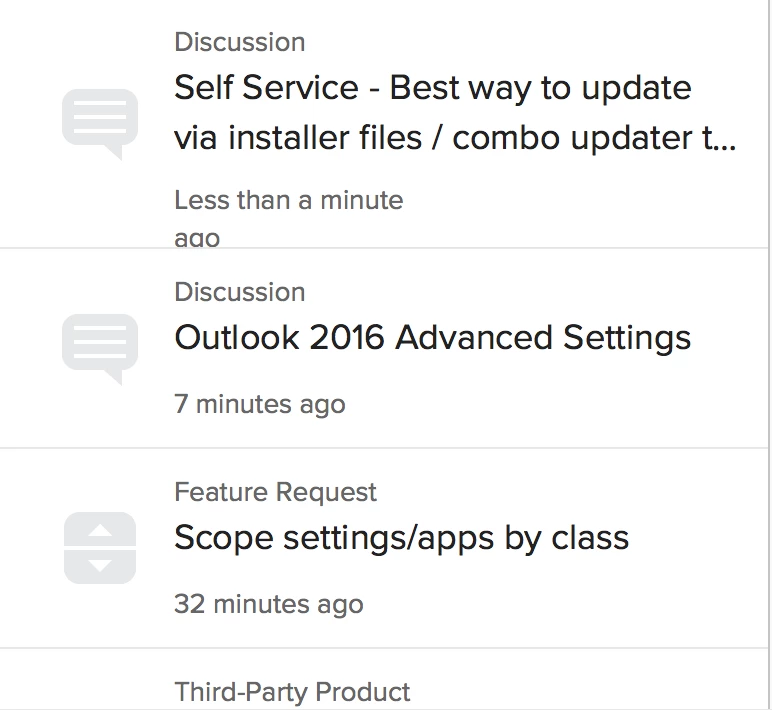
So all of a sudden in my JamfNation alert (bell icon) menu, I'm seeing notices for Discussions, Articles and Feature Requests that I have never posted to, voted up or subscribed to in any way. It seems like I'm getting these notices simply because someone else posted to them. At first I thought it was related to how discussions now can link back to a software title, such as with a discussion I see about the 10.13.6 Combo Updater linking back to "High Sierra", but in looking closer, I am not subscribed to that software title, so that can't be it.
Is this something new, or (hopefully) a bug that will be fixed? Because honestly, I don't need to see an alert for every new post, FR or article created, especially when I'm right in JamfNation in the first place.

I'm attaching an image of what I see as of about 5 minutes ago. The top 3 items are not something I should be seeing notices about.
11 replies

Forum|alt.badge.img+3
  • New Contributor
  • October 31, 2018

Same same. Whats going on?

Uh-on....now of course this conversation will appear in my alerts area.


mm2270
Forum|alt.badge.img+24
  • Author
  • Legendary Contributor
  • October 31, 2018

Yep, this now showed up in my alerts... but that makes sense since I posted the discussion, and you responded to it! 😉

I'm now up to 5 alerts showing up, all ones I have not posted on, voted on or subscribed to, so I see no reason I should be alerted about them. Something is messed up.


Forum|alt.badge.img+9
  • Employee
  • October 31, 2018

@mm2270 & @dogden -

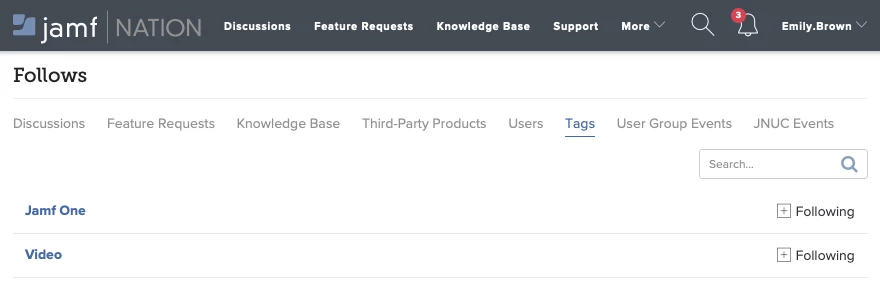
If you navigate to your Username menu in the upper right hand corner => Follows, do you see any of those Discussions, Feature Requests, or Tags in this interface?

If not, please comment here and I'll reach out via email to take a closer look.

Thank you!
Emily


Forum|alt.badge.img+3
  • New Contributor
  • October 31, 2018

I only have two discussions I am currently following - this one being one of them. However it didn't occur to me to look at tags - that must be it since there are large number of tags I am following.

Thanks for the help.


mm2270
Forum|alt.badge.img+24
  • Author
  • Legendary Contributor
  • October 31, 2018

@Emily.Brown Yes, it looks like its because of the Tags. One of the discussions that recently showed up in my alerts "pppc unable to sign in" has a "Settings and Security Management" tag applied, which is something in my Tags list.

But, is this something new? Not tags, but being alerted to threads that have any tags we are subscribed to? Because up until today I hadn't seen this behavior.
If so, this seems like unnecessary clutter to me. I might as well be alerted to every new discussion, feature request or anything since I have a lot of tags in that list. I thought we only got alerts for items we specifically commented on, or voted up, etc.


Forum|alt.badge.img+9
  • Employee
  • October 31, 2018

@mm2270 - Depending on a lot of other variables, like your email settings, we potentially fixed something that hasn't been working for a very long time. Without a very in depth historical review of the available configurations, I can't say for sure how everyone was effected.

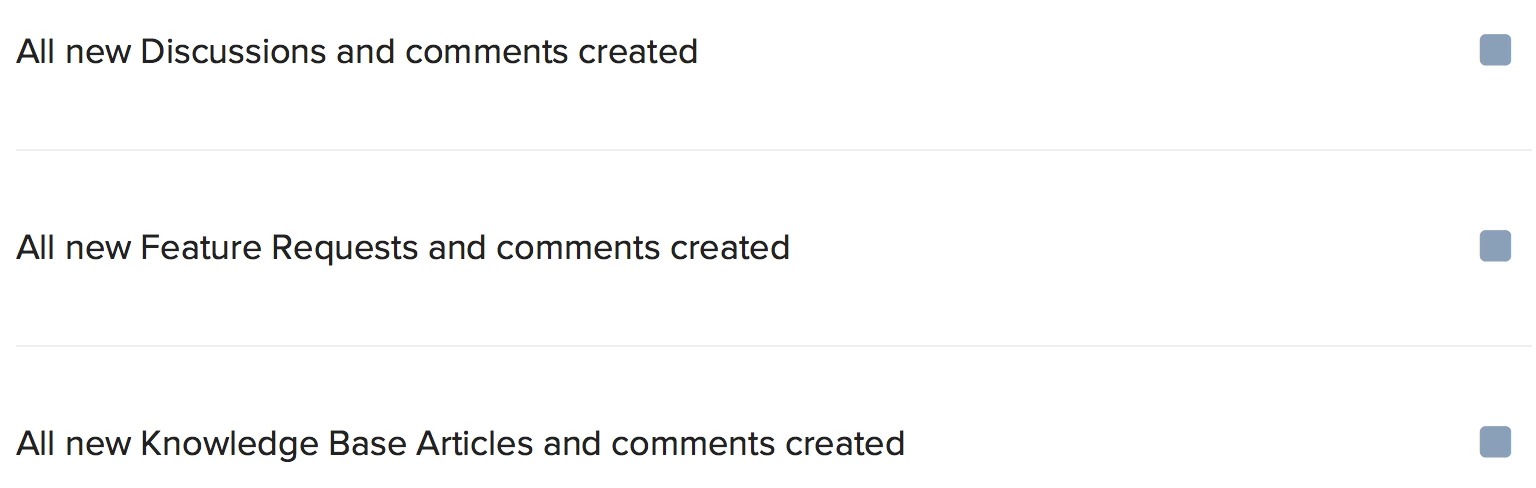
However, I wonder if this modifying this setting would help:

Thank you!
Emily


mm2270
Forum|alt.badge.img+24
  • Author
  • Legendary Contributor
  • November 1, 2018

@Emily.Brown I'm not really sure what to say about this. All I know is that with this fix in place, the notifications has become a spam system for me. I now have 68 "notifications" in the menu (and climbing hourly), most of which are things I'm not really interested in looking at.

To answer your question, hopefully, here are my settings. I don't see anything I can change that would reduce the amount of notifications I'm getting.

First off, this is enabled, and I want that function, so that stays:

Then there's this option, of which the Push is disabled. As explained in that section, this manages what shows up on JamfNation and in the JamfOne app. I only have the Email option enabled.

Then at the bottom are these, which are all disabled, so the prolific amount of notifications doesn't seem to be coming from those.

Anything else you can suggest I look at? Because nothing so far is standing out to me that needs to be adjusted.


mm2270
Forum|alt.badge.img+24
  • Author
  • Legendary Contributor
  • November 1, 2018

@Emily.Brown Ok, looking back again at your post, were you suggesting I need to enable the Push notifications for 'Updates from followed content'? If so, that seems counterintuitive. I would think that would make the notifications I get in the menu increase, not decrease, but perhaps I'm not really understanding what that function does. Could you elaborate on that a little maybe?


exno
Forum|alt.badge.img+14
  • Contributor
  • November 1, 2018

Much like @mm2270 I do not have the Push option checked for Updated Followed Content

... I'd post a picture but DLP keeps blocking despite whitelisting...

In fact I think our Notification settings are the same across the board.


Forum|alt.badge.img+9
  • Employee
  • November 1, 2018

@mm2270 & @exno -

Sorry for the crummy experience on your notifications. “Push” only impacts Jamf One and the browser notifications in Jamf Nation, not the in-app notifications in the bell icon. So, if you're following a lot of Tags and you have 'Auto-follow' on, I can see how this is adding up. Help us iterate! We brainstormed 'mute' or 'stack' options for in-app notifications but opted to ship and get feedback.

Can I ask you open a feature request using the Jamf Nation tag (yes, irony, I understand) and start the conversation?

Thank you!
EB


Forum|alt.badge.img+7
  • Valued Contributor
  • November 5, 2018

I currently have 0 Follows, 0 Tags, & only have 3rd Party listed so I get update notifications. I am also getting notices of thread updates I do NOT subscribe to. I think they are threads I have opened/read, but NOT subbed/responded to.