Hi all,
Like the previous discussion i created on Jamf Nation about upgrade paths to Mojave back in september, i thought lets start a new fresh thread for sharing macOS Catalina installing & upgrade ideas and experiences.
Because there are already some real changes like;
- macOS is now on a separate partition that is read-only
- Activation Lock has been added to T2 Macs
Installing macOS through PreStage / DEP
Prestage enrollments works fine for now, The Jamf binary not works 100% but that is logical.
Modulair Imaging
We all know that "modulair" imaging is dead for a while, but to be honest for our older mac fleet that is not DEP registered and not having an T2 chip i still used Jamf Imaging and creating DMG's with AutoDMG for bringing that Mac's alive.
But assuming with the new read-only Macintosh HD partition this really will be painful.
Upgrading
The thing i already noticed is that in the past new macOS version were available in the Mac App store. Now the Software Update pane gets an 1 icon and will give you the option to download and install the upgrade.
So if you have an SUS in place, i assume we can prevent the update being delivered to production branch, and allow it on your pilot branch for instance.
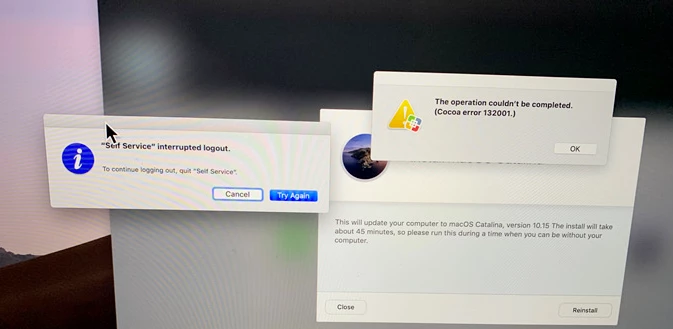
For the past 2 upgrade methods i used, and still using the work of @bpavlov and i can confirm that this one is still working without issues for now.
This is an workflow of upgrading to an new macOS version through Self Service.
I upgraded from 10.14.5 to 10.15.0 Beta.
See my GitHub for the script, huge thanks again to @bpavlov .
Resources
- WWDC 19 video on "What’s New in Managing Apple Devices" Devices Link
- Robbert Hammen his blog with a lot of information Link
- Bash shell not installed default anymore? comparison vs ZSH Link
- How to change your default shell to zsh for instance "chsh -s /bin/zsh"
So, let's start sharing ideas and experiences for the upcoming months !