Question

JSS 9.100.0 Upgrade Problems

  • July 21, 2017
  • 33 replies
  • 146 views

PatrickD
Forum|alt.badge.img+9

Obligatory post for new release upgrade problems/lack there of :)

33 replies

apizz
Forum|alt.badge.img+15
  • Honored Contributor
  • July 21, 2017

I had no issues upgrading our JSS (on a Mac). No issues that I've noticed yet ... knock on wood


mickgrant
Forum|alt.badge.img+12
  • Contributor
  • July 21, 2017

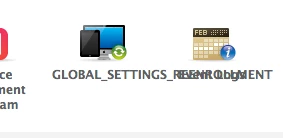
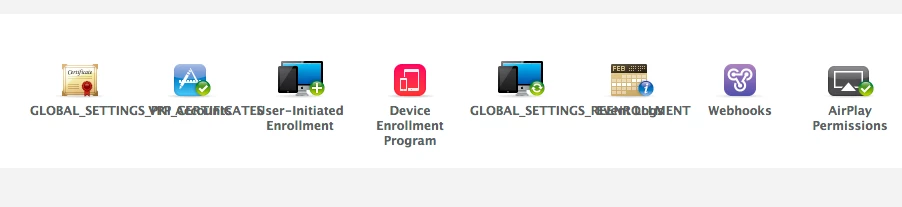
no issues upgrading apart from the Re-enrolment settings section not being named correctly


Forum|alt.badge.img+7
  • Contributor
  • July 21, 2017

same no issues with upgrade apart from Re-enrolment settings section not being named correctly.


neilmartin83
Forum|alt.badge.img+7
  • Contributor
  • July 21, 2017

No issues with the upgrade here on my dev server (that I can see).

Clear your browser cache to fix the dodgy names. ;-)


Cptn_Chaos
Forum|alt.badge.img
  • New Contributor
  • July 21, 2017

No errors with the update itself.
But I can not see the point re-enrollment.
The browser cache was cleared, the server was restarted
The point appears / is also called "re-enrollment"?


whitebeer
Forum|alt.badge.img+7
  • Contributor
  • July 21, 2017

upgrade works fine on our DEV-sever :)


Forum|alt.badge.img+4
  • Contributor
  • July 21, 2017

upgrade was smooooooth!!!
I did notice that the resources folder (which contains the docs) was missing GRRRRRRR!
did this change from pdf docs to web page based docs?????
thanks
stephen


Nick_Gooch
Forum|alt.badge.img+9
  • Contributor
  • July 21, 2017

@sprovost Yes it was removed. See Functionality Changes and Other Considerations

The following PDF files have been removed from the JSS Installers: Casper Suite Release Notes Casper Suite Administrator's Guide QuickStart Guide for Managing Computers QuickStart Guide for Managing Mobile Devices Jamf Software Server Installation and Configuration Guide for Mac Jamf Software Server Installation and Configuration Guide for Windows Jamf Software Server Installation and Configuration Guide for Linux Manually Installing the Jamf Software Server Links to this documentation in web-based format are now available on the JSS Installer download page on Jamf Nation. To access this page, log in to Jamf Nation and go to: https://www.jamf.com/jamf-nation/my/products

Forum|alt.badge.img+4
  • Contributor
  • July 21, 2017

Nick: thanks.
What drove this action???????
not cool at all!
Now I can't access the docs unless I have a good internet connection.
While some areas, internet access is no issues.
But here, I don't have access to the internet at all times to review a web page.
Is there a web page, where there is as PDF file?

stephen


Forum|alt.badge.img+8
  • Contributor
  • July 21, 2017

If anybody else is annoyed by the disappearance of the Resources folder with the PDF doc files, please give this feature request some Up Vote love: Provide PDF versions of documentation


Forum|alt.badge.img+4
  • Contributor
  • July 21, 2017

with thanks to ryanstayloradobe
he posted a link to get pdf files as shown below

Posted: 21 minutes ago by ryanstayloradobe

PDF documentation is already provided here:

https://www.jamf.com/resources/resources-jamf-pro/product-documentation/

It's too bad it is no longer included in the DMG, but PDFs are still readily available.


Forum|alt.badge.img+11
  • Valued Contributor
  • July 21, 2017

just upgraded to 9.100 and everything seemed to go ok except my JDS instances are not working. I get the "(package) is not available on the HTTP server" error each time I try to download a package even though they appear to be enrolled correctly


Forum|alt.badge.img+8
  • Contributor
  • July 21, 2017

@mapurcel Check the version of jamf binary on your machines and see if they've updated to 9.100. I was seeing a similar problem with errors accessing my SMB DPs immediately after updating, but after doing a sudo jamf policy to force a check-in the error cleared up.


Forum|alt.badge.img+1
  • New Contributor
  • July 21, 2017

I'm seeing the same issue @mapurcel . This looks like an issue with the certificate being generated. It's not including the common name in the SAN (Subject Alternative Name) for the JDS server in the certificate. Therefore it's causing an error. For example, my certificate has jds.domain.local common name and for the SAN it has jss.domain.local and *.jss.domain.local but doesn't include jds.domain.local. I think that is whats causing the issue. This is now required for all certificates to include the common name in the SAN. This is known as certificate transparency and I'm seeing it being forced down more on internal applications. I really don't want to have to manage this on the JDS side to make this work since it will involve importing this into the keystores for tomcat and modifying apache.

Could someone at JAMF come up the fix to include the jds servers common name in the SAN part of the certificate?


Forum|alt.badge.img+1
  • New Contributor
  • July 21, 2017

I submitted a support case to JAMF for the JDS certificate error.


Forum|alt.badge.img+11
  • Valued Contributor
  • July 21, 2017

@juttmartin thanks, which certificate are you referring to? I'm using a Linux JDS


Forum|alt.badge.img+2
  • New Contributor
  • July 22, 2017

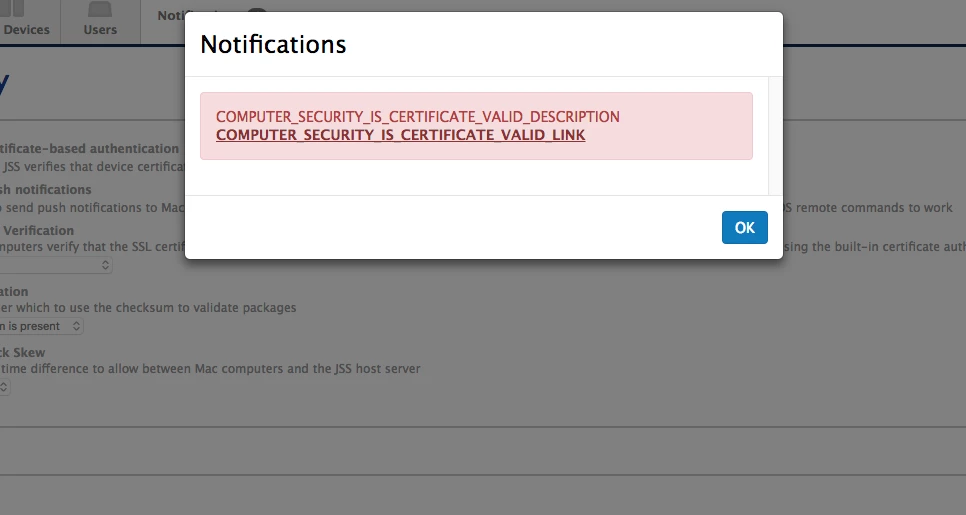
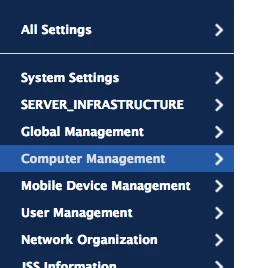
I have some odd display bugs in our upgrade.

I saw a number of these.

Anyone else see this?


Forum|alt.badge.img+15
  • Esteemed Contributor
  • July 22, 2017

@smamdani command Shift R will force your browser to reload the page. That should take care of it.

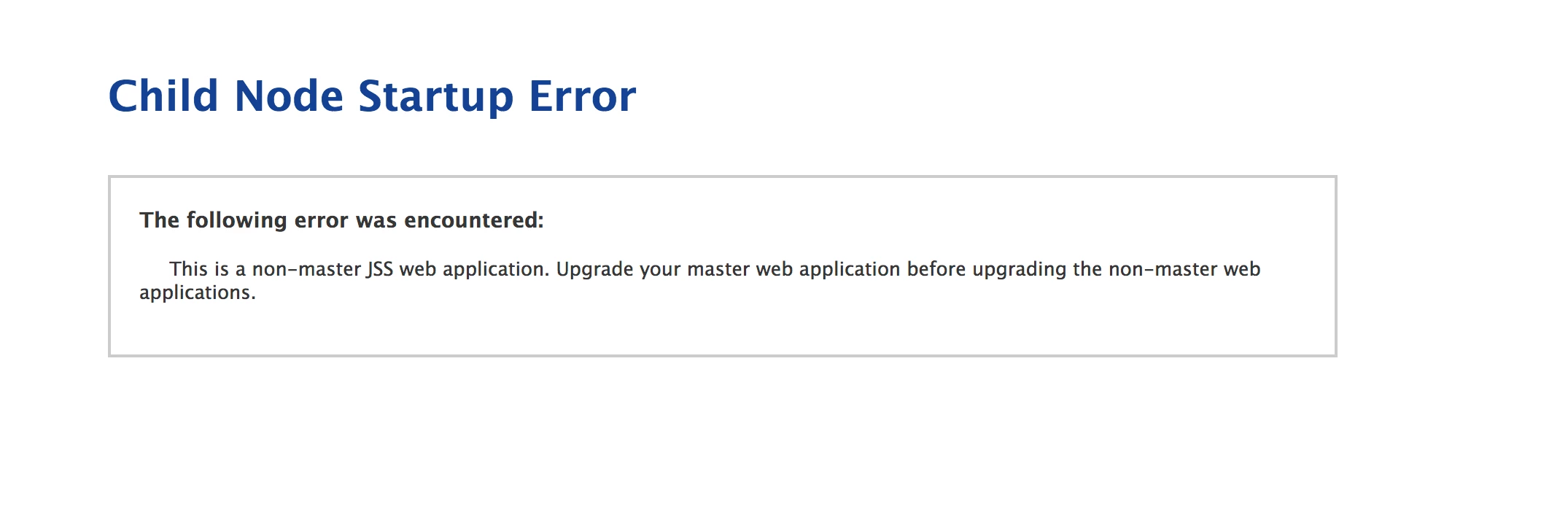
Anyone have any clustering issues after the upgrade? I had to disable clustering directly in the database before I could get my primary JSS to start. After that, I turned clustering back on and then things were fine.


Forum|alt.badge.img+1
  • New Contributor
  • July 24, 2017

@mapurcel I'm seeing this when establishing a connection to JDS to pull a package. It's unable to establish a secure connection since it can't validate the certificate. I'm using CentOS and in this case being a certificate issue it wouldn't matter what OS you are hosting on.


Forum|alt.badge.img+11
  • Valued Contributor
  • July 24, 2017

thanks @juttmartin can you post the defect number here if your case results in one? I'll do the same.


Forum|alt.badge.img+1
  • New Contributor
  • July 24, 2017

@mapurcel this is looking like a bug to me that wasn't caught for when the JDS pulls a certificate. JAMF told me so far to create another distribution using SMB which I'm not doing. If I don't hear back with a fix from them. I'm going to modify Apache and implement my own internal CA and certificates for JDS to fix the problem by the EOD.


Forum|alt.badge.img+1
  • New Contributor
  • July 24, 2017

@mapurcel I fixed the issue on my end. The issue is exactly what I thought. I can't wait for a permanent fix from JAMF. I created a new certificate for JDS from my internal CA. This cert now includes the missing SAN name for the JDS server. I modified my Apache on JDS for this change and I'm now pulling packages just fine. I've relayed all my information troubleshooting the issue to JAMF. I'm new to JAMF products but as long as it's a linux box I can typically figure out whats going on and implement a fix really quick.

Here is the basic output confirmation:

Executing Policy Hype
Downloading Hype-3.6.3.pkg...
Downloading https://JDS_SERVER_HOST_NAME/CasperShare/Hype-3.6.3.pkg...
Verifying package integrity...
Installing Hype...
Successfully installed Hype.
Running Recon...


Forum|alt.badge.img+6
  • Contributor
  • July 26, 2017

Have upgraded and all good so far apart from user error - the JSS didn't like it when I restored a backup of the web.xml from 9.98 but its all working since i restored the 9.100 version.

I do have a strange looking version number - JSS 9.100.0-t1499435238. Is that the new format? Bit of a mouthful.


georgecm12
Forum|alt.badge.img+12
  • Valued Contributor
  • July 26, 2017

Our JSS is simple, so upgrading went pretty much by the book.

@nigelg Yes, that has been the version numbering format since 9.99, I believe.


Forum|alt.badge.img+9
  • Valued Contributor
  • July 26, 2017

I saw the same things everyone is reporting with web interface issues. JAMF needs to hire a highly skilled project manager specializing in product development to make sure glaring issues are worked out before release, and new features are thought out and implemented fully.