Question

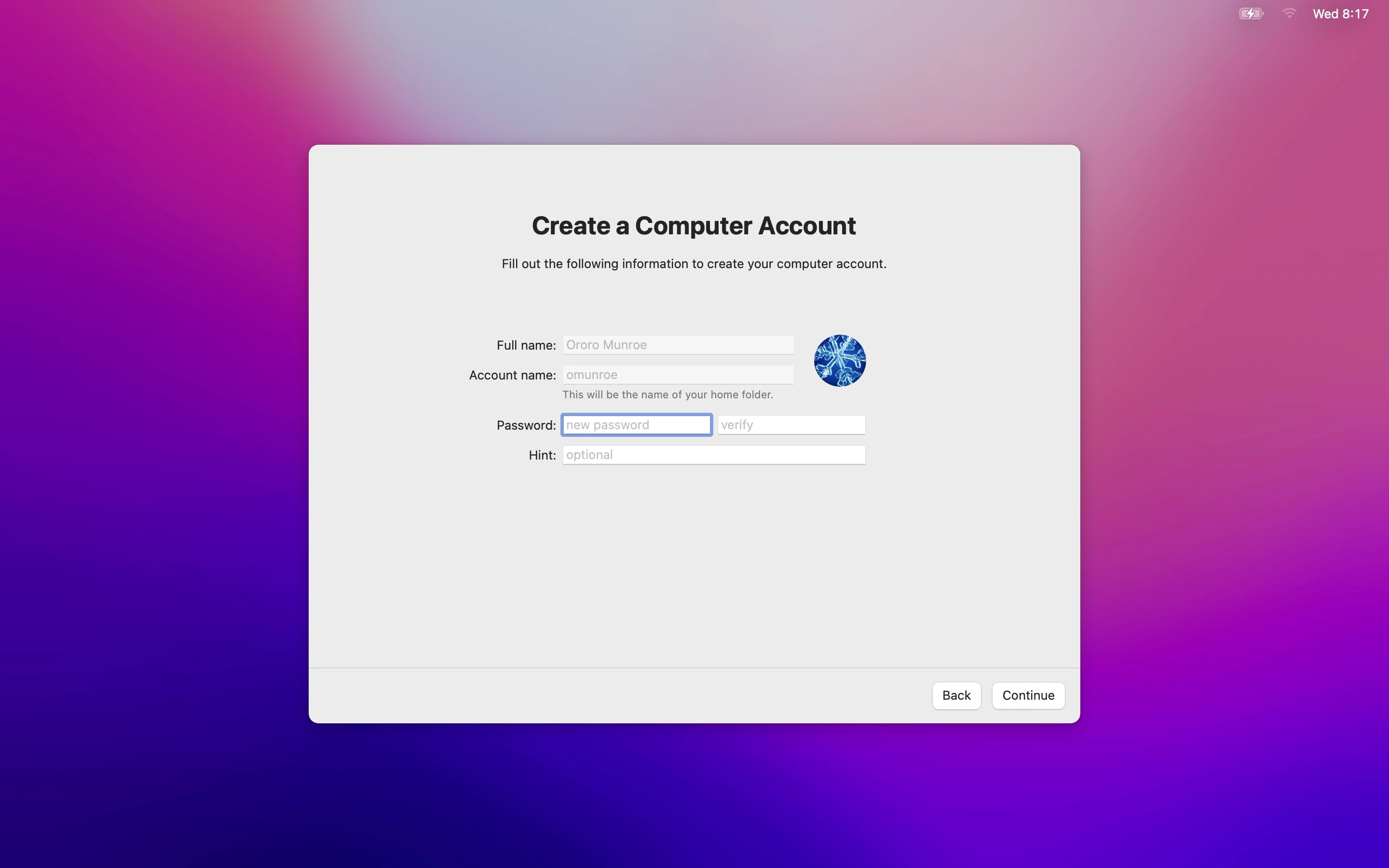
Local account login must be AD username

  • April 6, 2022
  • 6 replies
  • 35 views

Forum|alt.badge.img+6

Hi,

Context:

We have plenty of MacBooks having only local cession.  While enrollment, the user cant set any login he wants for his local session.

Request:

The user must be forced to set his AD username as his mac login.

Info: non-binded/mobile MacBooks, enrollment: dep/prestage

Is this doable by a script ?any idea?

6 replies

sdagley
Forum|alt.badge.img+25
  • Jamf Heroes
  • April 6, 2022

@Eskobar If you have "Require Authentication" set in your PreStage you can set the "Pre-fill primary account information" to "Device Owner Details" and "Lock primary account information" options in the Account Settings page of your PreStage Enrollment configuration to restrict the account configuration info.


Forum|alt.badge.img+20
  • Honored Contributor
  • April 6, 2022

Do you just need the names to match or do you need to keep the passwords in Sync? You could look at NoMAD and NoMAD Login to create the users based on their AD credentials. But, that would also require the users to be able to see the Domain when they are enrolling the computers. 


If you federate your domain with a Cloud IdP, such as Azure AD or Okta, you could use Jamf Connect as well. Then users could login without being able to see the domain and users would be created based on their Cloud account. 


Forum|alt.badge.img+21
  • Valued Contributor
  • April 6, 2022

Do you just need the names to match or do you need to keep the passwords in Sync? You could look at NoMAD and NoMAD Login to create the users based on their AD credentials. But, that would also require the users to be able to see the Domain when they are enrolling the computers. 


If you federate your domain with a Cloud IdP, such as Azure AD or Okta, you could use Jamf Connect as well. Then users could login without being able to see the domain and users would be created based on their Cloud account. 


The Kerberos Single Sign-on Extension will do this as well, and is built in to macOS Catalina and newer.  No need to install additional software.


Authenticate against LDAP when enrolling, pre-fill the local account info based on owner details, and sync local account password with AD via Kerberos SSO, and you've got essentially an AD bound device without the headaches of AD binding.


Forum|alt.badge.img+21
  • Valued Contributor
  • April 6, 2022

@Eskobar If you have "Require Authentication" set in your PreStage you can set the "Pre-fill primary account information" to "Device Owner Details" and "Lock primary account information" options in the Account Settings page of your PreStage Enrollment configuration to restrict the account configuration info.


For what it's worth, here's what this looks like


I'm authenticating against Azure AD, so you have to do some field mapping to get the username set to mailNickname rather than userPrincipalName, but that's not too difficult.  This has the added benefit that devices don't need to be on your network in order to be able to see the authentication domain.


sdagley
Forum|alt.badge.img+25
  • Jamf Heroes
  • April 6, 2022

For what it's worth, here's what this looks like


I'm authenticating against Azure AD, so you have to do some field mapping to get the username set to mailNickname rather than userPrincipalName, but that's not too difficult.  This has the added benefit that devices don't need to be on your network in order to be able to see the authentication domain.


@jcarrIf you configure things as I describe there should be no Create a Computer Account prompt, and the the user's account should be created with the password used to authenticate on the Remote Management screen (with the caveat that my authentication process is via LDAP proxied through Jamf Pro via a Jamf Infrastructure Manager). Kerberos SSO is used to keep the password synced after enrollment.


Forum|alt.badge.img+21
  • Valued Contributor
  • April 6, 2022

@jcarrIf you configure things as I describe there should be no Create a Computer Account prompt, and the the user's account should be created with the password used to authenticate on the Remote Management screen (with the caveat that my authentication process is via LDAP proxied through Jamf Pro via a Jamf Infrastructure Manager). Kerberos SSO is used to keep the password synced after enrollment.


Interesting, I haven't seen it configured with on-prem AD/LDAP.  I'm using Azure AD and it still prompts to create the local computer account.  I'll have to try to replicate that.