Question

Login window image customisation?

  • March 2, 2017
  • 4 replies
  • 4 views

Forum|alt.badge.img+10

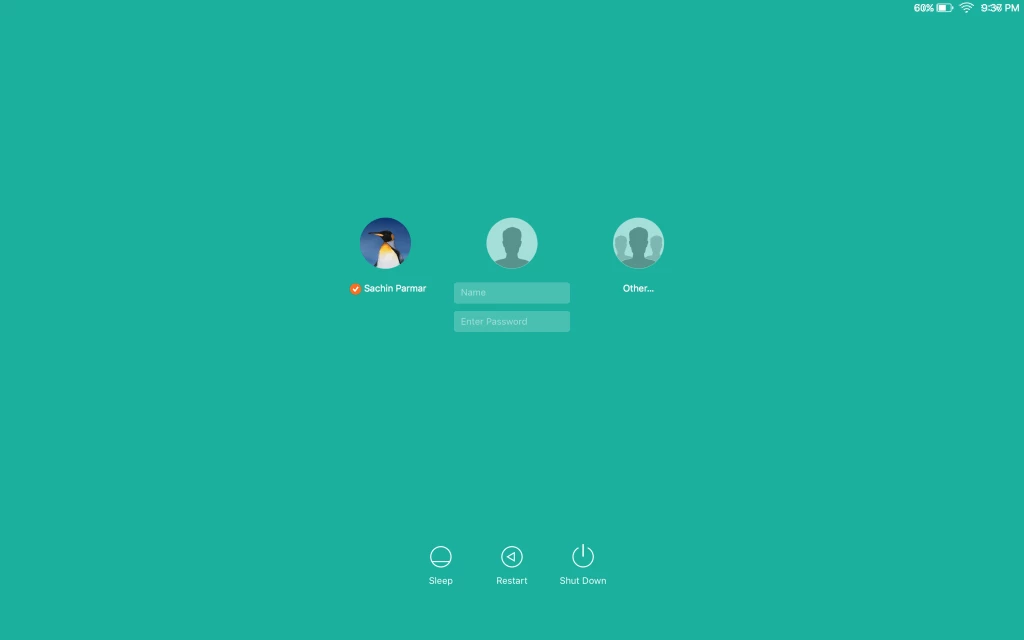
I've seen how to customise the background of the login window on OS X 10.10 and 10.11 using /Library/Caches/com.apple.desktop.admin.png, but what I'd like to know is how to figure out where on the image the overlaid elements like the login fields, banner text and restart/shutdown buttons appear?

This would allow me to modify the image I want to use so that these will be more easily visible.

Thanks,
Dan Jackson (Lead ITServices Technician)
Long Road Sixth Form College
Cambridge, UK.

4 replies

bentoms
Forum|alt.badge.img+35
  • Hall of Fame
  • March 2, 2017

@DanJ_LRSFC I don't think you can change the login fields.

Banner text & restart/shutdown buttons can be managed via a Login Window profile.


Forum|alt.badge.img+10
  • Author
  • Valued Contributor
  • March 2, 2017

@bentoms I don't want to change them. I just want to know how to figure out where they appear (x, y coordinates) so I can e.g. put a box or blur that area of the image to make them more visible.


bentoms
Forum|alt.badge.img+35
  • Hall of Fame
  • March 2, 2017

@DanJ_LRSFC Oh.. i think they are dynamic.. as they appear in the same relative locations despite screen size.


pete_c
Forum|alt.badge.img+16
  • Honored Contributor
  • March 2, 2017

I don't have the .PSD anymore but here's a .PNG i used to define the safe area - the size of those elements doesn't change based on screen resolution, but the user icons & name/password field are always centered and the three power buttons are always the same relative distance from the bottom edge: